
Valcom VC-S-500VC
Valcom Clarity 25/70V 8" Ceiling Speaker User Manual
Model: VC-S-500VC | Brand: Valcom
1. Product Overview
The Valcom Clarity 25/70V 8" Ceiling Speaker is a general-purpose audio device designed for clear sound reproduction in various environments. It features a durable finish and is compatible with both 25-volt and 70-volt speaker lines, making it suitable for commercial and public address systems.
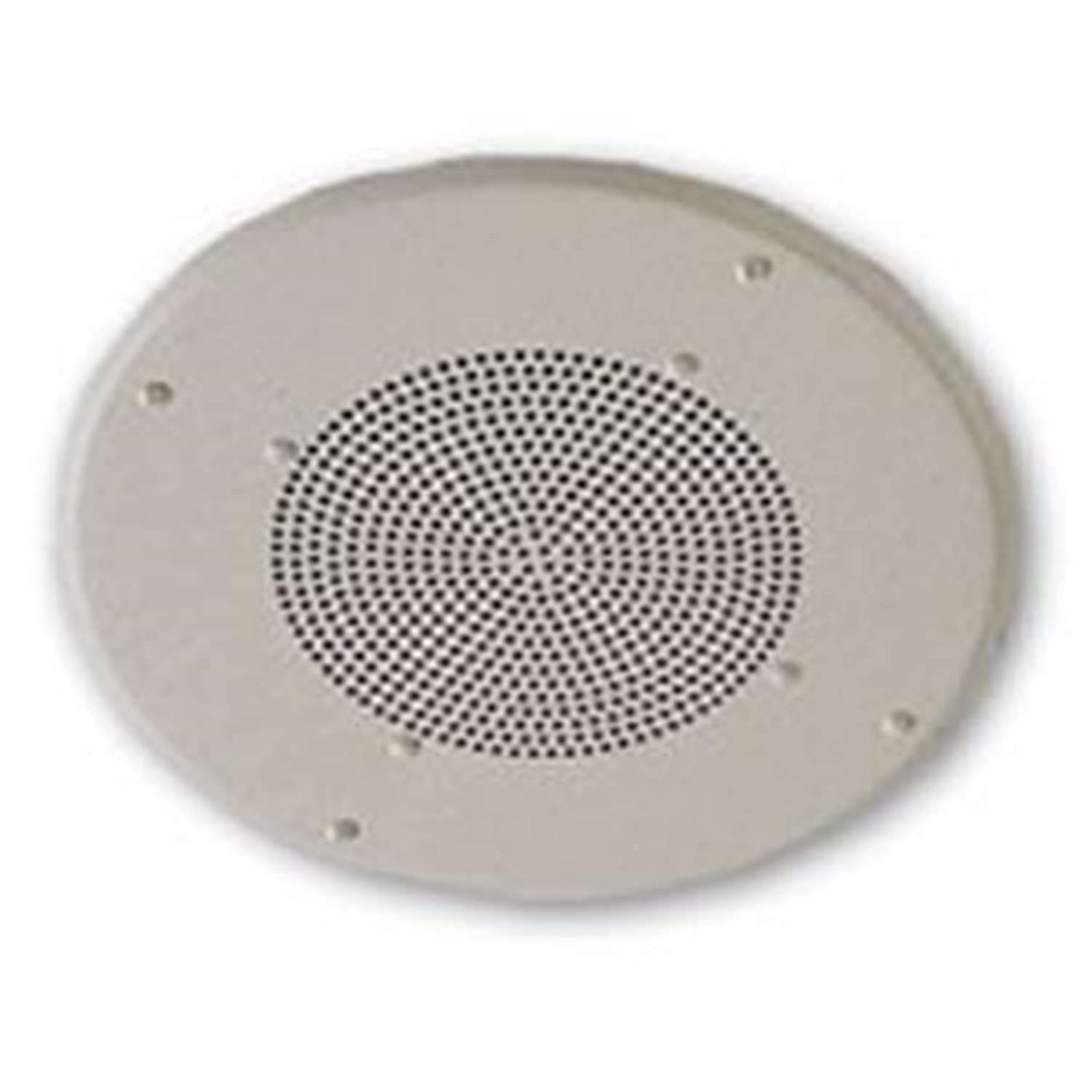
Figure 1: Front view of the Valcom Clarity 8-inch Ceiling Speaker, showing the white circular grille and mounting points.
Key Features:
- General purpose ceiling speaker
- Scuff, scratch, and nick resistant finish
- Attractive white powder epoxy finish
- Operates on 25 or 70 volt speaker lines
- 5 Watt power output
- 8 Inch speaker diameter
- Frequency response: 65Hz to 17kHz
- SPL: 95dB 1W @ 1 Meter
- Sold Individually
2. Installation and Setup
Proper installation is crucial for optimal performance and safety. It is recommended that installation be performed by a qualified professional.
2.1. Pre-Installation Checklist
- Verify speaker compatibility with your audio system (25V or 70V line).
- Ensure power to the audio amplifier is OFF before beginning installation.
- Confirm adequate ceiling space for the speaker dimensions (15 x 15 x 8 inches).
- Gather necessary tools: wire strippers, screwdriver, drill, appropriate wiring.
2.2. Mounting Instructions
- Carefully mark the desired location for the speaker on the ceiling. Ensure no obstructions (e.g., joists, pipes, electrical conduits) are present.
- Cut a circular opening in the ceiling, ensuring it is slightly smaller than the speaker's outer rim but large enough for the speaker body to fit. Refer to the speaker's exact cutout diameter if available (typically 8-inch speakers require a cutout around 9.5-10 inches).
- Run the speaker wire from your amplifier to the ceiling opening.
- Strip approximately 0.5 inches of insulation from the speaker wire ends.
- Connect the speaker wires to the speaker's terminals, observing polarity (+ to + and - to -). For 25V/70V systems, ensure correct transformer tap selection if applicable.
- Carefully insert the speaker into the ceiling opening.
- Secure the speaker using the integrated mounting clamps or screws provided. Tighten screws evenly until the speaker is flush with the ceiling surface.
2.3. Wiring Diagram (Conceptual)
Note: A specific wiring diagram is not provided with this manual. Always consult a qualified electrician or audio technician for complex installations. Ensure all wiring complies with local electrical codes.
For 25V/70V systems, connect the amplifier's output to the speaker's input terminals. Ensure the correct voltage tap is selected on the speaker's transformer (if present) to match the amplifier's output voltage.
3. Operation
Once installed, the Valcom Clarity Ceiling Speaker operates as a passive audio output device. Its operation is dependent on the connected audio amplifier and source.
3.1. Basic Operation
- Ensure the speaker is correctly wired to a compatible 25V or 70V audio amplifier.
- Turn on the audio amplifier.
- Select your desired audio source on the amplifier (e.g., microphone, music player).
- Adjust the volume level on the amplifier. Start with a low volume and gradually increase it to a comfortable listening level.
3.2. Volume and Sound Quality
The speaker's sound quality and maximum volume are influenced by the amplifier's power output and the selected voltage tap. Avoid overdriving the speaker with excessive volume, as this can lead to distortion and potential damage.
4. Maintenance
The Valcom Clarity Ceiling Speaker requires minimal maintenance due to its durable design.
4.1. Cleaning
- Periodically wipe the speaker grille and surrounding area with a soft, dry cloth to remove dust.
- For stubborn dirt, slightly dampen the cloth with water. Do not use harsh chemicals, solvents, or abrasive cleaners, as these can damage the finish.
- Ensure no liquid enters the speaker cone or internal components.
4.2. Inspection
- Occasionally inspect the speaker for any visible damage to the grille or mounting points.
- If the speaker is accessible, check the wiring connections to ensure they remain secure.
5. Troubleshooting
If you experience issues with your Valcom Clarity Ceiling Speaker, refer to the following common problems and solutions.
| Problem | Possible Cause | Solution |
|---|---|---|
| No Sound |
|
|
| Distorted Sound |
|
|
| Intermittent Sound |
|
|
If the problem persists after attempting these solutions, contact Valcom customer support or a qualified audio technician.
6. Technical Specifications
The following table details the technical specifications for the Valcom Clarity 25/70V 8" Ceiling Speaker (Model: VC-S-500VC).
| Feature | Specification |
|---|---|
| Brand | Valcom |
| Model Number | VC-S-500VC |
| Speaker Type | In Ceiling |
| Speaker Size | 8 Inches |
| Subwoofer Diameter | 8 Inches |
| Speaker Maximum Output Power | 5 Watts |
| Frequency Response | 65Hz to 17kHz |
| SPL | 95dB 1W @ 1 Meter |
| Connectivity Technology | Wired |
| Mounting Type | Ceiling Mount |
| Product Dimensions | 15 x 15 x 8 inches |
| Item Weight | 6.2 pounds |
| Power Source | Corded Electric |
| Finish | White powder epoxy |
| Is Waterproof | FALSE |
| UPC | 999992261011, 012302824819, 132017990972, 799111004334, 961613167088, 071020310264, 999994062708 |
7. Warranty and Support
7.1. Warranty Information
Specific warranty details for the Valcom Clarity 25/70V 8" Ceiling Speaker are typically provided at the point of purchase or within the product packaging. Please retain your proof of purchase for warranty claims. For detailed warranty terms and conditions, please refer to Valcom's official website or contact their customer service.
7.2. Customer Support
For technical assistance, troubleshooting beyond this manual, or warranty inquiries, please contact Valcom customer support:
- Valcom Official Website: www.valcom.com
- Refer to the contact section on the official website for phone numbers or email support.
Ask a question about this manual
Ask about setup, troubleshooting, compatibility, parts, safety, or missing instructions. Manuals+ will review the question and use this page’s manual context to help answer it.