
Introduction
The IDANCE FUNKY200 headphones are full-sized, wired over-ear headphones designed for a comfortable audio experience. They feature durable aluminum brackets, contoured ear cups, and an integrated in-line microphone for communication. These headphones are compatible with various devices including iPhone, iPad, iPod, Tablet, and Android devices.
Product Features
- In-Line Microphone: Integrated microphone for clear voice pickup during calls. Includes in-line controls for volume adjustment, call management (answer/end), audio mute, and track skipping.
- Device Compatibility: Specifically designed for use with iPhone, iPad, iPod, Tablet, and Android devices.
- Durable Design: Constructed with aluminum brackets and contoured ear cups for enhanced durability and comfort. Features an adjustable headband.
- Plug and Play: Simple 3.5mm jack connection; no drivers or additional software required for operation.
- Audio Performance: Designed for high pressure level and good sound performance with an ideal ear cup contour fit.
Setup
- Unpack: Carefully remove the headphones from their packaging.
- Connect: Insert the 3.5mm audio jack into the headphone port of your audio device (smartphone, tablet, computer, etc.).
- Adjust: Adjust the headband to ensure a comfortable and secure fit over your ears. The ear cups should fully cover your ears for optimal sound isolation and comfort.
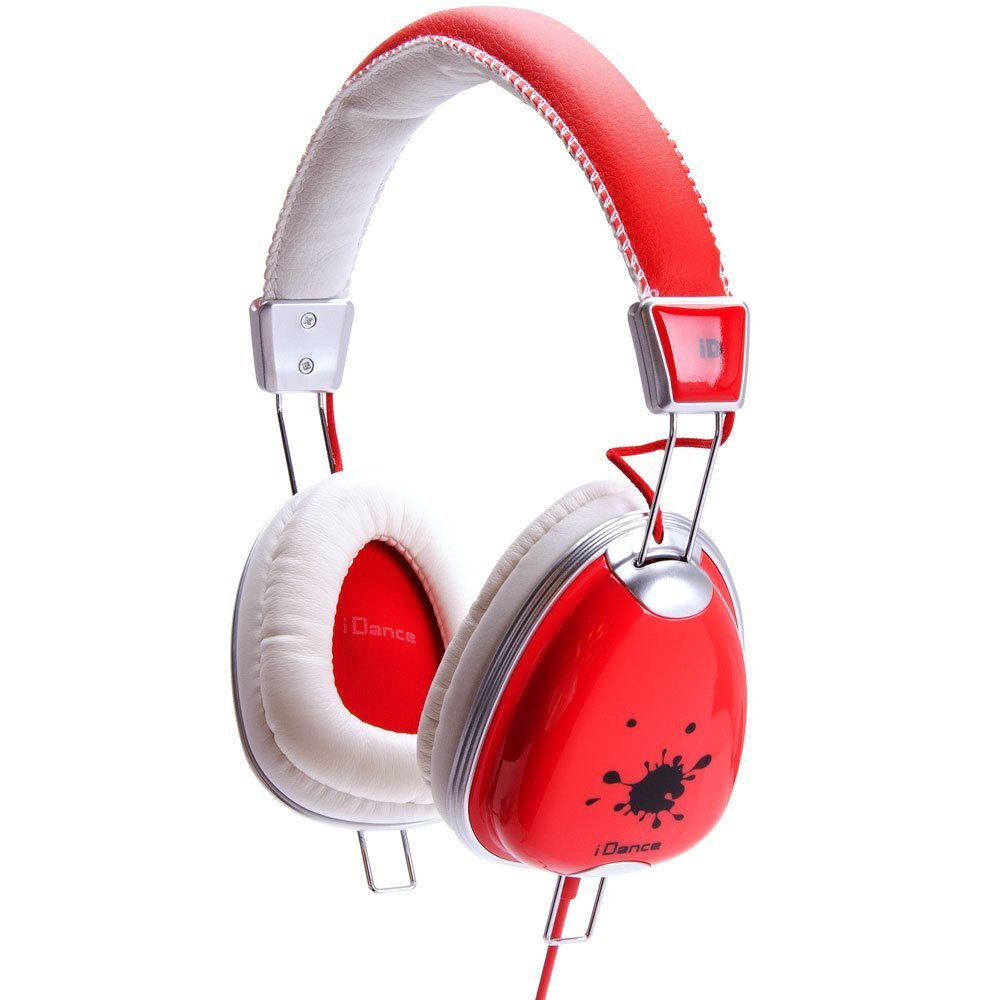
Image: IDANCE FUNKY200 headphones, illustrating the design and cable connection point.
Operating Instructions
Audio Playback
Once connected to your audio device, begin playing audio. The sound will be routed through the headphones.
Using the In-Line Controls
- Volume Adjustment: Use the volume controls on the in-line remote to increase or decrease audio output.
- Call Management: Press the multi-function button (if available) to answer or end phone calls.
- Mute Audio: A dedicated mute button (if available) can temporarily silence the microphone.
- Track Control: Use the multi-function button to skip to the next track or go back to the previous track (functionality may vary by device).
Maintenance
- Cleaning: Use a soft, dry cloth to wipe the ear cups and headband. Avoid using harsh chemicals or abrasive materials.
- Storage: Store the headphones in a clean, dry place away from extreme temperatures and direct sunlight. Avoid tangling the cable.
- Cable Care: Do not pull on the cable to disconnect the headphones. Always grasp the plug firmly.
Troubleshooting
| Problem | Possible Cause | Solution |
|---|---|---|
| No sound |
|
|
| Microphone not working |
|
|
| Poor sound quality |
|
|
Specifications
| Model Name | FUNKY200 |
| Brand | IDANCE |
| Connectivity Technology | Wired |
| Headphones Jack | 3.5 mm Jack |
| Ear Placement | Over Ear |
| Form Factor | Over Ear |
| Special Feature | Microphone Included |
| Material | Aluminum |
| Impedance | 32 Ohms |
| Product Dimensions | 2 x 6 x 6 inches |
| Item Weight | 10.6 ounces |
| Color | white and red |
| Hardware Platform | MP3 Player, Smartphone |
Warranty and Support
For warranty information and technical support, please refer to the documentation included with your purchase or visit the official IDANCE website. Keep your proof of purchase for warranty claims.