
1. Introduction
This manual provides comprehensive instructions for the Nettech replacement remote control, designed to function as a direct substitute for the original Toshiba CT-90325 remote. It is compatible with a wide range of Toshiba television models that originally utilized the CT-90325 remote. This remote offers immediate functionality without requiring any programming.
2. Product Overview
The Nettech replacement remote control features a standard layout for easy navigation and operation of your Toshiba television. Below is an image of the remote with a description of its key buttons.
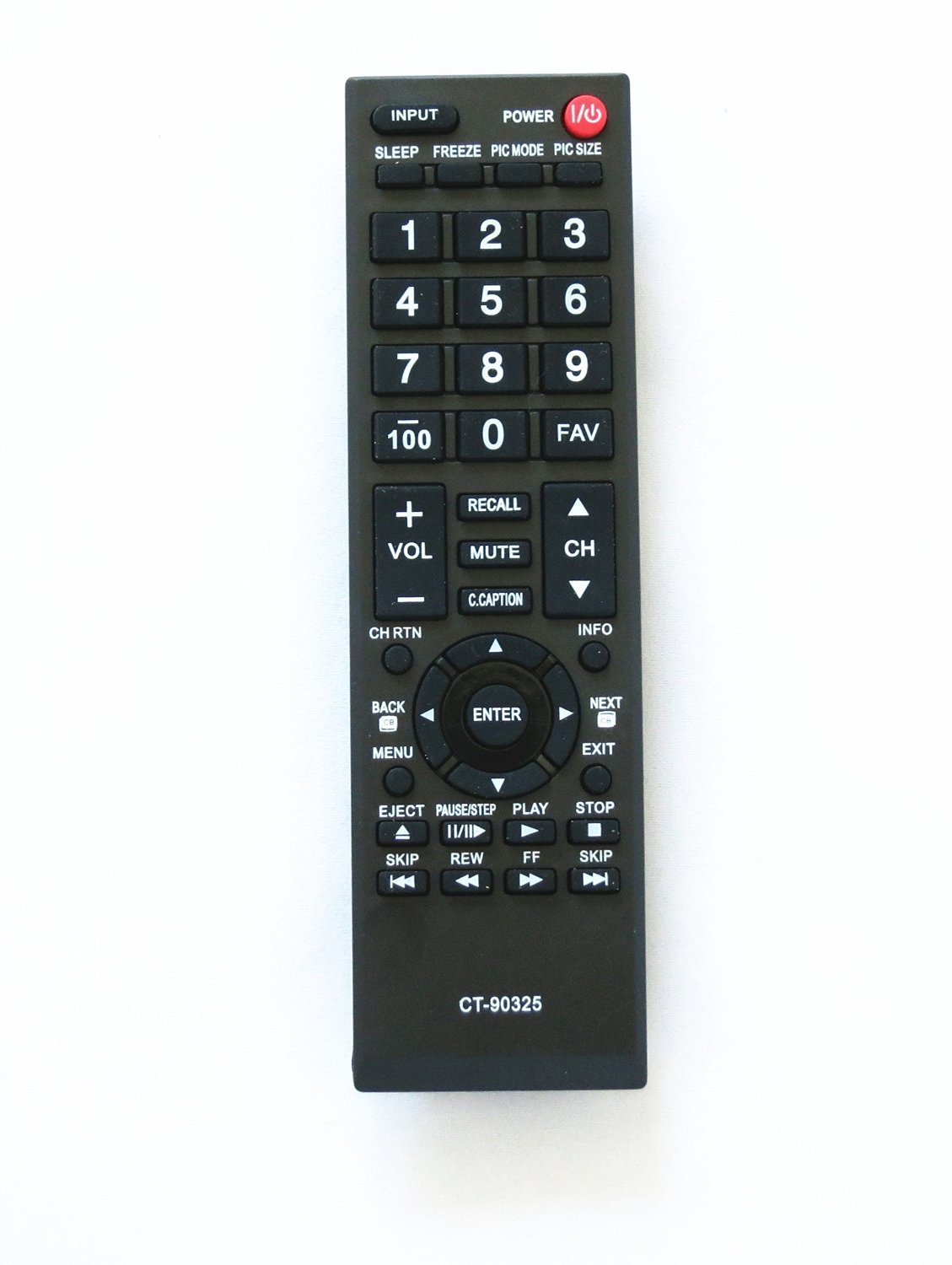
Figure 1: Nettech Replacement Remote Control (Model CT-90325)
This image displays the full layout of the Nettech replacement remote control. Key features visible include the red power button at the top right, the input selection button, a numeric keypad (0-9, 100, FAV), volume and channel controls, a central navigation pad with an ENTER button, and dedicated buttons for menu, back, exit, info, and media playback functions (EJECT, PAUSE/STEP, PLAY, STOP, REW, FF, SKIP).
3. Setup
3.1 Battery Installation
- Locate the battery compartment on the back of the remote control.
- Slide the battery compartment cover downwards or press the latch and lift to open.
- Insert two (2) AAA batteries, ensuring the positive (+) and negative (-) terminals align correctly with the markings inside the compartment.
- Replace the battery compartment cover by sliding it back into place until it clicks securely.
The remote control is ready for use immediately after battery installation. No programming or pairing is required.
4. Operating Instructions
This section details the functions of the buttons on your Nettech replacement remote control.
- POWER (⑂): Turns the television on or off.
- INPUT: Selects the video input source (e.g., HDMI 1, AV, Component).
- SLEEP: Activates or adjusts the sleep timer function.
- FREEZE: Pauses the current image on the screen.
- PIC MODE: Cycles through picture modes (e.g., Standard, Movie, Dynamic).
- PIC SIZE: Adjusts the aspect ratio or picture size.
- Numeric Keypad (0-9): Directly enters channel numbers.
- 100: Used for entering channel numbers 100 and above, or for specific functions depending on the TV model.
- FAV: Accesses favorite channels list.
- VOL (+/-): Increases or decreases the volume level.
- MUTE: Silences or restores the audio.
- CH (▲/▼): Changes channels up or down.
- RECALL: Returns to the previously viewed channel.
- C.CAPTION: Toggles closed captions on or off.
- CH RTN: Channel Return (similar to Recall).
- INFO: Displays current channel information or program details.
- Navigation Pad (◄/►/▲/▼): Navigates through menus and options.
- ENTER: Confirms selections in menus.
- BACK: Returns to the previous menu or screen.
- MENU: Opens the main menu of the television.
- NEXT: Advances to the next item or page.
- EXIT: Closes the current menu or on-screen display.
- EJECT: Ejects media (if connected to a compatible device).
- PAUSE/STEP (II/►►): Pauses playback or steps through frames.
- PLAY (►): Starts media playback.
- STOP (■): Stops media playback.
- REW (◄◄): Rewinds media playback.
- FF (►►): Fast forwards media playback.
- SKIP (◄◄| / |►►): Skips to the previous or next track/chapter.
5. Maintenance
5.1 Cleaning
To clean your remote control, use a soft, dry cloth. For stubborn dirt, slightly dampen the cloth with water. Avoid using harsh chemicals or abrasive cleaners, as these can damage the remote's surface or internal components.
5.2 Battery Replacement
Replace batteries when the remote's responsiveness decreases or it stops functioning. Always replace both batteries at the same time with new ones of the same type (AAA). Do not mix old and new batteries or different types of batteries.
6. Troubleshooting
- Remote not responding:
- Ensure batteries are inserted correctly with the correct polarity.
- Replace old batteries with new ones.
- Check for any obstructions between the remote and the TV's infrared sensor.
- Ensure you are within the effective range and pointing the remote directly at the TV.
- Some buttons not working:
- This remote is a replacement and may not support all advanced functions of certain specific Toshiba TV models if those functions were unique to the original remote.
- Clean the remote's surface, especially around the unresponsive buttons, to ensure no debris is interfering.
7. Specifications
| Feature | Detail |
|---|---|
| Brand | Nettech (Replacement for Toshiba) |
| Model Number | CT-90325 |
| Compatible Devices | Toshiba Televisions (various models originally using CT-90325) |
| Connectivity Technology | Infrared (IR) |
| Power Source | 2 x AAA Batteries (not included) |
| Product Dimensions | Approximately 3 x 3 x 3 inches (7.6 x 7.6 x 7.6 cm) |
| Item Weight | Approximately 1.6 ounces (45 grams) |
8. Warranty and Support
This Nettech replacement remote control comes with a 30-day warranty from the date of purchase. This warranty covers manufacturing defects. For support or warranty claims, please contact your retailer or the manufacturer directly.