
Introduction
This manual provides detailed instructions for the safe and efficient operation of your Panasonic RQ-P30 portable cassette player. Please read this manual thoroughly before using the unit and retain it for future reference. Proper use and maintenance will ensure optimal performance and longevity of your device.
1. Setup
1.1 Unpacking
Carefully remove all components from the packaging. Ensure that all items listed in the packing list are present. Retain the packaging materials for potential future transport or storage.
1.2 Power Source
The RQ-P30 operates on two (2) AA batteries (not included). Follow these steps to install the batteries:
- Locate the battery compartment cover on the back of the unit.
- Slide the cover in the direction indicated by the arrow to open it.
- Insert two AA batteries, ensuring the correct polarity (+ and -) as marked inside the compartment.
- Close the battery compartment cover securely until it clicks into place.
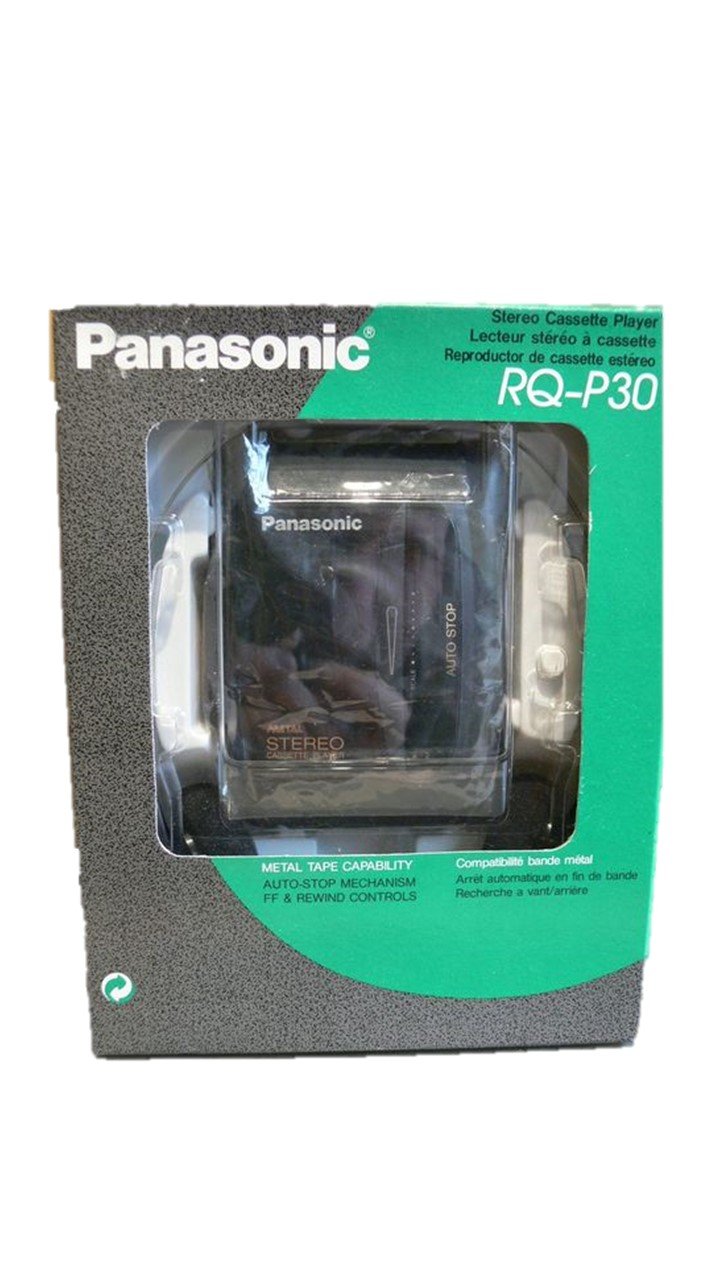
Figure 1: Panasonic RQ-P30 Portable Cassette Player. This image shows the overall design of the unit, including the cassette door and control buttons. The battery compartment is located on the rear of the device.
1.3 Connecting Headphones
Insert the stereo mini-plug of your headphones into the PHONES jack located on the side of the unit. Ensure the plug is fully inserted for proper audio output.
2. Operating Your RQ-P30
2.1 Loading a Cassette
- Press the STOP/EJECT button to open the cassette compartment door.
- Insert a cassette tape with the exposed tape facing upwards and the side to be played facing you.
- Gently close the cassette compartment door until it latches securely.
2.2 Playback Controls
- PLAY (►): Press this button to start playback of the cassette tape.
- STOP/EJECT (■): Press once to stop playback. Press again to open the cassette compartment door.
- FAST FORWARD (FF) (►►): Press and hold to rapidly advance the tape. Release to stop.
- REWIND (REW) (◄◄): Press and hold to rapidly rewind the tape. Release to stop.
- VOLUME: Rotate the volume dial (typically on the side) to adjust the audio output level.
2.3 Auto Stop Feature
The RQ-P30 is equipped with an Auto Stop mechanism. This feature automatically stops the tape when it reaches the end during playback, fast forward, or rewind, preventing unnecessary wear on the tape and the unit.
3. Maintenance
3.1 Cleaning the Unit
- Wipe the exterior of the unit with a soft, dry cloth.
- For stubborn dirt, slightly dampen the cloth with water and a mild detergent, then wipe dry.
- Do not use abrasive cleaners, benzene, thinners, or alcohol, as these can damage the finish.
- Periodically clean the tape head and pinch rollers with a cotton swab lightly moistened with isopropyl alcohol to ensure optimal sound quality and prevent tape damage.
3.2 Battery Care
- Remove batteries if the unit will not be used for an extended period to prevent leakage and corrosion.
- Do not mix old and new batteries, or different types of batteries.
- Dispose of used batteries according to local regulations.
4. Troubleshooting
Before seeking service, please refer to the following table for common issues and their solutions:
| Problem | Possible Cause | Solution |
|---|---|---|
| No power | Batteries are dead or incorrectly inserted. | Replace batteries with new ones, ensuring correct polarity. |
| No sound or low sound | Headphones not connected properly; Volume too low; Dirty tape head. | Ensure headphones are fully plugged in; Increase volume; Clean tape head. |
| Tape does not play or moves slowly | Tape is jammed; Batteries are weak; Pinch rollers are dirty. | Check cassette for damage; Replace batteries; Clean pinch rollers. |
| Sound is distorted or muffled | Dirty tape head; Damaged tape. | Clean tape head; Try a different cassette tape. |
5. Specifications
- Model Number: RQ-P30
- Manufacturer: Panasonic
- Power Source: 2 x AA Batteries (DC 3V)
- Features: Auto Stop, FF & Rewind Controls
- Package Dimensions: 9.6 x 7.4 x 1.7 inches
- Item Weight: 0.018 ounces
- ASIN: B007TWQXP8
- Date First Available: April 13, 2012
6. Warranty and Support
For information regarding warranty coverage, technical support, or service inquiries for your Panasonic RQ-P30, please refer to the warranty card included with your purchase or visit the official Panasonic support website. Contact details for customer service are typically available on the manufacturer's website.
You can find more information and support resources on the Panasonic Store on Amazon.


