1. Introduction
Welcome to the user manual for your new Samsung Neo QLED QN800A 8K 75-inch Television. This document provides essential information for setting up, operating, maintaining, and troubleshooting your TV. Please read this manual thoroughly to ensure safe and optimal use of your product.
2. Safety Information
Before using your TV, please read all safety instructions carefully. Failure to do so may result in personal injury or damage to your product.
- Do not expose the TV to rain or moisture.
- Ensure proper ventilation around the TV.
- Do not block ventilation openings.
- Use only the power cord supplied by Samsung.
- Keep the TV away from heat sources and direct sunlight.
- Do not place heavy objects on the TV or its stand.
- Disconnect the power plug from the wall outlet if you do not intend to use the TV for a long time.
3. Setup
3.1. Unpacking and Package Contents
Carefully unpack your TV and check that all components are present. The following items should be included:
- Samsung Neo QLED QN800A 8K TV
- Premium Solar Smart Remote
- Slim One Connect Box
- One Connect Cable (2.5m)
- Power Cable
- User Manual (this document)

Figure 3.1: Included accessories with the Samsung Neo QLED QN800A TV.
3.2. Assembling the Stand or Wall Mounting
For stand assembly, follow the instructions provided in the separate quick setup guide. Ensure the stand is securely attached before placing the TV. If wall-mounting, use a VESA-compatible wall mount kit (sold separately) and follow the wall mount manufacturer's instructions.

Figure 3.2: Front view of the Samsung Neo QLED QN800A TV on its stand.

Figure 3.3: Side view of the Samsung Neo QLED QN800A TV on its stand.
3.3. Connecting the Slim One Connect Box
The Slim One Connect Box centralizes all your connections, reducing cable clutter around the TV. Connect the One Connect Cable from the TV to the Slim One Connect Box. Place the box in a convenient location, such as on a media console.

Figure 3.4: The Slim One Connect Box in a typical living room setup.
3.4. Connecting External Devices
Connect your external devices (e.g., Blu-ray player, game console, soundbar) to the appropriate ports on the Slim One Connect Box. The box provides multiple HDMI and USB ports, along with other essential connections.

Figure 3.5: Connection ports on the Slim One Connect Box.
Available Ports:
- HDMI: Connect HDMI-enabled devices. HDMI 3 supports eARC for audio return.
- USB: For connecting USB storage devices.
- LAN: For wired network connection.
- ANT IN: For connecting an antenna or cable TV.
- COMMON INTERFACE: For CI module insertion.
4. Operating
4.1. First-Time Setup
After connecting the power cable and turning on the TV, the initial setup wizard will guide you through language selection, network connection (Wi-Fi or wired), and channel scanning.
4.2. Using the Remote Control
The Premium Solar Smart Remote allows intuitive control of your TV. It features dedicated buttons for popular streaming services and a solar panel for charging.

Figure 4.1: Samsung Premium Solar Smart Remote.
4.3. Navigating the Smart Hub
Press the Home button on your remote to access the Smart Hub, where you can find apps, connected devices, and settings. Use the directional pad to navigate and the center button to select.
4.4. Picture Settings
Your Neo QLED TV features advanced picture technologies for an immersive viewing experience:
- Quantum Matrix Technology Pro: Precisely controls Quantum Mini LEDs for exceptional brightness and deep blacks.
- Quantum HDR 2000: Delivers intense colors and deep contrasts, bringing details to life.
- Neo Quantum Processor 8K: Utilizes advanced AI upscaling to optimize content to stunning 8K resolution.

Figure 4.2: Quantum Matrix Technology in action.
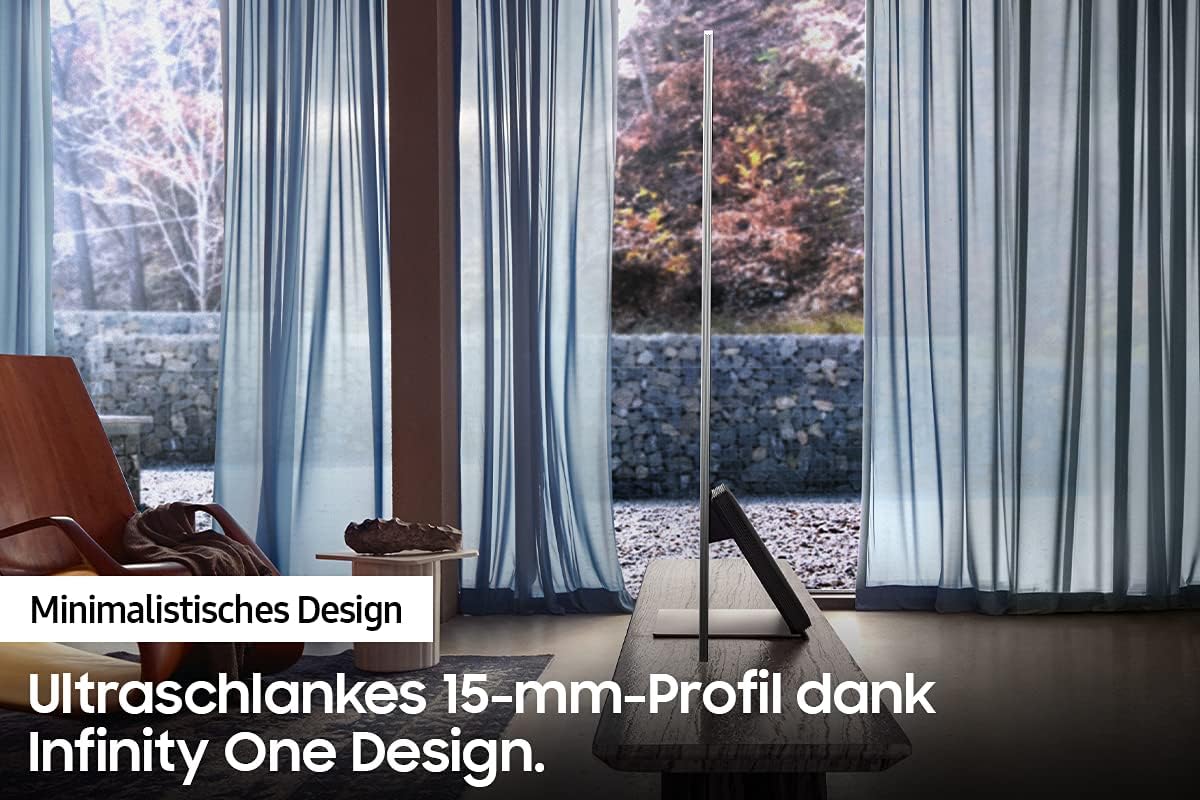
Figure 4.3: The Neo Quantum Processor 8K.
4.5. Sound Settings
Experience dynamic and immersive audio with your TV's sound features:
- Object Tracking Sound+ (OTS+): Audio follows the movement of objects on screen for a more realistic experience.
- SpaceFit Sound: Optimizes sound settings based on your room's acoustics, whether the TV is wall-mounted or on a stand.

Figure 4.4: Object Tracking Sound+ in action.
4.6. Advanced Features
The TV supports various advanced functionalities, including Multi-View, allowing you to watch multiple sources simultaneously.

Figure 4.5: Multi-View functionality on the Samsung Neo QLED TV.
5. Maintenance
5.1. Cleaning the TV
To clean the screen, gently wipe it with a soft, lint-free cloth. For the TV frame and stand, use a soft, dry cloth. Do not use abrasive cleaners, waxes, or solvents.
5.2. Software Updates
To ensure optimal performance and access to the latest features, regularly check for and install software updates. You can usually find this option in the TV's settings menu under 'Support' or 'Software Update'.
6. Troubleshooting
If you encounter any issues with your TV, refer to the following common problems and solutions:
- No Power: Ensure the power cable is securely connected to both the TV/One Connect Box and the wall outlet. Check if the outlet is working.
- No Picture: Verify that the correct input source is selected. Check all cable connections between the TV and external devices.
- No Sound: Increase the volume. Check audio settings and ensure external speakers (if used) are properly connected and powered on.
- Remote Control Not Working: Check the remote's battery level (if applicable) or ensure it's exposed to light for solar charging. Point the remote directly at the TV.
- Poor Picture Quality: Adjust picture settings (brightness, contrast, sharpness). Ensure the input source is providing a high-quality signal.
For more detailed troubleshooting, consult the e-Manual accessible through your TV's Smart Hub or visit the Samsung support website.
7. Specifications
Below are the key technical specifications for the Samsung Neo QLED QN800A 8K 75-inch TV:
| Feature | Specification |
|---|---|
| Brand | Samsung |
| Model Number | 15315 (GQ75QN800AT) |
| Screen Size | 75 Inches (189 cm) |
| Display Technology | QLED |
| Resolution | 8K (7680 x 4320 pixels) |
| Refresh Rate | 120 Hz |
| Special Features | Smart / Internet TV, Quantum Matrix Technology Pro, Neo Quantum Processor 8K, Quantum HDR 2000, Object Tracking Sound+, SpaceFit Sound, Slim One Connect |
| Connectivity Technology | HDMI, USB, LAN, Wi-Fi |
| Total USB Ports | 3 |
| Included Components | 1 Television, 1 Remote Control |
| Energy Efficiency Class (SDR) | G |
| Power Consumption (SDR) | 286 kWh/1000h |
| Energy Efficiency Class (HDR) | G |
| Power Consumption (HDR) | 387 kWh/1000h |
| Guaranteed Software Updates Until | 8 years |
| Guaranteed Spare Parts Availability | 7 years |

Figure 7.1: EU Energy Label for model GQ75QN800AT. For more details, visit the EPREL database.
8. Warranty and Support
Your Samsung Neo QLED QN800A TV comes with a limited warranty. Please refer to the warranty card included in your package or visit the official Samsung website for detailed warranty terms and conditions specific to your region.
For technical support, service requests, or further assistance, please contact Samsung Customer Service. Contact information can typically be found on the Samsung support website for your country.


