
1. Product Overview
The HitLights Weatherproof LED Light Strip is a flexible lighting solution featuring SMD 3528 LEDs. Designed for both indoor and outdoor applications, this strip operates on 12V DC power and provides a 5000K Cool White light. It is suitable for various lighting tasks, including accent lighting in kitchens, vanities, home theaters, and outdoor areas like pools. The strip is designed for ease of installation and offers a long operational lifespan with minimal power consumption.
- LED Type: SMD 3528, 300 LEDs per 16.4-foot roll.
- Color Temperature: 5000K Cool White.
- Power: 12V DC operation, 1.3 Watts per foot.
- Durability: Weatherproof IP-65 rating for outdoor use.
- Flexibility: Can be cut every three LEDs (approximately 2 inches) and reconnected.
- Installation: Features 3M adhesive backing for secure application.
- Dimmable: Compatible with separately sold dimmer switches and 12V DC PWM dimmers.

Image 1.1: The LED light strip is rated IP65 weatherproof, making it suitable for outdoor environments.
2. Safety Information
Please read and understand all safety instructions before installation and use. Failure to follow these instructions may result in electric shock, fire, or other hazards.
- Ensure the power supply is disconnected before any installation or maintenance.
- Only use a compatible 12V DC power supply or dimmer with this LED strip. Using an incorrect voltage can damage the strip and pose a fire hazard.
- Do not submerge the weatherproof strip in water, as its IP65 rating protects against splashes and jets, not full submersion.
- Avoid bending the LED strip sharply or applying excessive force, which can damage the internal circuitry.
- Do not connect the LED strip directly to AC power.
- Keep out of reach of children.
3. Package Contents
Your package should contain the following items:
- 1 x HitLights Weatherproof LED Light Strip (16.4 feet / 5 meters)
Note: A 12V DC power supply or dimmer is required for operation and is sold separately.
4. Setup and Installation
Follow these steps for proper installation of your LED light strip:
- Prepare the Surface: Ensure the surface where you intend to install the light strip is clean, dry, and smooth. Dust, grease, or uneven textures can compromise the adhesive's effectiveness.
- Measure and Cut (Optional): If a shorter length is required, the LED strip can be cut at designated marks, typically every three LEDs. Use sharp scissors to cut precisely on the copper pads indicated by a scissor icon.

Image 4.1: The LED strip can be cut every 3 LEDs (approximately 2 inches) at the marked points.
- Apply the Strip: Carefully peel off the backing strip from the 3M adhesive tape on the back of the LED strip. Press and hold the light strip firmly against the prepared surface, ensuring good contact along its entire length.
- Connect Power: Plug the connector of your LED light strip into a compatible 12V DC power supply or dimmer. Ensure the connection is secure.
- Power On: Connect your 12V DC power supply to a wall outlet. The LED strip should illuminate.
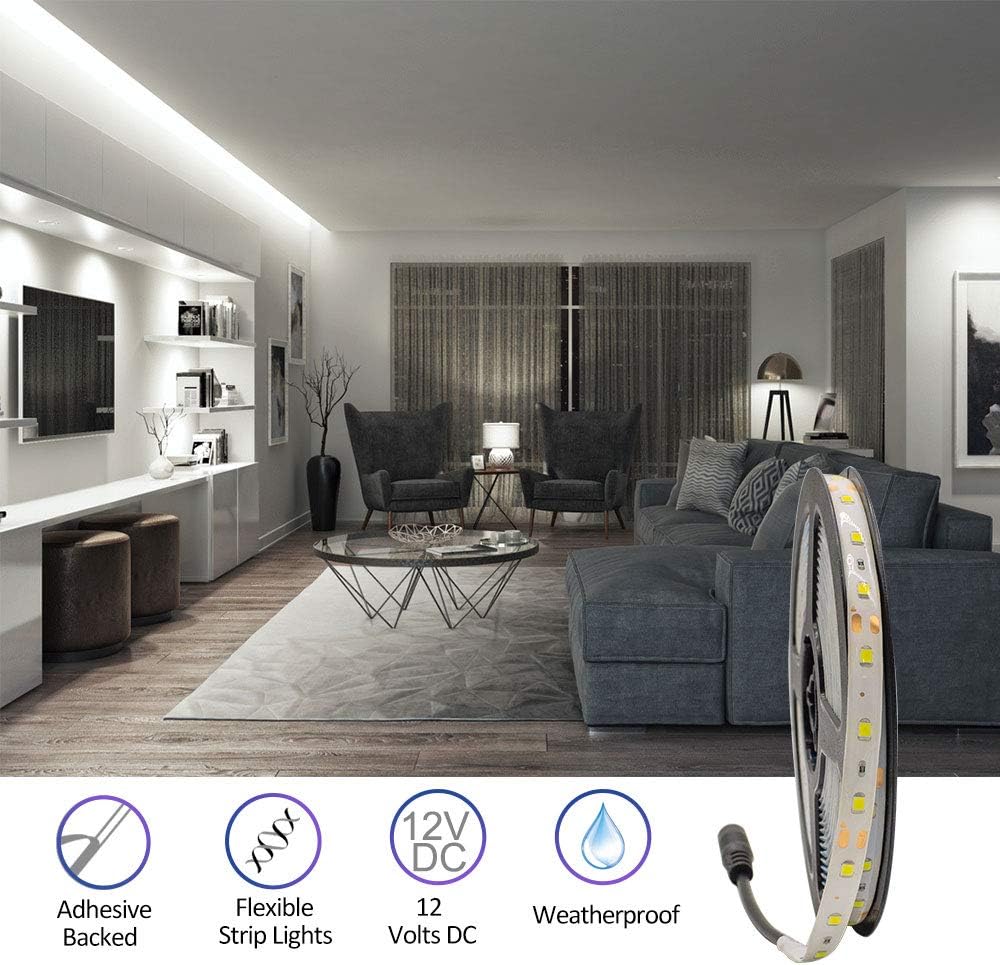
Image 4.2: The strip features adhesive backing for easy installation and is flexible for various applications.
5. Operating Instructions
Once installed and connected to a power source, the LED light strip will turn on. If using a dimmer (sold separately), you can adjust the brightness of the light output.
- Power On/Off: Control the power using the switch on your 12V DC power supply or dimmer.
- Dimming: If a compatible dimmer is installed, use its controls to increase or decrease the light intensity.
- Applications: The flexible design allows for installation in various locations such as under cabinets, along toe-kicks, behind crown molding, or in display cases.

Image 5.1: Examples of the LED strip used in different settings like retail, gaming, and kitchens.
6. Maintenance
The HitLights LED Light Strip requires minimal maintenance to ensure optimal performance and longevity.
- Cleaning: Periodically wipe the surface of the LED strip with a soft, dry cloth to remove dust. For stubborn dirt, a slightly damp cloth can be used, ensuring no moisture enters the electrical connections. Always disconnect power before cleaning.
- Inspection: Regularly inspect the strip for any signs of damage, such as cuts, frayed wires, or loose connections. Address any issues promptly to prevent further damage or safety hazards.
- Environmental Conditions: While weatherproof, avoid exposing the strip to extreme temperatures or harsh chemicals that could degrade the material.
7. Troubleshooting
If you encounter issues with your LED light strip, refer to the following common troubleshooting steps:
- Lights Not Turning On:
- Check if the power supply is properly plugged into a working wall outlet.
- Verify that the LED strip is securely connected to the 12V DC power supply.
- Ensure the power supply is functioning correctly (test with another device if possible).
- If using a dimmer, ensure it is turned on and set to an appropriate brightness level.
- Uneven Lighting or Flickering:
- Check for loose connections between the strip and the power supply or dimmer.
- Ensure the power supply is adequate for the length of the LED strip. An underpowered supply can cause dimming or flickering.
- Inspect the strip for any physical damage or kinks that might affect conductivity.
- Adhesive Not Sticking:
- Ensure the surface was clean, dry, and smooth before application.
- Apply firm, even pressure along the entire length of the strip during installation.
- For rough or porous surfaces, additional mounting clips or stronger adhesive may be required (not included).
If these steps do not resolve the issue, please contact customer support.
8. Specifications
Detailed technical specifications for the HitLights Weatherproof LED Light Strip:
| Feature | Specification |
|---|---|
| Model Number | L0512V-501-1665 |
| LED Chip Type | SMD 3528 |
| Number of LEDs | 300 per 16.4 ft (5 meter) roll |
| Input Voltage | 12V DC |
| Power Consumption | 1.3 Watts per foot (21 Watts total) |
| Color Temperature | 5000K Cool White (6000-6500K range) |
| Lumen Output | 72 Lumens per foot (1200 Lumens total) |
| Strip Width | 8 mm |
| Cut Section Length | Every 3 LEDs (approx. 50 mm / 2 inches) |
| IP Rating | IP65 (Weatherproof) |
| Dimmable | Yes |
| Adhesive Type | 3M |
| Lifespan | 50,000 hours |
| Material | Metal (circuitry) |

Image 8.1: Official specification sheet for the Luma5 Standard LED strip, detailing electrical and physical properties.
9. Warranty Information
This HitLights LED Light Strip comes with a one-year warranty from the date of purchase. This warranty covers manufacturing defects and ensures the product meets its specified performance standards under normal use.
Please retain your proof of purchase for any warranty claims. The warranty does not cover damage resulting from improper installation, misuse, unauthorized modifications, or acts of nature.

Image 9.1: The product is weatherproof and includes a 1-year warranty.
10. Customer Support
For any questions, troubleshooting assistance, or warranty claims, please contact the HitLights customer service team. Our US-based support team is available to provide assistance.
Please refer to the official HitLights website or your purchase documentation for the most current contact information.


