
Introduction
The Otamatone Deluxe is an electronic musical instrument designed for creating unique sounds. This manual provides essential instructions for the setup, operation, maintenance, and troubleshooting of your Otamatone Deluxe.
Product Overview
The Otamatone Deluxe is characterized by its eighth-note shaped body and unique sound capabilities. It features a touch-sensitive fretboard for pitch control and a mouth mechanism for sound modulation.
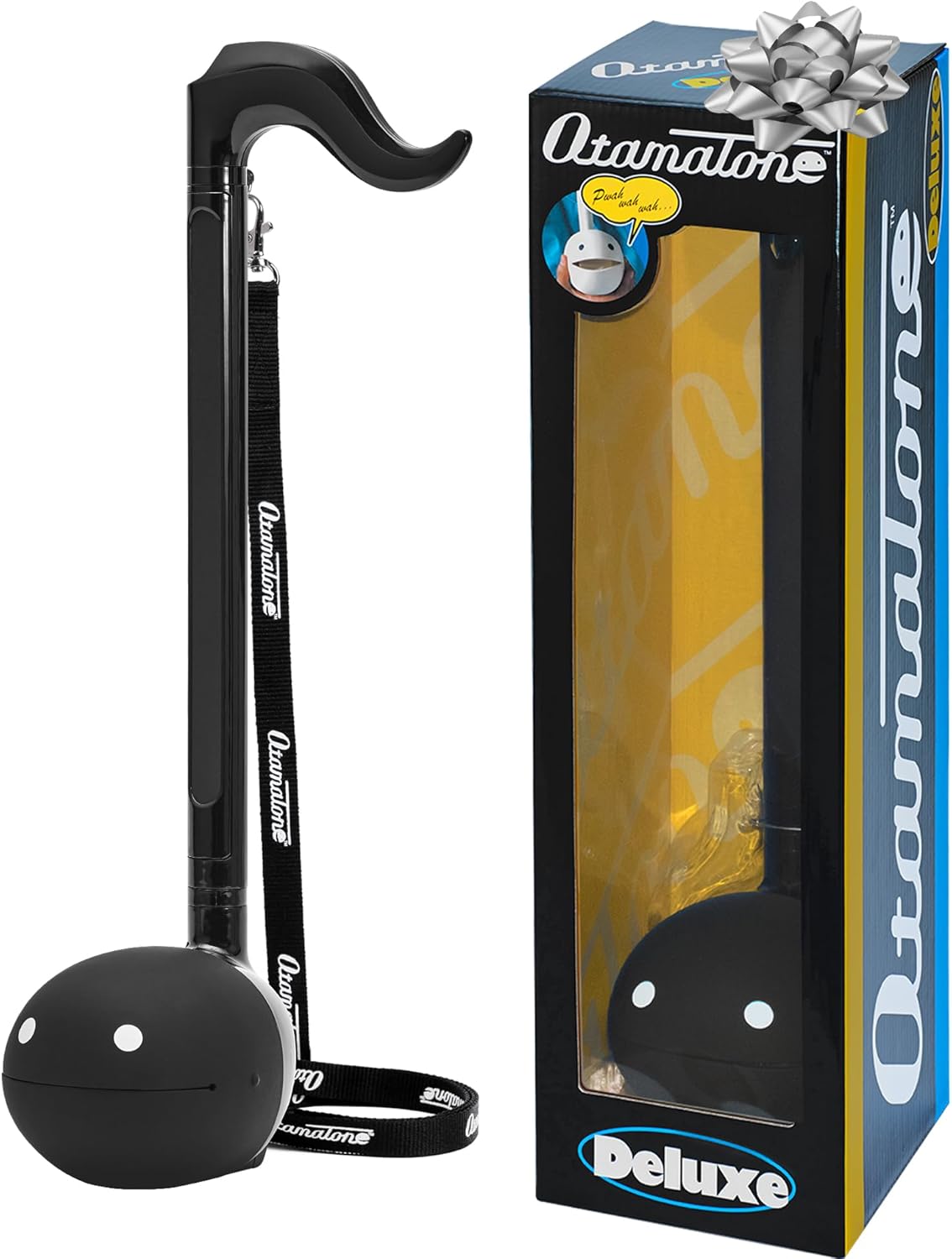
Figure 1: Otamatone Deluxe, front view.
Key features include:
- Single-Note Chord: Produces a single note with three selectable phases: High, Middle, and Low.
- Dynamic Sound Control: Pressing different parts of the tail button changes pitch and tone.
- Mouth Mechanism: Opening and closing the mouth modulates the sound, creating a "Wah Wah" effect.
- Connectivity: Includes a 3.5mm jack for connecting to external speakers or headphones.
Video 1: Product Overview. This video demonstrates the Otamatone Deluxe's features and how it is played, including sound modulation and connectivity options.
Setup
- Battery Installation: The Otamatone Deluxe requires 3 AAA batteries (included). Locate the battery compartment on the back of the unit, open it, insert the batteries according to the polarity indicators, and close the compartment securely.
- Strap Attachment: Attach the included strap to the designated loops on the instrument for comfortable handling and playing.
- Power On: Turn the power/volume knob located on the back of the unit clockwise to power on the device. A red indicator light will illuminate.

Figure 2: Rear view of the Otamatone Deluxe, highlighting the control panel and strap attachment point.
Operating Instructions
To play the Otamatone Deluxe, follow these steps:
- Volume and Octave Selection: Use the knob on the back to adjust the volume. The knob also functions as an octave selector, allowing you to choose between Low, Mid, and High pitch ranges.
- Playing Notes: Press down on the touch-sensitive strip (tail button) along the stem of the Otamatone. Different positions will produce different pitches. Experiment to find various notes.
- Modulating Sound (Wah Effect): Squeeze the "mouth" of the Otamatone to open and close it while playing a note. This action creates a "Wah Wah" effect, adding expression to your music.
- External Connectivity:
- Line Out: Connect external speakers or an amplifier to the "LINE OUT" jack using a 3.5mm audio cable (not included) for amplified sound.
- Headphones: Connect headphones to the designated jack for private listening. Note that sound will still be emitted from the Otamatone's internal speaker even when headphones are connected.

Figure 3: Illustration of basic playing techniques, showing finger placement on the stem and mouth operation.
Maintenance
- Cleaning: Wipe the surface of the Otamatone Deluxe with a soft, dry cloth. Avoid using abrasive cleaners or solvents.
- Battery Replacement: Replace batteries when the sound becomes weak or distorted. Always use fresh AAA batteries.
- Storage: Store the instrument in a cool, dry place away from direct sunlight and extreme temperatures.
Troubleshooting
| Problem | Possible Cause | Solution |
|---|---|---|
| No sound or very low sound |
|
|
| Distorted or unclear sound |
|
|
Note: The first few lines on the volume knob may not produce sound; turn it up a couple of notches for optimal performance.
Specifications
- Model Number: 1079
- Dimensions: Approximately 5 x 5 x 18 inches (12.7 x 12.7 x 45.7 cm)
- Weight: 450 Grams (approximately 0.99 lbs)
- Power Source: 3 x AAA batteries (included). Can also be powered by a DC 5V 500mA adapter (not included).
- Included Components: Main unit, instruction manual, strap, 3 test AAA batteries.
- Material: Plastic
Warranty and Support
For information regarding product warranty, please refer to the documentation included with your purchase or visit the official Otamatone website. For technical support or further assistance, please contact the manufacturer directly through their official channels.


