
Cable Matters 160001BLK25
Cable Matters 10Gbps Snagless Cat 6 Ethernet Cable User Manual
Brand: Cable Matters | Model: 160001BLK25
1. Product Overview
The Cable Matters 10Gbps Snagless Cat 6 Ethernet Cable is engineered for superior network performance and universal connectivity. This cable is designed to provide reliable and fast network connections for a wide range of LAN components, including PCs, servers, printers, and routers.
It supports 10-Gigabit Ethernet and is fully backward compatible with existing Cat 5 networks, meeting or exceeding Category 6 performance standards. Its robust construction ensures a secure and stable wired connection, offering a more dependable alternative to wireless networks for critical applications.

2. Setup Guide
Setting up your Cable Matters Cat 6 Ethernet cable is a straightforward process. Follow these steps to establish a wired network connection:
- Identify Ports: Locate the Ethernet (RJ45) ports on your network devices, such as your computer, router, modem, or network switch. These ports are typically rectangular and slightly larger than a phone jack.
- Connect First End: Gently insert one end of the Cat 6 Ethernet cable into an available Ethernet port on your first device (e.g., your router or modem). Ensure the connector clicks securely into place. The snagless boot design helps protect the clip during insertion and removal.
- Connect Second End: Insert the other end of the Cat 6 Ethernet cable into an Ethernet port on your second device (e.g., your computer, gaming console, or smart TV). Again, ensure a secure click.
- Verify Connection: Most devices will indicate a successful connection with an illuminated LED light next to the Ethernet port. Check your device's network settings to confirm the wired connection is active.
- Cable Routing: When routing the cable, avoid sharp bends, kinks, or placing it under heavy objects, which can damage the internal conductors and affect performance.

3. Operating Principles and Benefits
The Cable Matters Cat 6 Ethernet cable is engineered for optimal performance in various networking environments. Understanding its operating principles highlights its benefits:
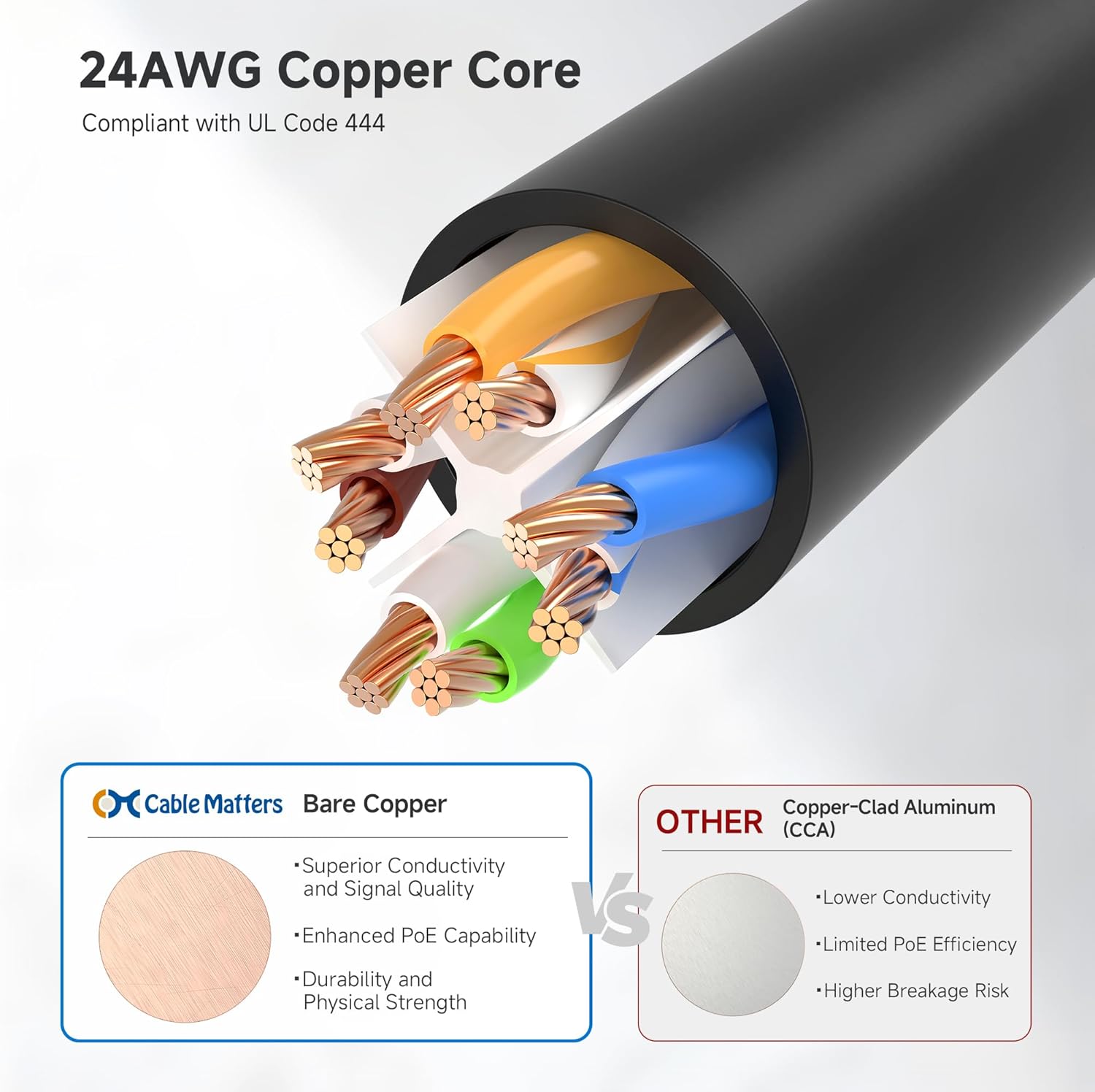
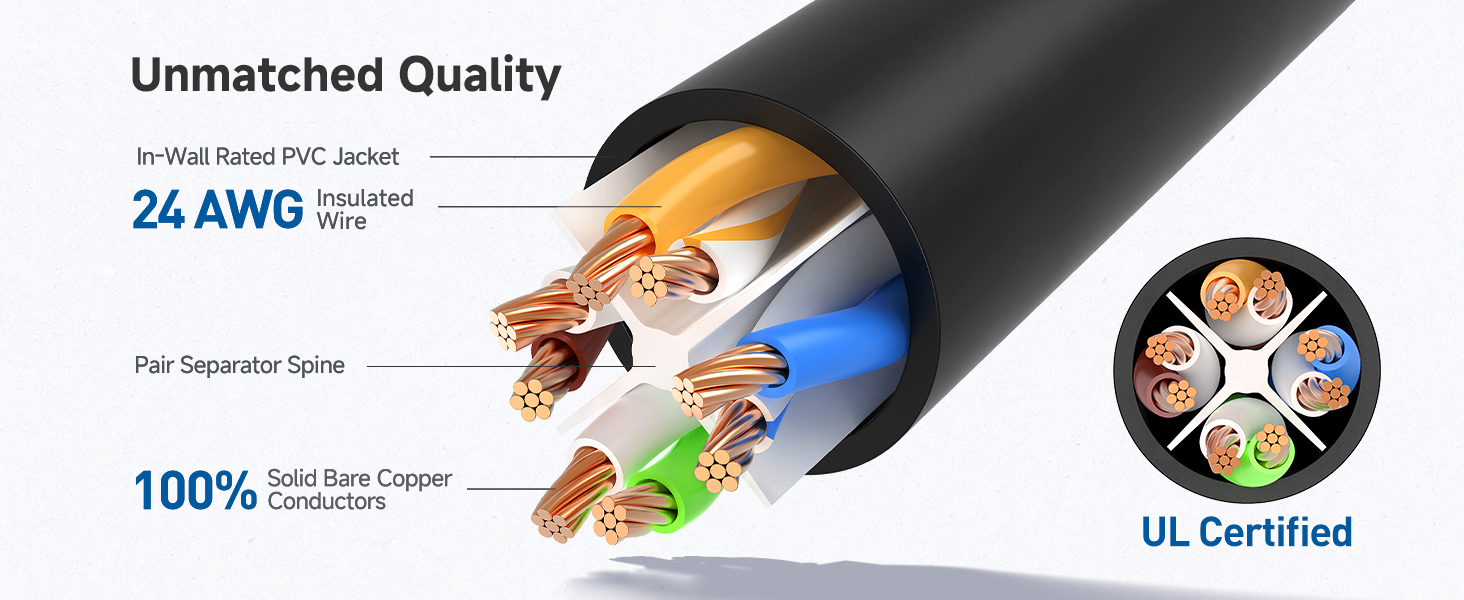
- High-Performance Connectivity: This cable features a 24 AWG copper wire core, providing superior performance and universal connectivity for LAN network components. It ensures reliable and fast connections for PCs, servers, printers, routers, and more.
- Advanced Cat6 Technology: Designed for future-proof networking, it is ready for 10-Gigabit Ethernet and is fully backward compatible with any existing Cat 5 cable network. It meets or exceeds Category 6 performance standards (TIA/EIA 568-C.2).
- Reliable Wired Network Solution: Offering a more secure and reliable connection than wireless networks, this RJ45 cable is ideal for internet connections that demand consistency and security, minimizing latency and interference.
- High-Speed Data Transfer: With up to 550 MHz bandwidth, this Ethernet cord is perfectly suited for demanding applications such as server operations, cloud computing, video surveillance, and streaming high-definition video.
- Power over Ethernet (PoE) Support: The cable supports Power over Ethernet (PoE, PoE+, PoE++), allowing it to power compatible devices like IP cameras, VoIP phones, and wireless access points directly through the Ethernet connection, simplifying installations.




4. Maintenance and Care
Proper care and maintenance will extend the life and ensure optimal performance of your Cable Matters Cat 6 Ethernet cable:
- Avoid Kinks and Sharp Bends: Do not bend the cable sharply or kink it, as this can damage the internal copper conductors and impair signal integrity.
- Protect Connectors: The cable features durable gold-plated contacts and strain-relief boots. Avoid pulling the cable by the cord itself; always grasp the connector housing when plugging or unplugging.
- Keep Clean: Keep the RJ45 connectors free from dust and debris. If necessary, gently clean them with a dry, lint-free cloth.
- Proper Storage: When not in use, coil the cable loosely to prevent tangles and stress on the conductors. Avoid storing it in extreme temperatures or direct sunlight.
- Inspect Regularly: Periodically check the cable and connectors for any signs of wear, fraying, or damage. Replace the cable if significant damage is observed.

5. Troubleshooting
If you encounter issues with your Cable Matters Cat 6 Ethernet cable, refer to the following troubleshooting tips:
| Problem | Possible Cause | Solution |
|---|---|---|
| No Network Connection | Loose connection, incorrect port, faulty device port, cable damage. |
|
| Slow Network Speed | Cable length exceeding limits, interference, outdated network drivers, network congestion. |
|
| Intermittent Connection | Damaged cable, loose connectors, network device issues. |
|
6. Technical Specifications
Detailed specifications for the Cable Matters 10Gbps Snagless Cat 6 Ethernet Cable:
| Feature | Description |
|---|---|
| Model Number | 160001BLK25 |
| Brand | Cable Matters |
| Cable Type | Cat 6 |
| Connector Type | RJ45 |
| Special Feature | 10Gbps data transfer speed, 550 MHz bandwidth |
| Conductor Material | 24 AWG Bare Copper |
| Compatible Devices | Computers, Routers, Modems, Switches, Gaming Consoles, Smart TVs, Printers, NAS, PoE devices |
| Product Dimensions | 6 x 6 x 2 inches (packaging); 10.23 ounces |
| Compliance | Meets or exceeds TIA/EIA 568-C.2 standard, UL Certified |
7. Warranty and Support
Cable Matters products are designed for reliability and performance. For specific warranty details and support, please refer to the official Cable Matters website or contact their customer service directly.
Online Support: Visit the Cable Matters Store on Amazon for product information, FAQs, and support resources.
Contact Customer Service: For technical assistance or warranty claims, please reach out to Cable Matters customer support through the contact information provided on their official website.
Related Documents - 160001BLK25
 |
Cable Matters Thunderbolt 3 10Gbps Ethernet Adapter (Model 107017) - User Manual & Installation Guide Comprehensive user manual for the Cable Matters Thunderbolt 3 to 10 Gigabit Ethernet Adapter (Model 107017). Includes product features, installation guides for Windows and macOS, network configuration, troubleshooting, technical specifications, and warranty information. |
 |
Cable Matters HDMI Extender over Single CAT 6 with IR Control (Model 103002) - User Manual Detailed user manual for the Cable Matters HDMI Extender over Single CAT 6 Cable with IR Control (Model 103002). Learn about installation, features, technical specifications, and troubleshooting for extending HDMI signals up to 300 feet. |
 |
Cable Matters USB 3.0 to HDMI Adapter with Gigabit Ethernet User Manual User manual for the Cable Matters USB 3.0 to HDMI Adapter with Gigabit Ethernet (Model 202052). Provides detailed instructions on installation, connection, configuration for Windows and macOS, troubleshooting, technical specifications, warranty, and support. |
 |
Cable Matters Thunderbolt 3 Multiport Adapter with Dual 4K HDMI, USB & Gigabit Ethernet (Model 107016) User Manual User manual for the Cable Matters Thunderbolt 3 Multiport Adapter (Model 107016), detailing its features, system requirements, connection instructions for dual 4K displays, Gigabit Ethernet, USB devices, and troubleshooting tips. Includes technical specifications and warranty information. |
 |
Cable Matters Thunderbolt 3 Multiport Adapter with Dual 4K@60Hz DisplayPort, USB & Gigabit Ethernet User Manual User manual for the Cable Matters Thunderbolt 3 Multiport Adapter (Model 107015). This guide covers product features, system requirements, connection instructions for dual 4K@60Hz DisplayPort monitors, Gigabit Ethernet, and USB 3.0 devices, along with troubleshooting tips for Windows and macOS. |
 |
Cable Matters USB-C Multiport Travel Dock with Dual 4K HDMI & PD | Model 201056 Enhance your connectivity with the Cable Matters USB-C Multiport Travel Dock. Features dual 4K HDMI, Ethernet, USB 2.0 ports, and 100W Power Delivery. Compatible with Thunderbolt 4/USB4. |
Ask a question about this manual
Ask about setup, troubleshooting, compatibility, parts, safety, or missing instructions. Manuals+ will review the question and use this page’s manual context to help answer it.