
Introduction
This manual provides essential instructions for the safe and effective use of your Panasonic ES-SL41 electric shaver. Please read this manual thoroughly before using the product and retain it for future reference. The Panasonic ES-SL41 is designed for a comfortable and close shave, suitable for both wet and dry use.
Safety Information
Important Safety Precautions:
- Always hold the shaver gently and avoid applying excessive pressure to prevent cuts.
- Do not use the shaver while charging or near water to avoid the risk of electric shock.
- Always unplug the charger before cleaning the shaver.
- After use, clean the shaver thoroughly and dry it completely before storing to prevent bacterial growth.
Note: Statements regarding dietary supplements have not been evaluated by the FDA and are not intended to diagnose, treat, cure, or prevent any disease or health condition. This product is an electric shaver and not a dietary supplement.
Product Overview





Setup
1. Initial Charging
Before first use, fully charge the shaver. Place the shaver into its charging stand, ensuring it is properly seated. The charging indicator light on the stand will illuminate (typically red) to confirm charging. A full charge may take approximately 8 hours, as per specifications, providing several shaves.
2. Power Source
The shaver is battery-powered and designed for cordless operation. Ensure the charging stand is connected to a suitable power outlet.
Operating Instructions
1. Powering On/Off
Press the power button located on the shaver handle to turn the unit on or off.
2. Shaving Technique
- Dry Shaving: For optimal results, ensure your face is clean and dry. Hold the shaver at a right angle to your skin and move it gently against the direction of hair growth.
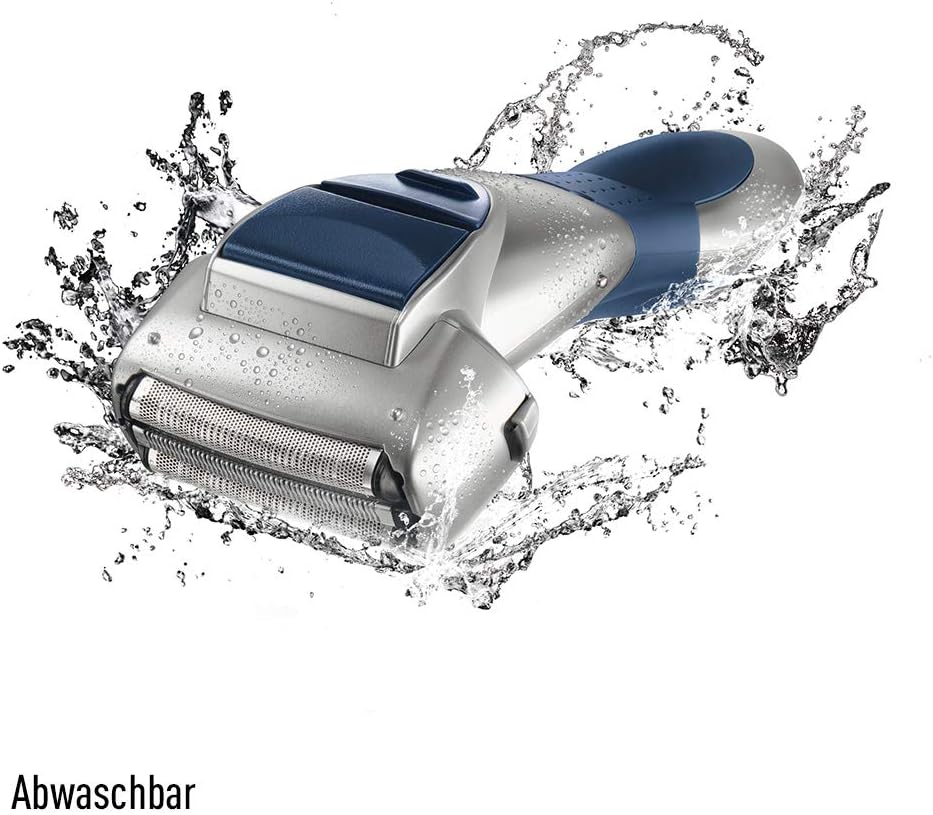
- Wet Shaving: The ES-SL41 is waterproof. You can use it with shaving foam or gel for a smoother experience. Apply foam/gel to your face, then shave as you would with dry shaving. Rinse the shaver head frequently during wet shaving to prevent clogging.
- Avoid pressing too hard, as this can cause skin irritation and reduce shaver efficiency.
3. Using the Pop-up Trimmer
To use the pop-up trimmer, slide the trimmer switch upwards. Use the trimmer for precise grooming of sideburns, mustaches, or any longer hairs before main shaving. After use, slide the switch back down to retract the trimmer.
Maintenance and Cleaning
1. Daily Cleaning
After each use, turn off the shaver and detach the outer foil frame. Rinse the outer foil and inner blades thoroughly under running water to remove hair clippings and shaving residue. You may use a small amount of hand soap for a more thorough clean. Do not use harsh chemicals or abrasive cleaners.
2. Drying and Storage
Shake off excess water and allow the shaver components to air dry completely before reassembling and storing. Store the shaver in its charging stand or a dry place away from direct sunlight and high humidity.
3. Blade and Foil Replacement
For optimal shaving performance, it is recommended to replace the outer foil and inner blades periodically, typically every one to two years, depending on usage. Refer to Panasonic's official website or authorized retailers for replacement parts specific to the ES-SL41 model.
Troubleshooting
| Problem | Possible Cause | Solution |
|---|---|---|
| Shaver does not turn on. | Battery is depleted. | Place the shaver in the charging stand and allow it to charge fully. |
| Poor shaving performance. | Blades or foil are dull or clogged with hair. | Clean the shaver head thoroughly. Consider replacing the outer foil and inner blades if they are old. |
| Skin irritation after shaving. | Applying too much pressure or using dull blades. | Shave gently without excessive pressure. Ensure blades are sharp. Try wet shaving with foam/gel. |
If the problem persists after attempting these solutions, please contact Panasonic customer support.
Specifications
- Model Name: ES-SL41
- Power Source: Battery Powered
- Special Feature: Waterproof
- Recommended Uses: Face
- Brand: Panasonic
- Item Model Number: ES-SL41-S503
- Manufacturer: Panasonic
- Package Dimensions: 8.54 x 6.81 x 4.41 inches
- Weight: 1.57 Pounds
Warranty and Support
For information regarding warranty coverage, product registration, or technical support, please refer to the warranty card included with your product or visit the official Panasonic website. You may also contact Panasonic customer service directly for assistance.