
Introduction
Thank you for choosing the Rice Lake RL-MPS-20 Physician Beam Scale. This mechanical scale is designed for accurate and reliable weight measurement, offering dual capacity readings in both pounds (lbs) and kilograms (kg). With a maximum capacity of 440 lb or 200 kg, it is suitable for various professional and personal settings requiring precise weight monitoring. This manual provides essential information for the proper setup, operation, maintenance, and troubleshooting of your scale.
Safety Information
- Always place the scale on a firm, level surface to ensure accurate readings.
- Do not exceed the maximum weight capacity of 440 lb (200 kg).
- Keep the scale clean and dry. Avoid exposure to excessive moisture or extreme temperatures.
- Do not attempt to disassemble or repair the scale yourself. Refer to qualified service personnel.
- Ensure the person being weighed stands still and centered on the platform.
Package Contents
Upon unpacking, please verify that all components are present and undamaged. The standard package for the Rice Lake RL-MPS-20 Physician Beam Scale typically includes:
- Scale Base with Platform
- Weighing Beam Assembly (with sliding weights)
- Removable Slip-Resistant Plastic Cover for Platform
- Calibration Tool (for zero adjustment)
- Instruction Manual
Setup and Initial Calibration
- Unpacking: Carefully remove all components from the packaging. Place the scale base on a firm, level, and stable surface.
- Platform Cover: Place the removable slip-resistant plastic cover onto the extra-large 10.75 in x 14.75 in platform.
- Beam Assembly: Ensure the weighing beam assembly is securely attached to the scale column. The dual beams allow for easy reading from either the front or back.
- Initial Zero Adjustment: Before first use and periodically thereafter, the scale must be zeroed.
- Ensure no weight is on the platform.
- Move both sliding weights to their zero positions (far left).
- Locate the zero adjustment screw, typically found near the pivot point of the beam.
- Insert the provided calibration tool (or a suitable screwdriver) into the adjustment screw.
- Turn the screw gently until the beam is perfectly balanced and the indicator aligns with the center mark or indentation line.
Important Note: The zero adjustment may need to be performed daily or before each use to ensure consistent accuracy. Keep the calibration tool in a safe, accessible place.
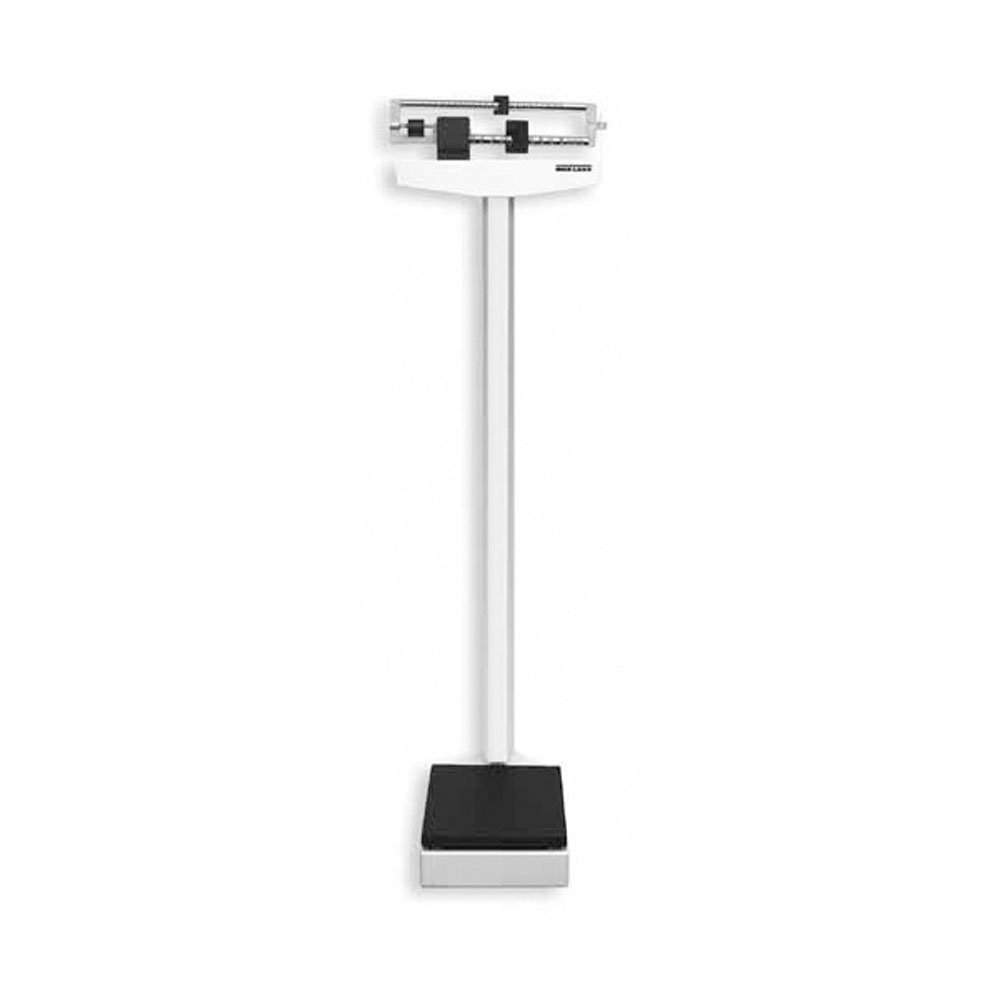
This image shows the Rice Lake RL-MPS-20 Physician Beam Scale, highlighting its robust construction, the dual-reading beam, and the spacious weighing platform.
Operating Instructions
- Zero the Scale: Before each use, ensure the scale is properly zeroed as described in the "Setup and Initial Calibration" section.
- Position the Subject: Ask the person to be weighed to step onto the center of the scale platform. They should stand still and balanced.
- Adjust Sliding Weights:
- Start with the larger weight (e.g., 100 lb or 50 kg increment) and slide it along the lower beam until the beam drops slightly below the center mark.
- Move the larger weight back one increment until the beam rises slightly above the center mark.
- Then, use the smaller weight (e.g., 10 lb or 5 kg increment) on the upper beam to fine-tune the balance. Slide it slowly until the beam is perfectly balanced and the indicator aligns with the center mark.
Note: The sliding weights may produce a scraping noise when moved. This is a characteristic of mechanical beam scales and does not indicate a malfunction.
- Read the Weight: Once the beam is balanced, read the weight indicated by the positions of both sliding weights. Add the values from the lower and upper beams to get the total weight. The scale provides dual readings in both pounds and kilograms.
- Step Off: After recording the weight, the person can step off the scale. Return the sliding weights to their zero positions for the next use.
Maintenance
- Cleaning: Wipe the scale surfaces, including the platform and beams, with a soft, damp cloth. Use mild soap if necessary. Avoid abrasive cleaners or solvents that could damage the finish.
- Platform Cover: The slip-resistant plastic cover can be removed for thorough cleaning. Wash with soap and water, then dry completely before replacing.
- Lubrication: The tracks for the sliding weights generally do not require lubrication. If movement becomes stiff, clean the tracks thoroughly. Do not apply oil or grease as it can attract dust and debris.
- Storage: Store the scale in a dry, stable environment away from direct sunlight, extreme temperatures, and high humidity.
- Regular Calibration Check: Due to the mechanical nature, it is recommended to check and adjust the zero point daily or before each critical measurement to maintain accuracy.
Troubleshooting
| Problem | Possible Cause | Solution |
|---|---|---|
| Inaccurate or inconsistent readings |
|
|
| Sliding weights are stiff or difficult to move |
|
|
| Beam does not balance correctly |
|
|
Specifications
- Model: RL-MPS-20
- Capacity: 440 lb x 4 oz / 200 kg x 100 g (Dual Reading)
- Platform Dimensions: 10.75 in x 14.75 in (27.3 cm x 37.5 cm)
- Overall Product Dimensions: 58.5 x 22.25 x 10.75 inches (approximate)
- Item Weight: 80 pounds (approximate)
- Manufacturer: Rice Lake Weighing Systems
- ASIN: B007N3OC42
- Item Model Number (SKU): 124222
Warranty and Support
The Rice Lake RL-MPS-20 Physician Beam Scale comes with a 2-year factory warranty from Rice Lake Weighing Systems. This warranty covers defects in materials and workmanship under normal use. Please retain your proof of purchase for warranty claims.
For technical support, service, or warranty inquiries, please contact Rice Lake Weighing Systems directly.
- Manufacturer: Rice Lake Weighing Systems
- Website: www.ricelake.com (Please visit the official website for current contact information)
Note: Warranty terms and conditions are subject to change by the manufacturer. Always refer to the official Rice Lake documentation for the most up-to-date warranty information.