
Introduction
This manual provides comprehensive instructions for the setup, operation, maintenance, and troubleshooting of your GUESS U0075G3 Men's Stainless Steel Retro Chronograph Watch. Please read this manual carefully to ensure proper use and care of your timepiece.
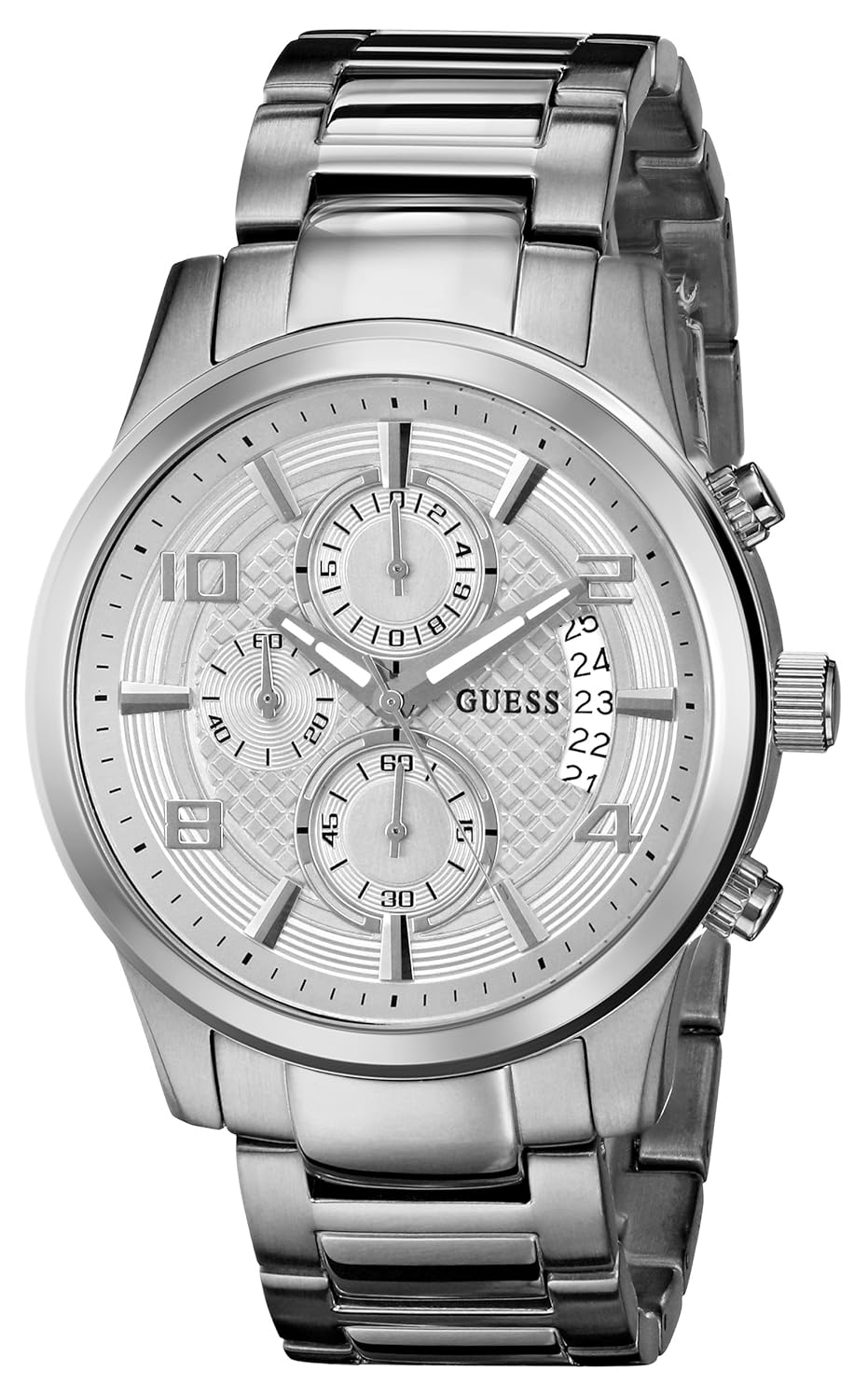
Image: Front view of the GUESS U0075G3 watch, showcasing its silver-tone stainless steel case and bracelet, with a detailed silver dial featuring three subdials and a date window.
Setup
Setting the Time
- Pull the crown out to the second click position.
- Rotate the crown to move the hands clockwise until the desired time is set.
- Push the crown back into the normal position to start the watch.
Setting the Date
- Pull the crown out to the first click position.
- Rotate the crown to adjust the date. Avoid setting the date between 9:00 PM and 3:00 AM, as this may interfere with the automatic date change mechanism.
- Push the crown back into the normal position.
Operating the Chronograph
Your GUESS U0075G3 watch features a chronograph function for measuring elapsed time. The watch has three subdials: a 60-second counter, a 60-minute counter, and a 24-hour indicator.
Using the Chronograph
- Start: Press the top pusher (A) to start the chronograph. The chronograph second hand will begin to move.
- Stop: Press the top pusher (A) again to stop the chronograph. The elapsed time will be indicated by the chronograph second and minute hands.
- Reset: After stopping the chronograph, press the bottom pusher (B) to reset all chronograph hands to their zero positions.
24-Hour Indicator
The 24-hour subdial operates in conjunction with the main time display, showing the current time in a 24-hour format. It cannot be set independently.

Image: The GUESS U0075G3 watch worn on a wrist, demonstrating its size and appearance during wear.
Maintenance
Cleaning
Wipe the watch case and bracelet regularly with a soft, dry cloth to remove dust and dirt. For stainless steel, a slightly damp cloth can be used, followed by immediate drying.
Battery Replacement
The watch is powered by a product-specific battery. When the watch stops or the second hand moves erratically, it indicates a low battery. Battery replacement should be performed by a qualified watch technician to ensure proper sealing and function.
Water Resistance
This watch is designed with a degree of water resistance. However, it is generally recommended to avoid prolonged exposure to water, such as swimming or showering, unless explicitly stated otherwise for your specific model. Ensure the crown is always pushed in completely to maintain water resistance.
Storage
When not in use, store your watch in a cool, dry place away from direct sunlight and extreme temperatures. The original watch box provides excellent protection.
Image: The GUESS watch presentation box, a black textured box with the GUESS logo, designed for storing and protecting the watch.
Troubleshooting
Watch Not Running
- Check if the crown is pushed in completely.
- The battery may be depleted. Refer to the 'Battery Replacement' section.
Incorrect Time or Date
- Re-adjust the time and date as per the 'Setup' instructions.
- Ensure the crown is fully pushed in after setting.
Chronograph Hands Not Resetting to Zero
- Ensure the chronograph is stopped before pressing the reset pusher (B).
- If the issue persists, professional service may be required for calibration.
Specifications
| Feature | Detail |
|---|---|
| Model Number | U0075G3 |
| Movement Type | Quartz |
| Display Type | Analog |
| Case Diameter | 44 Millimetres |
| Band Material | Stainless Steel |
| Crystal Material | Mineral |
| Item Weight | 181 g |
| Product Dimensions | 1.35 x 1.3 x 1.35 cm |
| Battery | 1 Product Specific battery (included) |
Warranty and Support
Warranty Information
For warranty-related inquiries, please contact the seller of record directly. Specific warranty terms and conditions may vary.
Customer Support
Should you require further assistance or have questions not covered in this manual, please contact GUESS customer service or an authorized service center.


