Introduction
This manual provides detailed instructions for the installation, operation, and maintenance of your SCS Sentinel MecaBell 3250 wired electromechanical doorbell. This doorbell features an integrated 8V transformer and produces a classic "Ding Dong" sound. Please read this manual thoroughly before installation and use to ensure proper function and safety.
Safety Information
- Electrical Safety: Installation must be performed by a qualified electrician or competent person. Ensure the main power supply is disconnected before commencing any electrical work. This device operates on 230V AC.
- Polarity: Pay close attention to wiring polarity as indicated in the installation section. Incorrect wiring may damage the unit or pose a safety hazard.
- Overheating Risk: Avoid continuously pressing the doorbell button for extended periods. Prolonged activation can lead to overheating and potential damage to the internal components.
- Indoor Use Only: This doorbell is designed for indoor use in dry environments. Do not expose it to moisture or extreme temperatures.
- Children: Keep the device out of reach of children.
Package Contents
Verify that all items are present in the package:
- SCS Sentinel MecaBell 3250 Wired Electromechanical Doorbell Unit
- Mounting Screws (x2)
- Wall Plugs (x2)
- Instruction Manual (this document)

Image: The SCS Sentinel MecaBell 3250 doorbell unit shown in its retail packaging, indicating included components and features.
Setup and Installation
Follow these steps for proper installation:
- Choose Location: Select a suitable indoor location for the doorbell unit, typically near the entrance or in a central area where the sound can be heard clearly.
- Disconnect Power: Before any wiring, ensure the main electrical supply to the circuit where the doorbell will be connected is completely switched off at the circuit breaker.
- Mounting:
- Mark the positions for the two mounting screws on the wall.
- Drill pilot holes at the marked positions.
- Insert the wall plugs into the drilled holes.
- Secure the doorbell unit to the wall using the provided screws.
- Wiring (230V AC):
The MecaBell 3250 operates on 230V AC and has an integrated transformer. Connect the doorbell unit to your existing doorbell button and 230V AC power supply as follows:
- Connect the Phase (Live) wire from your 230V AC supply to the right terminal of the doorbell unit.
- Connect the Neutral wire from your 230V AC supply to the left terminal of the doorbell unit.
- Ensure all connections are secure and insulated.
Warning: Incorrect wiring can cause damage or electrical shock. If unsure, consult a qualified electrician.
- Restore Power: Once all connections are secure and the unit is mounted, restore power at the circuit breaker.
- Test Functionality: Press the doorbell button to verify that the unit produces the "Ding Dong" sound.
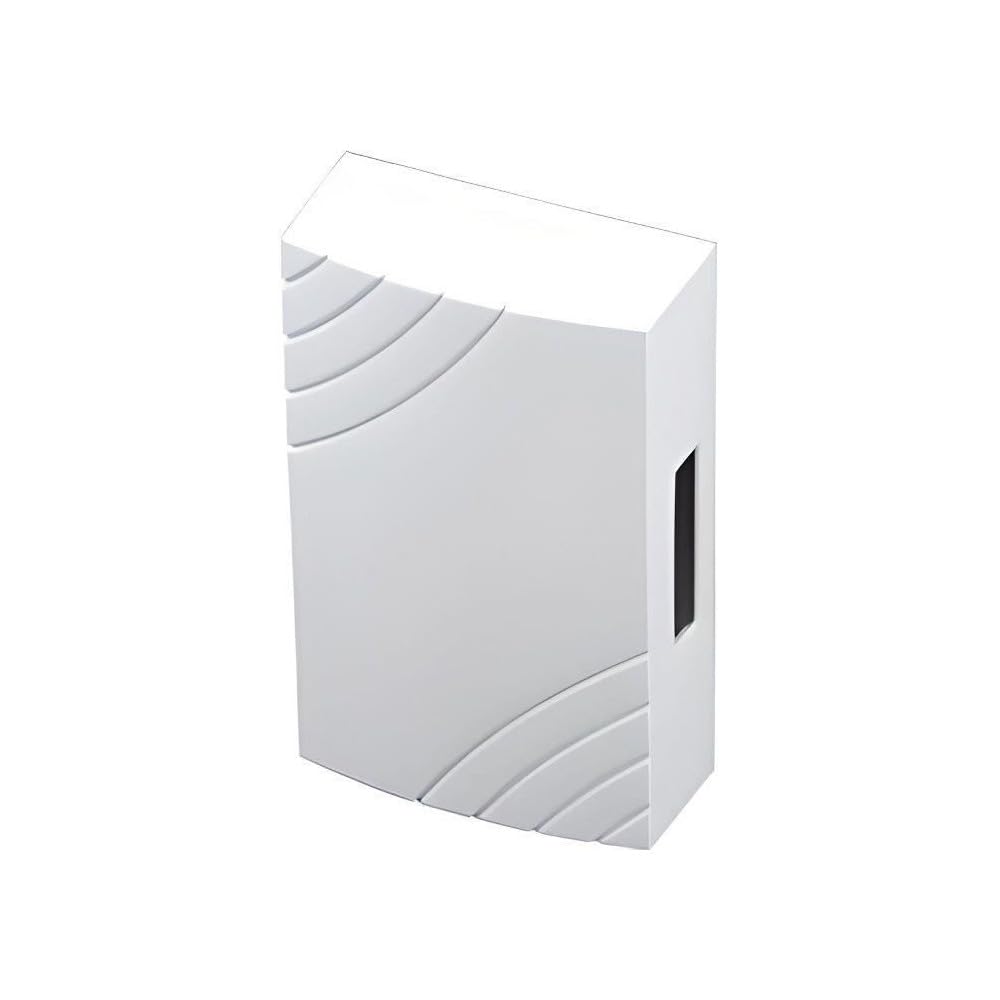
Image: The SCS Sentinel MecaBell 3250 doorbell unit, showing its compact white design with curved accents.
Operating Instructions
The SCS Sentinel MecaBell 3250 is designed for simple operation:
- When the external doorbell button is pressed, the unit will produce a clear, electromechanical "Ding Dong" sound.
- The sound level is approximately 80 dB(A), ensuring it is audible throughout a typical home environment.
- Release the doorbell button promptly after activation to prevent potential overheating and ensure longevity of the device.
Maintenance
The MecaBell 3250 requires minimal maintenance:
- Cleaning: Wipe the exterior of the unit with a soft, dry cloth. Do not use abrasive cleaners or solvents.
- Inspection: Periodically check the wiring connections to ensure they remain secure.
- No User-Serviceable Parts: Do not attempt to open or repair the unit yourself. Refer all servicing to qualified personnel.
Troubleshooting
| Problem | Possible Cause | Solution |
|---|---|---|
| Doorbell does not ring. |
|
|
| Sound is weak or distorted. |
|
|
| Unit becomes warm or vibrates excessively when button is held. |
|
|
Specifications
| Feature | Detail |
|---|---|
| Model | MecaBell 3250 (Internal Model Number: SEN4138456) |
| Brand | SCS Sentinel |
| Type | Wired Electromechanical Doorbell |
| Power Source | 230V AC (with integrated 8V transformer) |
| Melody | 1 (Ding Dong) |
| Sound Level | 80 dB(A) |
| Dimensions (L x W x H) | 4.9 x 10.49 x 16.99 cm (approximately 1.93 x 4.13 x 6.69 inches) |
| Weight | 578 grams (approximately 1.27 lbs) |
| Fixation Type | Wall Mount |
| Compliance | CE |
| Country of Origin | France |
Warranty and Support
For warranty information and technical support, please refer to the official SCS Sentinel website or contact your retailer. Keep your proof of purchase for any warranty claims.
For further assistance, you may visit the SCS Sentinel official website.


