Introduction
This manual provides essential information for the proper installation, function, and maintenance of your Honeywell 27520B Push Rod. This component is designed as an actuator accessory, specifically a push rod with a 5/16 inch diameter and 10 inch length, intended for use in compatible systems requiring mechanical actuation.
Please read these instructions carefully before installation and use to ensure safe and efficient operation.
Product Overview
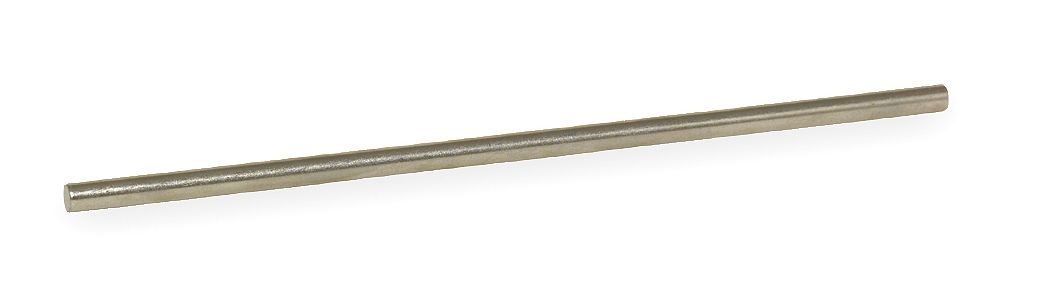
Figure 1: Honeywell 27520B Push Rod. This image displays the silver-colored push rod, highlighting its cylindrical shape and smooth metallic surface. It is a key component for mechanical actuation in various systems.
The Honeywell 27520B is a precision-engineered push rod, critical for transmitting linear force within an actuator system. Its robust construction ensures reliable performance in indoor applications.
Setup and Installation
The Honeywell 27520B Push Rod is designed for mechanical attachment within a compatible actuator system. Proper installation is crucial for its intended function.
Safety Precautions:
- Ensure all power to the system is disconnected before beginning installation.
- Wear appropriate personal protective equipment (PPE), such as safety glasses and gloves.
- Refer to the primary actuator or device manual for specific installation requirements and warnings.
Installation Steps:
- Identify Connection Points: Locate the designated attachment points for the push rod on both the actuator and the component it is intended to operate.
- Align the Rod: Carefully align the push rod with the connection points, ensuring it slides smoothly into place without excessive force.
- Secure Attachment: Depending on the system, secure the push rod using appropriate fasteners, clips, or threaded connections as specified by the primary device manufacturer. Ensure all connections are tight and secure to prevent dislodgement during operation.
- Verify Movement: Once installed, manually check the movement of the connected components to ensure the push rod operates freely and without binding.
- Restore Power: After confirming proper installation and movement, restore power to the system.
Operating Instructions
The Honeywell 27520B Push Rod functions as a mechanical link. Its operation is directly tied to the actuator or mechanism it is connected to. It does not have independent controls.
Function:
- When the primary actuator moves, the push rod transmits this linear motion to the connected component.
- Ensure that the push rod is not obstructed and has a clear path of movement during system operation.
- Any unusual noises or resistance during operation may indicate an issue with the push rod or the connected system.
Maintenance
Regular inspection and minimal maintenance will help ensure the longevity and reliable performance of your Honeywell 27520B Push Rod.
Inspection Schedule:
- Monthly: Visually inspect the push rod for any signs of wear, bending, corrosion, or damage.
- Annually: Check the security of all attachment points. Ensure there is no excessive play or looseness.
Cleaning:
- If necessary, clean the surface of the push rod with a soft, dry cloth.
- Avoid using abrasive cleaners or solvents that could damage the material or finish.
Lubrication:
The push rod itself typically does not require lubrication. However, if it operates within a system that requires lubrication for moving parts, refer to the primary system's maintenance guide for appropriate lubrication procedures.
Troubleshooting
If you experience issues with the system involving the push rod, consider the following common troubleshooting steps:
- Rod Not Moving Freely:
- Check for obstructions along the rod's path.
- Inspect for bending or damage to the rod itself.
- Ensure attachment points are not overtightened or misaligned, causing binding.
- Loose Connections:
- Verify that all fasteners securing the push rod are tight.
- Inspect for wear on connection points that might lead to excessive play.
- Unusual Noises:
- Noises often indicate friction or misalignment. Disconnect power and carefully inspect the entire mechanism.
If troubleshooting does not resolve the issue, consult the manual for the primary actuator or contact Honeywell customer support.
Specifications
The following table details the technical specifications for the Honeywell 27520B Push Rod:
| Feature | Specification |
|---|---|
| Brand | Honeywell |
| Model Name | 27520B |
| Part Number | 27520B |
| UPC / GTIN | 085267024426 |
| Product Dimensions (L x W x H) | 10 x 0.4 x 0.4 inches |
| Assembled Length | 10 inches |
| Assembled Width | 0.4 inches |
| Assembled Height | 0.4 inches |
| Diameter | 5/16 inches (approx. 0.3125 inches) |
| Item Weight | 16 ounces (1 pound) |
| Color | Silver |
| Material | Alloy Steel |
| Style | Modern |
| Indoor/Outdoor Usage | Indoor |
| Installation Type | Mechanical Attachment |
Warranty and Support
For specific warranty information regarding your Honeywell 27520B Push Rod, please refer to the documentation provided with your purchase or contact Honeywell directly. Warranty terms may vary based on region and retailer.
Customer Support:
If you require technical assistance, have questions about installation, or need to report a defect, please contact Honeywell customer support. You can typically find contact information on the official Honeywell website or through your product retailer.
Honeywell Official Website: www.honeywell.com


