Product Overview
The Power Plus Barracuda is a versatile and robust LED flashlight designed for reliability in various conditions. It features dual recharging methods and multiple lighting modes, making it suitable for diverse applications.
- Dual Recharging: Solar panel and hand-crank dynamo.
- Multiple Light Modes: Economy (1 LED), Powerful (3 LEDs), and Flashing (3 LEDs).
- Durability: Heavy-duty design, waterproof up to 5 meters.
- Long-lasting LEDs: 50,000 hours lifespan.

Image: The Barracuda flashlight with its LED light illuminated, showcasing the solar panel and main button.
Setup and Initial Charging
Before first use, or if the flashlight has been stored for an extended period, it is recommended to fully charge the internal battery using either the solar panel or the hand-crank dynamo.
1. Solar Charging
Place the flashlight with the solar panel facing direct sunlight. Ensure no obstructions block the panel. An 8-hour charge in full sun can provide approximately 6 hours of light using 1 LED or 4.5 hours using 3 LEDs.
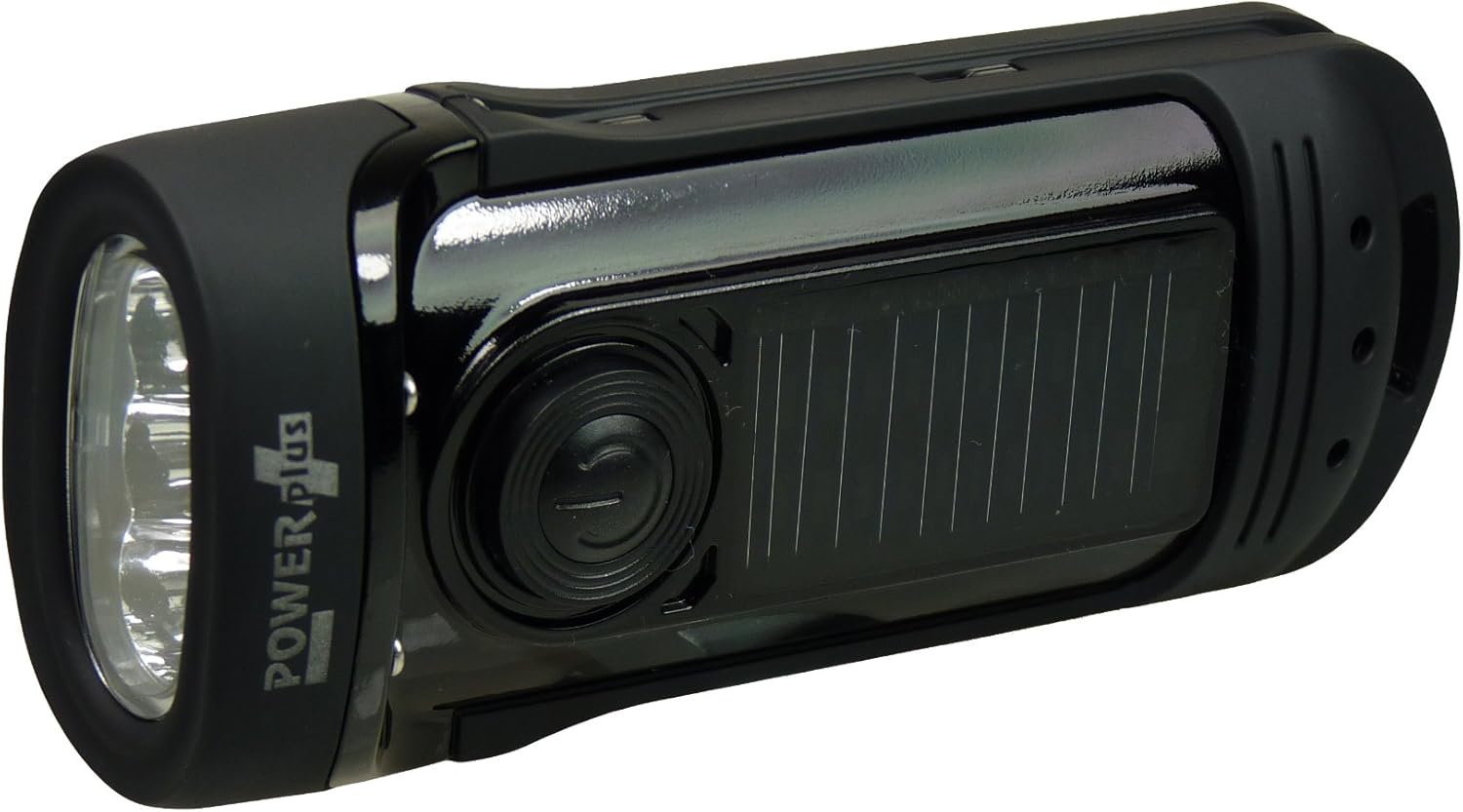
Image: Top view of the flashlight highlighting the integrated solar panel.
2. Dynamo (Hand-Crank) Charging
- Locate the foldable crank handle on the side of the flashlight.
- Unfold the handle until it locks into position.
- Rotate the crank handle clockwise or counter-clockwise at a steady pace. For optimal charging, aim for approximately 3 revolutions per second (180 RPM).
- One minute of continuous cranking can provide between 20 to 60 minutes of light, depending on the selected LED mode.
- Fold the crank handle back into its storage position when charging is complete.

Image: A hand operating the crank handle to generate power for the flashlight.
Operating Instructions
The Barracuda flashlight features a single button for power and mode selection.
- Power On/Off: Press the main button once to turn the flashlight on. Press and hold the button for approximately 2 seconds to turn it off.
- Mode Selection: While the flashlight is on, press the button repeatedly to cycle through the available lighting modes:
- Economy Mode: 1 LED illuminated for extended battery life.
- Powerful Mode: All 3 LEDs illuminated for maximum brightness.
- Flashing Mode: All 3 LEDs flash, useful for signaling or emergencies.

Image: Close-up of the flashlight's front, displaying the three LED bulbs.
Maintenance
Proper maintenance ensures the longevity and optimal performance of your Barracuda flashlight.
- Cleaning: Wipe the flashlight with a soft, damp cloth. Avoid abrasive cleaners or solvents. Ensure the solar panel is clean for efficient charging.
- Storage: Store the flashlight in a cool, dry place away from direct sunlight when not in use for extended periods. Periodically charge the battery to maintain its health.
- Water Resistance: The flashlight is waterproof up to 5 meters. Ensure all seals are intact and the crank handle is fully closed before submerging. After exposure to saltwater, rinse with fresh water and dry thoroughly.
- LED Lifespan: The LEDs have an estimated lifespan of 50,000 hours and are not user-replaceable.
Troubleshooting
| Problem | Possible Cause | Solution |
|---|---|---|
| Flashlight does not turn on. | Battery is fully discharged. | Charge the flashlight using the solar panel or hand-crank dynamo. |
| Light is dim. | Low battery charge. | Recharge the flashlight. |
| Solar charging is slow or ineffective. | Insufficient sunlight or dirty solar panel. | Ensure the flashlight is in direct sunlight and the solar panel is clean. |
| Crank handle is stiff. | Accumulated dirt or lack of lubrication. | Clean the crank mechanism. Avoid forcing the handle. |
Specifications
- Brand: POWER plus
- Model: Barracuda
- Dimensions (L x W x H): 14.5 x 3.99 x 5.99 cm (5.7 x 1.57 x 2.36 inches)
- Weight: 281.23 grams (9.92 oz)
- Material: Aluminum
- Number of LEDs: 3
- Voltage: 5.5 Volts
- Luminous Flux: 8 Lumens
- Power Source: Solar powered, Dynamo (hand-crank) powered
- Battery Type: NiMH (internal, non-replaceable)
- Water Resistance: Waterproof up to 5 meters
- LED Lifespan: 50,000 hours
Warranty and Support
Specific warranty information for the Power Plus Barracuda flashlight is not provided in the available product data. For support or warranty inquiries, please contact your retailer or the manufacturer directly.
Information regarding spare parts availability and guaranteed software updates is also not available.


