
Nolan C9998
Nolan B4 USB/Bike Charger User Manual
For N-COM B4 Communication System - Model NOCOM00000002
1. Introduction
This user manual provides comprehensive instructions for the proper use, installation, and maintenance of your Nolan B4 USB/Bike Charger. This accessory is specifically designed to provide charging capabilities for the Nolan N-COM B4 Communication System, ensuring your device remains powered during your rides. Please read this manual thoroughly before using the product to ensure safe and efficient operation.
2. Product Overview
The Nolan B4 USB/Bike Charger (Model C9998) consists of two primary components: a USB charger and a bike-specific power adapter. These components work together to provide a reliable power source for your N-COM B4 communication system.
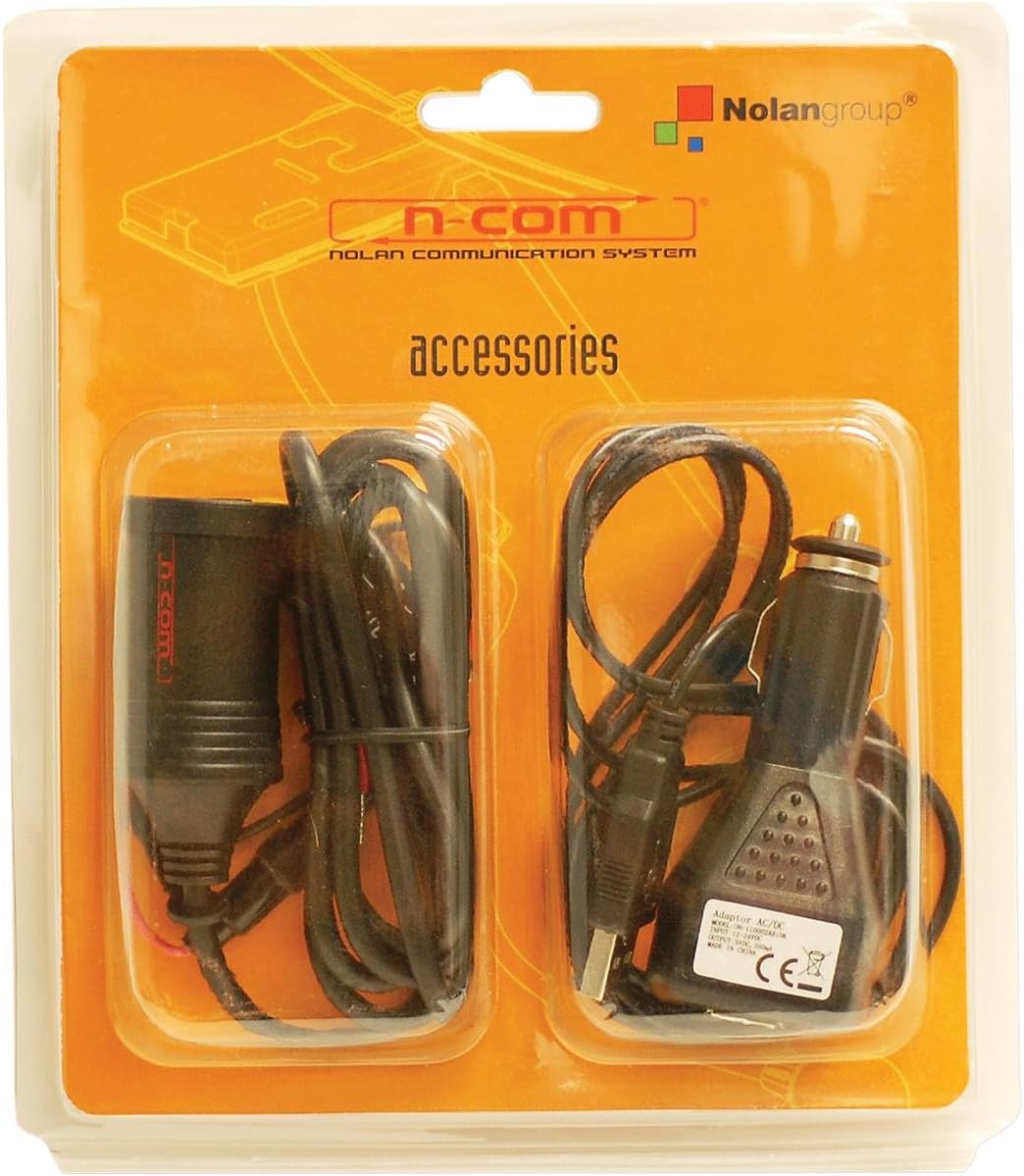
Figure 2.1: The Nolan B4 USB/Bike Charger, showing the USB adapter and the bike power adapter in their original packaging. The packaging clearly displays the "Nolan" and "n-com" branding, indicating its compatibility with Nolan communication systems.
2.1. Components
- USB Charger: A compact adapter with a USB output, suitable for various charging needs.
- Bike Power Adapter: Designed to connect to your motorcycle's power supply, providing a stable charging current for the USB charger.
3. Setup and Installation
Proper installation of the bike power adapter is crucial for safe operation. If you are unsure about any steps, it is recommended to consult a qualified technician.
3.1. Connecting the Bike Power Adapter
- Identify Power Source: Locate a suitable 12V DC power outlet on your motorcycle. This is typically a cigarette lighter style socket or a dedicated accessory port.
- Insert Adapter: Firmly insert the bike power adapter into the identified power outlet. Ensure a secure connection.
- Route Cable: Carefully route the cable from the bike power adapter to a convenient location, ensuring it does not interfere with steering, controls, or moving parts of the motorcycle. Use cable ties if necessary to secure the cable.
3.2. Connecting the USB Charger
- Connect USB Charger: Plug the USB charger into the USB port of the bike power adapter.
- Connect N-COM B4 System: Use the appropriate USB cable (not included with this charger) to connect your N-COM B4 Communication System to the USB charger.
4. Operation
Once properly installed, the Nolan B4 USB/Bike Charger is straightforward to operate.
4.1. Charging Your N-COM B4 System
- Ensure your motorcycle's ignition is on (if required by the power outlet).
- Connect your N-COM B4 Communication System to the USB charger using its original charging cable.
- The N-COM B4 system's charging indicator (refer to your N-COM B4 manual) should illuminate, indicating that charging has commenced.
- Disconnect the N-COM B4 system once fully charged.
Note: The charging time may vary depending on the N-COM B4 system's battery level and usage.
5. Maintenance and Care
To ensure the longevity and optimal performance of your Nolan B4 USB/Bike Charger, follow these maintenance guidelines:
- Cleaning: Wipe the charger components with a soft, dry cloth. Do not use abrasive cleaners or solvents.
- Storage: When not in use, store the charger in a cool, dry place, away from direct sunlight and extreme temperatures.
- Cable Inspection: Periodically inspect the cables for any signs of wear, fraying, or damage. Replace the unit if any damage is observed.
- Water Exposure: While designed for outdoor use, avoid prolonged exposure to heavy rain or submersion in water. Ensure connections are dry before use.
6. Troubleshooting
If you encounter issues with your Nolan B4 USB/Bike Charger, refer to the following common problems and solutions:
| Problem | Possible Cause | Solution |
|---|---|---|
| Charger not providing power. |
|
|
| N-COM B4 not charging. |
|
|
7. Specifications
Technical specifications for the Nolan B4 USB/Bike Charger (Model C9998):
- Model Number: C9998
- ASIN: B007GR5YNS
- Manufacturer: Nolan
- Input Voltage: 12V DC (from motorcycle power outlet)
- Output: USB (specific output current/voltage not provided, typical for USB charging)
- Compatibility: Specifically designed for Nolan N-COM B4 Communication System.
- First Available Date: December 15, 2015
8. Warranty and Support
For information regarding warranty coverage, product support, or service, please refer to the official Nolan website or contact Nolan customer service directly. Keep your proof of purchase for warranty claims.
Official Nolan Website: www.nolan-helmets.com
Ask a question about this manual
Ask about setup, troubleshooting, compatibility, parts, safety, or missing instructions. Manuals+ will review the question and use this page’s manual context to help answer it.