
Introduction
The ACR 2827 SR203 is a rugged, handheld VHF survival radio designed for marine emergency communication. This manual provides essential information for the proper setup, operation, and maintenance of your SR203 radio to ensure reliable performance when needed most. It meets international GMDSS requirements and is built for durability in marine environments.
What's in the Box
- SR203 VHF Radio
- Mounting cradle
- Owner's manual (this document)
- 1 Lithium Ion battery (included and installed)
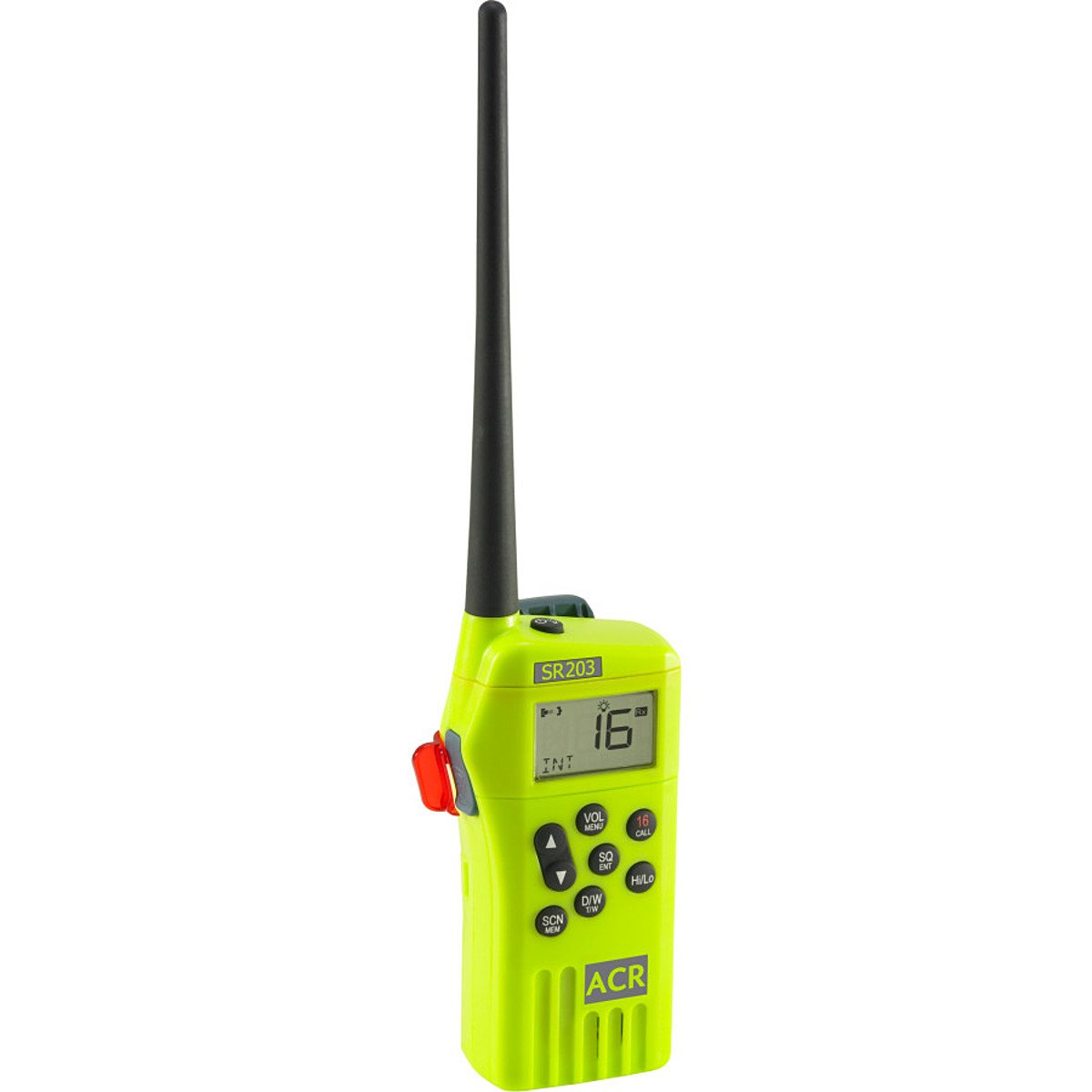
Image: The ACR SR203 Survival VHF Radio, showing the main unit with its antenna and the separate battery pack. The radio is yellow-green with a black antenna.
Setup
1. Battery Installation/Verification
The SR203 radio comes with a lithium-ion battery pre-installed. Before first use, verify that the battery is securely seated in its compartment. To access the battery compartment, locate the battery cover on the back of the radio and follow the instructions for removal and re-installation.

Image: The ACR SR203 Survival VHF Radio with its battery pack detached. The radio's rear panel shows the battery compartment and regulatory labels. The battery pack has emergency activation instructions.
2. Initial Charging (if applicable)
While the radio boasts over 16 hours of battery life, it is recommended to fully charge the battery before its first deployment or extended storage. Use the provided mounting cradle for charging.
3. Mounting Cradle
The included mounting cradle can be used to secure the radio in a convenient location on your vessel. Ensure the mounting location is easily accessible in an emergency and protected from direct impact. The cradle also serves as a charging station when connected to a power source.
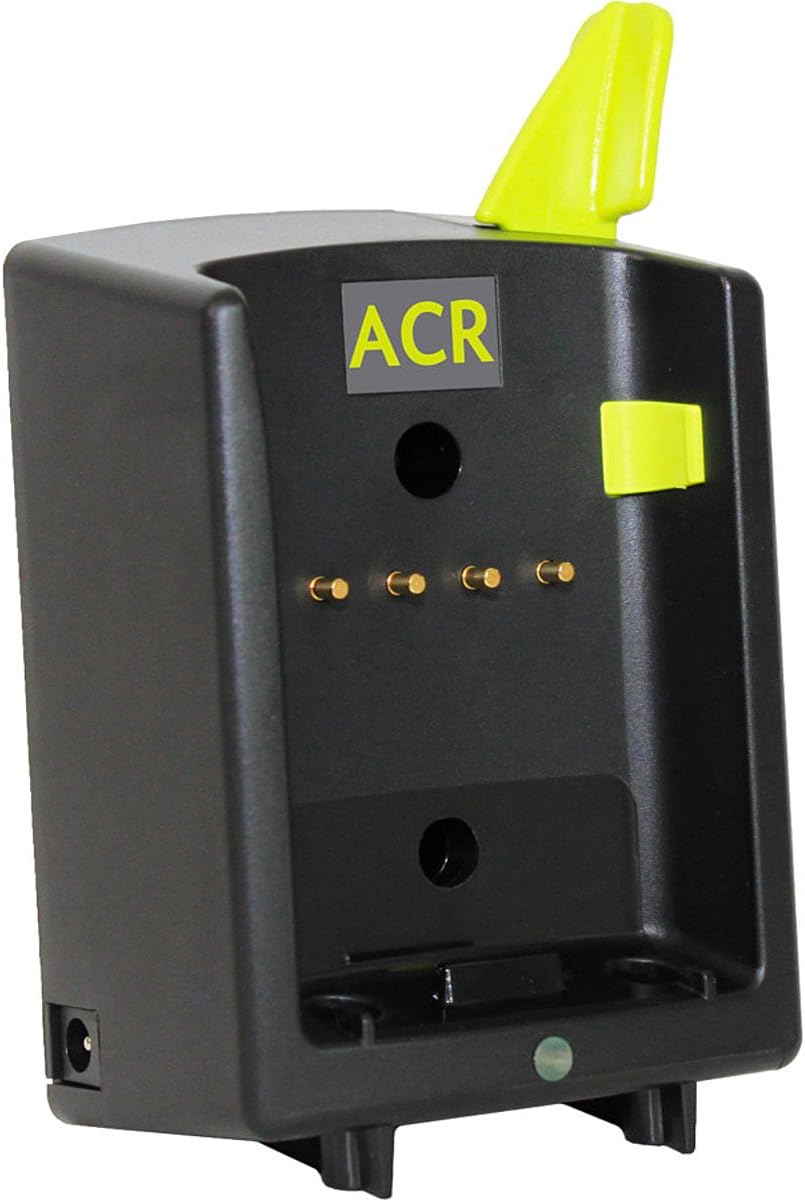
Image: The ACR mounting cradle, a black unit with an ACR logo and charging contacts. It is designed to hold and charge the SR203 radio.
Operating Instructions
1. Powering On/Off
- To power on: Press and hold the POWER button until the display illuminates.
- To power off: Press and hold the POWER button until the display turns off.
2. Channel Selection
The SR203 features automatic Channel 16 tuning. In an emergency, the radio will prioritize Channel 16 for distress calls.
- To select Channel 16: Press the dedicated CHANNEL 16 button.
- To cycle through other available channels (if applicable): Use the UP/DOWN arrow buttons.
3. Making a Call
- Ensure you are on the desired channel (Channel 16 for distress).
- Press and hold the PTT (Push-To-Talk) button located on the side of the radio.
- Speak clearly into the microphone.
- Release the PTT button to listen for a response.
4. Receiving Calls
The radio will automatically receive transmissions on the selected channel. Adjust the volume using the appropriate controls (refer to the radio's display and buttons for specific volume controls).
5. Emergency Use
In an emergency, the SR203 is designed for quick activation:
- Press the dedicated ONE-PUSH CALL button (often labeled for distress or Channel 16). This will automatically tune to Channel 16.
- Follow standard marine distress call procedures (e.g., "Mayday, Mayday, Mayday, this is [Vessel Name], [Call Sign], [Position], [Nature of Distress]").
Maintenance
1. Cleaning
Clean the radio with a soft, damp cloth. Do not use harsh chemicals or abrasive cleaners. Ensure all ports and seals are free of debris to maintain its waterproof integrity.
2. Battery Care
- Regularly check the battery charge level.
- Recharge the battery using the provided cradle.
- For long-term storage, store the battery with a partial charge (around 50%) in a cool, dry place. Avoid fully discharging or fully charging for extended periods during storage.
- Replace the battery if its performance significantly degrades.
3. Storage
Store the SR203 in a dry, cool environment, away from direct sunlight and extreme temperatures. Ensure the radio is powered off when not in use.
Troubleshooting
| Problem | Possible Cause | Solution |
|---|---|---|
| Radio does not power on | Low or discharged battery; Battery not properly installed | Charge the battery; Re-install battery securely |
| No signal or poor reception | Out of range; Antenna obstructed or damaged; Incorrect channel selected | Move closer to transmitting station; Check antenna for damage; Verify correct channel (e.g., Channel 16) |
| Cannot transmit | PTT button not pressed; Radio in receive-only mode; Low battery | Press and hold PTT button firmly; Check radio mode; Charge battery |
If you encounter issues not listed here or if the suggested solutions do not resolve the problem, please contact ACR customer support.
Specifications
- Model Number: 2827 (SR203)
- Product Dimensions: 12 x 6.5 x 3.5 inches
- Item Weight: 2 pounds
- Batteries: 1 Lithium Ion battery required (included)
- Special Feature: Waterproof
- Other Display Features: Wireless
- Number of Channels: 21
- Frequency Range: 136-174 MHz
- Talking Range Maximum: 10 Mile
- Voltage: 3.7 Volts
- Water Resistance Level: Waterproof
Warranty and Support
Warranty Information
ACR products are manufactured to high standards and are typically covered by a limited warranty against defects in materials and workmanship. Please refer to the warranty card included with your product or visit the official ACR website for specific warranty terms and conditions applicable to the SR203 radio.
Customer Support
For technical assistance, troubleshooting beyond this manual, or warranty claims, please contact ACR customer support. Contact information can usually be found on the ACR website or on the product packaging.
Note: Always ensure your radio is registered with the appropriate authorities if required for your region and vessel type.


