
1. Introduction
This document provides essential instructions and detailed specifications for the PWR+ 19V AC Power Adapter. It is designed to ensure safe and efficient operation when used with compatible Bmax MaxMini Mini PC models. Please read this manual thoroughly before use.
2. Safety Information
The PWR+ 19V AC Power Adapter is UL Listed, indicating it has been tested, approved, and certified by Underwriters Laboratories for safety standards. UL testing is authorized by OSHA, a US Federal Agency. Adherence to these safety standards ensures reliable and secure operation.
- Do not expose the adapter to liquids or extreme temperatures.
- Ensure the adapter is connected to a properly grounded power outlet.
- Avoid using the adapter if the cord or casing is damaged.
- Disconnect the adapter from the power source before cleaning.

Image: The PWR+ 19V AC Power Adapter, showing the main unit, cables, and a visible UL Listed certification label attached to the output cable. This highlights the product's adherence to safety standards.
3. Product Features
- Extended Power Cord: Features an extra-long 12-foot power cord for flexible placement.
- Input Voltage Range: Supports universal input voltage from 100-240V.
- Output Specifications: Provides a maximum output of 19V, 3.42A, delivering 65W.
- Durable Design: Equipped with a steel-reinforced tip for enhanced durability and extended usability.
- Built-in Safety Protections: Includes Short Circuit Protection (SCP), Over Current Protection (OCP), Over Voltage Protection (OVP), and Over Temperature Protection (OTP).
- UL Safety Certified: Tested and certified by UL for safety standards.

Image: A detailed diagram showcasing the internal components of the PWR+ power adapter, including high-grade copper wiring and aluminum foil shielding. It also illustrates the built-in safety protections (SCP, OCP, OVP, OTP) and the benefit of the 12-foot extra-long power cord.
4. Compatibility
This PWR+ Power Adapter is compatible with the following Bmax MaxMini Mini PC models:
- Bmax MaxMini B5 Pro Mini PC
- Bmax MaxMini B7 Power Mini PC
- Bmax MaxMini B8 Plus Mini PC
- Bmax MaxMini B8 Power Mini PC
- Bmax MaxMini B9 Power Mini PC
- Bmax MaxMini B10 Pro Mini PC
Ensure your device's power requirements match the adapter's output specifications (19V, 3.42A, 65W) and that it uses a round tip connector.
5. Setup Instructions
- Unpack: Carefully remove the PWR+ AC Power Adapter from its packaging.
- Connect to Device: Insert the round tip connector of the adapter's output cable into the power input port of your compatible Bmax MaxMini Mini PC. Ensure a secure connection.
- Connect to Power Outlet: Plug the AC input cord into a standard 100-240V wall outlet.
- Verify Connection: The adapter features a charging indicator light (typically blue) which will illuminate when properly connected and receiving power.
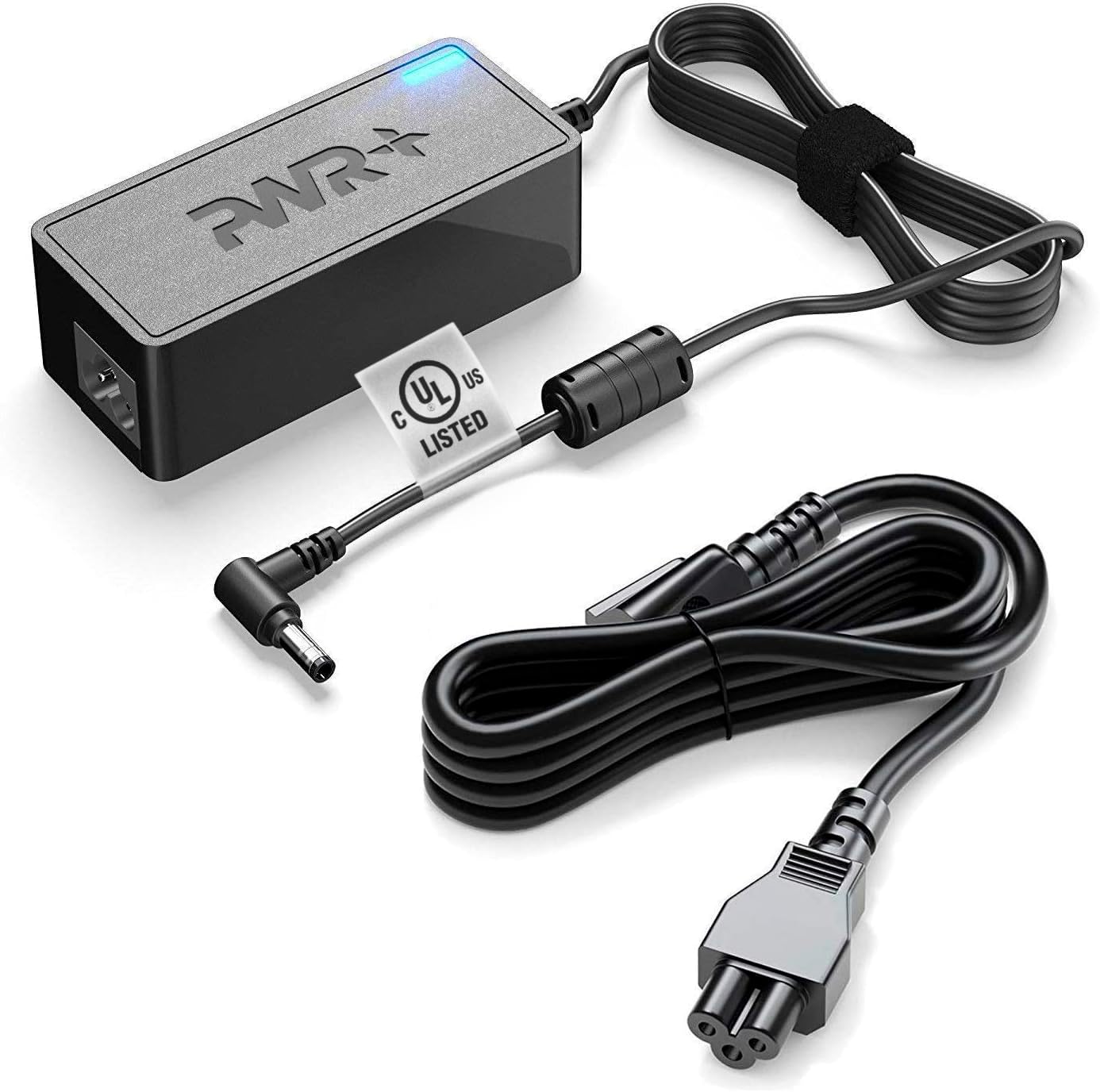
Image: The PWR+ 19V AC Power Adapter displayed with its main unit, the detachable AC input power cord, and the DC output cable with its round tip connector. This provides a clear view of all components required for connection.
6. Operating Guidelines
- Once connected, the adapter will supply power to your Mini PC.
- The blue indicator light on the adapter signifies active power delivery.
- For optimal performance, operate the adapter in a well-ventilated area.
- Disconnect the adapter from the wall outlet when not in use for extended periods.
7. Maintenance
- Cleaning: Use a dry, soft cloth to clean the adapter. Do not use liquid cleaners or solvents.
- Storage: Store the adapter in a cool, dry place when not in use. Avoid wrapping the cables too tightly to prevent damage.
- Inspection: Periodically inspect the power cord and adapter casing for any signs of damage. If damage is observed, discontinue use and replace the adapter.
8. Troubleshooting
| Problem | Possible Cause | Solution |
|---|---|---|
| No power to device | Adapter not plugged in; loose connection; faulty outlet; incompatible device. | Ensure all connections are secure. Try a different wall outlet. Verify device compatibility and power requirements. |
| Adapter indicator light off | No power input; internal fault. | Check wall outlet and connections. If problem persists, the adapter may be faulty. |
| Device not charging/powering on | Incorrect voltage/amperage; device fault. | Confirm adapter specifications match device requirements. Test device with another known-good power source if available. |
9. Technical Specifications
- Model Number: PWR-TAJ190342
- Input Voltage: 100-240V AC
- Output Voltage: 19V DC
- Output Current: 3.42 Amps
- Output Wattage: 65 Watts
- Connector Type: Round Tip
- Cord Length: 12 Feet (approx. 3.66 meters)
- Safety Certification: UL Listed
- Special Feature: Charging Indicator Light
10. Warranty and Support
The PWR+ 19V AC Power Adapter comes with a comprehensive warranty:
- Refund Policy: 30 Days Refund
- Exchange Policy: 24 Months Exchange
For any support inquiries or warranty claims, please contact PWR+ customer service. PWR+ is a Washington, USA-based company dedicated to customer satisfaction.

Image: The PWR+ 19V AC Power Adapter with its blue LED indicator illuminated, signifying active power. A '2 year extended warranty' sticker is visible on the adapter unit, emphasizing the product's warranty period.