
1. Introduction
This manual provides essential instructions for the safe and effective use of your PWR+ 12V AC Power Supply Adapter. This adapter is designed to provide reliable power to a wide range of compatible Yamaha keyboards and digital pianos. Please read this manual thoroughly before use and retain it for future reference.
2. Safety Information
Important Safety Instructions:
- Do not expose the adapter to rain or moisture.
- Do not disassemble the adapter. Refer all servicing to qualified personnel.
- Ensure the adapter is connected to a properly grounded outlet.
- Avoid placing heavy objects on the power cord.
- Disconnect the adapter from the power outlet during lightning storms or when unused for long periods.
- Verify that the voltage and current ratings of your device match the adapter's output specifications.
This PWR+ adapter is UL Listed, indicating it meets recognized safety standards.

Image: UL Listed safety certification logo, indicating compliance with safety standards.
3. Setup and Connection
Follow these steps to connect your PWR+ AC adapter to your Yamaha keyboard:
- Inspect the Adapter: Before connecting, visually inspect the adapter and its cable for any signs of damage.
- Connect to Device: Insert the barrel connector of the adapter firmly into the DC input jack of your Yamaha keyboard. Ensure a snug fit.
- Connect to Power Outlet: Plug the AC prongs of the adapter into a standard 100-240V wall outlet. The adapter features an extra-long 6.5 ft cord for convenience.
- Power Indicator: A blue LED indicator on the adapter will illuminate when it is receiving power and functioning correctly.
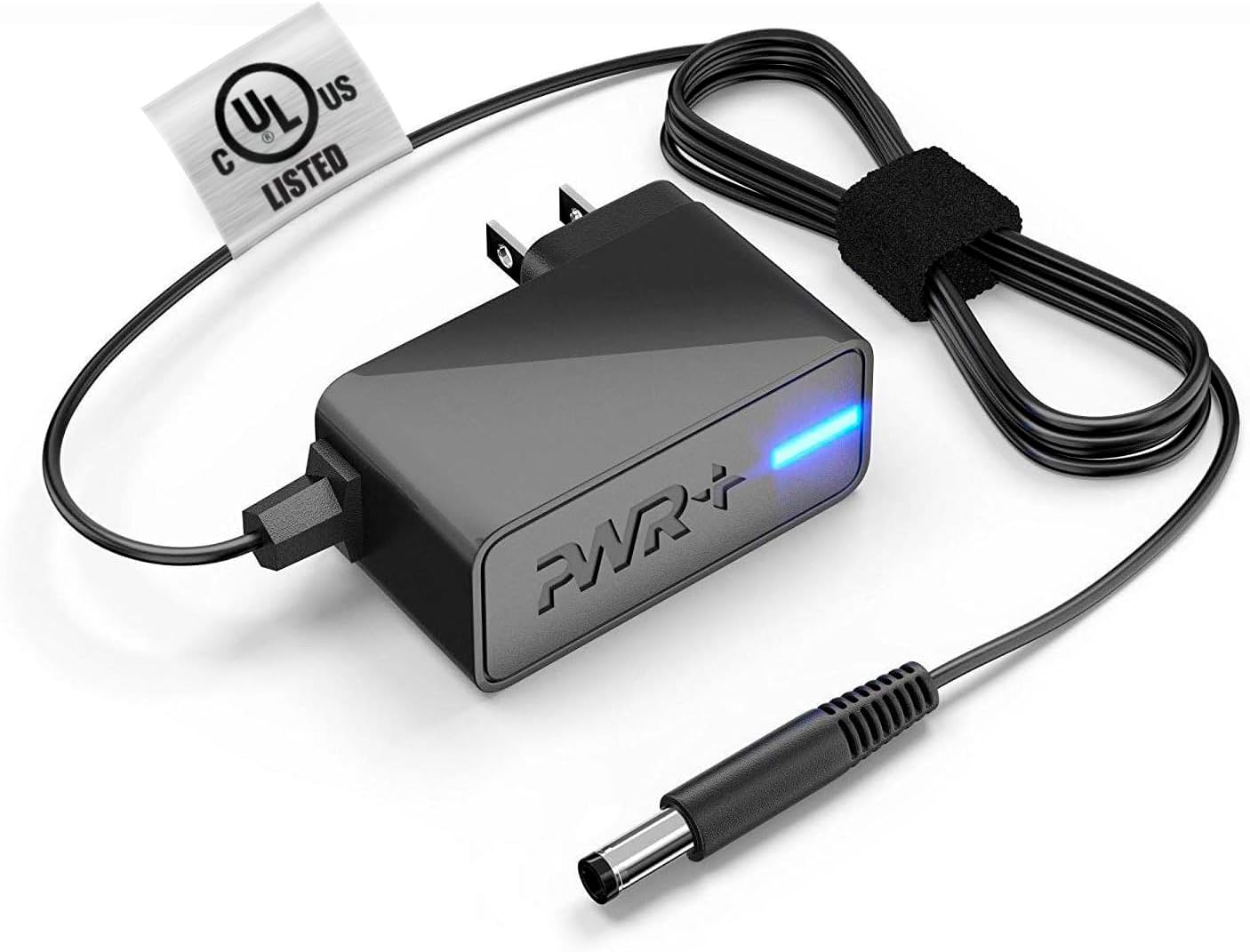
Image: The PWR+ 12V AC Adapter, showing the main unit, power cord, barrel connector, and the blue LED power indicator.
4. Operating Instructions
Once connected, the adapter provides continuous power to your compatible Yamaha keyboard. No further user interaction is typically required for basic operation.
4.1 Compatibility
This adapter is compatible with numerous Yamaha keyboard and digital piano models, including but not limited to:
- P-Series: P-115, P-105, P-71, P-125, P-121
- PSR-Series: PSR-550, PSR-330, PSR-290, PSR-285, PSR-170, PSR-E313, PSR-E323, PSR-E403, PSR-E413, PSR-E203, PSR-E223, PSR-E423
- DGX-Series: DGX-230, DGX-620, DGX-630, DGX-640, DGX-220
- PA-Series: PA-130, PA-150, PA-5D, PA-51
- Other Models: KB-280, YPG-225, YPT-210, YPT-220, NP-V80, NP-V60, NP-31
Always verify your device's power requirements against the adapter's specifications to ensure compatibility.

Image: A Yamaha keyboard, illustrating a typical device this adapter powers.
5. Maintenance and Care
Proper care extends the life of your PWR+ AC adapter:
- Cleaning: Disconnect the adapter from the power outlet and your device before cleaning. Use a soft, dry cloth to wipe the surface. Do not use liquid cleaners or solvents.
- Storage: When not in use, store the adapter in a cool, dry place, away from direct sunlight and extreme temperatures. Avoid tightly coiling the cable.
- Cable Care: The power cord features reinforced stress points to withstand wear and tear. However, avoid sharp bends, twists, or excessive pulling on the cable, especially near the connectors.

Image: A diagram illustrating the internal construction of the power cable with high-grade copper, aluminum foil shield, PVC jacket, and protective tinned copper braid, alongside reinforced stress points at the connectors.
6. Troubleshooting
If you encounter issues with your PWR+ AC adapter, refer to the following common problems and solutions:
| Problem | Possible Cause | Solution |
|---|---|---|
| No power to device | Adapter not plugged in, faulty outlet, loose connection, device issue. | Ensure adapter is fully plugged into both the wall and the device. Test the outlet with another device. Check the device's power switch. |
| Intermittent power | Loose connection, damaged cable, power fluctuations. | Secure all connections. Inspect the cable for damage. Try a different power outlet. |
| Adapter does not fit device | Incorrect adapter model for device. | Verify your device's model number and required power specifications against the adapter's compatibility list and specifications. |
| Humming or noise from device | Electrical interference. | The adapter includes a ferrite core to help reduce interference. Ensure the adapter is not near other electronic devices that may cause interference. |
7. Specifications
- Model Number: PWR-TAH12020N
- Input: 100-240V AC, 50/60Hz
- Output: 12V DC, 2A (24W)
- Cord Length: 6.5 feet (approximately 2 meters)
- Connector Type: Barrel Connector
- Safety Features:
- Short Circuit Protection (SCP)
- Over Current Protection (OCP)
- Over Voltage Protection (OVP)
- Over Temperature Protection (OTP)
- Certifications: UL Listed, CE, RoHS
- Item Weight: 4.8 ounces
- Package Dimensions: 5.4 x 3.2 x 3.2 inches
8. Warranty
Your PWR+ AC Adapter is covered by a 2-Year Warranty from the date of purchase. This warranty covers manufacturing defects and ensures the product meets its specified performance. Please retain your proof of purchase for warranty claims. For detailed warranty terms and conditions, please refer to the PWR+ official website or contact customer support.

Image: A red circular stamp with '2 YEAR WARRANTY' text, symbolizing the product warranty.
9. Customer Support
For any questions, technical assistance, or warranty inquiries regarding your PWR+ AC Adapter, please contact PWR+ customer support. Refer to the contact information provided on the product packaging or the official PWR+ website.
Online Resources: Visit the PWR+ Store on Amazon for additional product information and support.