
DELTA FAUCET 15901T-SS-DST
Delta Faucet Lewiston Single Handle Bathroom Faucet
Model: 15901T-SS-DST
Product Overview
The Delta Faucet Lewiston Single Handle Bathroom Faucet with Touch2O Technology offers a modern and convenient solution for your bathroom. This faucet is designed for ease of use and maintenance, featuring innovative touch activation and easy-to-clean components.
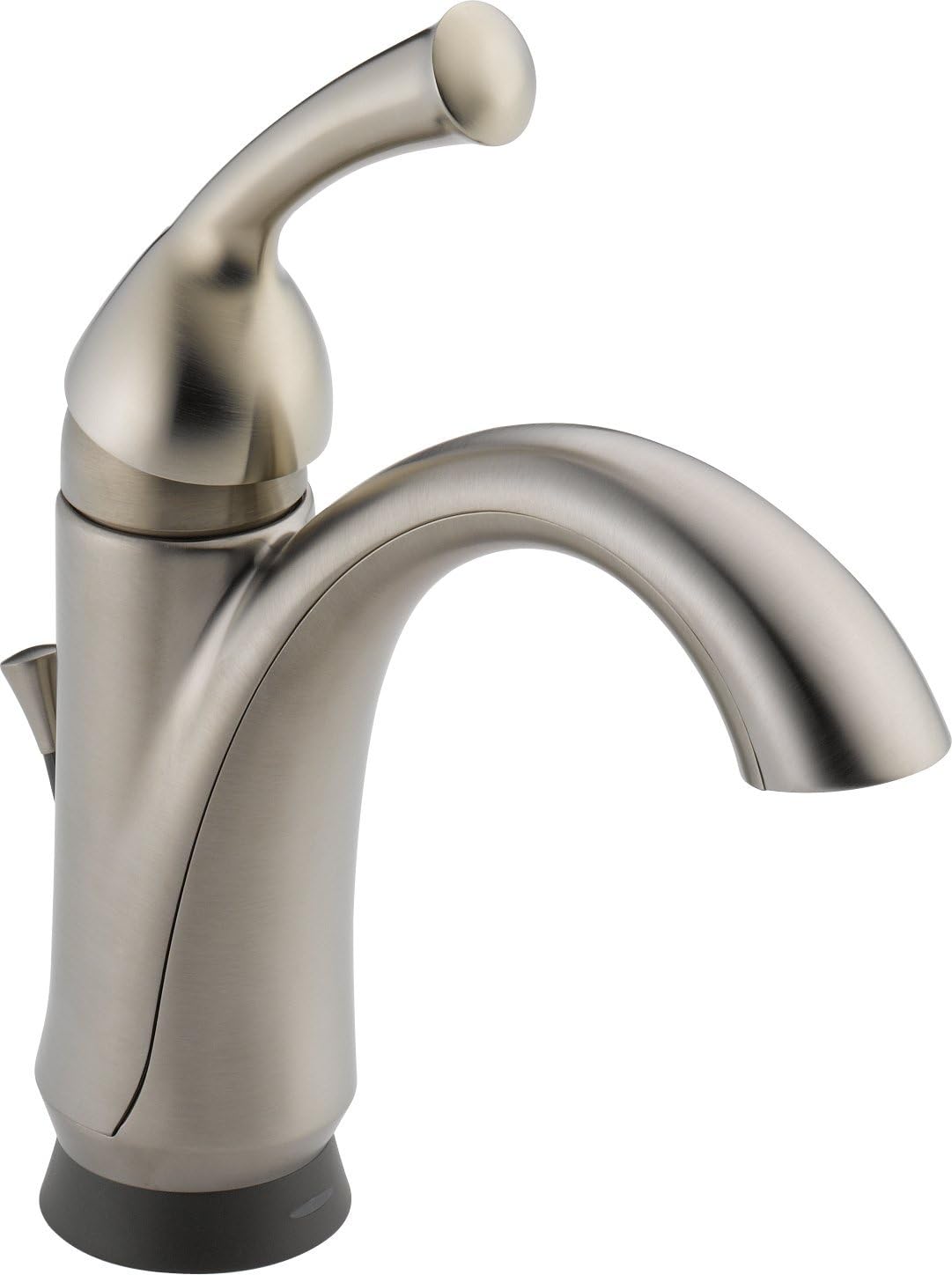
Figure 1: The Delta Faucet Lewiston Single Handle Bathroom Faucet, showcasing its sleek design and stainless steel finish. This image displays the main body of the faucet, the curved spout, and the single lever handle on the right side, along with the subtle base.
Key features include:
- Touch2O Technology: Allows for turning the faucet on and off with a simple touch anywhere on the faucet body or handle.
- Touch-Clean® Nozzles: Soft, rubber spray holes that allow for easy wiping away of calcium and lime build-up.
- WaterSense® Certified: Meets EPA criteria for water efficiency, with a flow rate of 1.5 gallons per minute (5.7 L/min).
- ADA Compliant: Designed to meet accessibility standards when properly installed.
- DIAMOND Seal Valve: Ensures durable, leak-free operation.
Setup and Installation
Proper installation is crucial for the optimal performance of your Delta Faucet. This faucet is designed for single-hole deck mount installation.
Before You Begin:
- Ensure all necessary tools and parts are available as listed in the official installation manual.
- Turn off the main water supply to the bathroom.
- Clear the work area under the sink.
Installation Steps:
For detailed, step-by-step installation instructions, diagrams, and safety warnings, please refer to the official Installation Manual (PDF) provided by Delta Faucet. This document contains critical information for a successful setup.
You can access the official installation manual here: Delta Faucet 15901T-SS-DST Installation Manual (PDF).
- Prepare the Mounting Surface: Ensure the sink deck is clean and free of debris.
- Install the Faucet Body: Place the faucet body through the mounting hole.
- Secure the Faucet: From underneath the sink, secure the faucet using the provided mounting hardware.
- Connect Water Supply Lines: Attach the hot and cold water supply lines to the corresponding connections on the faucet and your home's water supply.
- Install Drain Assembly: Follow the instructions for installing the pop-up drain assembly.
- Test for Leaks: Slowly turn on the water supply and check all connections for leaks.
Operating Instructions
The Delta Faucet Lewiston features intuitive operation for daily use.
Using Touch2O Technology:
- To Turn On/Off: Simply touch the faucet body or handle with your hand or forearm. The water will start or stop flowing.
- Automatic Shut-off: The faucet is designed to automatically shut off after a few minutes of continuous flow to conserve water.
- Manual Override: You can always operate the faucet manually using the handle, even if the Touch2O feature is active or if power is lost.
Handle Operation:
- Water Flow: Lift the single lever handle to increase water flow. Push down to decrease flow.
- Temperature Control: Move the handle left for hot water and right for cold water.
Maintenance
Regular maintenance will ensure the longevity and optimal performance of your Delta Faucet.
Cleaning the Faucet:
- General Cleaning: Clean the faucet with a soft, damp cloth and mild soap. Avoid abrasive cleaners, harsh chemicals, or polishes as they can damage the finish.
- Touch-Clean® Nozzles: The soft rubber nubbins on the spray face allow you to easily wipe away calcium and lime build-up with a simple rub of your finger. This helps maintain consistent water flow.
Battery Replacement (if applicable for Touch2O):
While the product specifications state "Batteries Required? No", some Touch2O models may use batteries for the touch functionality. If your model requires batteries, refer to the installation manual for specific instructions on battery type and replacement. Typically, a low battery indicator light will signal when replacement is needed.
Troubleshooting
If you encounter issues with your Delta Faucet, try these common troubleshooting steps before contacting support.
| Problem | Possible Cause | Solution |
|---|---|---|
| No water or low flow |
|
|
| Touch2O Technology not responding |
|
|
| Leaking from base or handle |
|
|
For more complex issues or if the problem persists, please refer to the detailed troubleshooting section in the official installation manual or contact Delta Faucet customer support.
Specifications
Detailed specifications for the Delta Faucet Lewiston Single Handle Bathroom Faucet (Model: 15901T-SS-DST).
| Attribute | Detail |
|---|---|
| Brand | DELTA FAUCET |
| Model Number | 15901T-SS-DST |
| Recommended Uses | Bathroom |
| Mounting Type | Deck Mount |
| Finish Type | Brushed |
| Material | Rubber (likely referring to internal components/seals) |
| Color | Stainless |
| Number of Handles | 1 |
| Handle Type | Lever |
| Installation Type | Single Hole |
| Maximum Flow Rate | 1.5 Gallons Per Minute |
| Valve Type | Electronic with DIAMOND Seal Valve |
| Spout Height | 5.25 Inches |
| Item Weight | 5.2 pounds |
| Product Dimensions | 21.78 x 13.45 x 4 inches |
| Batteries Included? | No |
| Batteries Required? | No |
| Date First Available | February 10, 2012 |
Warranty and Support
Delta Faucet stands behind the quality of its products.
Warranty Information:
This Delta Faucet model 15901T-SS-DST comes with an Electronic Faucet 5-year Limited Warranty. Please refer to the official warranty documentation included with your product or visit the Delta Faucet website for full terms and conditions.
Customer Support:
If you require further assistance, have questions about installation, operation, or need to claim warranty service, please contact Delta Faucet customer support. Contact information can typically be found on the Delta Faucet official website or in the product packaging.
For more information, you may visit the official Delta Store on Amazon: Visit the Delta Store
Related documents15901T-SS-DST

Ask a question about this manual
Ask about setup, troubleshooting, compatibility, parts, safety, or missing instructions. Manuals+ will review the question and use this page’s manual context to help answer it.