
1. Product Overview
The Peavey PVi10 is a 2-way 100-watt PA speaker system designed for sound reinforcement in various applications. Each speaker features a 10-inch woofer and a high-frequency driver integrated into an exponential horn. The enclosures are constructed from durable, carpet-covered trapezoidal material, equipped with top handles for portability. This system is suitable for smaller venues and events requiring clear audio reproduction.

Image 1.1: Two Peavey PVi10 PA speakers, illustrating their versatile positioning options.
2. Safety Information
Please read and understand all safety instructions before operating this product. Retain this manual for future reference.
- Power Source: Connect the speakers only to the specified power source as indicated in the specifications.
- Ventilation: Ensure adequate ventilation around the speakers. Do not block ventilation openings.
- Moisture: Do not expose the speakers to rain, moisture, or excessive humidity.
- Placement: Place speakers on a stable, level surface. Avoid placing them near heat sources or in direct sunlight.
- Servicing: Do not attempt to service this product yourself. Refer all servicing to qualified service personnel.
- Cables: Use appropriate speaker cables with 0.25-inch connectors. Ensure cables are not pinched or walked upon.
3. Package Contents
Verify that all items are present in the package:
- Peavey PVi10 PA Speaker (Quantity: 2)
4. Features
The Peavey PVi10 speaker system incorporates several design elements for performance and usability:
- Two-Way Design: Each speaker features a 10-inch woofer for low frequencies and a high-frequency driver for clear highs.
- Power Handling: Each speaker handles 50 watts of program power, with a total system output of 100 watts.
- Durable Enclosure: Carpet-covered trapezoidal enclosures provide protection and allow for multiple positioning options (upright or as a floor monitor).
- Portability: Integrated top handles facilitate easy transport.
- Connectivity: Equipped with two 0.25-inch input jacks for amplifier connection.
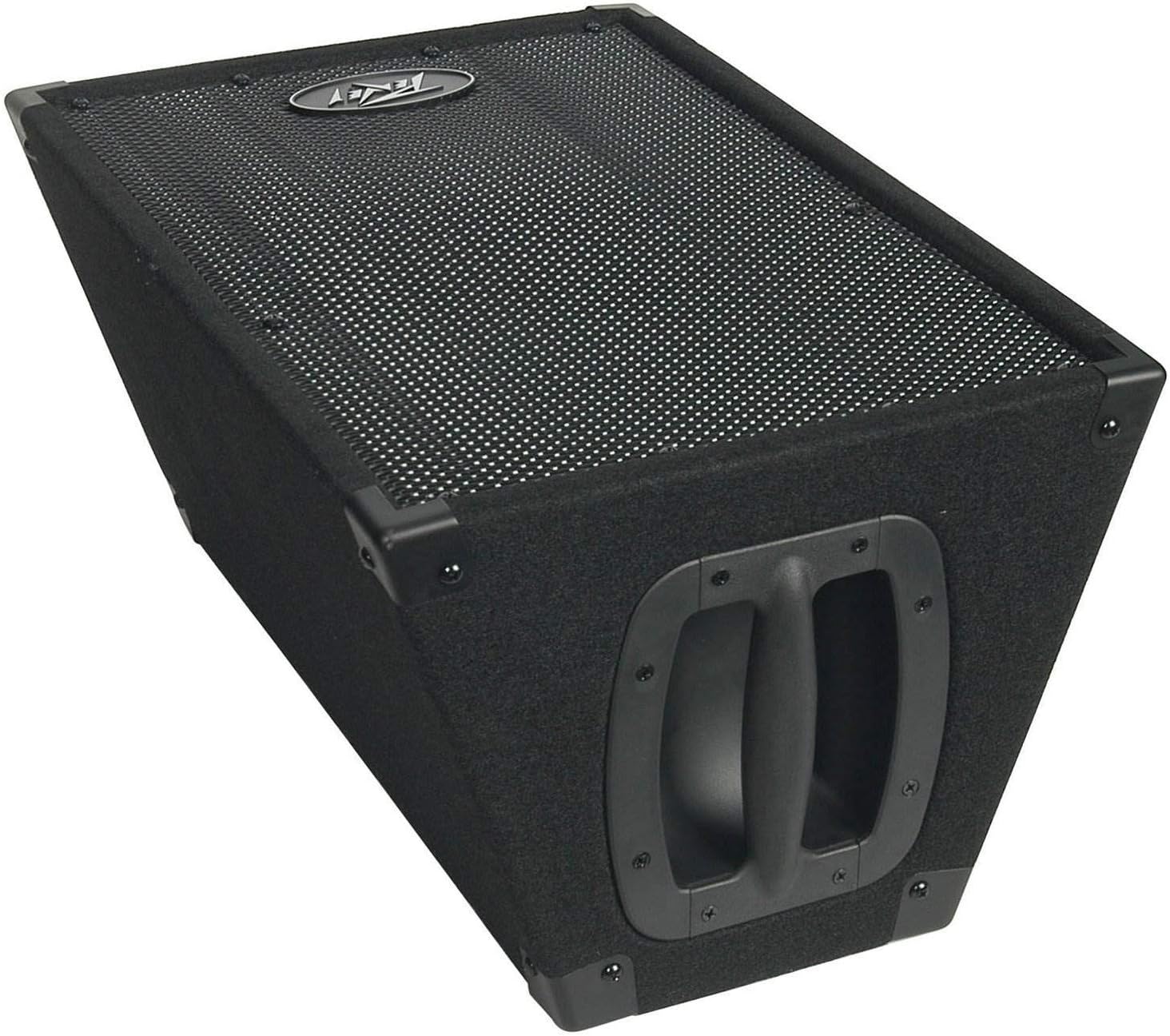
Image 4.1: Top view of a Peavey PVi10 speaker, highlighting the integrated handle for transport.
5. Setup
Follow these steps to set up your Peavey PVi10 speaker system:
- Unpacking: Carefully remove the speakers from their packaging.
- Placement: Position the speakers in your desired location. The trapezoidal design allows them to be placed upright or on their side as floor monitors. Ensure they are on a stable surface.
- Connection: Using standard 0.25-inch speaker cables, connect the speakers to your amplifier or powered mixer. Each speaker has two 0.25-inch input jacks, allowing for daisy-chaining if your amplifier supports it. Ensure the amplifier is turned off before making connections.
- Power On: Once all connections are secure, turn on your amplifier or mixer, then gradually increase the volume.

Image 5.1: Front view of a single Peavey PVi10 speaker, ready for connection.
6. Operation
Operating the PVi10 speakers involves proper signal management from your audio source:
- Signal Source: Connect your audio source (e.g., mixer, instrument, media player) to your amplifier or powered mixer.
- Volume Control: Start with the amplifier's volume at its lowest setting. Gradually increase the volume to a comfortable listening level. Avoid operating the speakers at excessively high volumes for extended periods to prevent damage.
- Monitoring: The trapezoidal design allows for use as a stage monitor. Position the speaker on its side, angled towards the performer, for direct sound feedback.

Image 6.1: Two Peavey PVi10 speakers in an upright position, suitable for main PA use.
7. Maintenance
Proper maintenance ensures the longevity and performance of your speakers:
- Cleaning: Use a soft, dry cloth to clean the exterior of the speakers. Do not use liquid cleaners or solvents.
- Grille Cleaning: The metal grille can be gently vacuumed to remove dust and debris.
- Storage: When not in use, store the speakers in a dry environment, away from extreme temperatures and direct sunlight.
- Inspection: Periodically inspect speaker cables for any signs of wear or damage. Replace damaged cables immediately.

Image 7.1: Close-up of the speaker grille, emphasizing the need for regular cleaning.
8. Troubleshooting
If you encounter issues with your PVi10 speaker system, refer to the following common problems and solutions:
- No Sound:
- Ensure the amplifier is powered on and its volume is turned up.
- Check all cable connections between the speakers and the amplifier.
- Verify the audio source is functioning and sending a signal to the amplifier.
- Distorted Sound:
- Reduce the volume level on the amplifier and/or the audio source.
- Check for damaged speaker cables.
- Ensure the amplifier's output power matches the speaker's power handling capabilities.
- Intermittent Sound:
- Inspect all cable connections for looseness or damage.
- Ensure the audio source is stable.
If problems persist, contact Peavey customer support or a qualified service technician.
9. Specifications
| Feature | Specification |
|---|---|
| Model Name | PVi10 |
| Speaker Type | 2-Way PA Speaker (Woofer, High-Frequency Driver) |
| Woofer Diameter | 10 Inches |
| Speaker Maximum Output Power | 100 Watts (System Total) |
| Impedance | 8 Ohms |
| Connectivity Technology | Wired Audio Connectors (0.25-inch jacks) |
| Audio Output Mode | Stereo (with two speakers) |
| Power Source | Corded Electric (via amplifier) |
| Mounting Type | Tabletop Mount / Floor Monitor |
| Recommended Uses | Music Playback in Small Events or Gatherings |
| Item Weight | 36.6 pounds (per speaker, approximate) |
| Is Waterproof | No |
10. Warranty and Support
For warranty information, product registration, or technical support, please refer to the official Peavey website or contact Peavey customer service directly. Keep your purchase receipt as proof of purchase.
Peavey Electronics Corporation
5022 Hartley Peavey Dr.
Meridian, MS 39305
USA