
1. Introduction
The OttLite Folding Task Lamp provides balanced illumination designed to enhance visual clarity and reduce eyestrain. Its compact, fold-up design and integrated handle ensure portability, making it suitable for various workspaces and tasks. This manual provides essential information for the proper use and care of your lamp.
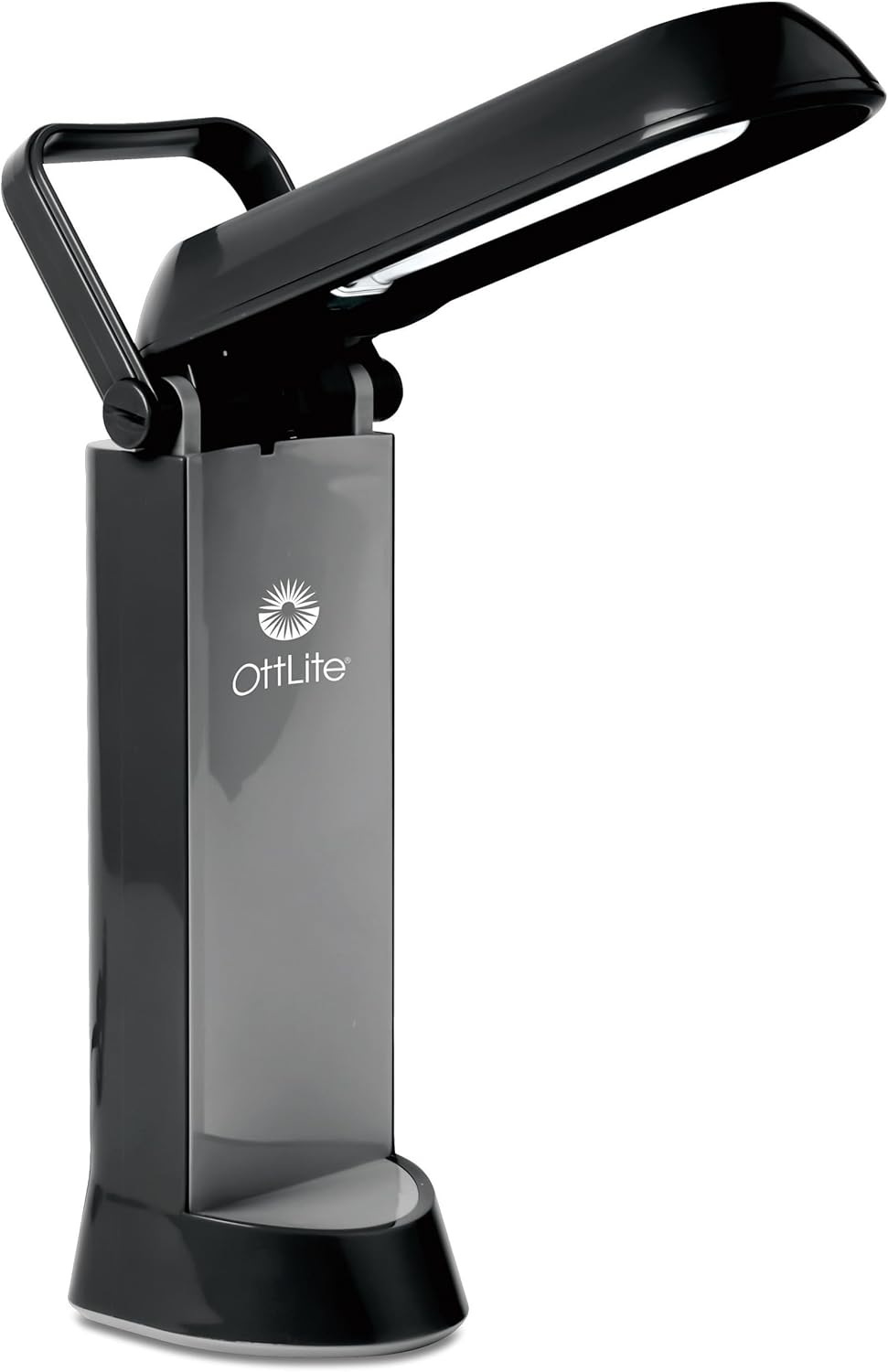
Image 1.1: The OttLite Folding Task Lamp (Model 717G53-SHPR) in its partially unfolded state, highlighting its design and integrated handle.
Key Features:
- OttLite Illumination: Provides a precise balance of contrast and brightness for clear viewing.
- Portable Design: Features a fold-up design with a handle for easy transport to any room.
- Low Heat, Low Glare: Engineered to minimize heat emission and glare, enhancing comfort during use.
- Compact Footprint: Designed to fit easily on most desks and workstations.
- Energy Efficient: Utilizes a 13-watt Type E OttLite bulb with a lifespan of up to 10,000 hours.
2. Setup Instructions
- Unpack the Lamp: Carefully remove the lamp from its packaging.
- Choose a Location: Place the lamp on a stable, flat surface such as a desk or workstation. Ensure adequate space for unfolding the lamp.
- Unfold the Lamp: Gently lift the lamp head from its folded position. The lamp is designed to power on automatically when the shade is raised.
- Adjust the Shade: Position the multi-position shade to direct light as needed. The shade can be adjusted to various angles and the lamp height can range from 11.25 inches to 17.5 inches.
- Connect to Power: Plug the power cord into a standard 110V electrical outlet.

Image 2.1: Key components and features of the OttLite Folding Task Lamp, including the bulb, automatic power-on function, portable handle, and sturdy base.

Image 2.2: The lamp's adjustable shade, illustrating how its height can be varied from 11.25 inches to 17.5 inches for optimal lighting.
3. Operating Instructions
The OttLite Folding Task Lamp is designed for straightforward operation.
- Power On: To turn the lamp on, simply unfold the arm and raise the shade to your desired position. The lamp will illuminate automatically.
- Adjusting Light Direction: The multi-position shade allows you to direct the light precisely where it is needed. Adjust the angle of the shade by gently moving it.
- Power Off: To turn the lamp off, fold the arm down until the shade is fully closed. The lamp will automatically switch off.

Image 3.1: The OttLite lamp in operation on a desk, providing illumination for tasks and reducing eyestrain with its low glare design.

Image 3.2: The lamp's adjustable shade positioned for various tasks, demonstrating its versatility for crafting, office work, reading, sewing, and studying.
4. Maintenance
Bulb Replacement:
The OttLite Folding Task Lamp uses a 13-watt Type E OttLite bulb, designed to last up to 10,000 hours. When replacement is necessary, ensure you use the correct bulb type.
- Disconnect Power: Unplug the lamp from the electrical outlet before attempting to replace the bulb.
- Allow to Cool: If the lamp has been in use, allow the bulb to cool completely before handling.
- Access the Bulb: Refer to the lamp's design to locate and access the bulb compartment. Gently remove the old bulb.
- Insert New Bulb: Carefully insert the new 13-watt Type E OttLite replacement bulb. Ensure it is securely seated.
- Reconnect Power: Plug the lamp back into the electrical outlet.

Image 4.1: The 13-watt OttLite bulb, highlighting its extended lifespan and energy efficiency.

Image 4.2: Information regarding the 13-watt Type E replacement bulb, specifying compatibility with OttLite lamps purchased after 2008.
Cleaning:
- Ensure the lamp is unplugged and cool before cleaning.
- Wipe the lamp's exterior surfaces with a soft, dry cloth.
- Do not use abrasive cleaners or solvents, as these may damage the finish.
5. Troubleshooting
| Problem | Possible Cause | Solution |
|---|---|---|
| Lamp does not turn on. |
|
|
| Light is dim or flickers. |
|
|
| Lamp does not fold correctly. |
|
|
6. Specifications
| Model Number | 717G53-SHPR |
| Brand | OttLite |
| Product Dimensions (Folded) | 5.75"W x 4.56"D x 12.06"H |
| Adjustable Height | 11.25" to 17.5" |
| Item Weight | 2.43 Pounds |
| Light Source Type | CFL (Compact Fluorescent Lamp) |
| Bulb Type | 13-watt Type E OttLite Bulb |
| Bulb Lifespan | Up to 10,000 hours |
| Wattage | 13 Watts |
| Voltage | 110 Volts |
| Brightness | 580 Lumens |
| Material | Plastic |
| Color | Black |
| Power Source | Corded Electric |
| UPC | 761712007694, 799198378519 |
7. Warranty and Support
OttLite products are manufactured with quality and durability in mind. For specific warranty information, please refer to the documentation included with your purchase or visit the official OttLite website.
If you encounter any issues or require technical assistance, please contact OttLite Customer Support:
- Manufacturer: OttLite Technologies
- Website: www.ottlite.com
- Contact Information: Refer to the OttLite website for the most current contact details, including phone numbers and email support.
Please have your model number (717G53-SHPR) and purchase date available when contacting support.

