
Introduction
This manual provides comprehensive instructions for the setup, operation, maintenance, and troubleshooting of your XINJIA XJ-810 LCD Digital Watch. Please read this manual carefully before using your watch to ensure proper function and longevity.
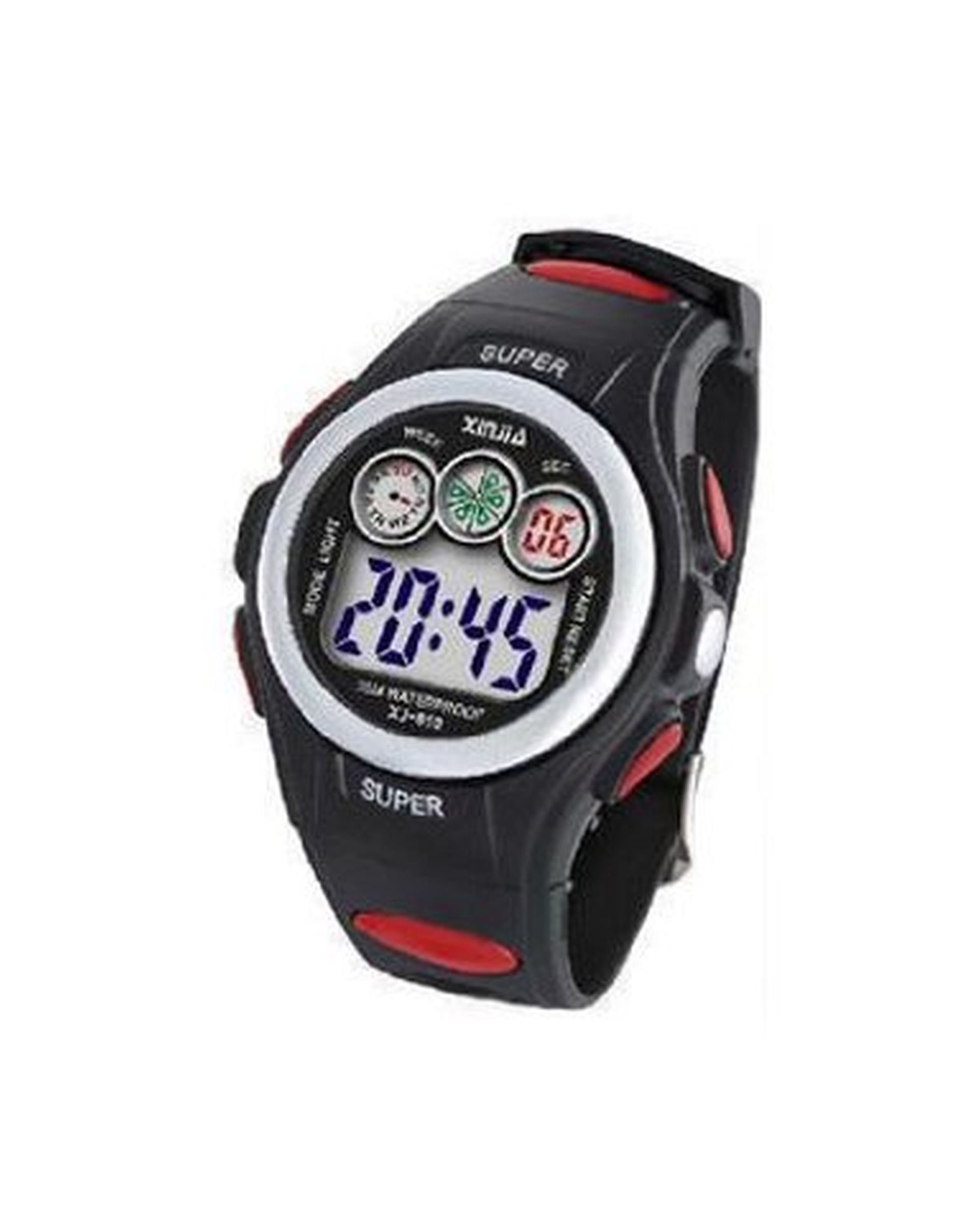
Figure 1: Front view of the XINJIA XJ-810 LCD Digital Watch. The watch features a digital display and multiple buttons for function control.
Setup
1. Initial Power On
The watch is typically shipped with a battery installed. If the display is blank, press any button to activate it. If it remains blank, the battery may need replacement (refer to Maintenance section).
2. Setting Time and Date
- Press the MODE button repeatedly until the time setting mode is displayed (usually indicated by flashing digits).
- Use the SET button to select the hour, minute, month, day, and year. Each press of the SET button will cycle through the adjustable fields.
- Use the ADJUST button to change the value of the selected field.
- Once all settings are correct, press the MODE button again to exit the setting mode.
Operating Instructions
Your XINJIA XJ-810 watch offers several functions accessible via the buttons located on the watch case.
Button Functions:
- MODE Button: Cycles through different modes (Time, Alarm, Stopwatch, Date).
- SET Button: Used to select items within a setting mode or to start/stop functions.
- ADJUST Button: Used to change values in setting modes or to reset functions.
- LIGHT Button: Activates the backlight for a few seconds.
Using the Stopwatch:
- Press the MODE button until the stopwatch display appears (usually "00:00:00").
- Press the SET button to start the stopwatch.
- Press the SET button again to pause the stopwatch.
- Press the ADJUST button to reset the stopwatch to zero.
Setting the Alarm:
- Press the MODE button until the alarm setting mode is displayed (usually indicated by "AL" and flashing digits).
- Use the SET button to select the hour or minute.
- Use the ADJUST button to change the alarm time.
- Press the MODE button to exit. To turn the alarm on/off, press ADJUST while in the alarm display mode.
Maintenance
Cleaning:
Wipe the watch case and strap with a soft, dry cloth. For stubborn dirt, a slightly damp cloth can be used, followed by a dry cloth. Avoid using chemical cleaners or abrasive materials.
Battery Replacement:
When the display becomes dim or the watch stops functioning, the battery may need replacement. This watch uses a standard button cell battery (e.g., CR2016). It is recommended to have the battery replaced by a qualified watch technician to ensure water resistance is maintained.
If replacing yourself:
- Carefully remove the back cover using a small screwdriver or watch case opener.
- Note the orientation of the old battery and remove it.
- Insert the new battery with the correct polarity.
- Replace the back cover, ensuring it is securely fastened to maintain water resistance.
Water Resistance:
The XINJIA XJ-810 watch is designed with basic water resistance. It is suitable for daily use and can withstand splashes or brief immersion. However, it is not suitable for swimming, diving, or showering with hot water, as steam can penetrate the seals.
Troubleshooting
| Problem | Possible Cause | Solution |
|---|---|---|
| Display is blank or dim. | Low or dead battery. | Replace the battery (refer to Maintenance). |
| Time is incorrect. | Time not set correctly or reset. | Reset the time and date (refer to Setup). |
| Buttons are unresponsive. | Watch may be in a locked mode or battery is very low. | Try pressing the MODE button multiple times. If still unresponsive, replace battery. |
| Water inside the display. | Water resistance compromised. | Stop using the watch immediately. Seek professional repair to prevent further damage. |
Specifications
- Model: XJ-810
- Display Type: LCD Digital
- Functions: Time (Hour/Minute/Second), Date (Month/Day/Year), Day of Week, Alarm, Stopwatch, Backlight
- Battery Type: CR2016 (or equivalent)
- Water Resistance: Daily water resistance (splash proof, not for swimming/diving)
- Case Material: Plastic
- Strap Material: Silicone/Rubber
Warranty and Support
For warranty information or technical support, please refer to the retailer where the product was purchased or visit the official XINJIA website. Keep your purchase receipt as proof of purchase.
For general inquiries, you may contact customer support via the following (example, replace with actual contact info if available):
- Email: support@xinjiawatch.com
- Website: www.xinjiawatch.com