
Introduction
Thank you for choosing the Bushnell Legend 10x42 Ultra HD Monocular. This manual provides detailed instructions for the proper setup, operation, and maintenance of your monocular to ensure optimal performance and longevity. Please read this manual thoroughly before using your device.
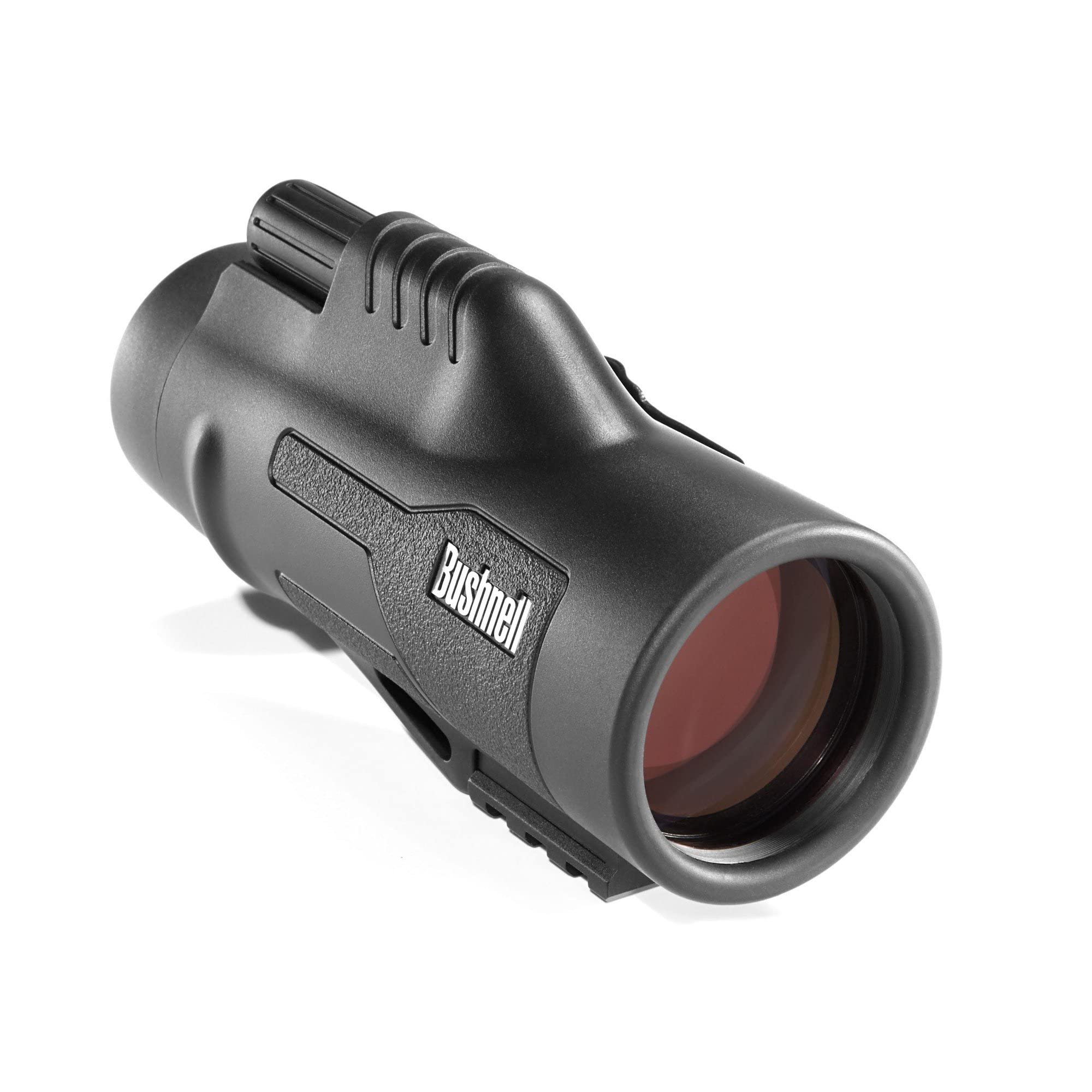
Image: The Bushnell Legend 10x42 Ultra HD Monocular, showcasing its compact design.
Key Features
- Ultra-Clear Optics: Features ED Prime glass and Ultra Wide Band Coating for exceptional clarity, color fidelity, and resolution, even in low light.
- Versatile 10x Magnification: Ideal for various activities including birdwatching, nature observation, hunting, and surveillance.
- Durable and Waterproof: Constructed with a rugged, rubber-armored exterior for a secure grip. O-ring sealed optics ensure waterproof and fog-proof performance in all weather conditions.
- Easy Focusing: Equipped with a smooth focus knob and a fast focus system for quick subject acquisition.
- Adjustable Eyecup: Twist-up eyecup design accommodates users with or without glasses, providing comfortable viewing for extended periods.
Setup
1. Unpacking
Carefully remove the monocular and all accessories from the packaging. Inspect for any damage. Retain the packaging for future storage or transport.
2. Adjusting the Eyecup
The monocular features a twist-up eyecup. To adjust for comfortable viewing:
- If you do not wear glasses, twist the eyecup counter-clockwise until it is fully extended. This positions your eye at the optimal distance from the eyepiece.
- If you wear glasses, twist the eyecup clockwise until it is fully retracted. This allows you to see the full field of view without removing your glasses.

Image: Close-up view of the monocular's adjustable eyecup and lens.
3. Attaching the Lanyard/Strap
Thread the provided lanyard or neck strap through the attachment points on the monocular. Ensure it is securely fastened to prevent accidental drops.
4. Tripod Mounting (Optional)
The Bushnell Legend Monocular is equipped with a tripod mount. To attach it to a tripod:
- Locate the tripod adapter socket on the bottom of the monocular.
- Screw a standard tripod adapter (not included) into this socket.
- Attach the tripod adapter to your tripod head.
- Ensure the monocular is securely mounted before use.
Operating the Monocular
1. Holding the Monocular
Hold the monocular firmly in one hand. Bring the eyepiece end up to your eye. For best stability, use both hands or brace your arm against your body.
2. Focusing
To achieve a clear image:
- Look through the eyepiece at a distant object.
- Rotate the focus knob (typically located on the top or side of the monocular) until the image appears sharp and clear.
- The fast focus system allows for quick adjustments to different distances.
Maintenance
1. Lens Care
Lenses should be cleaned only when necessary. Dust, dirt, or smudges can degrade image quality. Use a soft lens brush to remove dust, then a lens cloth with a small amount of lens cleaning fluid (specifically designed for optics) to gently wipe the lens surfaces. Avoid using abrasive cloths or excessive pressure.
2. Body Care
Wipe the monocular body with a soft, clean cloth. For stubborn dirt, a slightly damp cloth can be used. Avoid harsh chemicals or solvents.
3. Storage
When not in use, store the monocular in its protective case in a cool, dry place. Avoid extreme temperatures and high humidity. Ensure lens caps are in place to protect the optics from dust and scratches.
4. Waterproof and Fog-proof Features
Your Bushnell Legend Monocular is O-ring sealed and nitrogen purged, making it waterproof and fog-proof. While designed for use in various weather conditions, avoid submerging it in water for extended periods or exposing it to rapid, extreme temperature changes unnecessarily.
Troubleshooting
| Problem | Possible Cause | Solution |
|---|---|---|
| Image is blurry or out of focus. | Focus knob not adjusted correctly. | Rotate the focus knob until the image is sharp. |
| Dark edges or vignetting in the view. | Eyecup not adjusted for your eye/glasses. | Adjust the twist-up eyecup to the appropriate position (extended for non-glasses wearers, retracted for glasses wearers). |
| Dust or smudges visible in the view. | Dirty lenses. | Clean lenses carefully using a lens brush and lens cloth with optical cleaning fluid. |
| Monocular fogs up internally. | Extreme temperature change or seal compromise. | Allow the monocular to acclimate to the temperature. If fogging persists, contact customer support as the seal may be compromised. |
Specifications
| Feature | Detail |
|---|---|
| Brand | Bushnell |
| Model Name | 191142 |
| Magnification | 10x |
| Objective Lens Diameter | 42 millimeters |
| Eye Piece Lens Description | Glass |
| Coating | Fully Multi-coated |
| Field Of View | 340 feet |
| Exit Pupil Diameter | 4.2 millimeters |
| Focus Type | Manual Focus |
| Product Dimensions (D x W x H) | 6"D x 4"W x 4"H |
| Item Weight | 374 g |
| Mount | Tripod Mount |
| Additional Features | Extra Low Dispersion Glass (ED Glass), Ultra Wide Band Technology (UWB) |
What's in the Box
The Bushnell Legend 10x42 Ultra HD Monocular package typically includes:
- 10x42 Legend Ultra HD Black Monocular ED Glass, UWB, RGHD
- Protective Carrying Case
- Neck Strap/Lanyard
- Lens Caps
- Lens Cleaning Cloth
Warranty and Support
Your Bushnell Legend 10x42 Ultra HD Monocular is covered by a Limited Manufacturer Warranty. For specific details regarding warranty coverage, terms, and conditions, please refer to the warranty card included with your product or visit the official Bushnell website. For technical support or service inquiries, please contact Bushnell customer service.

Image: Bushnell Lifetime Warranty information, indicating commitment to product quality.
