
Bushnell 158042-Parent
Contents
Bushnell H2O Roof Prism Binoculars 8x42mm User Manual
Model: 158042-Parent | Brand: Bushnell
1. Introduction
The Bushnell H2O Roof Prism Binoculars 8x42mm are designed for clear, reliable viewing in various conditions. Featuring 8x magnification and a 42mm objective diameter, these binoculars offer stunning HD clarity and improved light transmission thanks to BaK-4 prisms and multi-coated optics. They are 100% waterproof, O-ring sealed, and nitrogen purged for dependable, fog-free performance, ensuring durability and longevity.
The non-slip rubber armor and Soft Texture Grip provide shock absorption and a secure hold, making them comfortable for extended use. With a 12-foot close focus distance and 17mm eye relief, these binoculars are versatile for various viewing needs.

Figure 1: Front view of the Bushnell H2O Roof Prism Binoculars.
2. Setup
2.1. Interpupillary Distance Adjustment
Hold the binoculars with both hands and bend the body to adjust the distance between the two barrels until you see a single, clear circular field of view. This aligns the binoculars with your eyes' interpupillary distance.
2.2. Diopter Setting
To compensate for differences in vision between your eyes, adjust the diopter setting. First, cover the right objective lens (front lens) with your hand. Look through the left eyepiece at a distant object and rotate the center focus knob until the image is sharp. Next, cover the left objective lens and look through the right eyepiece. Rotate the diopter ring on the right eyepiece until the image is sharp. The binoculars are now adjusted for your eyes.
2.3. Eyecup Adjustment
The twist-up eyecups can be adjusted for comfortable viewing. Twist them up for use without eyeglasses, and twist them down if you wear eyeglasses to ensure a full field of view.

Figure 2: Top view showing the focus knob and eyecups.
3. Operating Instructions
3.1. Focusing
Once the interpupillary distance and diopter are set, focusing is straightforward. Simply use the large center focus knob to bring objects at various distances into sharp focus. Rotate the knob until the image appears clear and crisp.
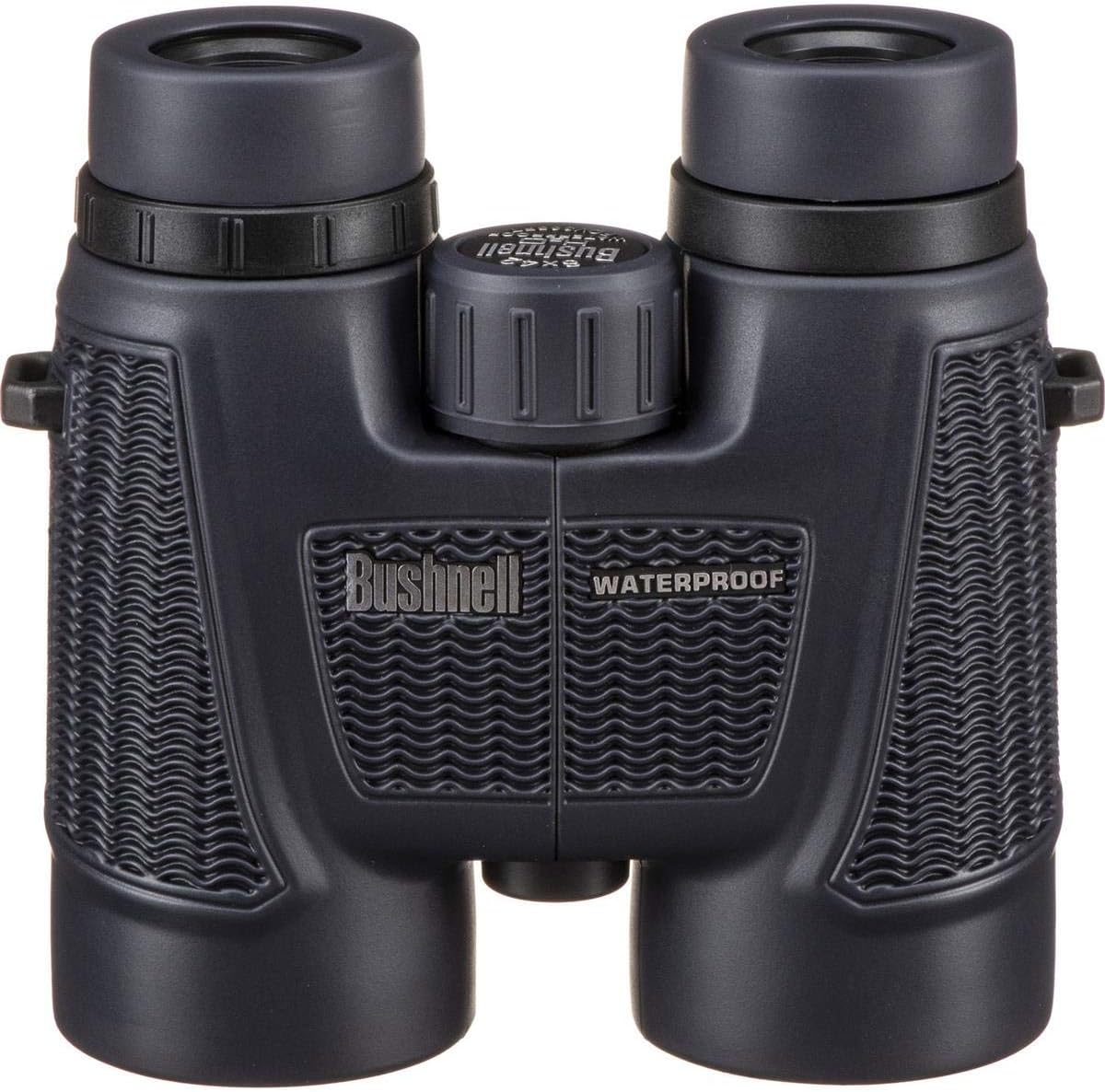
Figure 3: Close-up of the eyecups and center focus knob.
4. Maintenance
4.1. Cleaning
To clean the lenses, use a soft, lint-free cloth. For stubborn spots, a small amount of lens cleaning fluid can be applied to the cloth. Avoid using abrasive materials or excessive force. For the body, wipe with a soft cloth dampened with water. Do not use harsh chemicals.
4.2. Storage
Store your binoculars in a cool, dry place when not in use. The waterproof and nitrogen-purged design helps prevent internal fogging and moisture damage, ensuring the longevity of the optical system.

Figure 4: Back view of the binoculars, highlighting the durable rubber armor.
5. Troubleshooting
5.1. Blurry Image
If the image appears blurry, ensure the center focus knob is properly adjusted. Also, check the interpupillary distance and diopter settings to match your eyes. Make sure the eyecups are correctly positioned for whether or not you are wearing eyeglasses.
5.2. Internal Fogging
These binoculars are O-ring sealed and nitrogen purged to prevent internal fogging. If you experience internal fogging, contact customer support. External fogging due to temperature changes can be wiped away with a soft cloth.
6. Specifications
| Feature | Detail |
|---|---|
| Magnification Maximum | 8x |
| Objective Lens Diameter | 42mm |
| Item Weight | 0.71 Kilograms |
| Item Dimensions (LxWxH) | 7 x 6 x 3 inches |
| Color | Blue |
| Material | Aluminum |
| Special Features | Fog Proof, Portable, Lightweight, Focus Knob, Compact Design |
| Country of Origin | China |
7. Warranty and Support
7.1. Limited Lifetime Warranty
The Bushnell H2O Roof Prism Binoculars come with a limited lifetime warranty. For detailed information regarding warranty coverage and claims, please refer to the official Bushnell warranty policy.
7.2. Additional Support
For further assistance or to download the complete user guide in PDF format, please visit the official Bushnell support website or refer to the provided User Guide (PDF).
Documents and downloads
Ask a question about this manual
Ask about setup, troubleshooting, compatibility, parts, safety, or missing instructions. Manuals+ will review the question and use this page’s manual context to help answer it.