
Introduction
This manual provides essential instructions for the safe installation, operation, and maintenance of your Prominence Home Calico 52-inch Ceiling Fan. This modern/contemporary ceiling fan features a brushed nickel finish, three reversible blades, an integrated LED light kit, and a convenient remote control. Please read all instructions carefully before beginning installation and retain this manual for future reference.

The Prominence Home Calico ceiling fan, featuring a brushed nickel motor housing and three dark wood-finish blades, with an integrated frosted LED light kit.
Safety Information
To reduce the risk of electric shock, fire, or personal injury, always follow these basic safety precautions:
- Read all instructions and safety information before installing your fan and save these instructions.
- All wiring must be in accordance with national and local electrical codes. Consult a qualified electrician if you are unfamiliar with wiring.
- Before you begin, disconnect power by turning off the circuit breakers to the fan's junction box and the associated wall switch location.
- The fan must be mounted to a ceiling joist or a support structure capable of supporting the fan's weight (minimum 35 lbs).
- Ensure the installation site allows for a minimum clearance of 7 feet from the floor to the blade trailing edge and 18 inches from the wall to the blade tips.
- Do not operate the fan with damaged blades or housing.
- Avoid placing objects in the path of the fan blades.
Package Contents
Verify that all components listed below are included in your package:
- Motor Housing
- Blades (3)
- Blade Irons
- Canopy
- Integrated LED Light Kit (with Bulbs)
- Remote Control
- Screws and Hardware

An overview of the Calico ceiling fan's key features, including its 52-inch size, three reversible blades, powerful 3-speed motor for airflow, 3000K LED light, and remote control with a wall dock.
Setup and Installation
Installation of this ceiling fan requires electrical knowledge. It is highly recommended to have a qualified electrician perform the installation. Ensure power is disconnected at the circuit breaker before proceeding.
- Mounting Bracket Installation: Securely attach the mounting bracket to a ceiling joist or a fan-rated outlet box.
- Wiring: Connect the fan's electrical wires to the household wiring according to the provided wiring diagram. Ensure all connections are secure.
- Fan Assembly: Carefully lift the fan motor assembly and hang it from the mounting bracket. Attach the fan blades to the motor housing. Note that the blades are reversible, offering two finish options (Walnut and Beech).
- Light Kit Installation: Connect the integrated LED light kit wiring and secure the light kit to the fan motor housing.
- Canopy Installation: Slide the canopy up to the ceiling and secure it to cover the wiring and mounting bracket.

A diagram illustrating the physical dimensions of the fan, with a 52-inch blade span and a total height of 15.2 inches from the ceiling to the lowest point of the light kit.

A visual guide recommending appropriate ceiling fan sizes based on room dimensions. This 52-inch fan is recommended for large rooms up to 12ft x 18ft.
Operating Instructions
Your Prominence Home Calico ceiling fan is operated using the included remote control. Ensure the remote has fresh batteries installed.
Remote Control Functions:

The included remote control and its wall dock, detailing buttons for fan power, three fan speeds (high, medium, low), light on/off with dimming, a 'Walk Away Light Delay' function, 'Variable Breeze' mode, and 'HomeShield' occupancy simulation.
- Power Fan On/Off: Press the power button to turn the fan on or off.
- Fan Speed: Select from High, Medium, or Low speed settings.
- Light On/Off & Dimming: Press the light button to turn the light on or off. Press and hold to dim the light.
- Walk Away Light Delay: Activates a delay function for the light to turn off after one minute.
- Variable Breeze: Simulates a natural breeze by varying fan speed.
- HomeShield™: Simulates occupancy while you are away from home.
Reversible Motor Function:
The fan features a reversible motor for year-round comfort. A switch on the fan's motor housing (usually located above the light kit) controls the direction of blade rotation.
- Summer Mode (Counter-clockwise rotation): Pushes air downward, creating a cooling effect.
- Winter Mode (Clockwise rotation): Draws air upward, circulating warm air trapped near the ceiling.
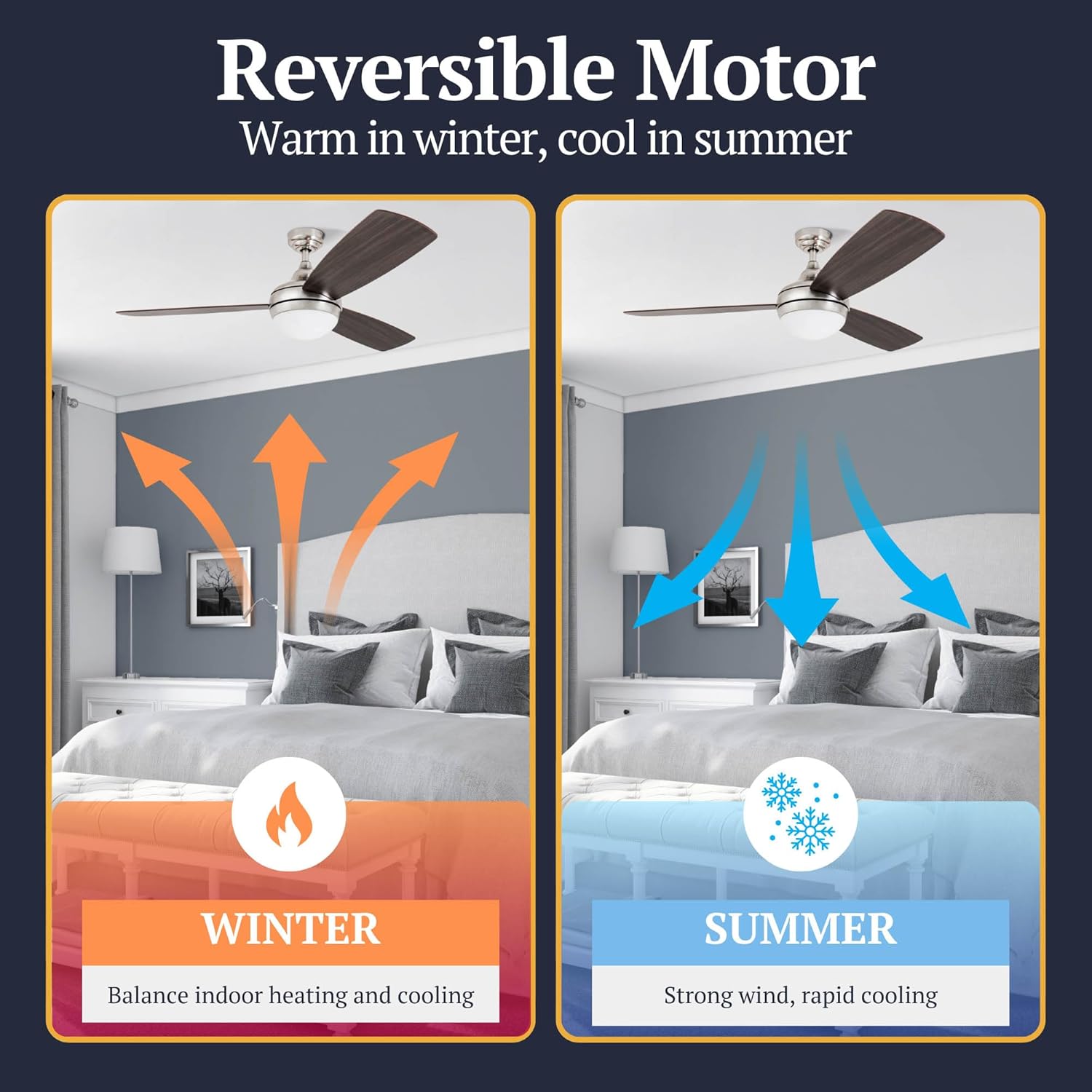
This diagram explains the reversible motor feature, allowing the fan to be used in winter to circulate warm air downwards and in summer to create a cooling breeze.
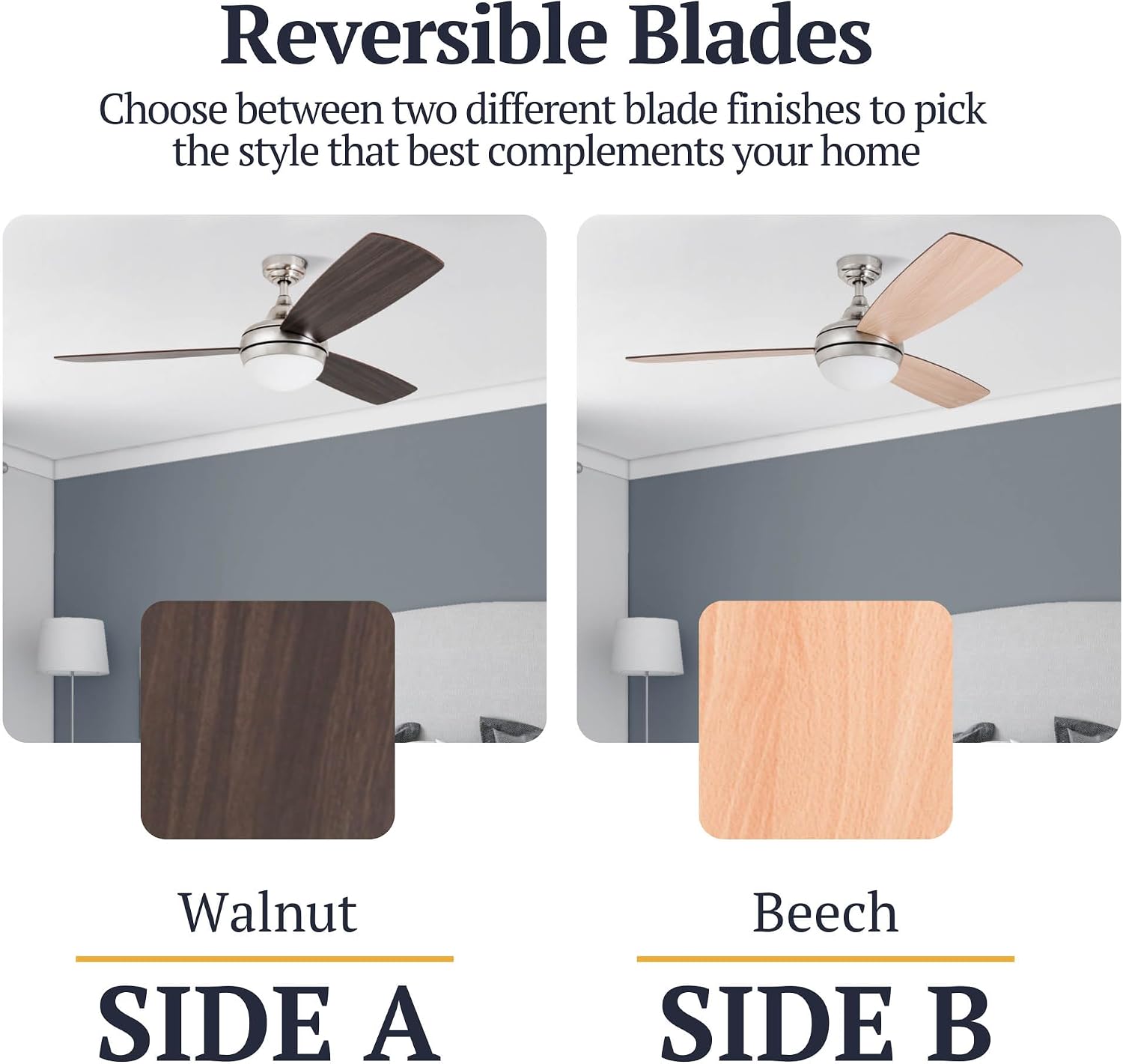
This image illustrates the dual-finish reversible blades, offering a choice between a dark walnut finish and a lighter beech finish to match different room aesthetics.

A close-up of the fan's integrated frosted globe light kit, which uses two E26/A15 bulbs and provides dimmable LED lighting with a 3000K color temperature.
Maintenance
Regular maintenance ensures optimal performance and extends the life of your ceiling fan.
- Cleaning: Periodically clean the fan blades and motor housing with a soft, damp cloth. Do not use abrasive cleaners or solvents.
- Blade Inspection: Check blade screws for tightness annually. Loose blades can cause wobbling and noise.
- Light Kit: The integrated LED light kit is designed for long life. If replacement is ever needed, consult the manufacturer's guidelines. Clean the frosted globe with a soft, dry cloth.
- Remote Control: Replace batteries in the remote control as needed (typically 2x AAA batteries, not specified in data, but common).
Troubleshooting
Before contacting customer support, try these troubleshooting steps for common issues:
| Problem | Possible Cause | Solution |
|---|---|---|
| Fan does not start | No power to the fan; Loose wire connections; Remote control battery low. | Check circuit breaker; Verify all wire connections are secure; Replace remote control batteries. |
| Fan wobbles | Loose blade screws; Unbalanced blades; Loose mounting bracket. | Tighten all blade screws; Ensure blades are balanced (balancing kit may be needed); Verify mounting bracket is securely fastened. |
| Light does not work | Loose wire connection; LED driver issue; Remote control battery low. | Check light kit wiring; Consult an electrician if LED driver is suspected; Replace remote control batteries. |
| Fan is noisy | Loose screws; Motor hum; Blades hitting an obstruction. | Check and tighten all screws; Ensure no wires are rubbing against the motor housing; Verify blades have clear clearance. |
Specifications
| Feature | Detail |
|---|---|
| Model Number | 80035-01 |
| Brand | Prominence Home |
| Size | 52 inches (Blade Span) |
| Number of Blades | 3 |
| Color | Nickel (Brushed Finish) |
| Material | Nickel |
| Light Kit | Integrated LED, Dimmable, 3000K Color Temperature, 2x E26/A15 Bulbs included |
| Control Method | Remote Control (3-speed, light dimming, reversible) |
| Voltage | 120 Volts (AC) |
| Wattage | 57.1 watts |
| Item Weight | 15.12 Pounds |
| Indoor/Outdoor Usage | Indoor |
| UPC | 671961800352 |

This image displays the compliance certifications for the product, including ETL US Intertek, DOE Compliant, and adherence to CA CEPA, CARB, and CEC Regulations, ensuring safety and environmental standards.
Warranty and Support
Your Prominence Home Calico ceiling fan is backed by a manufacturer's warranty, ensuring quality and satisfaction. For specific warranty details, claims, or technical support, please refer to the warranty information included with your purchase or contact Prominence Home customer service directly.
Always ensure you have your model number (80035-01) and proof of purchase available when contacting support.


