Introduction
This manual provides essential information for the proper installation, use, and maintenance of your NICKSTON replacement ear bud. This product is designed to be compatible with specific Plantronics Voyager and Explorer headset models. Please read these instructions carefully to ensure optimal performance and longevity of your ear bud.
Setup and Installation
The NICKSTON replacement ear bud is designed to replace worn or damaged ear buds on compatible Plantronics headsets. Installation typically requires an adhesive to secure the new ear bud in place.
- Remove the Old Ear Bud: Carefully detach the existing ear bud from your Plantronics headset. If the old ear bud has disintegrated or is firmly attached, gentle scraping may be required to remove all remnants.
- Clean the Headset Surface: Ensure the attachment point on your headset is clean and free from any residue, dust, or adhesive from the previous ear bud. A clean surface is crucial for proper adhesion.
- Apply Adhesive: Apply a small amount of suitable adhesive (e.g., silicone-based glue or super glue, not included) to the attachment area of the headset. Refer to the adhesive manufacturer's instructions for application and curing times.
- Attach the New Ear Bud: Carefully position the NICKSTON replacement ear bud onto the prepared attachment point of your headset. Press firmly and hold for the duration recommended by your adhesive's instructions to ensure a secure bond.
- Allow to Cure: Allow the adhesive to fully cure before using the headset. This ensures the ear bud is securely attached and prevents it from detaching during use.
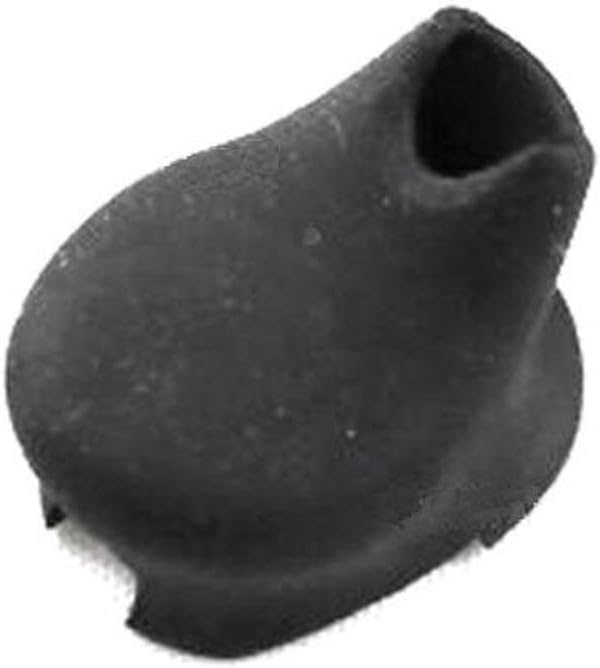
This image displays the NICKSTON black gel ear bud, designed as a replacement part for compatible Plantronics Voyager and Explorer headsets.
Operating Instructions
Once installed, the ear bud functions as the acoustic interface between your headset and your ear. No specific operational steps are required for the ear bud itself.
- Proper Fit: Ensure the ear bud sits comfortably and securely in your ear canal for optimal sound quality and comfort. Adjust the headset's position as needed.
- Comfort: If you experience discomfort, gently reposition the ear bud. Prolonged discomfort may indicate an improper fit or an issue with the ear bud's placement.
Maintenance
Regular cleaning and care will extend the life of your replacement ear bud.
- Cleaning: Gently wipe the ear bud with a soft, damp cloth. Avoid using harsh chemicals or abrasive materials, as these can damage the gel material.
- Storage: When not in use, store your headset in a clean, dry place to prevent dust and debris from accumulating on the ear bud.
- Inspection: Periodically inspect the ear bud for signs of wear, tear, or detachment from the headset.
Troubleshooting
If you encounter issues with your replacement ear bud, consider the following:
- Ear Bud Detaches: If the ear bud comes loose, it may indicate insufficient adhesive was used during installation or the curing process was incomplete. Re-clean the surfaces and re-apply adhesive as per the installation instructions.
- Discomfort: Ensure the ear bud is correctly positioned in your ear. If discomfort persists, verify that the ear bud is fully seated on the headset's attachment point and not causing any pressure points.
- Poor Sound Quality: While the ear bud itself does not produce sound, an improper fit can affect sound delivery. Adjust the ear bud's position to ensure a good seal in your ear. Also, check your headset for any other issues.
Specifications
| Brand | NICKSTON |
| Model Number | 4326659350 |
| Material | Gel |
| Color | Black |
| Compatible Headsets | Plantronics Voyager Explorer 220, 235, 245, 320, 330, 340, 360, 370, 395, 520, 521, 835 |
| UPC | 057651342201 |
Support
For further assistance or inquiries regarding your NICKSTON replacement ear bud, please contact the manufacturer directly through their official support channels.