
Introduction
This manual provides essential information for the installation, operation, and maintenance of the Pentair R172502 Cartridge Replacement. This cartridge is specifically designed for use with Pentair Dynamic Series II RTL 25 Top Load High Flow Cartridge Filters in pool and spa applications. Adhering to these instructions will ensure optimal performance and longevity of your filtration system.
Product Overview
The Pentair R172502 is a high-quality replacement filter cartridge engineered to maintain clear and clean water in your pool or spa. It features 25 square feet of filtration area, manufactured from fine quality filter media to effectively capture debris and contaminants. This cartridge is a direct replacement for the Dynamic Series II RTL 25 filter model.
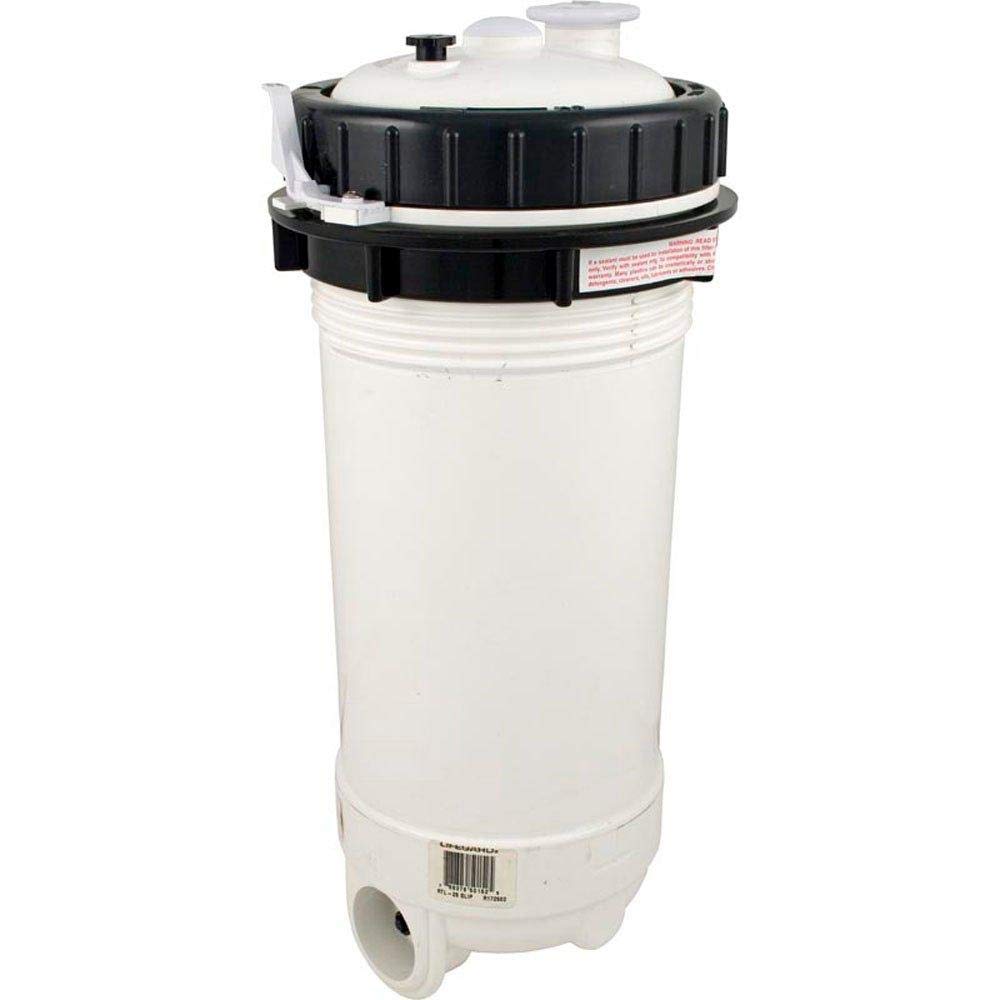
This image displays the Pentair R172502 filter cartridge. It is a tall, white cylindrical unit with a black screw-on top that features two smaller white caps. The bottom of the unit shows an inlet/outlet connection point. This cartridge is designed for use in pool and spa filtration systems.
Specifications
- Model Number: R172502
- Compatibility: Pentair Dynamic Series II RTL 25 Top Load High Flow Cartridge Filter
- Filtration Area: 25 square feet
- Dimensions (Approximate): 16.5 inches (length) x 16.5 inches (width) x 18.5 inches (height)
- Item Weight: 6.75 pounds
- Material: High-quality filter media
Installation Instructions
Follow these steps to replace the filter cartridge in your Pentair Dynamic Series II RTL 25 filter system:
- Turn Off Power: Ensure all power to the pump and filter system is completely shut off at the circuit breaker to prevent accidental startup.
- Relieve Pressure: Open the air relief valve on top of the filter tank to release any trapped air and pressure.
- Drain Water: Open the drain plug at the bottom of the filter tank to allow water to drain out.
- Remove Filter Lid: Unscrew the locking ring or clamp that secures the filter lid. Carefully lift the lid off the filter tank.
- Remove Old Cartridge: Grasp the old filter cartridge and lift it straight out of the filter tank. Dispose of the old cartridge responsibly.
- Clean Filter Tank: Inspect the inside of the filter tank for any debris and clean as necessary. Check the O-ring on the filter lid for cracks or wear; replace if damaged. Lubricate the O-ring with a silicone-based lubricant if needed.
- Install New Cartridge: Carefully lower the new Pentair R172502 cartridge into the filter tank, ensuring it seats properly on the bottom manifold.
- Replace Filter Lid: Place the filter lid back onto the tank, ensuring the O-ring is correctly seated. Secure the locking ring or clamp firmly.
- Close Drain and Air Relief: Close the filter drain plug. Leave the air relief valve open.
- Restore Power and Prime: Turn the power back on to the pump. As the filter fills with water, air will escape through the open air relief valve. Once a steady stream of water emerges from the valve, close it.
- Check for Leaks: Inspect the filter system for any leaks around the lid or connections.
Operation
Once the new cartridge is installed and the system is primed, the filter will begin operating. Water will flow from the pump into the filter tank, pass through the cartridge media where impurities are trapped, and then return to the pool or spa. Monitor the pressure gauge on your filter. A rising pressure indicates that the cartridge is collecting debris and requires cleaning or replacement.
Maintenance
Regular maintenance of your filter cartridge is crucial for efficient filtration and water quality.
- Cleaning: The cartridge should be cleaned periodically, typically when the pressure gauge reads 8-10 PSI above its clean starting pressure. To clean, follow the initial steps for removal (1-5 in Installation Instructions). Rinse the pleats of the cartridge thoroughly with a garden hose, working from top to bottom. For stubborn debris or oils, a specialized filter cleaning solution may be used according to the cleaner's instructions.
- Replacement: Even with regular cleaning, filter cartridges have a finite lifespan. The Pentair R172502 cartridge should be replaced when it shows signs of wear, such as torn pleats, damaged end caps, or when it no longer effectively filters the water, even after cleaning. The frequency of replacement depends on usage, water chemistry, and environmental factors, but typically ranges from 1 to 3 years.
Troubleshooting
If you experience issues with your filter system after cartridge replacement, consider the following:
- Low Water Flow: Check if the cartridge is properly seated. Ensure the pump basket and skimmer baskets are clear of debris. The cartridge may be dirty and require cleaning.
- Cloudy Water: This could indicate a damaged cartridge, improper installation, or that the cartridge needs cleaning. Verify the cartridge is intact and properly installed.
- Leaks: Ensure the filter lid O-ring is clean, lubricated, and correctly seated. Check that the locking ring or clamp is securely tightened.
- High Pressure: A consistently high-pressure reading indicates a dirty or clogged cartridge that requires cleaning or replacement.
Safety Information
- Always disconnect power to the pump and filter system before performing any maintenance or installation.
- Relieve all pressure from the filter tank before opening.
- Do not operate the filter system if any parts are damaged or missing.
- Use only genuine Pentair replacement parts or approved equivalents.
- Keep children and pets away from the filter system during operation and maintenance.
Warranty and Support
For specific warranty details regarding your Pentair R172502 cartridge, please refer to the documentation provided with your original Pentair filter system or visit the official Pentair website. For technical support or further assistance, contact Pentair customer service directly.