
Introduction
The Steelcase Think Chair is designed to provide sophisticated, multi-user ergonomic support for your home or office. Featuring five points of adjustability, the chair adapts to your movements, offering comfort and promoting spinal health during long hours of use. This manual provides detailed instructions for setting up, operating, and maintaining your Think Chair to ensure optimal comfort and longevity.
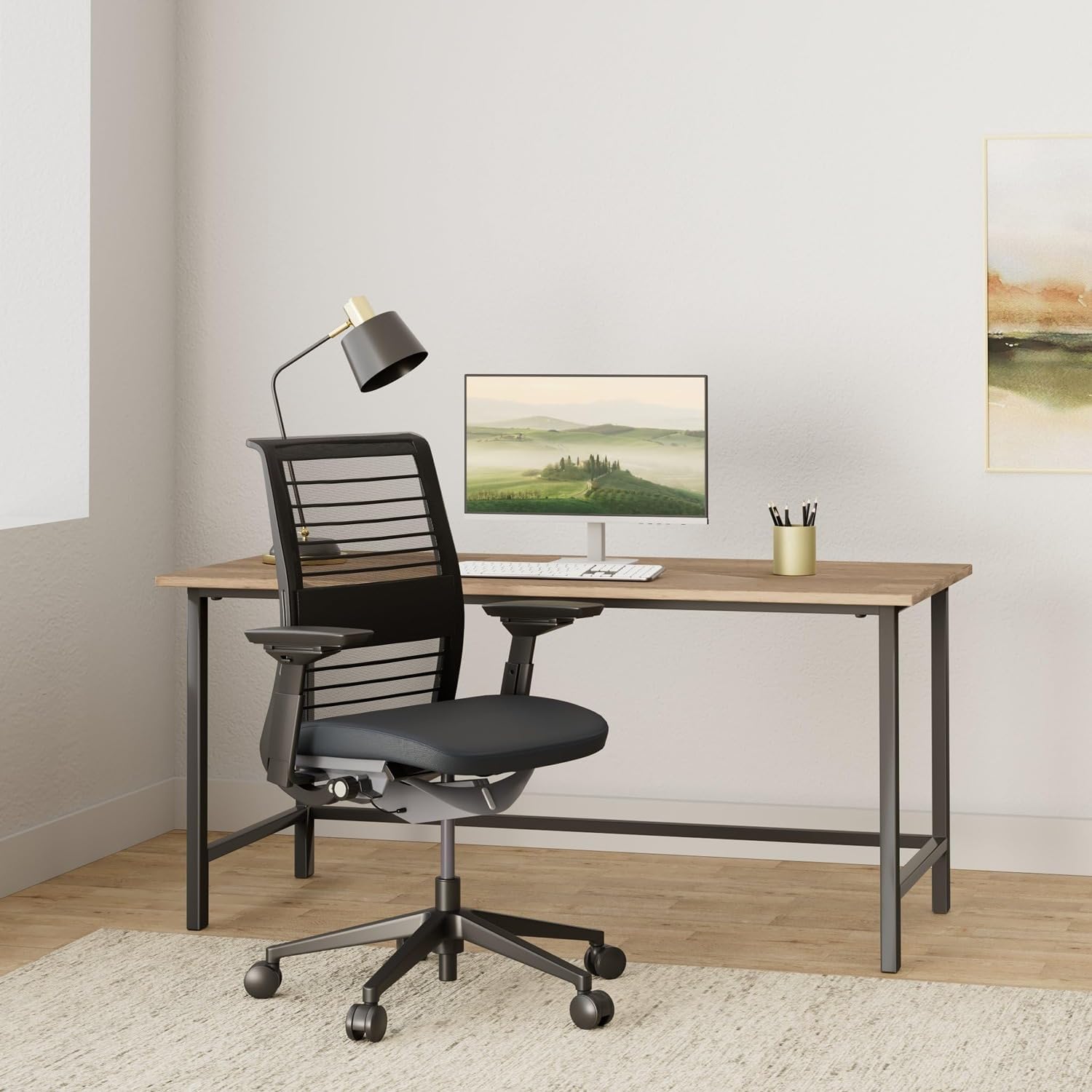
Image: Steelcase Think Chair in a modern office environment, showcasing its design and presence.
Safety Information
Please read and follow all safety instructions before use.
- Do not exceed the maximum weight capacity of 300 pounds.
- Use caution when adjusting the chair's mechanisms to prevent injury.
- Take regular breaks to avoid discomfort or strain during prolonged use.
Setup
The Steelcase Think Chair is designed for immediate use with no assembly required. Simply unbox the chair and place it in your desired location. Ensure the chair is on a stable, level surface before use.
Operating Instructions and Adjustments
The Steelcase Think Chair offers multiple adjustment points to customize your seating experience for optimal comfort and ergonomic support. Refer to the diagram below for a visual guide to the adjustment controls.

Image: Detailed diagram illustrating the various adjustment points of the Steelcase Think Chair, including seat height, seat depth, armrests, back tension, and lumbar support.
1. Seat Height Adjustment
Adjusting the seat height ensures your feet are flat on the floor and your thighs are parallel to the floor, promoting proper circulation and posture.
- To Raise the Seat: Lift your weight from the chair and pull the lever located under the right side of the seat upwards. The seat will rise. Release the lever at the desired height.
- To Lower the Seat: Remain seated and pull the lever located under the right side of the seat upwards. The seat will lower. Release the lever at the desired height.
2. Seat Depth Adjustment
Proper seat depth provides adequate support for your thighs while leaving a gap between the seat edge and the back of your knees.
- To Adjust Seat Depth: Release your weight from the chair. Lift the bar located under the front left side of the seat and hold it up. Slide the seat forward or backward until there are 2-3 inches of space between the seat edge and the back of your knees. Release the bar to lock the seat in place.
3. Armrest Adjustments (4D Arms)
The 4D armrests can be adjusted in height, width, pivot, and depth to support your arms and shoulders, reducing strain.

Image: Close-up view of the armrest, highlighting the button for height adjustment and the movable arm cap for width, pivot, and depth adjustments.
- Height Adjustment: Squeeze the button located on the outside of the armrest support. Lift or lower the armrest to the desired height. Release the button to lock.
- Width, Pivot, and Depth Adjustment: Grasp the arm caps and push them in or out, forward or back, and side-to-side to find your preferred position. Your forearms should be parallel to your work surface without hunching your shoulders.
4. Back Tension and Recline
The chair features a LiveBack Flexor System that adapts to your spine's natural curve. The back tension and recline can be adjusted with a single control.

Image: Close-up of the adjustment dials located under the seat, showing the back tension dial and recline lever.
- Back Tension Dial: Turn the dial located under the left side of the seat to increase or decrease the resistance of the backrest. It will click at each setting.
- Setting 1: Upright back lock (no recline).
- Setting 2: Mid-recline stop.
- Setting 3: Weight-activated with 20% boost in resistance (for heavier users or more support).
- Setting 4: Regular weight-activated setting.
- Recline Lever: Use the lever next to the tension dial to engage or disengage the recline lock.
5. Lumbar Support Adjustment
The sliding lumbar support provides additional support to your lower back muscles, conforming to your spine's natural curve.

Image: Close-up of the chair's backrest, showing the flexible LiveBack Flexor System and the adjustable lumbar support handles.
- To Adjust Lumbar Support: Grasp the small handles on either side of the backrest. Lean forward slightly to relieve pressure on the backrest. Slide the handles up or down to position the lumbar support comfortably into the small of your back.
- To Disengage Lumbar Support: Slide the lumbar support all the way down to its neutral position.
Official Adjustment Guide Video
Video: An official Steelcase guide demonstrating how to adjust the various features of the Think Chair for personalized comfort and ergonomic support.
Maintenance
Regular care will help maintain the appearance and functionality of your Steelcase Think Chair.
- Cleaning: Wipe clean with a damp cloth. For specific fabric care, refer to the care instructions provided with your chair's fabric type (e.g., Lyris mesh, polyester).
- Inspection: Periodically check all moving parts and fasteners to ensure they are secure.
Troubleshooting
If you encounter issues with your Steelcase Think Chair, consider the following common solutions:
| Problem | Possible Cause | Solution |
|---|---|---|
| Lumbar support does not move or is too high/low. | Mechanism might be stiff or not properly engaged. User height may affect perceived position. | Ensure you are leaning forward slightly to relieve pressure on the backrest before attempting to slide the lumbar handles. Apply gentle, firm pressure. If still stuck, contact customer support. |
| Feeling wires through the backrest. | This can occur due to individual body shape or prolonged use. | While the mesh is designed for support, some users may find a thin cushion or blanket over the backrest improves comfort. Ensure lumbar support is adjusted to your preference. |
| Chair not holding height adjustment. | Gas cylinder issue or lever not fully engaged. | Ensure the seat height lever is fully released after adjustment. If the problem persists, the gas cylinder may need replacement. Contact Steelcase support. |
Specifications
- Brand: Steelcase
- Model Name: Think
- Model Number: 46540100MFL
- Color: Black (as per current product variant)
- Material: Polyester & Polyester Blend (Fabric Type: Lyris)
- Product Dimensions (D x W x H): 27.5"D x 21.25"W x 32.5"H
- Item Weight: 32.3 Pounds
- Maximum Weight Recommendation: 300 Pounds
- Assembly: No assembly required
- Additional Features: Adjustable, Ergonomic, Upholstered
- Back Style: Solid Back (with LiveBack Flexor System)
- Reclining Position Count: 2 (Mid-recline stop, Upright back lock)
Warranty and Support
Steelcase products are known for their quality and durability. Your Steelcase Think Chair comes with a manufacturer's warranty.
- Manufacturer Warranty: 5-year limited warranty.
- For warranty claims, technical support, or further assistance, please visit the official Steelcase website or contact their customer service department.
- You can visit the Steelcase Store on Amazon for more information.


