
Introduction
The Logickeyboard LargePrint White on Black Mac Advanced Line Keyboard (Model LKBU-LPRNTWB-AM89-US) is designed for macOS users, featuring large, high-contrast keys for enhanced visibility. This keyboard offers a plug-and-play experience with a built-in macOS chip, eliminating the need for complex driver installations. It is particularly beneficial for individuals with visual impairments or those who prefer larger key legends. Key features include an ultrathin anodized aluminum design, two USB 2.0 ports, and a scissor switch key mechanism for comfortable typing.
Package Contents
- Logickeyboard LargePrint White on Black Mac Advanced Line Keyboard
- Integrated USB Cable
Setup
Connecting the Keyboard
- Locate an available USB port on your Mac computer.
- Insert the USB cable from the Logickeyboard into the USB port.
- The keyboard is plug-and-play and should be recognized automatically by macOS. No additional drivers are required.
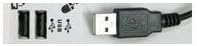
Image: USB connection point on the keyboard, illustrating the integrated USB cable and additional USB 2.0 ports.
Operating Instructions
Basic Keyboard Functions
The Logickeyboard functions as a standard Mac keyboard. All keys perform their designated macOS functions.
- Large Print Keys: The high-contrast white characters on black keys are designed for improved visibility.
- Function Keys (F1-F19): These keys perform standard macOS functions such as brightness control, media playback, and volume adjustment. Specific functions may vary based on your macOS version and system settings.
- Caps Lock Indicator: A single LED indicates when Caps Lock is active.
- Integrated USB Hub: The keyboard features two built-in USB 2.0 ports for connecting other low-power USB devices, such as a mouse or USB flash drive.

Image: Overview of the Logickeyboard LargePrint, highlighting the large, high-contrast key legends.
Maintenance
Cleaning the Keyboard
- Disconnect the keyboard from your computer before cleaning.
- Use a soft, lint-free cloth slightly dampened with water or a mild, non-abrasive cleaning solution.
- Gently wipe the keycaps and keyboard surface. Avoid excessive moisture.
- Do not spray cleaning solutions directly onto the keyboard.
- Allow the keyboard to dry completely before reconnecting it to your computer.
General Care
- Avoid spilling liquids on the keyboard.
- Do not expose the keyboard to extreme temperatures or direct sunlight for extended periods.
- Handle the USB cable carefully to prevent damage.
Troubleshooting
Keyboard Not Responding
- Check USB Connection: Ensure the USB cable is securely plugged into both the keyboard and your Mac's USB port. Try a different USB port.
- Restart Computer: Sometimes a simple restart of your Mac can resolve connectivity issues.
- Test on Another Computer: If possible, test the keyboard on another Mac to determine if the issue is with the keyboard or your computer's settings.
- Check System Preferences: Go to System Settings (or System Preferences) > Keyboard to ensure the keyboard is recognized and configured correctly.
Keys Not Functioning Correctly
- Clean Keys: Dust or debris under the keys can sometimes cause issues. Refer to the "Maintenance" section for cleaning instructions.
- Software Interference: Check for any third-party keyboard utilities or accessibility software that might be interfering with normal key operation.
Specifications
| Feature | Detail |
|---|---|
| Brand | Logickeyboard |
| Model Number | LKBU-LPRNTWB-AM89-US |
| Operating System Compatibility | Mac OS X v10 or later |
| Host Interface | USB 2.0 |
| Number of USB Ports | Two (2) |
| Key Mechanism | Scissor switch |
| Color | Black keys with white legends, Aluminum body |
| Material | Aluminum |
| Item Weight | 1.6 pounds |
| Product Dimensions (LxWxH) | 17.3 x 5.4 x 1.7 inches |
| Power Source | USB Powered |
| USB Cable Length | 0.9 meter (~35.4 inches) |
Warranty and Support
For warranty information and technical support, please refer to the official Logickeyboard website or contact their customer service directly. Details regarding specific warranty periods and support procedures are typically provided with your purchase documentation or on the manufacturer's website.
You can also visit the Logickeyboard Store on Amazon for more product information.


