1. Introduction
This manual provides instructions for the proper use, setup, operation, and maintenance of your Stanley 0-42-087 Digital Angle Level. Please read this manual thoroughly before using the device to ensure safe and efficient operation. This tool is designed for precise angle measurement in various applications.

Figure 1: Stanley 0-42-087 Digital Angle Level in an open position, displaying an angle measurement on its digital screen. This image shows the overall design and functionality of the tool.
2. Safety Information
Always observe basic safety precautions when using any measuring tool. Failure to do so may result in injury or damage to the tool.
- Keep the tool clean and dry.
- Do not expose the tool to extreme temperatures or direct sunlight for extended periods.
- Avoid dropping the tool or subjecting it to strong impacts.
- Store the tool in a safe place, out of reach of children.
- Do not attempt to disassemble or modify the tool. Repairs should only be performed by qualified personnel.
3. Product Components
Familiarize yourself with the main parts of your Stanley Digital Angle Level:
- Main Arm: The primary fixed arm of the level.
- Measuring Arm: The movable arm that pivots to measure angles.
- Digital Display: Shows the measured angle.
- ON/OFF Button: Powers the device on or off.
- HOLD/SUP Button: Used to hold the current reading or for supplementary functions.
- SPR/CNR / BVL/MTR Buttons: Used for specific functions like setting a reference angle or changing measurement units (e.g., bevel/miter).
- Locking Knob: Secures the measuring arm at a desired angle.
- Bubble Vials: Traditional spirit levels for horizontal and vertical leveling.

Figure 2: The Stanley Digital Angle Level in a closed position, highlighting the digital display and control buttons. This view helps identify the main operational interface.

Figure 3: A detailed view of the digital display and control buttons (ON/OFF, HOLD/SUP, SPR/CNR, BVL/MTR) on the Stanley Digital Angle Level. This image clarifies the function labels.
4. Setup
4.1 Power Source
The Stanley 0-42-087 Digital Angle Level features a digital display. While the product specifications indicate "Batteries Included? No" and "Batteries Required? No", digital devices require a power source. Please check the device for a battery compartment, typically for button cell batteries (e.g., CR2032), or ensure it is charged if it uses a rechargeable internal battery. If a battery compartment is present, insert new batteries according to the polarity markings.
4.2 Initial Calibration (Zeroing)
For accurate measurements, it is recommended to zero the device before use:
- Place the main arm on a flat, level surface.
- Close the measuring arm completely against the main arm.
- Press the ON/OFF button to power on the device.
- The display should read 0.0°. If not, consult the troubleshooting section or refer to specific instructions for zero calibration if available on the device (e.g., by pressing a combination of buttons).
5. Operation
5.1 Measuring Angles
To measure an angle:
- Power on the device using the ON/OFF button.
- Place the main arm firmly against one surface of the angle to be measured.
- Carefully open the measuring arm until it rests against the second surface of the angle.
- Read the angle displayed on the digital screen.
- Use the locking knob to secure the measuring arm in place if you need to transfer the angle.

Figure 4: The Stanley Digital Angle Level positioned to measure an angle, with the digital display showing a reading of 0.0 degrees. This illustrates the initial state or a specific measurement scenario.
5.2 Using the HOLD Function
Press the HOLD/SUP button to freeze the current angle reading on the display. Press it again to release the hold and resume live measurement.
5.3 Using Bubble Vials
The integrated bubble vials allow for traditional horizontal and vertical leveling. Ensure the bubble is centered between the lines for accurate leveling.
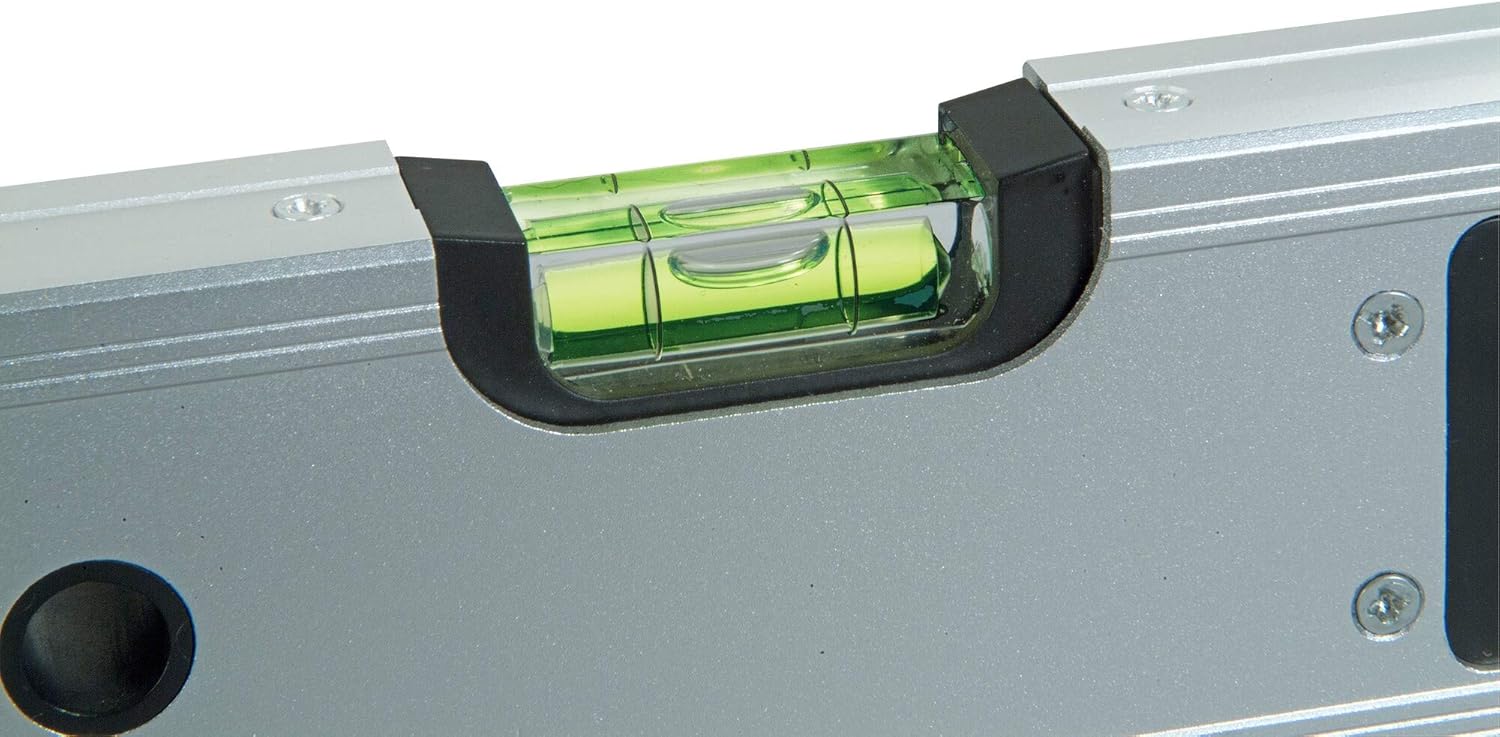
Figure 5: A close-up view of the horizontal bubble vial on the Stanley Digital Angle Level, showing the green liquid and bubble. This indicates the traditional leveling capability of the tool.
6. Maintenance
6.1 Cleaning
Wipe the tool with a soft, dry cloth after each use. For stubborn dirt, a slightly damp cloth can be used, but ensure no moisture enters the digital display area or battery compartment. Do not use abrasive cleaners or solvents.
6.2 Storage
Store the digital angle level in its protective case (if included) or a clean, dry environment. Avoid storing it in areas with extreme temperature fluctuations or high humidity.
6.3 Battery Replacement
If the digital display becomes dim or unresponsive, the batteries may need replacement. Refer to the battery compartment for the correct battery type (e.g., CR2032) and polarity. Dispose of old batteries responsibly.
7. Troubleshooting
| Problem | Possible Cause | Solution |
|---|---|---|
| Display is blank or dim. | Low or dead batteries. | Replace batteries. |
| Inaccurate angle readings. | Device not properly zeroed; physical damage. | Perform zero calibration; check for physical damage. If damaged, seek professional repair. |
| Buttons are unresponsive. | Low batteries; internal malfunction. | Replace batteries. If problem persists, contact customer support. |
8. Specifications
- Model: 0-42-087
- Brand: Stanley
- Material: Aluminum
- Color: Silver
- Angle Measurement Range: 0° to 180°
- Accuracy: 0.1°
- Product Dimensions: 21.49 x 10.49 x 62 cm (8.46 x 4.13 x 24.4 inches)
- Item Weight: 1.36 kg (3 lbs)
- Measurement System: Metric
- Operation Mode: Manual
- Included Components: Angle Level
- Country of Origin: China
9. Warranty Information
Stanley products are manufactured to high-quality standards. For specific warranty details, please refer to the warranty card included with your product or visit the official Stanley website. Keep your purchase receipt as proof of purchase for any warranty claims.
10. Customer Support
If you have any questions, require technical assistance, or need to report an issue with your Stanley 0-42-087 Digital Angle Level, please contact Stanley customer support through their official website or the contact information provided in your product packaging.
For more information, visit: www.stanleytools.com