1. Introduction
Thank you for purchasing the Panasonic ER115 Nose & Ear Hair Trimmer. This device is designed for efficient and comfortable grooming of unwanted nose and ear hair. Its compact design and wet/dry application feature make it a versatile tool for personal care. Please read this instruction manual thoroughly before use to ensure proper operation and maintenance.

Image 1.1: Panasonic ER115 Nose & Ear Hair Trimmer and packaging.
2. Safety Information
To reduce the risk of injury, electric shock, fire, or damage to the product, please observe the following safety precautions:
- Read all instructions before using the trimmer.
- Keep the appliance out of reach of children.
- Do not disassemble, repair, or modify the appliance yourself. Contact an authorized service center for repairs.
- Do not use the trimmer if the blade or outer foil is damaged, as this may cause injury.
- This appliance is designed for trimming nose and ear hair only. Do not use it for any other purpose.
- Ensure the battery compartment is securely closed before wet use or rinsing.
3. Product Overview
The Panasonic ER115 features a rotary cutting system designed for effective and comfortable hair removal. Key components include:
- Protective Cap: Covers the blade when not in use.
- Trimmer Head: Contains the rotary blade system.
- Main Body: Houses the motor and battery compartment.
- Battery Compartment: Located at the base for AA battery insertion.

Image 3.1: Close-up view of the trimmer's safe and effective rotary cutting system.
4. Setup
4.1 Battery Installation
The Panasonic ER115 requires one (1) AA battery for operation.
- Twist the bottom cap of the trimmer counter-clockwise to open the battery compartment.
- Insert one new AA battery, ensuring the positive (+) and negative (-) terminals are aligned correctly according to the markings inside the compartment.
- Twist the bottom cap clockwise until it is securely closed.
Note: Always use a fresh, high-quality AA alkaline battery for optimal performance. Remove the battery if the trimmer will not be used for an extended period.
5. Operating Instructions
5.1 Powering On/Off
To turn the trimmer on, slide the power switch located on the main body upwards. To turn it off, slide the switch downwards.
5.2 Trimming Nose Hair
- Ensure the trimmer is clean and the battery is installed.
- Gently insert the trimmer head into your nostril. Do not insert too deeply.
- Move the trimmer slowly in a circular motion to cut unwanted hair.
- Avoid pressing the trimmer head too firmly against the skin.
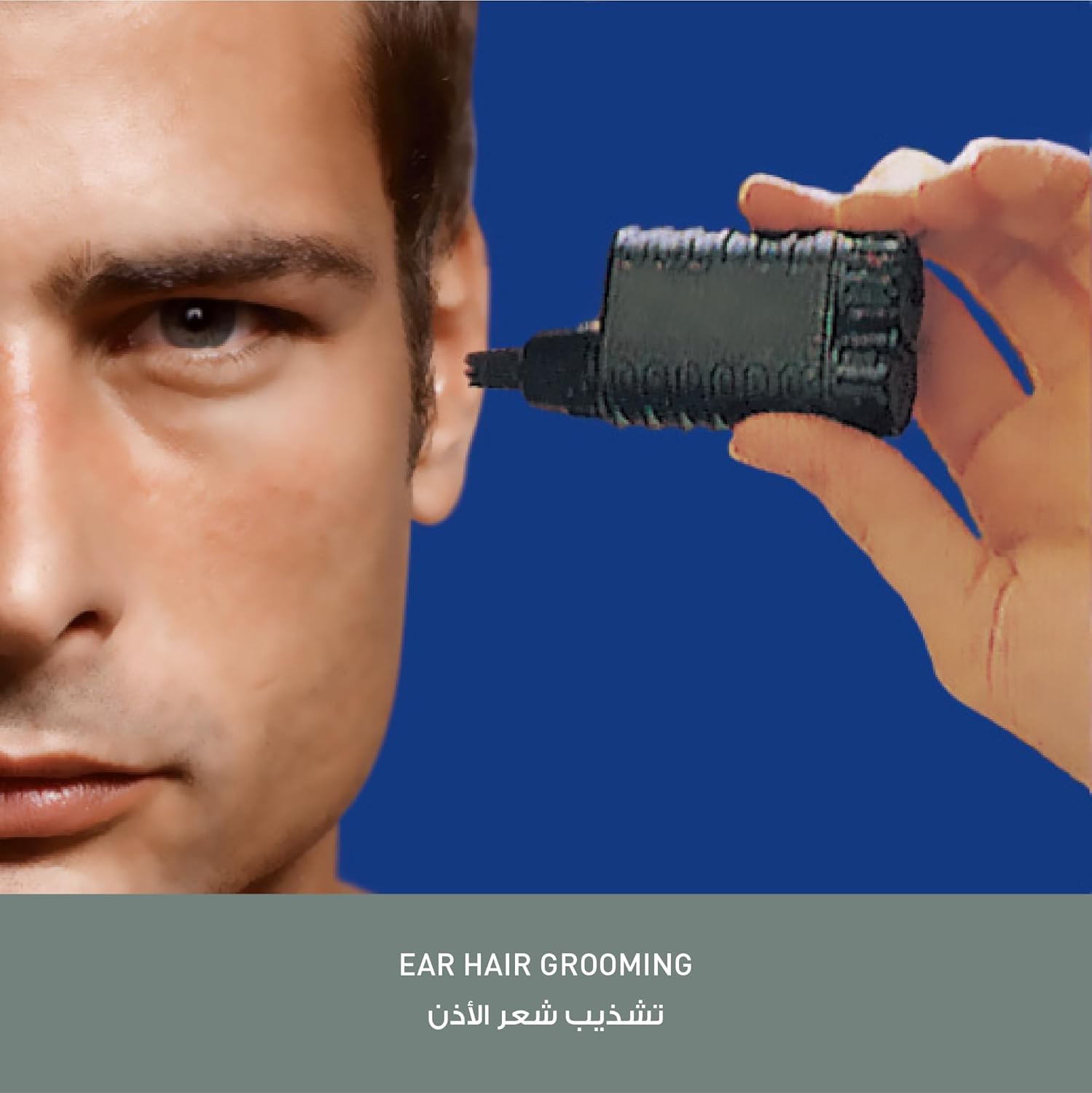
Image 5.1: Proper technique for nose hair grooming.
5.3 Trimming Ear Hair
- Ensure the trimmer is clean and the battery is installed.
- Carefully insert the trimmer head into the outer ear canal. Do not insert too deeply.
- Move the trimmer gently to remove unwanted hair.
- Use caution and avoid contact with sensitive inner ear structures.

Image 5.2: Proper technique for ear hair grooming.
5.4 Wet/Dry Application
The Panasonic ER115 is designed for both wet and dry use. It can be used in the shower or with shaving foam for a comfortable trim. After wet use, always rinse the trimmer thoroughly and allow it to air dry completely.
6. Maintenance
6.1 Cleaning
Regular cleaning ensures optimal performance and hygiene.
- Turn off the trimmer and remove the protective cap.
- Rinse the trimmer head directly under running water to remove hair clippings. The trimmer is washable.
- For a more thorough cleaning, you may gently twist and pull the trimmer head to detach it from the main body. Rinse both parts separately.
- Shake off excess water and allow all parts to air dry completely before reassembling or storing.
- Do not use harsh chemicals or abrasive cleaners.

Image 6.1: Rinsing the washable trimmer head under running water.
6.2 Storage
Store the trimmer in a cool, dry place, away from direct sunlight and high humidity. Ensure the protective cap is on the trimmer head to prevent damage to the blade.
7. Troubleshooting
If you encounter issues with your Panasonic ER115, refer to the following table:
| Problem | Possible Cause | Solution |
|---|---|---|
| Trimmer does not turn on. | Battery is dead or incorrectly inserted. | Replace the AA battery with a new one, ensuring correct polarity. |
| Trimmer performance is weak or pulls hair. | Battery is low; Trimmer head is clogged with hair or debris. | Replace the AA battery. Clean the trimmer head thoroughly as described in Section 6.1. |
| Trimmer makes unusual noise. | Trimmer head is not properly attached or is damaged. | Ensure the trimmer head is securely attached. If damaged, discontinue use and consider replacement. |
8. Specifications
- Model Number: ER115
- Brand: Panasonic
- Power Source: 1 x AA Battery (not included)
- Application: Wet/Dry
- Product Dimensions: Approximately 1.26 x 5.12 x 3.62 inches
- Item Weight: Approximately 2.82 ounces (80 grams)
- Recommended Use: Nose, Ear
9. Warranty and Support
This Panasonic product is covered by a limited warranty. For specific warranty terms and conditions, please refer to the warranty card included with your purchase or visit the official Panasonic website. For technical support, replacement parts, or service inquiries, please contact Panasonic customer service or visit their official support channels.
For more information, please visit the Panasonic Store on Amazon.


