
Introduction
This manual provides instructions for the Danner Volute/Pump Cover, Model 12545. This component is designed as a direct replacement part for compatible Pondmaster pumps, ensuring proper function and longevity of your pond's water circulation system. Please read these instructions carefully before installation and use.
Product Overview
The volute/pump cover is a critical housing component for the impeller within your Pondmaster pump. It directs water flow efficiently and protects the internal pump mechanisms. This replacement part is manufactured from durable plastic to withstand continuous use in aquatic environments.
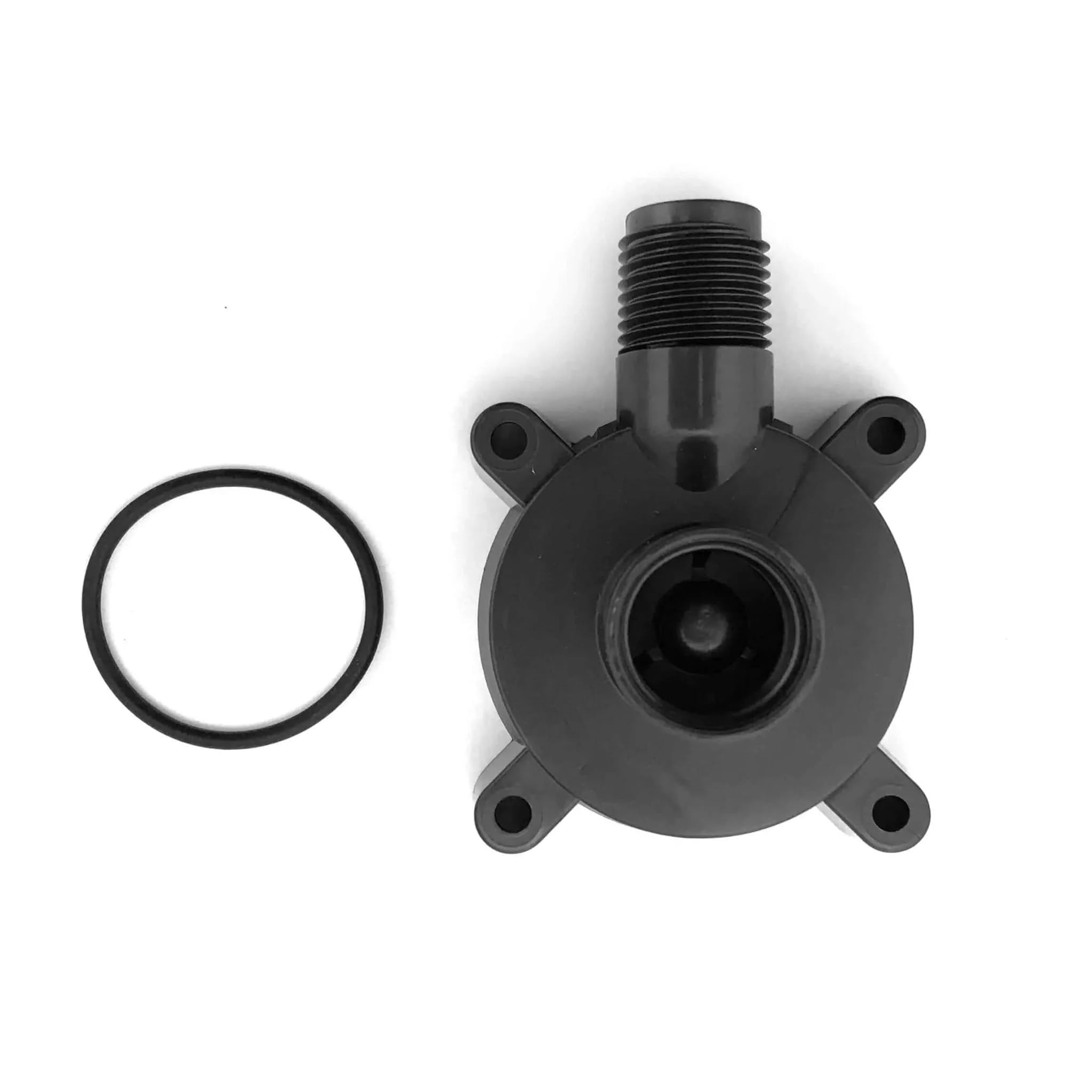
Figure 1: Danner Volute/Pump Cover, Model 12545. This image shows the black plastic housing that encases the pump's impeller, crucial for directing water flow.
Setup and Installation
This section outlines the steps for replacing an existing volute/pump cover. Ensure you have the correct replacement part (Model 12545) for your Pondmaster pump.
- Safety First: Before beginning any work on your pump, always disconnect the pump from its power source. Ensure the power cord is unplugged from the electrical outlet to prevent electric shock.
- Remove Old Cover: Carefully detach the old volute/pump cover from the pump body. This usually involves unscrewing retaining screws or unlatching clips. Note the orientation of the old cover for correct installation of the new one.
- Inspect Impeller: While the cover is off, inspect the pump's impeller for any damage, wear, or debris. Clean any accumulated debris. If the impeller is damaged, consider replacing it as well.
- Install New Cover: Position the new Danner Volute/Pump Cover (Model 12545) onto the pump body, ensuring it aligns correctly with the impeller and pump housing.
- Secure Cover: Fasten the new cover using the original screws or clips. Do not overtighten, as this can damage the plastic. Ensure a snug fit to prevent leaks and maintain proper water flow.
- Reconnect Power: Once the new cover is securely installed, reconnect the pump to its power source.
- Test Operation: Place the pump back into its operating environment and observe its function to ensure proper water flow and no unusual noises.
Function
The Danner Volute/Pump Cover serves as the outer casing for the pump's impeller. Its primary function is to create a sealed chamber that directs the water flow generated by the impeller. This design ensures efficient water movement through the pump, which is essential for filtration, circulation, and aeration in pond systems. A properly functioning volute cover is crucial for the pump to achieve its rated flow rate and maintain optimal performance.
Maintenance
Regular maintenance of your pump, including the volute/pump cover, will extend its lifespan and ensure efficient operation.
- Periodic Inspection: Periodically inspect the volute/pump cover for any signs of cracks, damage, or excessive wear. Damage to the cover can lead to reduced pump efficiency or leaks.
- Cleaning: During routine pump cleaning, remove the volute cover and clean any debris, algae, or mineral buildup from its interior and exterior surfaces. Ensure the water intake and outlet ports are clear.
- Seal Integrity: Check the rubber gasket or O-ring (if present) between the volute cover and the pump body. Ensure it is clean, pliable, and free from damage to maintain a watertight seal.
Troubleshooting
If you encounter issues after replacing the volute/pump cover, consider the following:
- Reduced Water Flow:
- Ensure the volute cover is securely fastened and properly sealed.
- Check for any blockages in the pump's intake or outlet.
- Inspect the impeller for damage or debris.
- Unusual Noises:
- Verify that the volute cover is correctly aligned and not interfering with the impeller's rotation.
- Check for foreign objects inside the pump housing.
- Leaks:
- Ensure all screws are tightened appropriately.
- Inspect the gasket or O-ring for proper seating and damage.
- Check the volute cover itself for any cracks or manufacturing defects.
Specifications
| Model Number | 12545 |
| Brand | Danner |
| Material | Plastic |
| Product Dimensions | 3 x 3 x 3 inches |
| Item Weight | 1 Ounce |
| UPC | 707005146404, 025033125452 |
Warranty Information
Warranty coverage for the Danner Volute/Pump Cover, Model 12545, is typically provided by the manufacturer, Danner. Specific warranty terms and conditions are usually included with the original pump purchase or can be obtained directly from the manufacturer's official website or customer service. Please retain your proof of purchase for any warranty claims.
Support
For further assistance, technical support, or to inquire about other replacement parts, please visit the official Danner website or contact Danner customer service. Contact information can typically be found on the manufacturer's packaging or website.