
Introduction
This manual provides essential instructions for the installation, operation, and maintenance of your Viqua 602810-102 UV Lamp and Sleeve Kit. This kit is designed to ensure the continued effective disinfection of water in compatible Viqua UV water systems. Please read these instructions thoroughly before proceeding with any procedures.
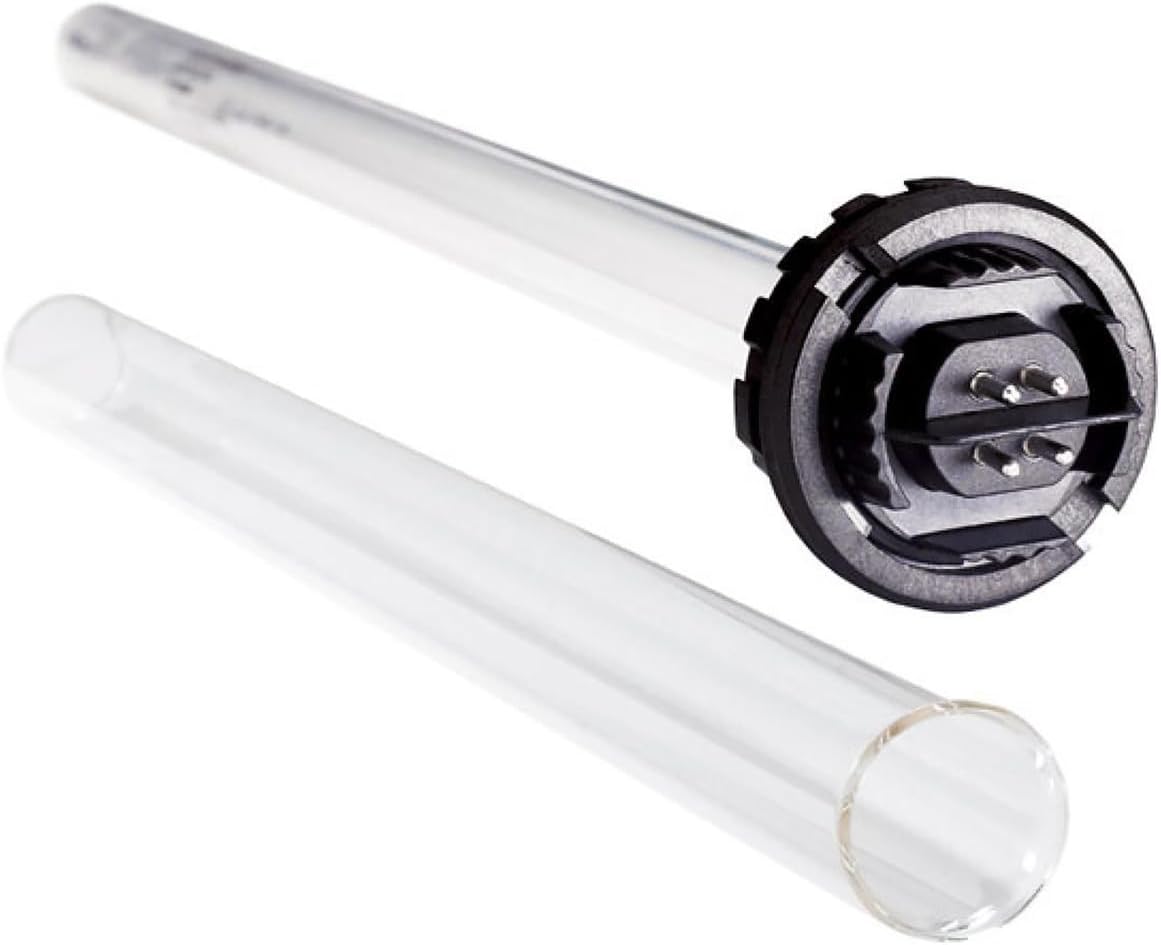
Image: The Viqua 602810-102 UV lamp and its accompanying quartz sleeve, essential components for water disinfection.
Safety Information
- Always disconnect power to the UV system before performing any maintenance or replacement procedures.
- Avoid direct exposure to ultraviolet (UV) light, as it can cause eye and skin damage.
- Handle the UV lamp and quartz sleeve with care. They are made of glass and can break easily.
- Ensure all connections are secure and watertight to prevent leaks.
- Only use genuine Viqua replacement parts to maintain system performance and warranty validity.
Product Overview
The Viqua 602810-102 UV Lamp and Sleeve Kit includes a high-efficacy UV lamp and a protective quartz sleeve. These components are critical for the effective operation of your Viqua UV water disinfection system.
Compatible Systems:
- VIQUA D
- VIQUA D4
- VIQUA D4+
- VIQUA D4-V
- VIQUA C
- VIQUA C4
- VIQUA C4-V
- VIQUA IHS (D4)

Image: The Viqua 602810-102 UV Lamp and Sleeve Kit as it appears in its packaging.
Setup and Installation
The Viqua 602810-102 UV Lamp and Sleeve Kit is a replacement component for existing Viqua UV water systems. Refer to your specific Viqua UV system's manual for detailed installation instructions for the entire unit. The following steps outline the general procedure for replacing the lamp and sleeve.
General Installation Steps:
- Disconnect Power: Ensure the UV system is completely unplugged from its power source.
- Turn Off Water Supply: Close the main water supply valve to the UV system and open a downstream faucet to relieve pressure.
- Remove Old Lamp: Carefully remove the old UV lamp from the system.
- Remove and Clean Quartz Sleeve: Unscrew the retaining nut or cap and gently slide out the quartz sleeve. Clean the sleeve thoroughly with a mild acid solution (e.g., white vinegar) if mineral deposits are present. Rinse well. Replace O-rings if necessary.
- Install New Sleeve: Carefully insert the clean or new quartz sleeve into the UV chamber, ensuring O-rings are properly seated. Secure the retaining nut or cap.
- Install New Lamp: Gently insert the new UV lamp into the quartz sleeve. Ensure it is fully seated and connected to the lamp connector.
- Restore Water Supply: Slowly open the main water supply valve to the UV system and check for any leaks.
- Reconnect Power and Reset: Plug the UV system back into the power source. Reset the lamp timer or alarm according to your system's instructions.

Image: A diagram illustrating the process of UV water treatment, showing water entering, being exposed to UV light, and then exiting as treated water.
Operating Instructions
Once the Viqua 602810-102 UV Lamp and Sleeve Kit is correctly installed, your Viqua UV water system will begin disinfecting water. The UV lamp emits ultraviolet light that inactivates microorganisms as water flows through the chamber. The system is designed for continuous operation to ensure consistent water quality.
- The UV lamp has a rated lifespan of 365 days (approximately 9000 hours) of continuous operation.
- Your UV system's controller will typically provide an audible alarm and/or a visual indicator when the lamp is nearing the end of its effective life and requires replacement.

Image: A Viqua UV lamp, the core component responsible for ultraviolet water disinfection.
Maintenance
Regular maintenance of your Viqua UV system, particularly the replacement of the UV lamp and cleaning of the quartz sleeve, is crucial for ensuring continuous and effective water disinfection.
UV Lamp Replacement:
The UV lamp must be replaced annually to ensure optimal performance, even if it appears to be working. The intensity of the UV light diminishes over time, reducing its effectiveness against microorganisms.
- Disconnect the UV system from the power outlet.
- Carefully remove the lamp connector from the top of the UV chamber.
- Gently pull the old UV lamp straight out of the quartz sleeve.
- Insert the new Viqua 602810-102 UV lamp into the quartz sleeve, ensuring it slides in smoothly.
- Reconnect the lamp connector to the new lamp.
- Plug the UV system back into the power outlet.
- Reset the lamp timer/alarm on your UV system's controller (refer to your system's manual for specific instructions).
Quartz Sleeve Cleaning and Replacement:
The quartz sleeve should be inspected and cleaned at least once a year, or more frequently if water quality is poor. Mineral deposits can accumulate on the sleeve, reducing the UV light's penetration.
- Follow steps 1-3 for UV lamp replacement.
- Turn off the water supply to the UV system and open a downstream faucet to drain water and relieve pressure.
- Unscrew the retaining nut or cap at the bottom of the UV chamber.
- Carefully slide the quartz sleeve out of the UV chamber. Be prepared for some water to drain.
- Clean the quartz sleeve using a cloth dampened with white vinegar or a mild acid solution. Gently scrub away any mineral deposits. Rinse thoroughly with clean water.
- Inspect the quartz sleeve for cracks or damage. If damaged, replace it.
- Replace the O-rings on both ends of the quartz sleeve with new ones from the kit to ensure a watertight seal.
- Carefully reinsert the clean or new quartz sleeve into the UV chamber.
- Secure the retaining nut or cap.
- Slowly turn on the water supply and check for leaks around the sleeve and connections.
- Proceed with installing the new UV lamp as described above.
Video: UV Bulb and Sleeve Replacement Guide
Video: This video demonstrates the process of replacing a UV bulb and cleaning the sleeve in a UV water system. While the video references model 602805, the general steps are applicable to the Viqua 602810-102 kit.
Troubleshooting
If your Viqua UV system is not functioning as expected after replacing the lamp and sleeve, consider the following common issues and solutions:
| Problem | Possible Cause | Solution |
|---|---|---|
| System alarm (beeping) continues after lamp replacement. | Lamp timer not reset. | Refer to your UV system's manual to properly reset the lamp timer/alarm. |
| No UV light visible. | Lamp not properly seated or connected. | Disconnect power, re-seat the lamp and ensure the connector is firmly attached. |
| Water leaking from the system. | O-rings improperly seated or damaged; retaining nut/cap loose. | Disconnect power and water. Inspect O-rings for proper seating or damage and replace if necessary. Tighten retaining nut/cap. |
| Reduced disinfection effectiveness. | Quartz sleeve dirty; lamp past its effective life. | Clean the quartz sleeve. Ensure the lamp is replaced annually. |
Specifications
- Model Number: 602810-102
- Product Dimensions: 1 x 30 x 1 inches
- Item Weight: 12 ounces
- Material: Glass, Quartz
- Coating Description: No Coating
- Photo Filter Effect Type: Ultraviolet
- Water Resistance Level: Not Water Resistant (for the lamp and sleeve components themselves, the UV system housing is water resistant)
Warranty and Support
Using genuine Viqua replacement lamps and sleeves is essential to maintain the performance and safety of your UV system and to keep your warranty valid. Non-genuine parts can potentially damage the UV system and void any existing warranty.
For further assistance, technical support, or warranty inquiries, please refer to the contact information provided with your original Viqua UV water system documentation or visit the official Viqua website.


