
1. Important Safety Information and Warnings
- This product is intended for use as a novelty product only. Any product use for medical purposes or for a use that has an adverse effect on any function or structure of the body is prohibited.
- Do not immerse the product in water.
- Do not get the battery end or controller wet.
- Remove batteries from the battery pack before storing the product for extended periods.
- Always use a rubber-compatible lubricant with this product for optimal experience.
- Must be at least 18 years of age or older to purchase and use this product.
- Statements regarding dietary supplements have not been evaluated by the FDA and are not intended to diagnose, treat, cure, or prevent any disease or health condition.
2. Product Overview
The CalExotics Pocket Exotics Vibrating Silver Bullet is a compact and powerful personal stimulator. It features a silver-plated bullet connected to an easy-to-use controller, offering multiple vibration speeds.

Image: The CalExotics Pocket Exotics Vibrating Silver Bullet with its wired controller, showing the bullet and the controller with 'HIGH' and 'LOW' markings.
3. Package Contents
- 1 x CalExotics Pocket Exotics Vibrating Silver Bullet
- 1 x Wired Multi-Speed Controller
Note: 2 AA batteries are required for operation and are not included.
4. Setup and Battery Installation
To begin using your Vibrating Silver Bullet, you will need to install two AA batteries into the controller unit.
- Locate the battery compartment on the controller unit. It is typically found on the back or side, secured by a small latch or screw.
- Carefully open the battery compartment cover.
- Insert two AA batteries, ensuring the positive (+) and negative (-) terminals align correctly with the markings inside the compartment.
- Close the battery compartment cover securely.
Video: This video demonstrates the battery installation process for the CalExotics Pocket Exotics Vibrating Silver Bullet. The controller unit is shown being opened, batteries inserted, and the compartment closed. (Relevant segment: 0:31 - 0:35)
5. Operation
The Vibrating Silver Bullet is operated using its attached multi-speed controller.
- Ensure batteries are correctly installed in the controller.
- To turn the vibrator on, slide the control switch from 'LOW' towards 'HIGH'.
- Adjust the switch to increase or decrease the vibration intensity to your desired level.
- To turn the vibrator off, slide the control switch back to the 'LOW' position until it clicks off.
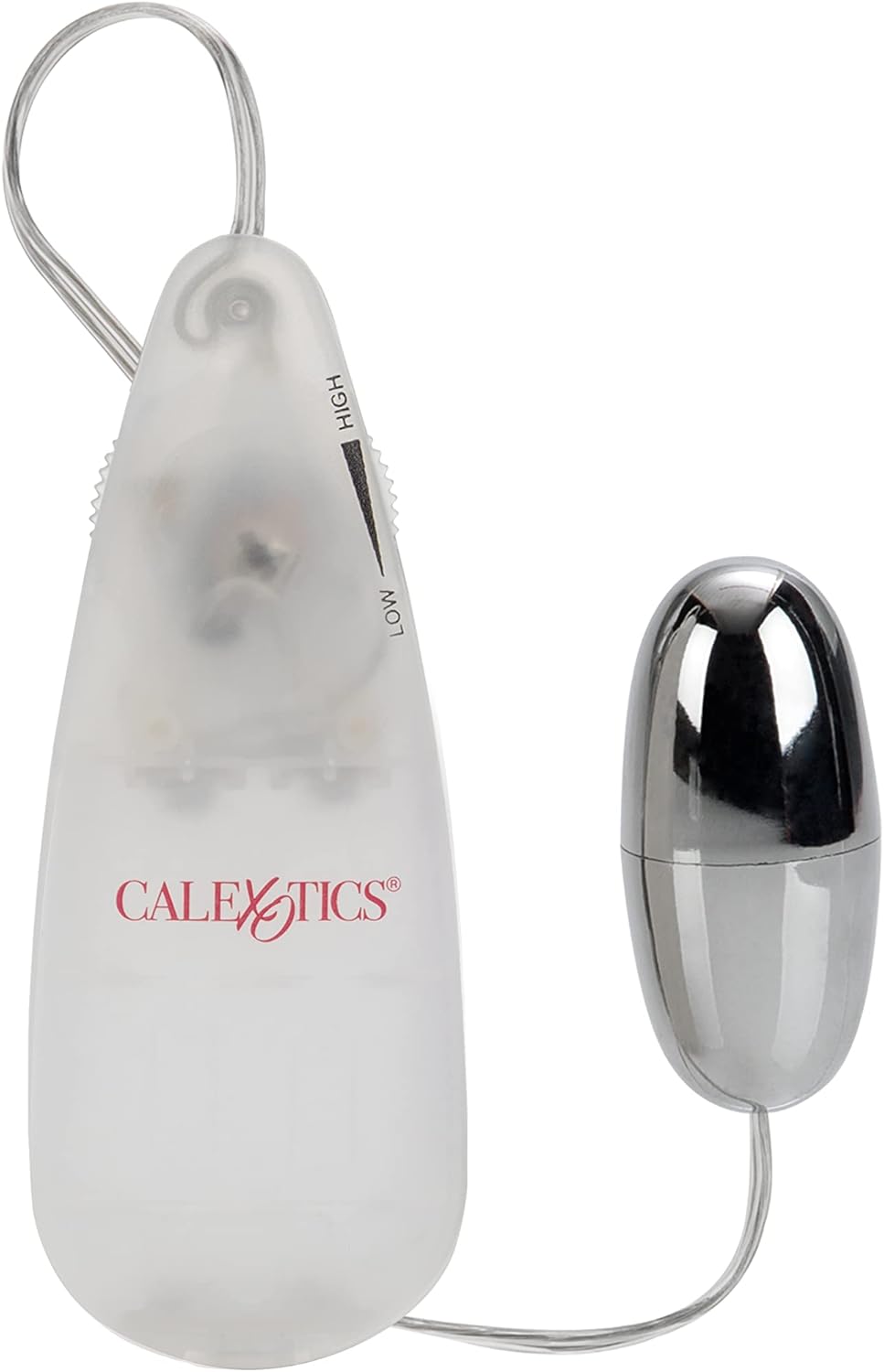
Image: The CalExotics Pocket Exotics Vibrating Silver Bullet and its controller, highlighting the 'HIGH' and 'LOW' speed settings on the slide switch.
6. Care and Maintenance
Proper care ensures the longevity and hygiene of your product.
- Prior to and after each use, wash the bullet with warm water and mild soap.
- Do not soak the battery pack or wire in water.
- Ensure the battery end of the controller does not get wet.
- Remove batteries from the battery pack before storing the product.
- Store in a clean, dry place away from direct sunlight and extreme temperatures.
7. Specifications
| Feature | Detail |
|---|---|
| Model Number | SE1105-05 |
| Product Dimensions | 3 x 2 x 2 inches |
| Weight | 2.47 ounces |
| Batteries Required | 2 AA batteries (not included) |
| Material | Plastic (PP controller, ABS with Silver Plating stimulator) |
| Color | Silver |
| Style | Bullet |
8. Warranty and Support
This product comes with a 1-year manufacturer warranty.
For warranty claims, technical support, or any product-related inquiries, please contact CalExotics customer service directly. Refer to the product packaging or the official CalExotics website for current contact information.