
1. Introduction
Thank you for purchasing the Bigben EPOK TD79 Turntable. This manual provides essential information for the safe and efficient operation of your new device. Please read it thoroughly before use and retain it for future reference.
2. Important Safety Instructions
- Read all instructions before operating the appliance.
- Keep the manual in a safe place for future reference.
- Do not expose the unit to rain or moisture to prevent fire or electric shock.
- Ensure proper ventilation and do not block any ventilation openings.
- Use only attachments/accessories specified by the manufacturer.
- Unplug the appliance during lightning storms or when unused for long periods.
- Refer all servicing to qualified service personnel.
3. Setup
Follow these steps to set up your EPOK TD79 Turntable:
- Unpacking: Carefully remove the turntable from its packaging. Retain all packaging materials for possible future transport or storage.
- Placement: Place the unit on a stable, level surface away from direct sunlight, heat sources, and excessive dust or vibration.
- Connecting Power: Connect the power adapter to the DC input on the rear of the unit, then plug it into a suitable wall outlet.
- Connecting Headphones: For private listening, plug your headphones into the headphone jack located on the unit.
- USB Connectivity: The unit features a USB port for connecting to a computer for digital recording or for playing media from a USB drive.
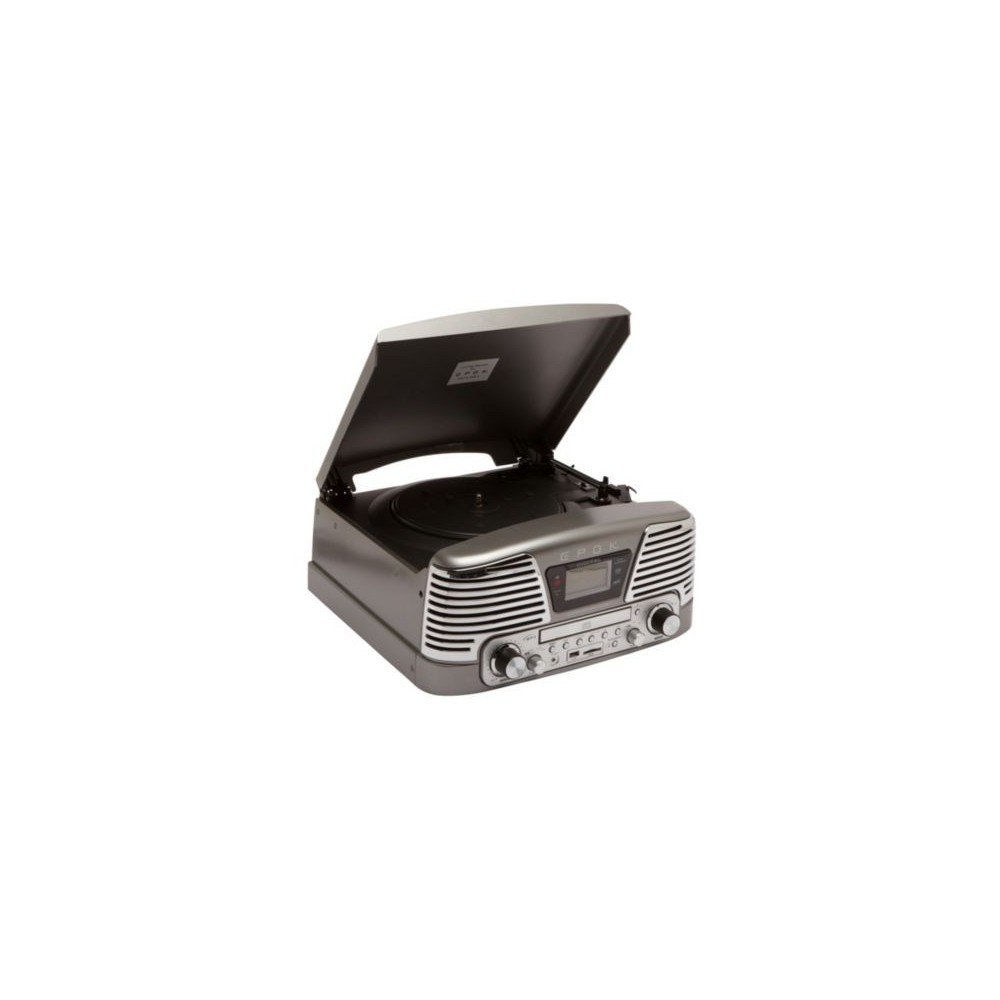
4. Operating Instructions
This section details how to use the various functions of your TD79 Turntable.
- Playing Vinyl Records:
- Place a vinyl record on the platter.
- Select the appropriate speed (33 or 45 RPM) using the speed selector switch.
- Carefully lift the tone arm and position the stylus over the desired track.
- Lower the tone arm gently onto the record.
- At the end of the record, the tone arm will automatically return to its rest position.
- Using the CD Player:
- Open the CD tray and insert a CD with the label side facing up.
- Close the CD tray. The unit will automatically detect and begin playing the CD.
- Use the Play/Pause, Stop, Skip Forward, and Skip Back buttons to control playback.
- USB/SD Card Playback:
- Insert a USB flash drive or SD card into the respective slot.
- Select the USB or SD mode using the function selector.
- The unit will automatically scan and play compatible audio files.
- Use the playback controls to navigate through tracks.
- Recording Vinyl to USB/SD:
- Ensure a USB drive or SD card is inserted.
- Start playing a vinyl record.
- Press the 'Record' button (refer to the unit's control panel for exact button). The recording indicator will illuminate.
- Press 'Record' again to stop recording. The audio will be saved to the USB drive or SD card.
5. Maintenance
Proper maintenance ensures the longevity and optimal performance of your turntable.
- Cleaning the Unit: Wipe the exterior of the unit with a soft, dry cloth. Do not use abrasive cleaners or solvents.
- Stylus Care: Gently clean the stylus regularly with a soft brush designed for stylus cleaning, brushing from back to front. Avoid touching the stylus with your fingers.
- Record Care: Keep your records clean and free of dust. Store them vertically in their sleeves to prevent warping.
6. Troubleshooting
If you encounter issues with your EPOK TD79, consult the table below for common problems and solutions.
| Problem | Possible Cause | Solution |
|---|---|---|
| No power | Power cord not connected; outlet not active. | Ensure power cord is securely plugged in; test outlet with another device. |
| No sound | Volume too low; headphones connected; function mode incorrect. | Increase volume; disconnect headphones; select correct function mode (Phono, CD, USB/SD). |
| CD skipping | CD is dirty or scratched; unit is unstable. | Clean CD with a soft cloth; place unit on a stable surface. |
| Poor vinyl sound quality | Stylus is dirty or worn; record is dirty or damaged. | Clean or replace stylus; clean record. |
| USB/SD playback issues | Incompatible file format; corrupted media. | Ensure files are in a compatible format (e.g., MP3); try a different USB/SD card. |
7. Specifications
Technical details for the EPOK TD79 Turntable:
| Feature | Detail |
|---|---|
| Brand | Bigben |
| Manufacturer | Epok |
| Model Number | TD79GM |
| Connectivity Technology | USB |
| Total USB Ports | 1 |
| Compatible Devices | Headphones |
| Product Dimensions (L x W x H) | 38.5 x 37 x 18.5 cm |
| Item Weight | 7 Kilograms |
| Included Components | CD Player |
| Motor Type | DC Motor |
| Signal Format | Digital |
8. Warranty Information
The EPOK TD79 Turntable comes with a 1-year warranty from the date of purchase. This warranty covers manufacturing defects under normal use. Please retain your proof of purchase for warranty claims. The warranty does not cover damage caused by misuse, accidents, unauthorized modifications, or normal wear and tear.
9. Customer Support
For further assistance, technical support, or warranty inquiries, please contact Bigben customer service. Refer to the Bigben official website or product packaging for the most current contact information.
Online Support: Visit the official Bigben website for FAQs and support resources.
Email Support: [Insert Manufacturer's Support Email Here, if available]
Phone Support: [Insert Manufacturer's Support Phone Number Here, if available]


