
Product Overview
The POWERTEC 12-1/2 Inch Planer Blades (Model 128081) are premium cutting tools designed for woodworking applications. This set includes two high-speed steel (HSS) planer knives engineered to meet or exceed OEM product performance. They are specifically designed for compatibility with the JET 708522 and JWP-12-4P planers.
Manufactured from premium HSS material, these blades undergo professional machining and strict quality control to ensure extreme sharpness, precision, balancing, and tight tolerance. A final heat treatment enhances their hardness and durability, allowing them to stay sharp and last longer than conventional products.

Image: POWERTEC 12-1/2 Inch Planer Blades, Set of 2, in packaging.
Key Features
- Includes: Two (2) 12-1/2 inch planer blades.
- Compatibility: Designed as direct replacements for JET 708522 and JWP-12-4P planers.
- Precision Cutting: Each blade features a single cutting edge with a profile engineered for smooth, fast planing action, delivering high precision and professional results.
- High Speed Steel (HSS): Constructed from HSS for superior hardness, allowing cuts through various materials at higher speeds, with enhanced temperature protection and wear resistance for long-term durability.
- Dimensions: Each blade measures 12-1/2 inches in length, 3/4 inch in width, and 1/8 inch in thickness.

Image: Detail of a POWERTEC planer blade highlighting its High Speed Steel construction.
Compatibility
These POWERTEC planer blades are specifically engineered to be fully compatible with the following planer models:
- JET 708522 Planer
- JET JWP-12-4P Planer
Always verify your planer's model number and blade specifications before purchasing replacement blades to ensure proper fit and optimal performance.
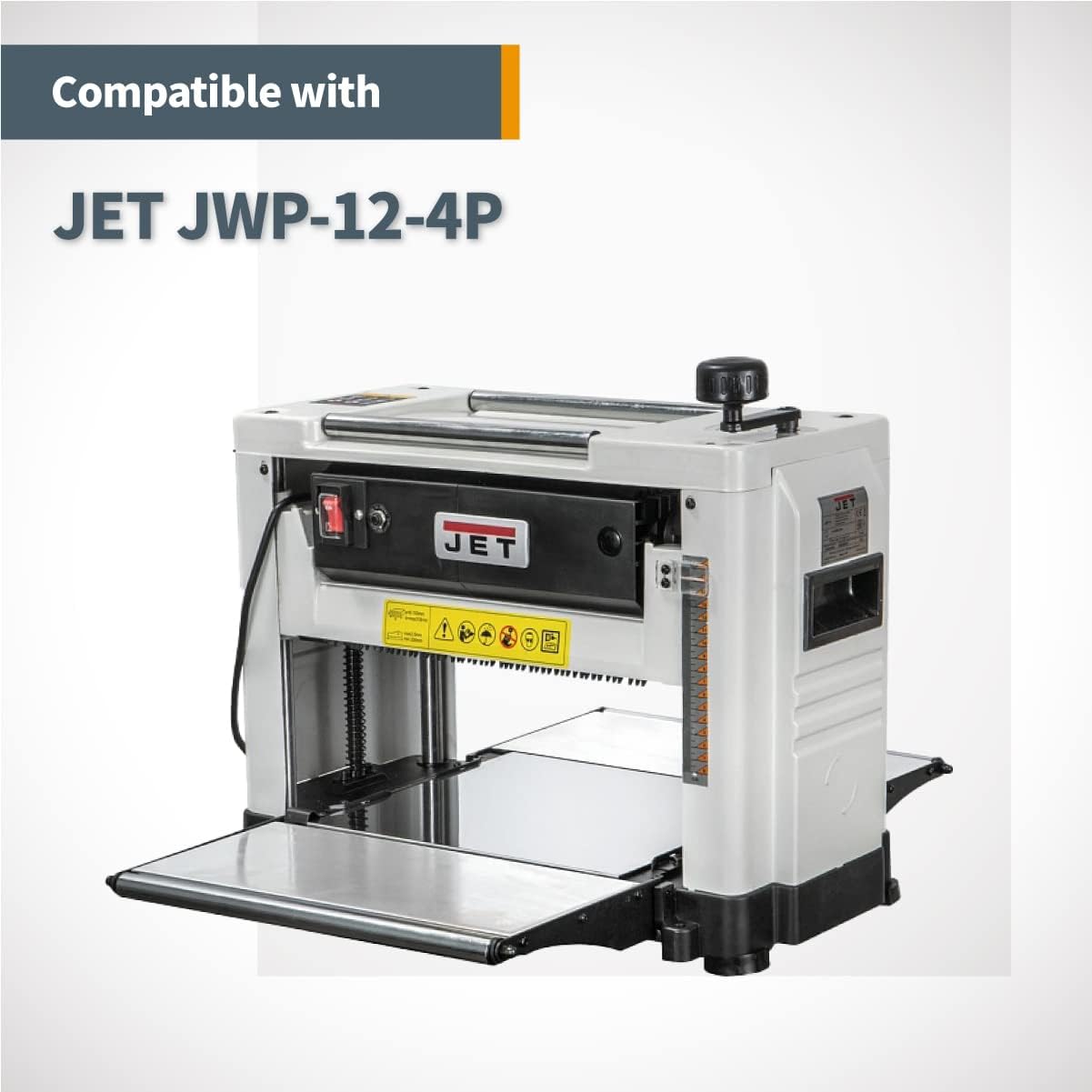
Image: JET JWP-12-4P Planer, compatible with POWERTEC 12-1/2 inch blades.
Installation Instructions
Safety Precautions
- Disconnect Power: Always unplug your planer from the power source before performing any maintenance or blade replacement.
- Wear Protective Gear: Use heavy-duty gloves to protect your hands from sharp edges and safety glasses to protect your eyes from debris.
- Refer to Planer Manual: Consult your specific planer's instruction manual for detailed blade replacement procedures, as steps may vary slightly by model.
- Handle Blades Carefully: Planer blades are extremely sharp. Handle them by the non-cutting edges whenever possible.
Blade Replacement Steps (General Guide)
- Access Cutterhead: Open the planer's cutterhead access cover. This usually involves releasing latches or screws.
- Loosen Blade Screws: Using the appropriate wrench or tool (often supplied with your planer), carefully loosen the screws or bolts that secure the old blades to the cutterhead.
- Remove Old Blades: Gently slide out the old blades. Be extremely cautious as they may still be sharp. Dispose of them safely.
- Clean Cutterhead: Thoroughly clean any sawdust, resin, or debris from the cutterhead and blade seating areas. A clean surface ensures proper blade alignment.
- Install New Blades: Carefully insert the new POWERTEC blades into their respective slots. Ensure they are seated correctly and flush with the cutterhead. Many planers have alignment pins or jigs to assist with this.
- Tighten Screws: Securely tighten the blade screws or bolts. Tighten them evenly to prevent blade wobble or misalignment. Do not overtighten.
- Verify Alignment: Double-check that the new blades are properly aligned and parallel to the planer bed. Refer to your planer's manual for specific alignment checks.
- Close Cover: Close and secure the cutterhead access cover.
- Test Run: Plug in the planer and perform a test run on a scrap piece of wood to ensure smooth operation and proper cutting.

Image: Illustrative example of planer blade installation.
Operating Your Planer with POWERTEC Blades
Once the new POWERTEC blades are installed, your planer is ready for use. These blades are designed to provide smooth and consistent cuts across various wood types. Always ensure your workpiece is free of foreign objects (nails, screws) that could damage the blades.
For optimal results, feed wood at a consistent rate and avoid taking excessively deep cuts, especially with harder woods. The high-speed steel construction of these blades allows for efficient material removal and a clean finish.

Image: Examples of wood types and finished lumber, demonstrating typical planer usage.
Care and Maintenance
Proper care of your POWERTEC planer blades will extend their lifespan and maintain cutting performance:
- Clean After Use: After each use, clean the blades and cutterhead to remove sawdust and resin buildup. Resin can cause friction and dull blades prematurely. Use a suitable blade cleaner or mineral spirits.
- Inspect Regularly: Periodically inspect the blades for nicks, dull spots, or damage. Damaged blades can lead to poor cut quality and potential safety hazards.
- Storage: When not in use, store the blades in their original protective packaging or a dedicated blade holder to prevent accidental damage and corrosion. Store in a dry environment.
- Replacement: Replace blades when they become dull or damaged beyond repair. Attempting to sharpen these specific HSS blades is generally not recommended for the average user; replacement is the most effective way to restore cutting performance.
Troubleshooting Common Issues
| Problem | Possible Cause | Solution |
|---|---|---|
| Rough or Uneven Cuts | Dull or damaged blades; improper blade alignment; excessive depth of cut. | Replace blades; re-align blades; reduce depth of cut per pass. |
| Excessive Tear-out | Dull blades; feeding wood against the grain; too fast feed rate. | Replace blades; ensure proper grain direction; slow down feed rate. |
| Blades Not Cutting | Blades installed incorrectly (e.g., upside down); severely dull blades. | Check blade orientation and re-install; replace blades. |
| Excessive Noise/Vibration | Loose blades; unbalanced cutterhead (due to uneven blade wear/damage). | Tighten blade screws; inspect blades for damage and replace if necessary. |
Product Specifications
| Specification | Detail |
|---|---|
| Brand | POWERTEC |
| Model Number | 128081 |
| Material | High Speed Steel (HSS) |
| Blade Length | 12-1/2 inches (317.5 mm) |
| Blade Width | 3/4 inches (19.05 mm) |
| Blade Thickness | 1/8 inches (3.175 mm) |
| Color | Silver |
| Item Weight | 1.72 pounds (0.78 kg) |
| Item Package Quantity | 1 (contains 2 blades) |
| Number of Pieces | 2 |
| UPC | 736815000262 |

Image: Dimensions of the POWERTEC 12-1/2 Inch Planer Blade.
Support and Contact Information
For further assistance, product inquiries, or to explore other POWERTEC products, please visit the official POWERTEC store or contact customer support.
Visit the Official POWERTEC Store on Amazon
Please refer to your purchase documentation for specific warranty details.