
1. Introduction
This manual provides comprehensive instructions for the safe and efficient installation, operation, and maintenance of your Peerless PLCM-UNL-CP Solid-Point Flat Panel Straight Column Ceiling Mount. Please read this manual thoroughly before installation and retain it for future reference. This mount is designed to securely hold flat panel televisions and monitors from the ceiling.
2. Safety Information
WARNING: Failure to read, understand, and follow all instructions can result in serious personal injury, property damage, or voiding of the product warranty. Improper installation may cause the display to fall, resulting in severe injury.
- Ensure the mounting surface can safely support the combined weight of the mount and the display.
- Do not exceed the maximum weight capacity specified for this mount.
- Use only the hardware provided or specified by Peerless.
- Always use a qualified installer or contact Peerless customer service if you have any doubts.
- Keep children and pets away during installation.
- Periodically check all screws and connections to ensure they remain secure.
3. Package Contents
Verify that all components are present and undamaged before proceeding with installation. If any parts are missing or damaged, do not attempt to install. Contact Peerless customer support for assistance.
- Ceiling Mount Assembly (PLCM-UNL-CP)
- Mounting Hardware Kit (various screws, washers, spacers)
- Instruction Manual
4. Setup and Installation
The Peerless PLCM-UNL-CP is an aluminum ceiling mount designed for flat panel televisions and monitors. Proper installation is crucial for safety and performance.
4.1 Pre-Installation Checks
- Identify the exact mounting location on the ceiling. Ensure it is structurally sound and can support the weight.
- Locate any electrical wiring or plumbing in the ceiling before drilling.
- Gather necessary tools (e.g., drill, stud finder, level, screwdriver, wrench).
4.2 Mounting the Ceiling Plate
- Position the ceiling plate at the desired location and mark the drilling points.
- Drill pilot holes according to the specified diameter and depth for your ceiling type.
- Secure the ceiling plate using the appropriate fasteners. Ensure it is firmly attached and level.
4.3 Attaching the Column and Display
- Attach the column to the secured ceiling plate.
- Mount the display adapter plate to the back of your television or monitor using the provided screws that match your display's VESA pattern.
- Carefully lift the display and attach it to the column mount. Ensure all locking mechanisms are engaged.
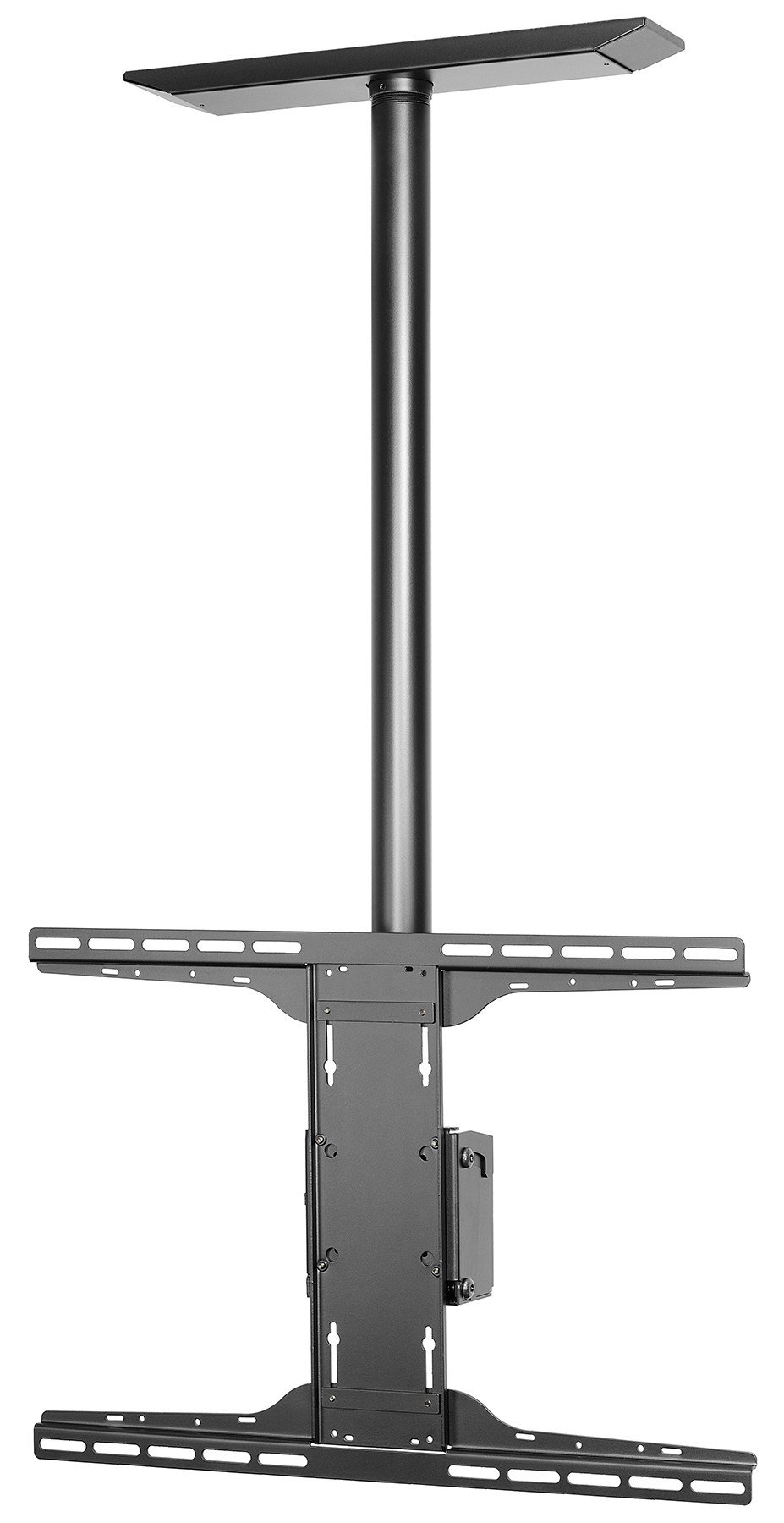
An image showing the Peerless PLCM-UNL-CP ceiling mount, typically used for flat panel displays. This illustrates the general appearance of the mount.
5. Operating Instructions
The Peerless PLCM-UNL-CP mount features a tilt movement type, allowing for optimal viewing angles.
5.1 Adjusting Tilt Angle
- This mount allows for a maximum tilt angle of 20 degrees.
- To adjust the tilt, loosen the tilt adjustment knobs or bolts located on the side of the display interface.
- Carefully tilt the display to the desired angle.
- Once the desired angle is achieved, securely tighten the tilt adjustment knobs or bolts to lock the display in place.
- Ensure the display is stable and does not move freely after adjustment.
6. Maintenance
Regular maintenance ensures the longevity and safe operation of your Peerless ceiling mount.
- Cleaning: Use a soft, dry cloth to clean the mount. Avoid abrasive cleaners or solvents that could damage the finish.
- Inspection: Periodically (at least once every 6 months) inspect all mounting hardware and connections. Ensure all screws are tight and there are no signs of wear, corrosion, or damage.
- Lubrication: Moving parts, if any, may benefit from a small amount of silicone-based lubricant if they become stiff. Consult Peerless support if unsure.
- Damage: If any part of the mount appears damaged or worn, discontinue use immediately and contact Peerless customer support for replacement parts or advice.
7. Troubleshooting
This section addresses common issues you might encounter with your ceiling mount.
7.1 Display is not level
- Solution: Check the ceiling plate installation. Ensure it was installed level. Adjust the display's mounting brackets if they offer fine-tuning adjustments.
7.2 Display sags or tilts unexpectedly
- Solution: Verify that all tilt adjustment knobs/bolts are securely tightened. Ensure the display's weight does not exceed the mount's capacity. Re-check all mounting hardware for tightness.
7.3 Mount feels unstable
- Solution: Immediately remove the display. Re-inspect the ceiling attachment points and hardware. Ensure the ceiling structure is adequate and all fasteners are correctly installed and tightened. If unsure, consult a professional installer.
8. Specifications
| Model Number | PLCM-UNL-CP |
| Brand | Peerless |
| Mounting Type | Ceiling Mount |
| Movement Type | Tilt |
| Maximum Tilt Angle | 20 Degrees |
| Material | Aluminum |
| Color | Black |
| Compatible Devices | Television, Monitor |
| Product Dimensions | 36.75 x 11.5 x 3.75 inches |
| Item Weight | 1 pounds |
| UPC | 735029241720 |
| ASIN | B005N12MBQ |
| Date First Available | January 19, 2009 |
9. Warranty and Support
For warranty information, technical support, or to purchase replacement parts, please contact Peerless customer service.
- Manufacturer: Peerless
- Online Support: Visit the official Peerless Store on Amazon for product information and support resources.


