
1. Introduction
This manual provides detailed instructions for the setup, operation, maintenance, and troubleshooting of your AmScope PZ200TA Polarizing Trinocular Microscope. Please read this manual thoroughly before using the instrument to ensure proper function and longevity. The AmScope PZ200TA is designed for advanced applications in geology, petrology, mineralogy, toxicology, pharmacology, forensics, and industrial inspection, allowing for the viewing and measurement of birefringence in anisotropic materials.
2. Components and Unpacking
Carefully unpack all components and verify that all items listed below are present. Inspect for any damage that may have occurred during transit.
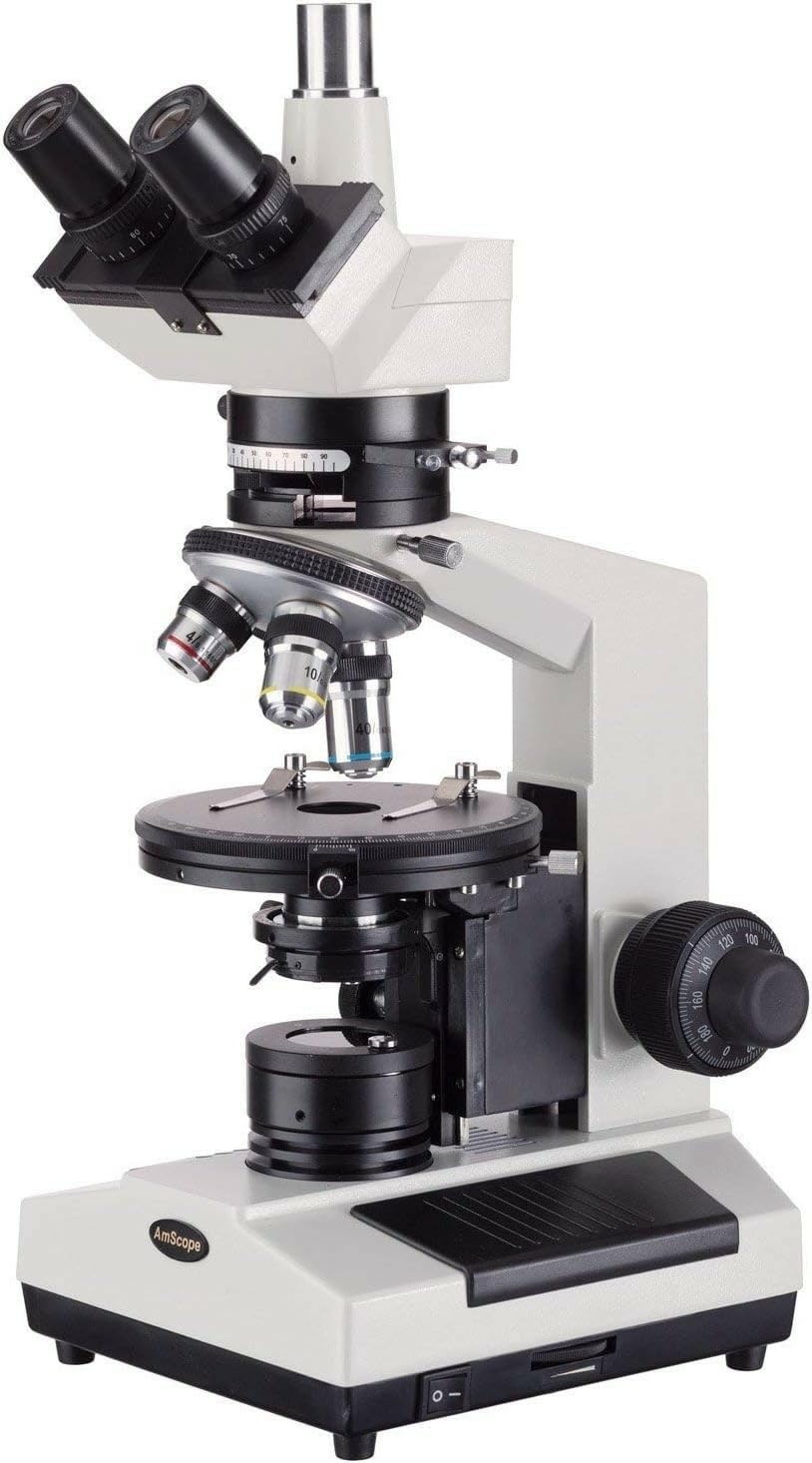
Figure 2.1: AmScope PZ200TA Polarizing Trinocular Microscope, front view. This image shows the complete microscope assembly, including the trinocular head, objectives, and stage.
2.1. What's in the Box:
- AmScope PZ200TA microscope body
- WF10x eyepieces (23mm), one pair
- WF16x eyepieces (23mm), one pair
- 4x DIN strain-free plan achromatic objective (20mm)
- 10x DIN strain-free plan achromatic objective (20mm)
- 40xS DIN strain-free plan achromatic objective (20mm)
- Polarizer
- Color filters: blue and green (2)
- Spare halogen bulbs (2)
- Spare fuses (2)
- Power cord
- Dust cover
- Instruction manual (this document)
3. Setup and Assembly
Follow these steps to assemble your microscope. Ensure the microscope is placed on a stable, level surface.
- Install Eyepieces: Gently insert the WF10x eyepieces into the Siedentopf binocular tubes on the trinocular head. You may also use the WF16x eyepieces as desired.
- Install Objectives: Rotate the forward-facing triple nosepiece until an empty slot is accessible. Carefully screw in the 4x, 10x, and 40xS strain-free plan achromatic objectives into the nosepiece threads. Ensure they are securely fastened.
- Connect Power: Locate the power input on the rear of the microscope. Connect the provided power cord to the microscope and then to a standard 110V electrical outlet.
- Initial Adjustments:
- Interpupillary Distance: Adjust the Siedentopf binocular head to match your interpupillary distance (55 to 75mm) for comfortable viewing.
- Dioptric Adjustment: Use the dioptric adjustment ring on one eyepiece to compensate for individual eye-strength differences, ensuring both eyes see a sharp image.

Figure 3.1: Top view of the microscope head, showing eyepiece insertion points and objectives on the nosepiece.
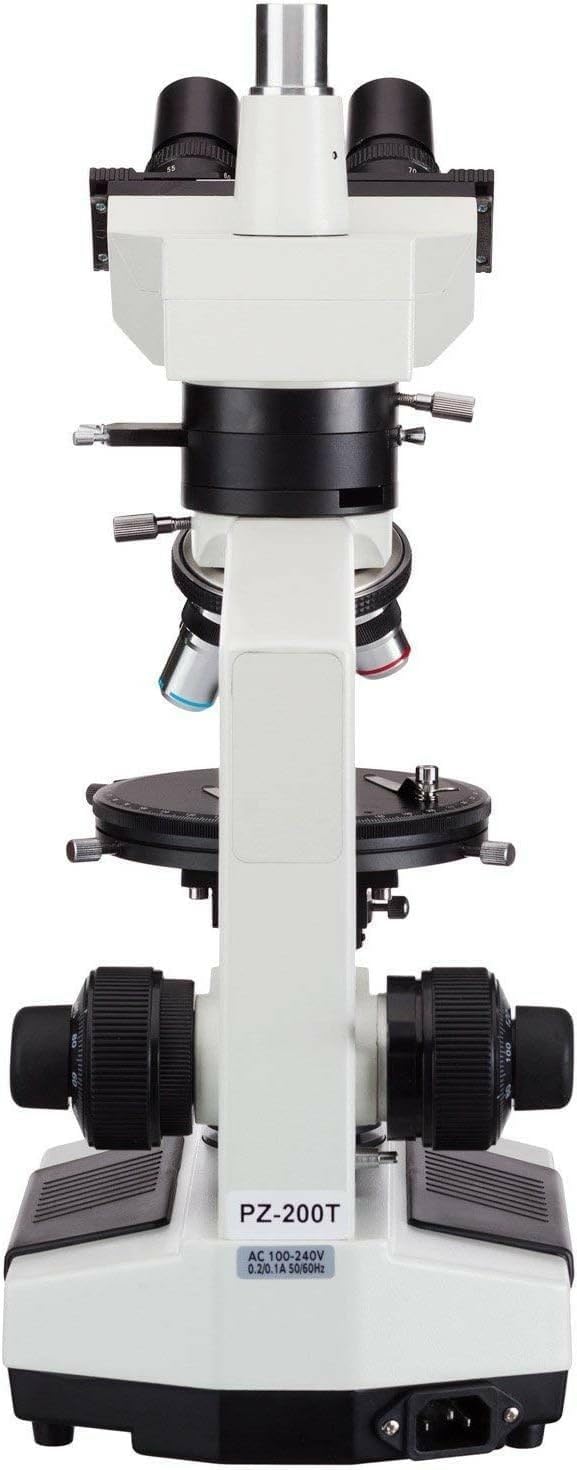
Figure 3.2: Rear view of the AmScope PZ200TA, illustrating the power input port and main power switch.
4. Operating Instructions
This section details the steps for operating your AmScope PZ200TA microscope for both Brightfield and Polarizing observations.
4.1. Powering On and Illumination Control
- Power On: Flip the main power switch, usually located near the power cord input.
- Adjust Brightness: Use the rheostat control knob to adjust the intensity of the 20W halogen illumination.
- Select Illumination Type: Use the selection knob to switch between Polarizing and Brightfield illumination modes.
- Condenser Adjustment: The 1.25 NA Abbe condenser is mounted on a rack-and-pinion system. Adjust its height to optimize the light path.
- Iris Diaphragm: Adjust the iris diaphragm on the condenser to control the amount of light illuminating the specimen, enhancing contrast and resolution.
4.2. Placing a Specimen and Focusing
- Stage Preparation: Place your specimen slide onto the round 160mm diameter stage. Secure it using the detachable slide clips.
- Coarse Focus: Rotate the nested coaxial coarse focus knob to bring the specimen into approximate focus. The stage has a 28mm vertical travel range.
- Fine Focus: Use the fine focus knob for precise focusing. The tension-adjustable coarse focusing and an adjustable lock ring stopper prevent damage to slides and objectives.
- Stage Rotation: The stage can rotate 360 degrees on a ball-bearing movement. It is graduated in 1-degree increments with a vernier scale for precise retardation measurements (minimum resolution of 6 minutes of arc). A locking screw secures the stage location.
4.3. Magnification and Objective Selection
- Select Objective: Rotate the triple nosepiece to select the desired objective (4x, 10x, or 40xS). The 40xS objective is spring-loaded to prevent slide damage.
- Total Magnification: Total magnification is calculated by multiplying the eyepiece magnification (10x or 16x) by the objective magnification (4x, 10x, or 40xS), providing a range of 40x to 640x.
4.4. Polarizing Features
The PZ200TA is equipped with specialized features for polarizing microscopy.
- Bertrand Lens: The built-in Bertrand lens is focusable and located on a rotatable disc with centering controls. It can be rotated 90 degrees with 1-degree graduations.
- Polarizer and Analyzer: The polarizer, analyzer, and Bertrand lens can be removed from the optical path to convert the microscope for standard Brightfield use.
- Strain-Free Objectives: The objectives are specifically designed as strain-free plan achromatic, optimized for use with polarized light to minimize internal stress birefringence.
4.5. Trinocular Port Usage
The vertical trinocular port allows for the attachment of a camera (sold separately) for image capture or display. It can be used as a C-Mount or a 23mm photo port.

Figure 4.1: Side view of the AmScope PZ200TA, highlighting the coarse and fine focus knobs, stage, and illumination controls.
5. Maintenance
Regular maintenance ensures the longevity and optimal performance of your microscope.
- Cleaning Lenses: Use only specialized lens cleaning solution and lens paper to clean optical surfaces. Avoid touching lenses with bare hands.
- Cleaning Body: Wipe the microscope body with a soft, dry cloth. For stubborn dirt, a slightly damp cloth with mild detergent can be used, ensuring no liquid enters internal components.
- Bulb Replacement: If the illumination weakens or fails, replace the halogen bulb with one of the provided spare bulbs (6V/20W). Ensure the microscope is unplugged before attempting replacement.
- Fuse Replacement: If the microscope does not power on, check and replace the fuse with a spare if necessary. Ensure the microscope is unplugged before attempting replacement.
- Storage: When not in use, cover the microscope with the provided dust cover to protect it from dust and environmental contaminants. Store in a dry, stable environment.
6. Troubleshooting
This section addresses common issues you might encounter.
| Problem | Possible Cause | Solution |
|---|---|---|
| No illumination | Power cord disconnected, power switch off, bulb burnt out, fuse blown. | Check power connection, turn on switch, replace bulb, replace fuse. |
| Image is dim or unevenly lit | Rheostat set too low, condenser not adjusted, iris diaphragm closed too much, objective or eyepiece dirty. | Adjust rheostat, adjust condenser height, open iris diaphragm, clean optics. |
| Cannot achieve sharp focus | Coarse focus limit engaged, slide upside down, objective not fully screwed in, dioptric adjustment incorrect. | Adjust coarse focus lock ring, check slide orientation, ensure objectives are secure, re-adjust dioptric setting. |
| Dust or spots in view | Dust on eyepiece, objective, or specimen. | Clean eyepieces, objectives, and specimen slide. |
7. Specifications
Detailed technical specifications for the AmScope PZ200TA Polarizing Trinocular Microscope.
| Feature | Description |
|---|---|
| Head | Siedentopf Trinocular, 45-degree inclination, 360-degree rotation, 55-75mm interpupillary adjustment |
| Magnification Range | 40x-640x |
| Eyepieces (23mm) | WF10x (pair), WF16x (pair) |
| Objectives (20mm) | Strain-free 4X, 10x, 40xS DIN plan achromatic polarizing |
| Stage | Round mechanical, 160mm diameter, 360-degree rotation, 1-degree increments, 6' vernier graduations, 28mm vertical travel |
| Condenser | 1.25 NA Abbe, with swing-out lens and iris diaphragm |
| Analyzer (Midist head) | Built-in removable, 90-degree rotation with 6' vernier |
| Bertrand Lens | Focusable, on rotatable disc with centering controls |
| Light Source | Halogen with rheostat, 6V/20W |
| Illumination Type | Polarizing/Brightfield (selectable) |
| Power | 110V |
| Product Dimensions | 12.87 x 10.75 x 16.73 inches |
| Item Weight | 15.45 pounds |
| Material | All-metal mechanical parts, solid-metal frame construction |
| Manufacturer | United Scope LLC. |
| Model Name | PZ200TA |
8. Warranty and Support
For warranty information and technical support, please contact United Scope LLC., the manufacturer of AmScope products. Refer to their official website or the product packaging for the most current contact details and warranty terms.