
1. Introduction
Thank you for choosing the Arrowmax APM086-K2 Speaker Microphone. This compact and lightweight accessory is designed to enhance your two-way radio communication experience by providing convenient hands-free operation. It features a durable Kevlar reinforced wire and a 2.5mm accessory jack for an earpiece. This manual provides essential information for the proper setup, operation, and maintenance of your speaker microphone.
2. Product Overview
The Arrowmax APM086-K2 Speaker Microphone allows you to transmit and receive audio directly from the unit, eliminating the need to constantly handle your radio. Its robust construction ensures durability in various environments.
Key Features:
- Transmits and receives audio.
- Lightweight design for comfortable extended wear.
- Heavy-duty Kevlar reinforced wire for enhanced durability.
- Strain relief cable for maximum longevity.
- Integrated 2.5mm accessory jack for connecting an earpiece.
Components:


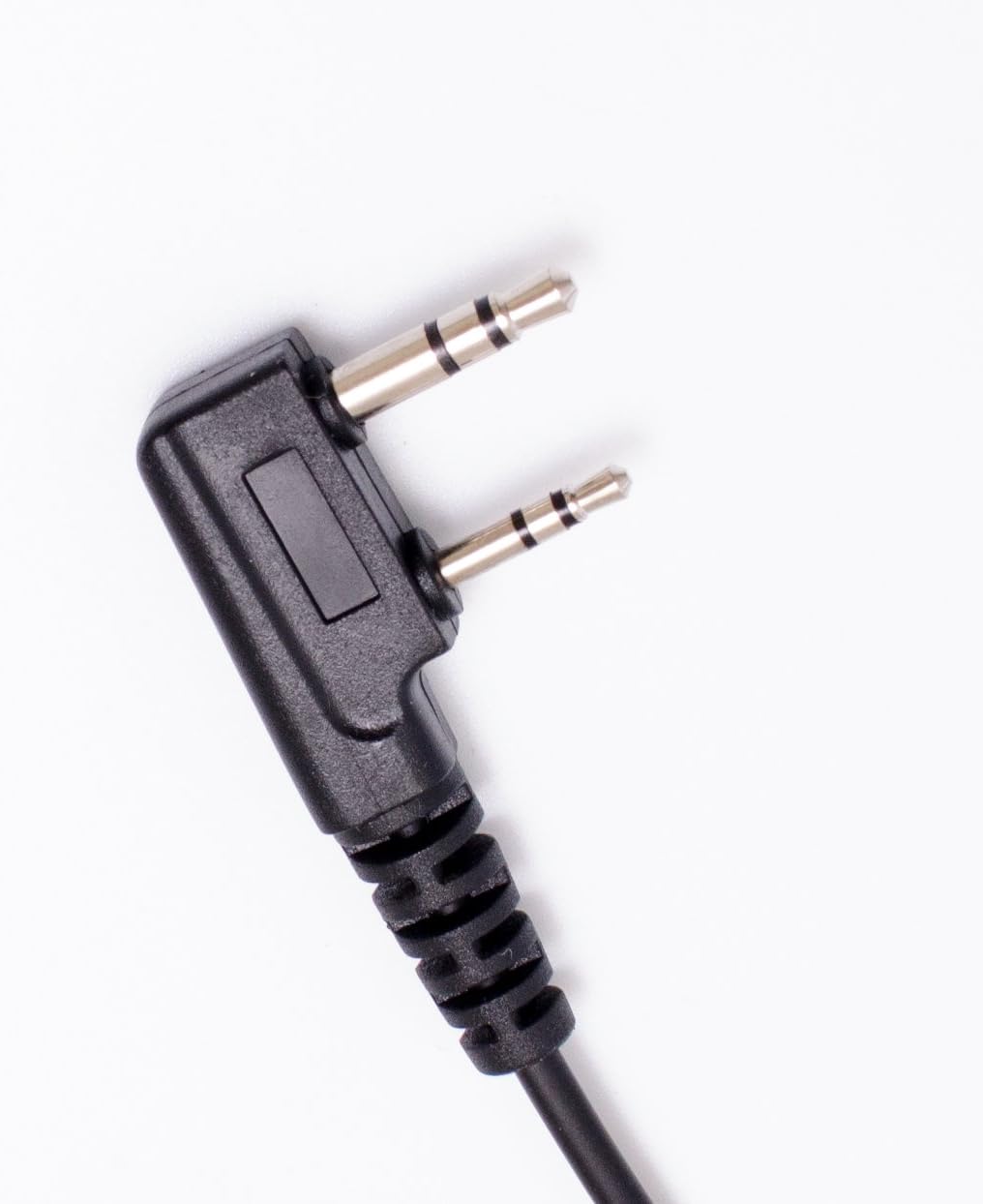
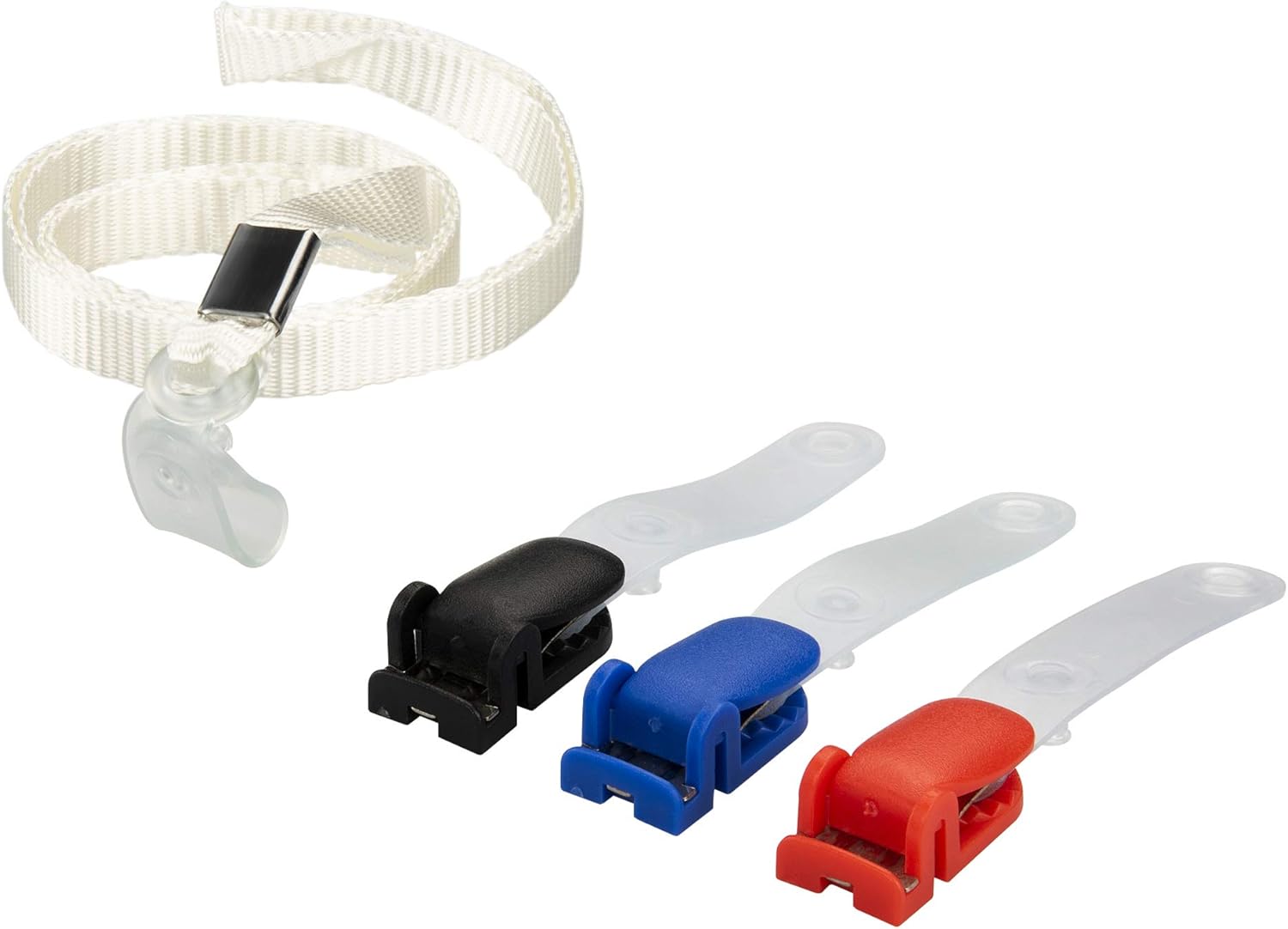
3. Compatibility
The Arrowmax APM086-K2 Speaker Microphone is designed for use with 2-PIN Kenwood-style radios. This includes, but is not limited to, the following models:
BaoFeng / BTECH Radios:
- UV-5R, UV-5RA, UV-5RE, UV-5R3
- BF-F8HP, UV-82HP
Kenwood Radios:
- TK-208/308, TK-220/320, TK-240/340, TK-240D/340D, TK-248/348, TK-250/350/353, TK-260/360, TK-260G/360G, TK-270/370, TK-270G/370G, TK-272G/372G/373G, TK-278G/378G/388G Pro-Talk, TK-430/431
- TK-2100/3100 Pro-Talk, TK-2102/3102 Pro-Power, TK-2107/3107 Pro-Talk, TK-2160/3160, TK-2170/3170/3173, TK-2200/3200, TK-3101/3131 Free-Talk, TK-3130
- TH-D7, TH-D7A, TH-D7AG, TH-D7E, TH-F6, TH-F6A, TH-F7, TH-F7E, TH-G71, TH-G71A, TH-G71E, TH-K2, TH-K2A, TH-K2E, TH-K2ET
- TH-21, TH-21AT, TH-21BT, TH-22, TH-22A, TH-22AT, TH-22E, TH-25, TH-26, TH-27, TH-28, TH31AT, TH31BT, TH41AT, TH41BT, TH-42, TH-42A, TH-42AT, TH-42E, TH-45, TH-46, TH-47, TH-48, TH-55, TH-75, TH-77, TH-G71, TH-205, TH-215, TH-225, TH-235, TH-235A, TH-235E, TH-315
- NX-1200, NX-1300, NX-P1200, NX-P1300, NX-3220, NX-3320, NX-3420
4. Setup
- Connect to Radio: Locate the 2-pin accessory port on your compatible two-way radio. Align the two pins of the speaker microphone connector with the corresponding holes on the radio's port. Gently push the connector firmly into place until it is fully seated.
- Secure the Microphone: Use the integrated clip on the back of the microphone or one of the included lanyard clips to attach the microphone to your clothing (e.g., collar, shoulder strap, pocket). Ensure the microphone is positioned close to your mouth for optimal voice transmission.
- Optional Earpiece Connection: If you wish to use an earpiece for private listening, plug its 2.5mm jack into the accessory port located on the side of the speaker microphone.
5. Operating Instructions
- Receiving Audio: When the speaker microphone is connected, incoming audio from your radio will be routed through the microphone's speaker. Adjust your radio's volume control to a comfortable listening level.
- Transmitting Audio (Push-to-Talk - PTT): To transmit, press and hold the Push-to-Talk (PTT) button located on the side of the microphone. Speak clearly into the microphone. Release the PTT button when you have finished speaking to return to receive mode.
- Using an Earpiece: If an earpiece is connected to the 2.5mm jack, audio will be directed to the earpiece instead of the main speaker. This allows for discreet communication. The PTT function remains the same.
6. Maintenance
- Cleaning: Wipe the microphone body with a soft, damp cloth. Do not use harsh chemicals or abrasive cleaners.
- Storage: Store the microphone in a dry, cool place away from direct sunlight and extreme temperatures when not in use.
- Cable Care: Avoid sharp bends or excessive pulling on the cable to prevent damage to the internal wiring. The Kevlar reinforced wire is designed for durability, but proper handling extends its lifespan.
- Connector Care: Keep the 2-pin connector clean and free of debris to ensure a reliable connection to your radio.
7. Troubleshooting
- No audio from speaker microphone:
- Ensure the 2-pin connector is fully and securely inserted into the radio's accessory port.
- Check your radio's volume level.
- If an earpiece is connected, audio will be routed to the earpiece. Disconnect the earpiece to hear audio from the speaker microphone.
- Verify that your radio is powered on and functioning correctly.
- Others cannot hear my transmission:
- Ensure the PTT button is fully pressed and held while speaking.
- Speak clearly and directly into the microphone.
- Check your radio's transmit power settings.
- Verify that the microphone is securely connected to the radio.
- Audio is distorted or unclear:
- Adjust your radio's volume.
- Ensure the microphone is not obstructed.
- Check for any damage to the cable or connectors.
- Move closer to the radio if signal strength is an issue.
8. Specifications
| Feature | Specification |
|---|---|
| Model Number | APM086-K2 |
| Microphone Form Factor | Mini |
| Dimensions (L x W x H) | 6 x 4.6 x 0.4 inches |
| Item Weight | 0.32 ounces (approx. 9 grams) |
| Material | Kevlar reinforced cable |
| Connectivity Technology | Auxiliary |
| Radio Connector Type | 2-Pin Kenwood Style |
| Earpiece Connector Type | 2.5 mm Jack |
| Polar Pattern | Unidirectional |
| Speaker Dimension | Ø32 mm |
| Speaker Sensitivity | 112±4dB |
| Speaker Impedance | 8Ω |
| Speaker Rated Output Power | 0.25W |
| Speaker Peak Power Output | 0.5W |
| Microphone Dimension | Ø6*5 mm |
| Microphone Sensitivity | -38±3dB |
| Microphone Frequency | 1kHz |
| Microphone Rated Output Power | 2.0V/2.2KΩ |
| Microphone Peak Power Output | 1-10V |
9. Warranty and Support
For warranty information or technical support, please refer to the documentation provided with your purchase or contact Arrowmax customer service directly through their official website or the retailer where the product was purchased. Please have your model number (APM086-K2) and purchase date available when contacting support.