
Introduction
This manual provides essential instructions for the safe and efficient operation, setup, and maintenance of your E-flite Blade 3-Channel 2.4GHz Transmitter with Built-in LiPo Charger, model EFLRT324. Please read this manual thoroughly before using the product to ensure proper function and to prevent damage or injury. This transmitter is designed for use with compatible Blade remote-controlled aircraft and features an integrated LiPo battery charger.
Product Overview
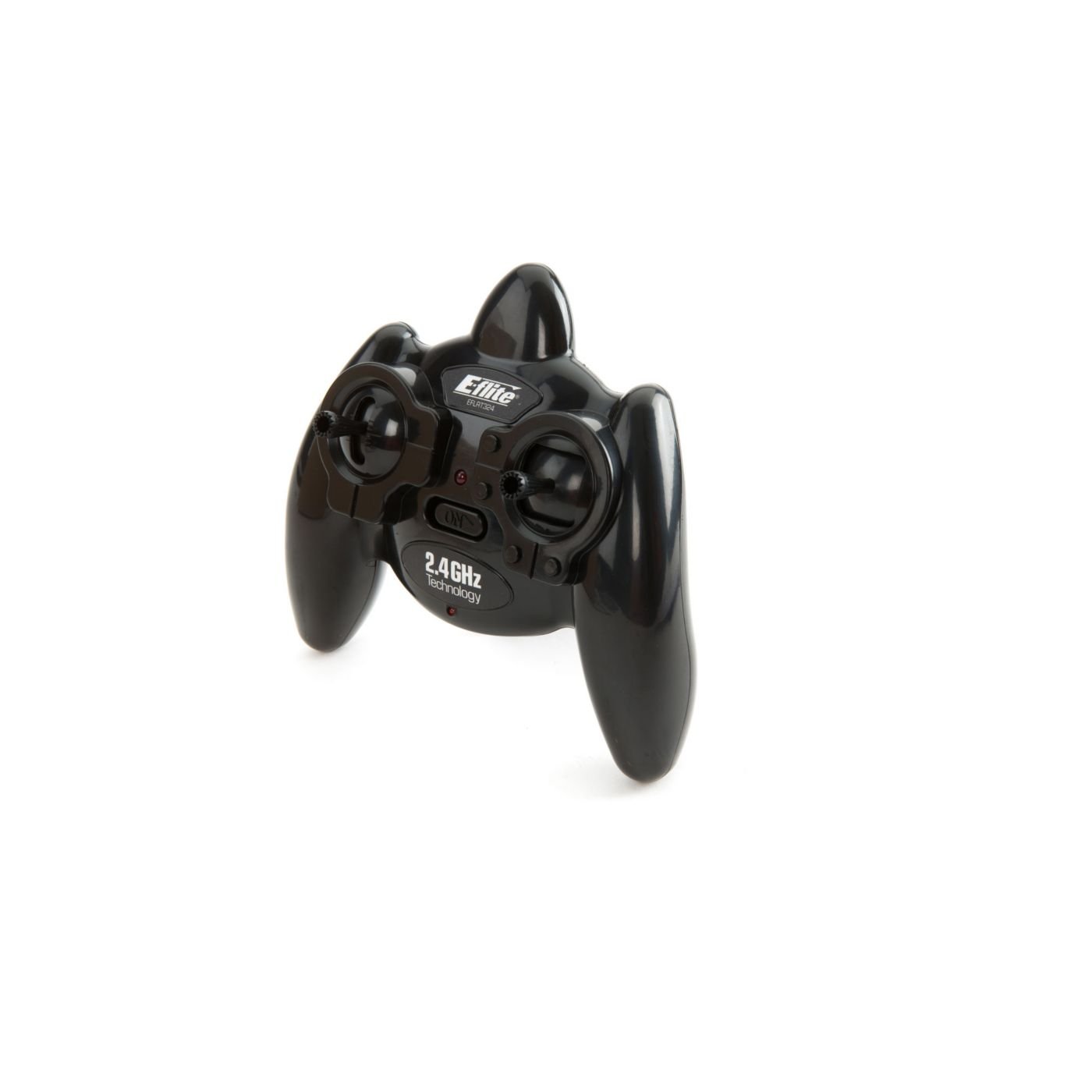
Image: The E-flite Blade 3-Channel 2.4GHz Transmitter, showing its ergonomic design and control sticks. This image illustrates the primary device discussed in this manual.
Setup
1. Battery Installation and Charging
The transmitter requires a LiPo battery for operation. This unit includes a built-in charger for convenience.
- Initial Charge: Before first use, fully charge the internal LiPo battery using the provided charging cable and a suitable USB power source. The charging indicator light will show the charging status (e.g., red for charging, green for fully charged).
- Connecting to Aircraft: Ensure the aircraft's battery is charged and properly connected according to its specific manual.
2. Binding the Transmitter to the Receiver
Binding establishes a unique communication link between your transmitter and the aircraft's receiver.
- Power Off: Ensure both the transmitter and the aircraft's receiver are powered off.
- Receiver Binding Mode: Follow the aircraft's manual to put its receiver into binding mode. This usually involves holding a button on the receiver while powering it on.
- Transmitter Binding Mode: While holding the bind button (if present) on the transmitter, power on the transmitter. Refer to the transmitter's specific diagram for the bind button location.
- Confirmation: The indicator lights on both the transmitter and receiver will typically change from flashing to solid, indicating a successful bind.
- Test Controls: After binding, power cycle both devices and test all control surfaces and functions before flight.
Operating
1. Powering On/Off
- To Power On: Press and hold the power button until the indicator light illuminates.
- To Power Off: Press and hold the power button until the indicator light turns off. Always power off the aircraft first, then the transmitter.
2. Basic Controls
This 3-channel transmitter typically controls the following functions:
- Channel 1 (Aileron/Roll): Controls the aircraft's roll movement.
- Channel 2 (Elevator/Pitch): Controls the aircraft's pitch movement.
- Channel 3 (Throttle/Rudder): Controls motor speed (throttle) or yaw movement (rudder), depending on aircraft configuration.
Familiarize yourself with the stick movements and their corresponding aircraft responses in a safe, open area before attempting flight.
3. Using the Built-in LiPo Charger
The transmitter features a built-in charger for compatible LiPo batteries, typically those used in ultra-micro aircraft.
- Connect Battery: Plug the small LiPo battery into the designated charging port on the transmitter. Ensure correct polarity.
- Charging Indicator: The charging indicator light will activate (e.g., red) to show charging is in progress.
- Charge Complete: The light will change (e.g., green or off) when the battery is fully charged. Disconnect the battery promptly.
Caution: Only charge compatible LiPo batteries. Charging incompatible batteries or incorrect polarity can cause fire or damage.
Maintenance
1. Cleaning
- Wipe the transmitter with a soft, dry cloth.
- Do not use solvents or abrasive cleaners.
- Keep dust and debris out of the stick gimbals and buttons.
2. Storage
- Store the transmitter in a cool, dry place, away from direct sunlight and extreme temperatures.
- Remove any external batteries if storing for extended periods (though this model has an internal LiPo).
- Ensure the internal LiPo battery is stored at a "storage charge" level (typically 3.8V per cell) if not used for several weeks. Refer to LiPo battery safety guidelines.
Troubleshooting
| Problem | Possible Cause | Solution |
|---|---|---|
| Transmitter does not power on. | Internal LiPo battery is discharged. | Charge the transmitter's internal LiPo battery. |
| Aircraft does not respond to controls. | Not bound to receiver; receiver not powered; incorrect model memory selected (if applicable). | Perform binding procedure again. Ensure receiver has power. |
| Short control range or intermittent signal. | Interference; damaged antenna; low transmitter battery. | Operate in an open area away from obstacles and other 2.4GHz devices. Check antenna for damage. Charge transmitter battery. |
| Built-in charger not working. | Incorrect battery connected; faulty charging cable/port. | Ensure only compatible LiPo batteries are connected with correct polarity. Try a different USB power source or cable. |
Specifications
- Brand: E-flite
- Model Name: EFLRT324
- Channels: 3-Channel
- Frequency: 2.4GHz
- Special Feature: Wireless, Built-in LiPo Charger
- Item Dimensions (L x W x H): 8.1 x 6.6 x 5.4 inches
- UPC: 605482052549
- Manufacturer Part Number: EFLRT324
Warranty and Support
E-flite products are designed for quality and performance. For specific warranty information, please refer to the warranty card included with your product or visit the official E-flite website. For technical support, troubleshooting assistance beyond this manual, or replacement parts, please contact E-flite customer service.
Please retain your proof of purchase for warranty claims.