1. Introduction
The Bowers & Wilkins C5 In-Ear Headphones are designed to deliver an outstanding audio experience for users with active lifestyles. Featuring a proprietary Secure Loop design and tungsten balanced construction, the C5 headphones provide a secure and comfortable fit, enhancing sound quality and making them ideal for use on the go.
These headphones are equipped with a remote and microphone cable, compatible with iPhone devices, and also function with other smartphones, tablets, and MP3 players. The unique Micro Porous Filter acts as a sonic diffuser, contributing to a rich and expansive soundstage.

Image: The Bowers & Wilkins C5 In-Ear Headphones, showcasing their sleek black design and integrated cable.
2. Package Contents
Upon opening your Bowers & Wilkins C5 In-Ear Headphones package, please ensure all the following items are present:
- Bowers & Wilkins C5 In-Ear Headphones with integrated cable and remote/microphone
- Multiple sizes of silicone ear tips
- Carrying case (black, plastic)

Image: The complete package contents, including the C5 headphones, the compact carrying case, and a selection of ear tips for optimal fit.
3. Setup and Fitting
3.1. Selecting Ear Tips
The C5 headphones come with several sizes of silicone ear tips. To achieve the best sound quality and comfort, it is crucial to select the ear tips that provide a snug seal within your ear canal. Experiment with different sizes to find the pair that fits most securely and comfortably.
3.2. Utilizing the Secure Loop
The C5 features a unique adjustable Secure Loop design to ensure a precise and comfortable fit, especially during movement. This cushioned loop is designed to fix quickly and comfortably in the inner ridge of your ear, holding the earbud securely in place.
- Gently insert the earbud into your ear canal.
- Adjust the Secure Loop by sliding the cable up or down until the loop rests comfortably and securely against the inner ridge of your ear. The loop should provide stability without causing discomfort.
- Ensure both earbuds are fitted securely to optimize sound performance and prevent them from dislodging during activity.
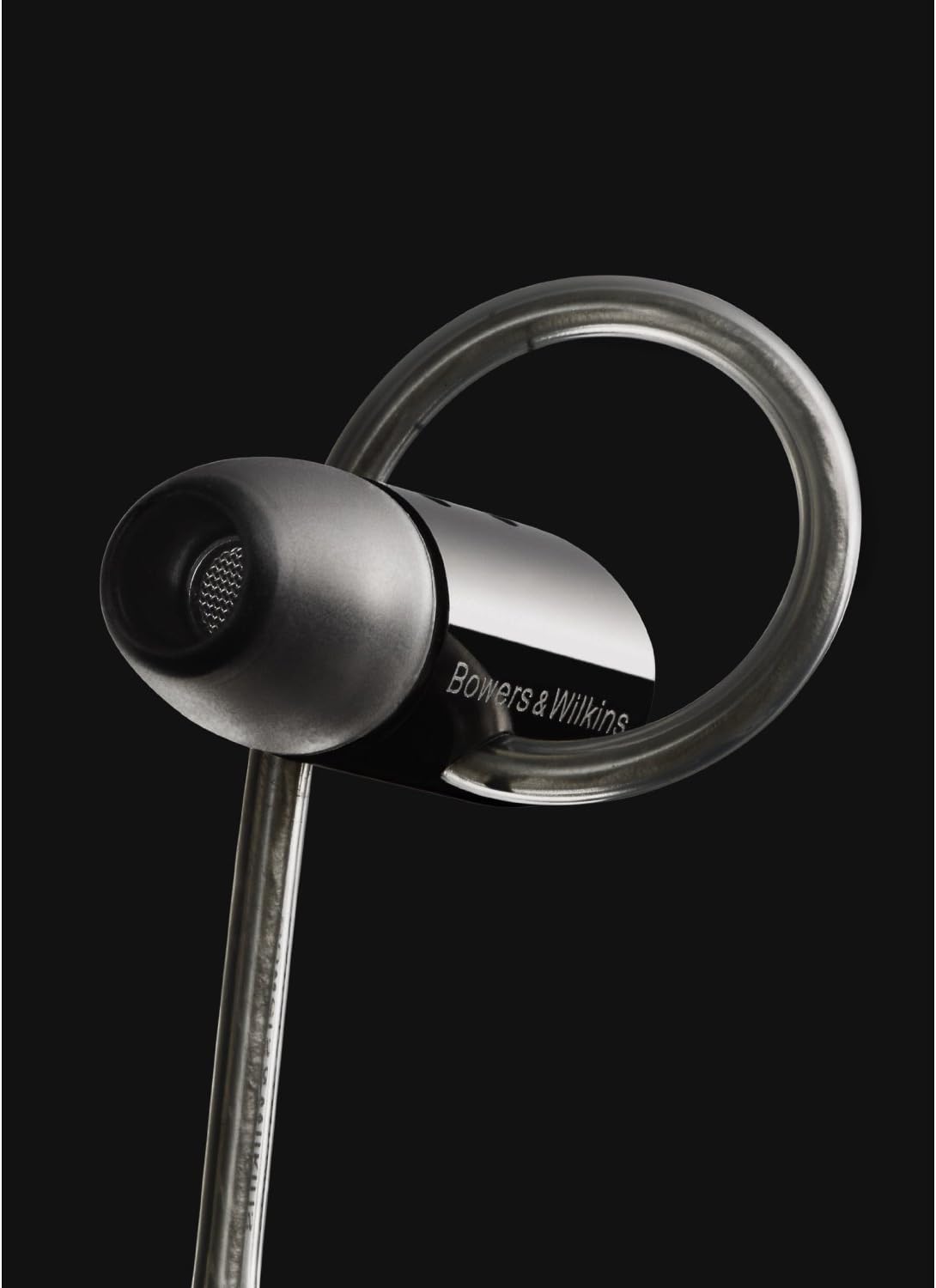
Image: Proper fitting of the C5 earbud, demonstrating how the Secure Loop sits within the ear's inner ridge for stability.

Image: A detailed view of the C5 earbud, emphasizing the adjustable Secure Loop and its integration with the earbud's design.
3.3. Connecting to Your Device
The C5 headphones connect to your audio device via a standard 3.5 mm jack. Simply insert the 3.5 mm plug into the headphone port of your smartphone, tablet, MP3 player, or other compatible audio source.
4. Operating the Headphones
4.1. Remote and Microphone Functionality
The C5 headphones feature an in-line remote and microphone on the cable. This remote is designed for use with compatible iOS devices (iPhone 4S/4/3GS, iPod Touch 4th gen./3rd gen., iPad/iPad 2) to control playback and manage calls.
- Play/Pause: Press the center button once.
- Skip Track: Press the center button twice quickly.
- Previous Track: Press the center button three times quickly.
- Answer/End Call: Press the center button once during an incoming call or active call.
- Volume Control: Use the '+' and '-' buttons for volume adjustment on compatible devices.
While the headphones will work for audio playback with most smartphones, tablets, and MP3 players, control functionality (play/pause, track skip, volume) may vary or be limited on non-iOS devices.
5. Maintenance and Care
To ensure the longevity and optimal performance of your Bowers & Wilkins C5 In-Ear Headphones, follow these maintenance guidelines:
- Cleaning: Regularly clean the ear tips with a soft, damp cloth. Ensure they are completely dry before reattaching them to the earbuds. Gently wipe the earbuds and cable with a dry, lint-free cloth. Avoid using harsh chemicals or abrasive materials.
- Storage: When not in use, store your headphones in the provided carrying case. This protects them from dust, dirt, and physical damage. The retractable cable feature helps in neat storage.
- Moisture: Avoid exposing the headphones to excessive moisture or liquids. While designed for active use, heavy perspiration may affect performance over time. If they become wet, allow them to air dry completely before use.
- Cable Care: Handle the cable gently. Avoid sharp bends or excessive pulling, which can damage internal wiring.

Image: The C5 headphones and their accessories, including the protective carrying case, emphasizing proper storage.
6. Troubleshooting
If you encounter issues with your C5 In-Ear Headphones, consider the following common troubleshooting steps:
- No Sound or Intermittent Sound:
- Ensure the 3.5 mm jack is fully inserted into your audio device.
- Check the volume level on your audio device.
- Try connecting the headphones to a different audio device to rule out a device-specific issue.
- Inspect the cable for any visible damage or kinks.
- Poor Sound Quality (e.g., lack of bass, tinny sound):
- Verify that the ear tips are correctly sized and provide a secure seal in your ear canal. A poor seal significantly impacts sound quality.
- Ensure the Secure Loop is properly positioned to hold the earbud firmly.
- Clean the ear tips and the mesh filters on the earbuds to remove any debris that might be obstructing sound.
- Microphone or Remote Not Working:
- Confirm that your device is compatible with the remote/microphone functionality (primarily designed for iOS devices).
- Ensure the 3.5 mm jack is fully inserted.
- Restart your audio device.
If the issue persists after attempting these steps, please contact Bowers & Wilkins customer support for further assistance.
7. Specifications
| Feature | Detail |
|---|---|
| Model Name | C5 |
| Item Model Number | FP33251 |
| Connectivity Technology | Wired |
| Headphones Jack | 3.5 mm Jack |
| Frequency Range | 20 Hz - 20,000 Hz |
| Control Type | In-line remote with microphone |
| Compatible Devices | iPhone 4S / 4 / 3GS, iPod Touch 4th gen. / 3rd gen., iPod Classic 120GB & 160GB (2009), iPod Classic 160GB (2007), iPod Classic 80GB, iPod Nano 6th gen. / 5th gen. / 4th gen., iPod Shuffle 4th gen. / 3rd gen., iPad / iPad 2. Also works with other smartphones, tablets, and MP3 players (control functionality may vary). |
| Ear Placement | In Ear |
| Form Factor | In Ear |
| Noise Control | Sound Isolation |
| Material | Plastic (earbuds), Tungsten (balanced design) |
| Item Weight | Approximately 4.95 pounds (packaging weight, actual product weight is much less) |
| Product Dimensions | 12.4 x 9.6 x 4.8 inches (packaging dimensions) |
| Included Components | Headphones with cable, ear tips, carrying case |
8. Warranty and Support
For detailed information regarding the warranty coverage for your Bowers & Wilkins C5 In-Ear Headphones, please refer to the warranty card included in your product packaging or visit the official Bowers & Wilkins website. Warranty terms and conditions may vary by region and retailer.
If you require technical support, have questions about product functionality, or need assistance with troubleshooting beyond the scope of this manual, please contact Bowers & Wilkins customer service. Contact information can typically be found on the official brand website or within your product documentation.
Note: Any returned item must be in sellable condition. A restocking fee may apply if the product packaging has been opened, as per retailer policies.