
Product Overview
The Karlsson One Bell Alarm Clock, Model KA5340BK, is a classic-style alarm clock designed for reliable timekeeping and a clear alarm function. It features a matte black metal case, a black dial with white numbers, and silver-colored hands. This clock operates on a single AA battery.
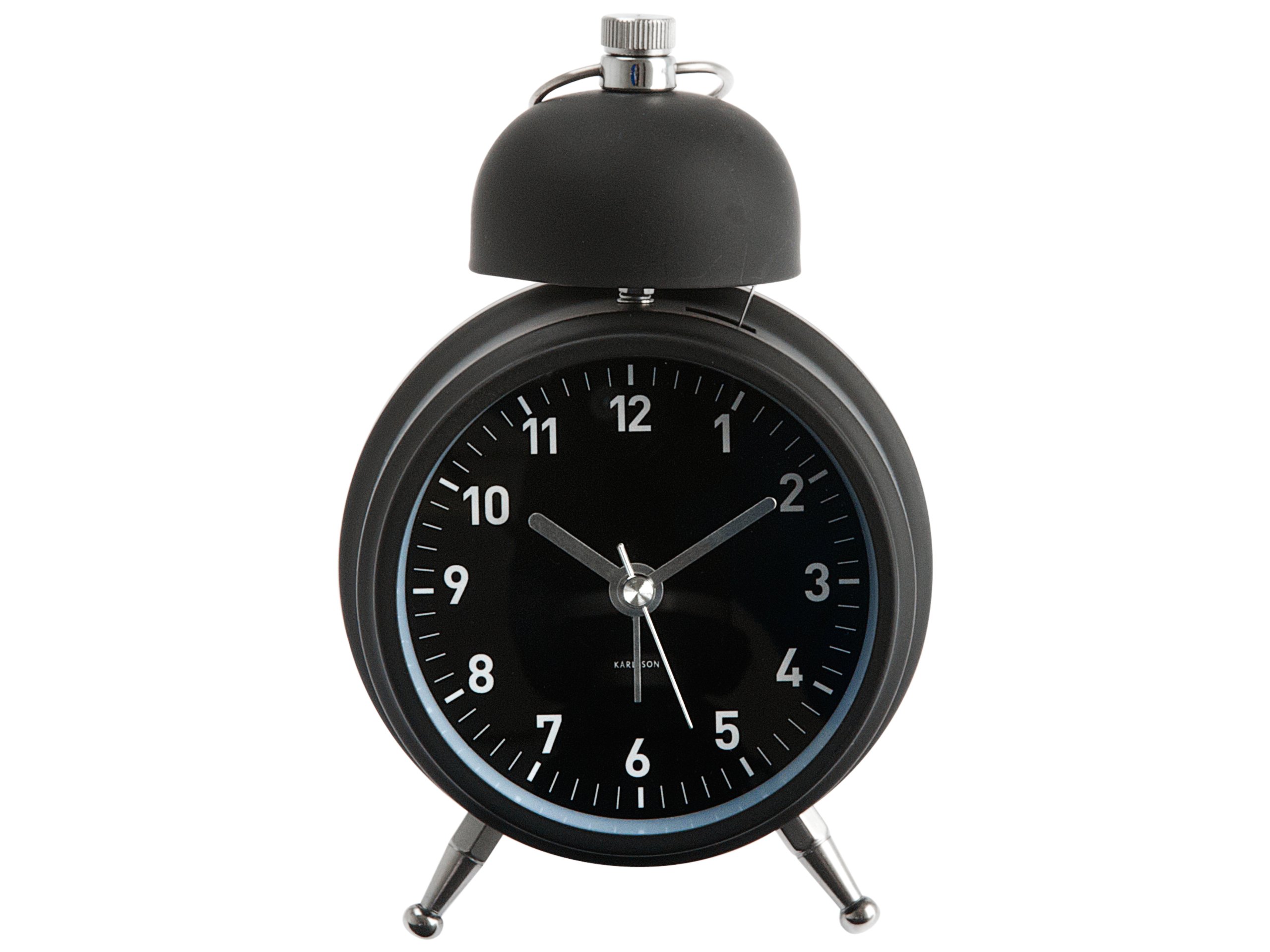
Image 1: Front view of the Karlsson One Bell Alarm Clock, Model KA5340BK. The image displays the clock's matte black finish, white numbers, and silver hands. Dimensions are indicated as 6 inches in height and 2.5 inches in width.
Setup
1. Battery Installation
- Locate the battery compartment cover on the back of the alarm clock.
- Remove the cover.
- Insert one (1) AA battery, ensuring the correct polarity (+/-) as indicated inside the compartment. (Battery not included).
- Replace the battery compartment cover.
2. Setting the Time
- Locate the time setting knob on the back of the clock, typically labeled "TIME SET" or similar.
- Rotate the knob clockwise or counter-clockwise until the hour and minute hands display the correct time.
3. Setting the Alarm
- Locate the alarm setting knob on the back of the clock, typically labeled "ALARM SET" or similar.
- Rotate this knob to move the small alarm hand to your desired alarm time.
- Ensure the alarm ON/OFF switch (usually a small lever or button) is in the "ON" position to activate the alarm.
Operating Instructions
Timekeeping
Once the battery is installed and the time is set, the clock will begin keeping time. The second hand moves in a continuous sweeping motion, ensuring silent operation.
Alarm Function
- When the alarm time is reached, the bell will ring loudly.
- To stop the alarm, locate the alarm ON/OFF switch on the back of the clock and move it to the "OFF" position.
- Note: This model does not feature a snooze function.
Illumination Light
Some models may include a small button, often located on the top or back, which activates a temporary light to illuminate the clock face in low-light conditions. Press and hold this button for illumination.
Maintenance
Battery Replacement
When the clock begins to lose time or the alarm weakens, it is an indication that the battery needs to be replaced. Follow the "Battery Installation" steps in the Setup section to replace the AA battery.
Cleaning
To clean the clock, gently wipe the exterior with a soft, dry cloth. Do not use abrasive cleaners, solvents, or immerse the clock in water.
Troubleshooting
- Clock is running slow or stops:
This is typically due to a low battery. Replace the AA battery with a fresh, high-quality alkaline battery. Some users have reported better performance with specific battery brands.
- Alarm does not sound:
Ensure the alarm ON/OFF switch on the back of the clock is in the "ON" position. Verify that the alarm time is correctly set. Check the battery level.
- Physical damage or loose parts:
If the clock bell or internal components appear loose or damaged upon arrival, contact the retailer or manufacturer for assistance. Do not attempt to repair it yourself, as this may void any potential warranty.
Specifications
| Feature | Detail |
|---|---|
| Brand | Karlsson |
| Model Number | KA5340BK |
| Color | Matte Black |
| Product Dimensions (W x H) | 2.5" x 6" |
| Power Source | Battery Powered |
| Battery Type | 1 AA battery (not included) |
| Frame Material | Metal |
| Operation Mode | Mechanical |
| Alarm Clock | Yes |
Warranty and Support
Specific warranty information for the Karlsson One Bell Alarm Clock (Model KA5340BK) is not provided in this manual. Please refer to the product packaging or the retailer's website where you purchased the item for details regarding warranty coverage.
For further assistance or support, please contact the retailer or visit the official Karlsson brand website. Keep your purchase receipt as proof of purchase.