Introduction
The Vivitar VNDX77 77mm Variable Neutral Density (ND) filter is designed to provide photographers with enhanced control over light intensity. This filter reduces the amount of light entering the camera lens without affecting color rendition, allowing for greater flexibility in aperture, exposure time, and depth of field in various lighting conditions. It is constructed from high-quality optical materials, heat-treated to minimize distortion.
Key Features
- Provides total versatility in neutral density.
- Adjustable from ND2 (1-stop) to ND1000 (10-stops).
- Enables control over diverse lighting environments.
Setup
To attach the Vivitar VNDX77 filter to your camera lens, ensure your lens has a 77mm filter thread. Locate the filter thread on the front of your camera lens. Carefully align the filter with the lens thread and rotate it clockwise until it is securely fastened. Avoid overtightening to prevent damage to both the filter and the lens.

Image: The Vivitar VNDX77 77mm Variable Neutral Density Filter, showing its adjustable rings and markings.
Operating the Filter
The VNDX77 filter features two rotating rings. To adjust the neutral density level, gently rotate the outer ring. The filter allows for a continuous adjustment from ND2 (minimal light reduction) to ND1000 (maximum light reduction). This variability enables you to:
- Use wider apertures in bright conditions for shallow depth of field.
- Achieve longer shutter speeds for motion blur effects (e.g., smoothing water, blurring clouds).
- Maintain desired exposure settings in changing light.
Rotate the ring until the desired light reduction is achieved. Observe your camera's live view or viewfinder to assess the effect. The filter's markings indicate the approximate range of adjustment.

Image: A visual representation of how a variable neutral density filter progressively darkens an image, from minimal effect on the left to maximum effect on the right.
Maintenance
Proper care extends the life and performance of your filter.
Cleaning
To clean the filter, use a soft, lint-free microfiber cloth specifically designed for optical surfaces. For stubborn smudges or fingerprints, apply a small amount of lens cleaning solution to the cloth (not directly to the filter) and gently wipe the surface in a circular motion. Avoid abrasive materials or harsh chemicals.
Storage
When not in use, store the filter in its protective pouch or a dedicated filter case to prevent dust accumulation and scratches. Keep it away from extreme temperatures and humidity.
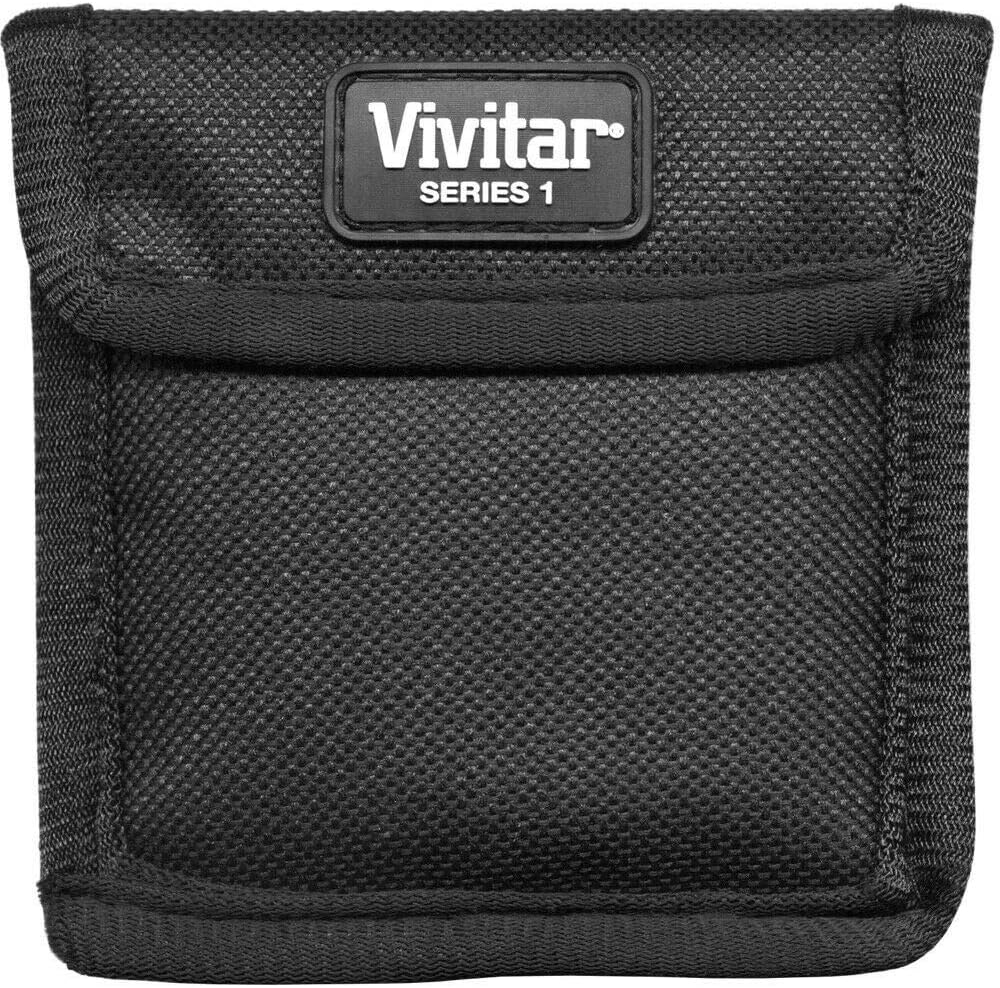
Image: The black Vivitar Series 1 protective pouch, designed for storing and protecting the lens filter.
Troubleshooting
If you encounter issues while using your Vivitar VNDX77 filter, consider the following:
- "X" Pattern or Cross-Polarization: At higher neutral density settings (typically beyond ND400 or 6-7 stops), variable ND filters can exhibit a visible "X" pattern or uneven darkening across the image. This is a common characteristic of variable ND filters, which are essentially two polarizing filters rotated against each other. To mitigate this, reduce the ND setting or adjust your composition.
- Dark Edges or Vignetting: Some lenses, especially at wide angles, may show dark corners or vignetting when using filters. Ensure the filter is correctly seated and not obstructing the lens's field of view. This can sometimes be corrected in post-processing.
- Color Shifts: While designed to be color-neutral, some variable ND filters may introduce a slight color cast, often a warm or cool tone, particularly at higher density settings. This can usually be corrected during post-processing by adjusting the white balance.
- Softness or Lack of Sharpness: Ensure the filter is clean and free of smudges or dust. Verify that your lens is properly focused. In some cases, extreme ND settings can slightly impact image sharpness.
Specifications
- Model Number: VNDX77
- Filter Type: Variable Neutral Density (VND)
- Filter Size: 77mm
- Neutral Density Range: ND2 to ND1000 (approximately 1 to 10 stops)
- Coating Description: No Coating
- Material: High-quality optical glass
- Water Resistance Level: Not Water Resistant
- Product Dimensions: 3.03"L x 3.03"W
- Item Weight: 2.4 ounces
- Date First Available: July 18, 2011
What's in the Box
- 1x Vivitar VNDX77 77mm Variable Neutral Density Filter
- 1x Protective Pouch (VIV-VNDX-77)
Warranty and Support
For warranty information or technical support, please refer to the documentation included with your purchase or contact Vivitar customer service directly. Specific warranty terms may vary by region and retailer.


