
MusicMan TXX3546
Contents
MusicMan MA Display Stereo Audio Station User Manual
Model: TXX3546
1. Introduction
Thank you for purchasing the MusicMan MA Display Stereo Audio Station. This portable sound system is designed to provide high-quality audio playback from various sources, including MP3, WMA, and WAV files from USB drives and MicroSD cards, FM radio, and external devices via its LINE-IN port. With its integrated LCD display and compact design, it offers a versatile audio experience. Please read this manual carefully before using the device to ensure proper operation and to maximize its lifespan.
2. Safety Instructions
- Do not expose the device to extreme temperatures, direct sunlight, or high humidity.
- Avoid dropping or subjecting the device to strong impacts.
- Do not disassemble or attempt to repair the device yourself. Refer all servicing to qualified personnel.
- Keep the device away from water and other liquids.
- Use only the provided USB cable for charging.
- Ensure proper ventilation when operating the device.
- Dispose of batteries and electronic components responsibly according to local regulations.
3. Package Contents
Please check the package for the following items:
- MusicMan MA Display Stereo Audio Station
- USB Cable
- Audio Cable (3.5mm jack)
- User Manual
4. Product Overview

Figure 4.1: Front view of the MusicMan MA Display Stereo Audio Station with a USB drive connected.
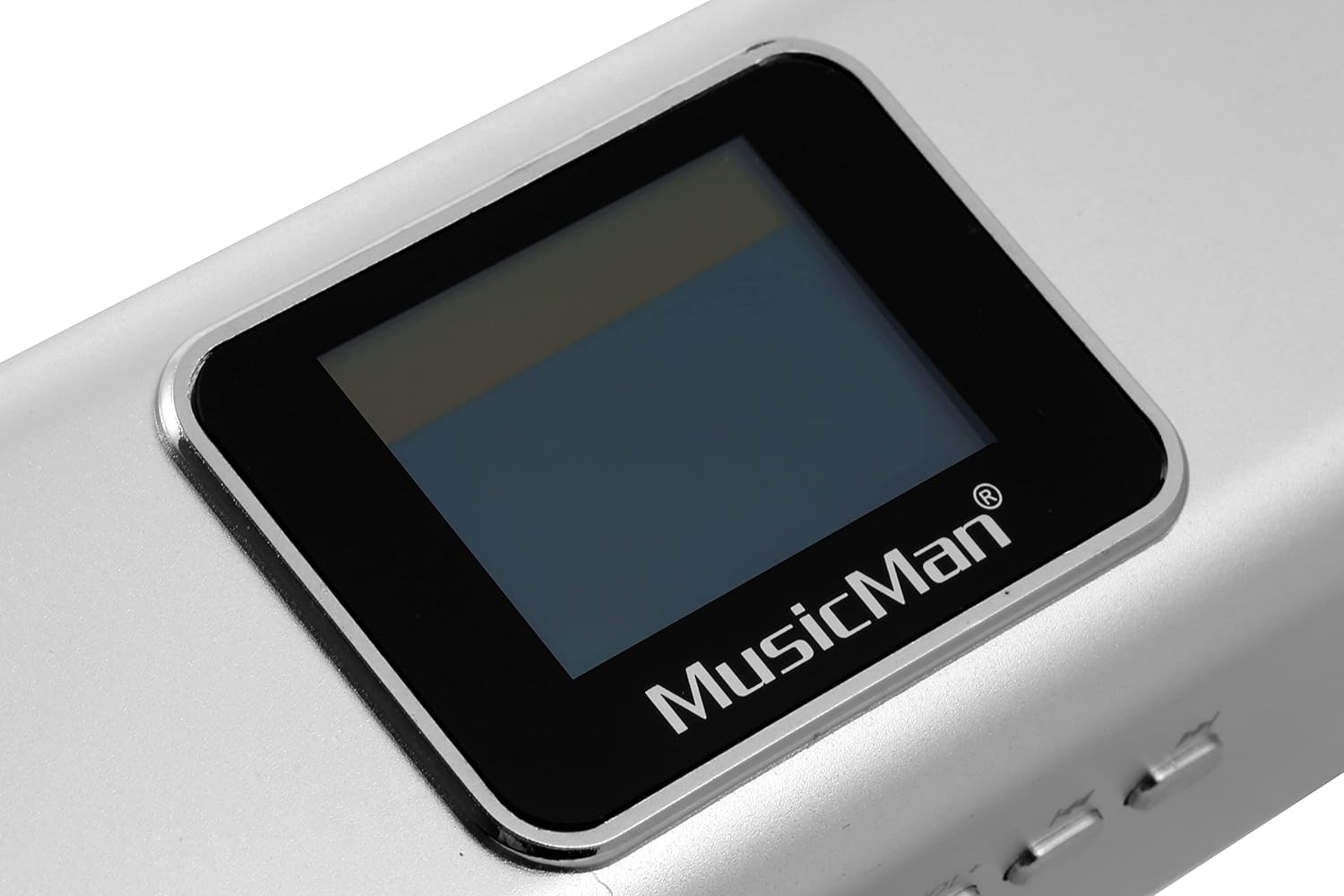
Figure 4.2: Detailed view of the LCD display, showing the MusicMan logo below the screen.
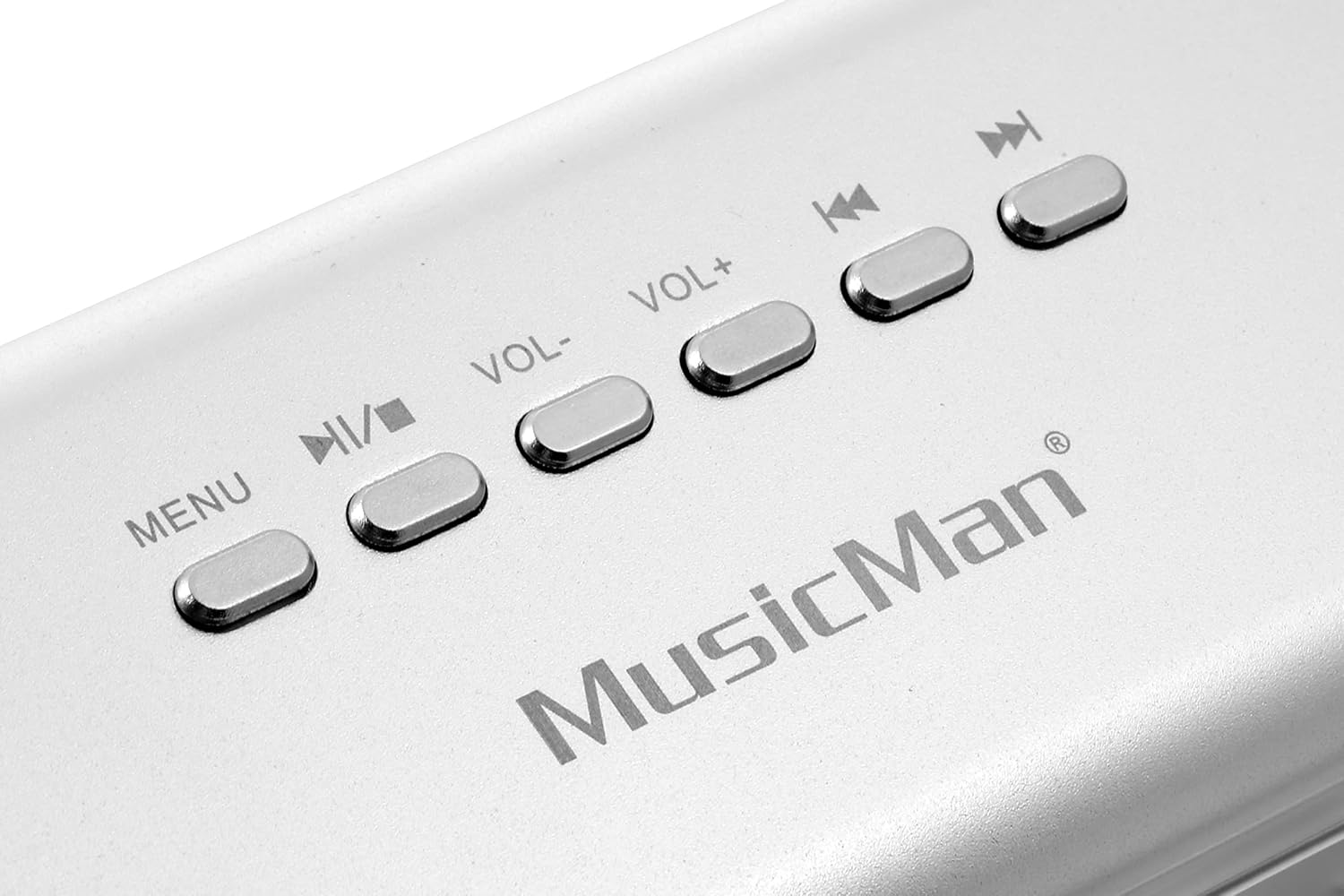
Figure 4.3: Top view of the control buttons, including MENU, Play/Pause, Volume Down, Volume Up, Previous Track, and Next Track.

Figure 4.4: Rear view of the connectivity ports, including ANT (Antenna/Headphone), USB, DC-5V (Power Input), LINE IN (Audio Input), Power ON/OFF switch, and Micro SD card slot.

Figure 4.5: Detailed view of the speaker grille, located on the side of the device.
4.1. Controls and Ports
| Label | Function |
|---|---|
| MENU | Press to cycle through modes (USB/SD, FM Radio, AUX) or access menu options. |
| ►/⏸ (Play/Pause) | Play or pause audio playback. In FM mode, short press for auto-scan. |
| VOL- | Decrease volume. |
| VOL+ | Increase volume. |
| ◀◀ (Previous Track/Tune Down) | Go to the previous track. In FM mode, tune down frequency. |
| ►► (Next Track/Tune Up) | Go to the next track. In FM mode, tune up frequency. |
| ANT (Antenna/Headphone) | 3.5mm jack for connecting headphones or using as an external FM antenna. |
| USB | USB port for connecting USB flash drives for MP3/WMA/WAV playback. |
| DC-5V | Power input port for charging the device using the provided USB cable. |
| LINE IN | 3.5mm audio input for connecting external audio sources (e.g., smartphone, PC). |
| POWER (OFF ON) | Slide switch to turn the device ON or OFF. |
| MICRO SD | Slot for inserting a Micro SD card for MP3/WMA/WAV playback. |
5. Setup
5.1. Initial Charging
Before first use, fully charge the device. Connect the provided USB cable to the DC-5V port on the device and the other end to a USB power adapter (not included) or a computer's USB port. The charging indicator on the display will show charging status. A full charge takes approximately 3 hours.
5.2. Inserting USB Drive or Micro SD Card
- For USB: Insert your USB flash drive into the USB port.
- For Micro SD: Insert your Micro SD card into the Micro SD slot until it clicks into place.
- Ensure media contains supported audio formats (MP3, WMA, WAV).
6. Operating Instructions
6.1. Power On/Off
Slide the POWER switch to the "ON" position to turn on the device. Slide it to "OFF" to turn it off.
6.2. Mode Selection
Press the MENU button repeatedly to cycle through available modes: USB/SD playback, FM Radio, and AUX input.
6.3. MP3/WMA/WAV Playback (USB/Micro SD)
- Insert a USB drive or Micro SD card with audio files. The device will automatically switch to USB/SD mode and begin playback.
- Press ►/⏸ to play or pause the current track.
- Press ◀◀ to go to the previous track.
- Press ►► to go to the next track.
- Adjust volume using VOL- and VOL+ buttons.
6.4. FM Radio Operation
- Switch to FM Radio mode using the MENU button.
- For better reception, connect the audio cable to the ANT port and extend it, or connect headphones.
- Auto-Scan: In FM mode, short press the ►/⏸ button to automatically scan and save available radio stations.
- Manual Tuning: Use ◀◀ and ►► buttons to manually tune to specific frequencies.
- Adjust volume using VOL- and VOL+ buttons.
6.5. AUX Input Mode
- Connect one end of the provided 3.5mm audio cable to the LINE IN port on the device.
- Connect the other end of the audio cable to the headphone jack or audio output of your external device (e.g., smartphone, tablet, PC).
- Switch to AUX mode using the MENU button.
- Control playback from your external device.
- Adjust volume using VOL- and VOL+ buttons on the MusicMan device, and also on your external device for optimal sound.
7. Charging the Battery
The MusicMan MA Display Stereo Audio Station features a built-in rechargeable Lithium-ion battery. When the battery is low, the display may indicate a low battery warning or the device may automatically power off. To charge:
- Ensure the device is turned off for faster charging.
- Connect the small end of the supplied USB cable to the DC-5V port on the device.
- Connect the standard USB end to a USB power source (e.g., computer USB port, USB wall adapter).
- The charging indicator on the display will show the charging status.
- A full charge typically takes about 3 hours and provides approximately 5 hours of playback time, depending on usage and volume level.
8. Maintenance
- Cleaning: Use a soft, dry cloth to clean the exterior of the device. Do not use liquid cleaners or abrasive materials.
- Storage: When not in use for extended periods, store the device in a cool, dry place.
- Battery Care: To prolong battery life, avoid fully discharging the battery frequently. Charge it regularly, even if not in use.
9. Troubleshooting
| Problem | Possible Cause / Solution |
|---|---|
| Device does not turn on. |
|
| No sound. |
|
| Poor FM radio reception. |
|
| USB drive/Micro SD card not recognized. |
|
10. Specifications
| Feature | Detail |
|---|---|
| Model Number | TXX3546 |
| Brand | MusicMan |
| Product Type | Portable Stereo Audio Station |
| Connectivity Technology | Auxiliary, USB |
| Audio Output Mode | Stereo |
| Speaker Type | Monitor |
| Rated RMS Power | 6 W |
| Frequency Range | 150 - 18000 Hz |
| Impedance | 4 Ohm |
| Signal-to-Noise Ratio (SNR) | 80 dB |
| Display Type | LCD |
| Battery Type | Lithium-ion |
| Battery Capacity | 600 mAh (estimated from '600 Modificateur inconnu') |
| Battery Life | Approx. 5 hours |
| Charging Time | Approx. 3 hours |
| Power Source | Cable electric |
| Material | Aluminum, Plastic |
| Color | Silver |
| Item Weight | 200 Grams |
| Dimensions (Packaging) | 6.3 L x 8.6 W x 21.7 H cm |
11. Warranty and Support
This product is manufactured by Technaxx. While specific warranty details for the device are not provided, spare parts availability is guaranteed for 1 year from the date of purchase. For technical support or service inquiries, please refer to the contact information provided with your purchase documentation or visit the official MusicMan/Technaxx website.
Please retain your proof of purchase for any warranty claims.
Documents and downloads
Ask a question about this manual
Ask about setup, troubleshooting, compatibility, parts, safety, or missing instructions. Manuals+ will review the question and use this page’s manual context to help answer it.