
1. Introduction
The 2Wire LFT4-1 DSL Filter is designed to separate voice signals from DSL data signals on a single telephone line. This device ensures clear voice communication on your telephone while allowing your DSL modem to operate without interference. It is essential for any telephone or other voice device (such as a fax machine or answering machine) sharing a line with a DSL internet connection.
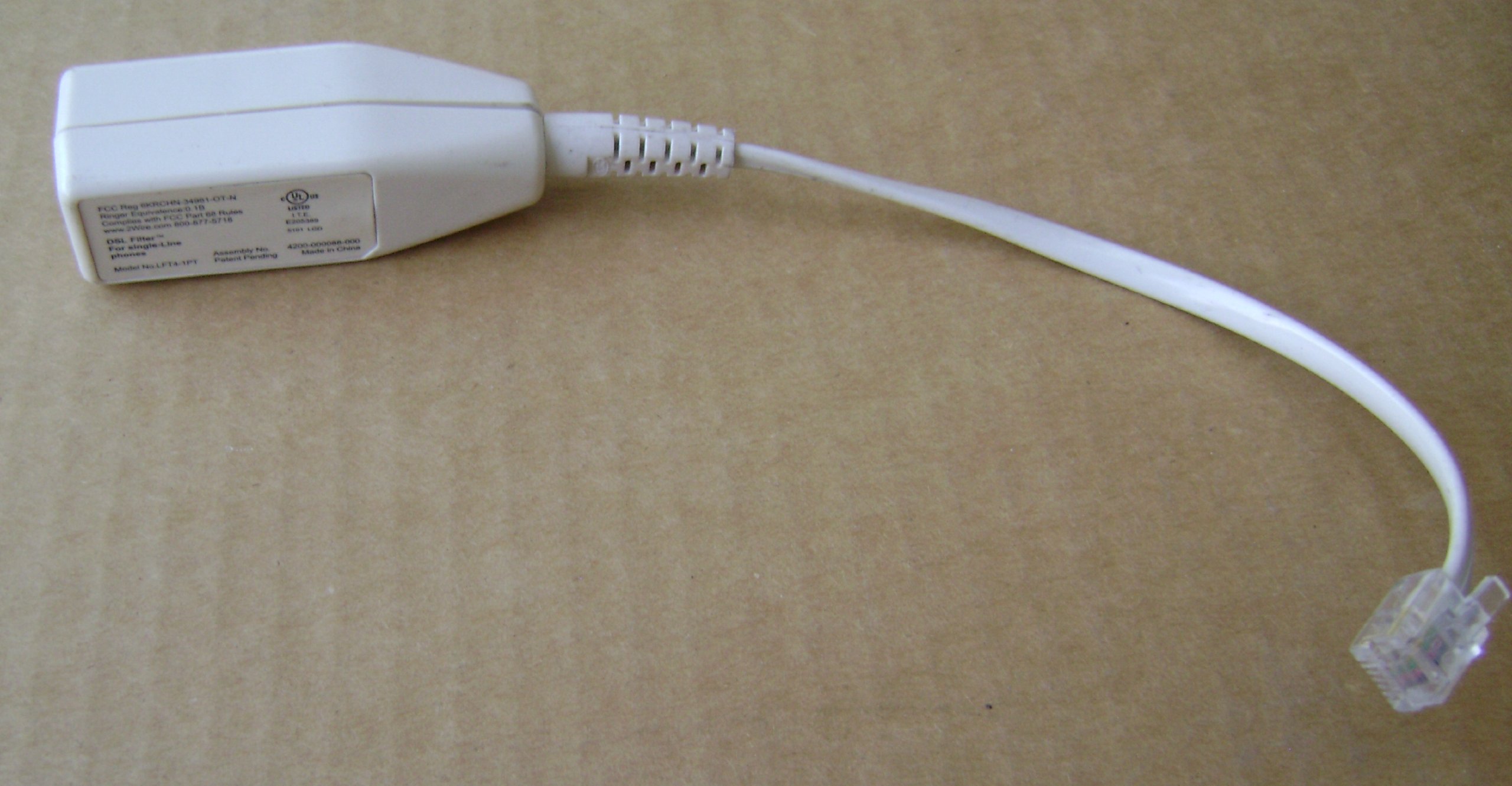
Figure 1: The 2Wire LFT4-1 DSL Filter. This image shows the compact design of the filter, which is approximately 8.5 inches in length, featuring standard RJ11 telephone connectors for easy integration into existing phone lines.
2. Setup Instructions
Installing the 2Wire LFT4-1 DSL Filter is a simple process. Follow these steps to ensure proper functionality:
- Locate the Wall Jack: Identify the telephone wall jack where your phone and DSL modem are connected or will be connected.
- Disconnect Existing Devices: Unplug any telephone cords currently connected to the wall jack.
- Connect the Filter to the Wall Jack: Plug one end of the 2Wire LFT4-1 DSL Filter into the telephone wall jack. The filter has two ports: one for the phone and one for the DSL modem. Ensure you are plugging the filter's input directly into the wall.
- Connect Your Telephone: Plug your telephone's cord into the port on the DSL filter labeled 'PHONE' or with a telephone icon.
- Connect Your DSL Modem (if applicable): If your DSL modem shares the same line, plug its cord into the port on the DSL filter labeled 'DSL' or 'MODEM'. Note: This filter is primarily for single-line phones, meaning it filters the phone signal from the DSL signal on the same line. If your DSL modem is on a separate line, this filter is only needed for the phone line.
- Test the Connection: Make a test call to ensure your phone has a clear dial tone and can make and receive calls without static or interference. If you have a DSL modem on the same line, verify your internet connection is working correctly.
3. Operation
The 2Wire LFT4-1 DSL Filter operates passively and requires no power source. Once correctly installed, it continuously filters the telephone line, preventing high-frequency DSL signals from interfering with your voice calls. You will not need to perform any further actions for the filter to function.
4. Care and Maintenance
The 2Wire LFT4-1 DSL Filter is a durable device designed for long-term use with minimal maintenance. To ensure its longevity and optimal performance:
- Keep the filter in a dry environment, away from excessive moisture or humidity.
- Avoid exposing the filter to extreme temperatures.
- Do not attempt to open or modify the filter, as this may damage the internal components and void any potential warranty.
- If cleaning is necessary, gently wipe the exterior with a soft, dry cloth. Do not use liquid cleaners.
5. Troubleshooting
If you experience issues after installing the DSL filter, consider the following troubleshooting steps:
- No Dial Tone or Static on Phone:
- Ensure all connections are secure and fully plugged in.
- Try bypassing the filter by plugging the phone directly into the wall jack. If the phone works correctly, the filter might be faulty or incorrectly installed.
- Ensure you are using the correct port on the filter for your telephone.
- DSL Internet Connection Issues:
- Verify that the DSL modem is connected to the correct port on the filter (if applicable).
- Ensure the DSL modem is properly connected to the filter and the wall jack.
- If the issue persists, contact your Internet Service Provider (ISP) for further assistance.
- Intermittent Problems:
- Check for loose connections at the wall jack, filter, and phone/modem.
- Ensure the filter is not placed near strong electromagnetic interference sources.
6. Specifications
| Feature | Detail |
|---|---|
| Brand | 2Wire |
| Model Number | LFT4-1 |
| Item Weight | 0.353 ounces |
| Product Dimensions (LxWxH) | 8 x 1 x 1 inches |
| Compatibility | Single-line phones |
| ASIN | B00559ZR2W |
7. Warranty and Support
For warranty information and technical support regarding your 2Wire LFT4-1 DSL Filter, please refer to the documentation provided at the time of purchase or contact the original seller or manufacturer directly. Keep your proof of purchase for any warranty claims.