
1. Introduction
The SIIG USB 3.0 Active Repeater Cable (Model JU-CB0811-S1) is designed to extend the reach of your USB 3.0 devices without signal degradation. This 20-meter (65.6 ft) cable incorporates an active chipset to ensure reliable, high-speed data transmission over longer distances than standard USB cables. It is a plug-n-play solution, requiring no additional driver installation.
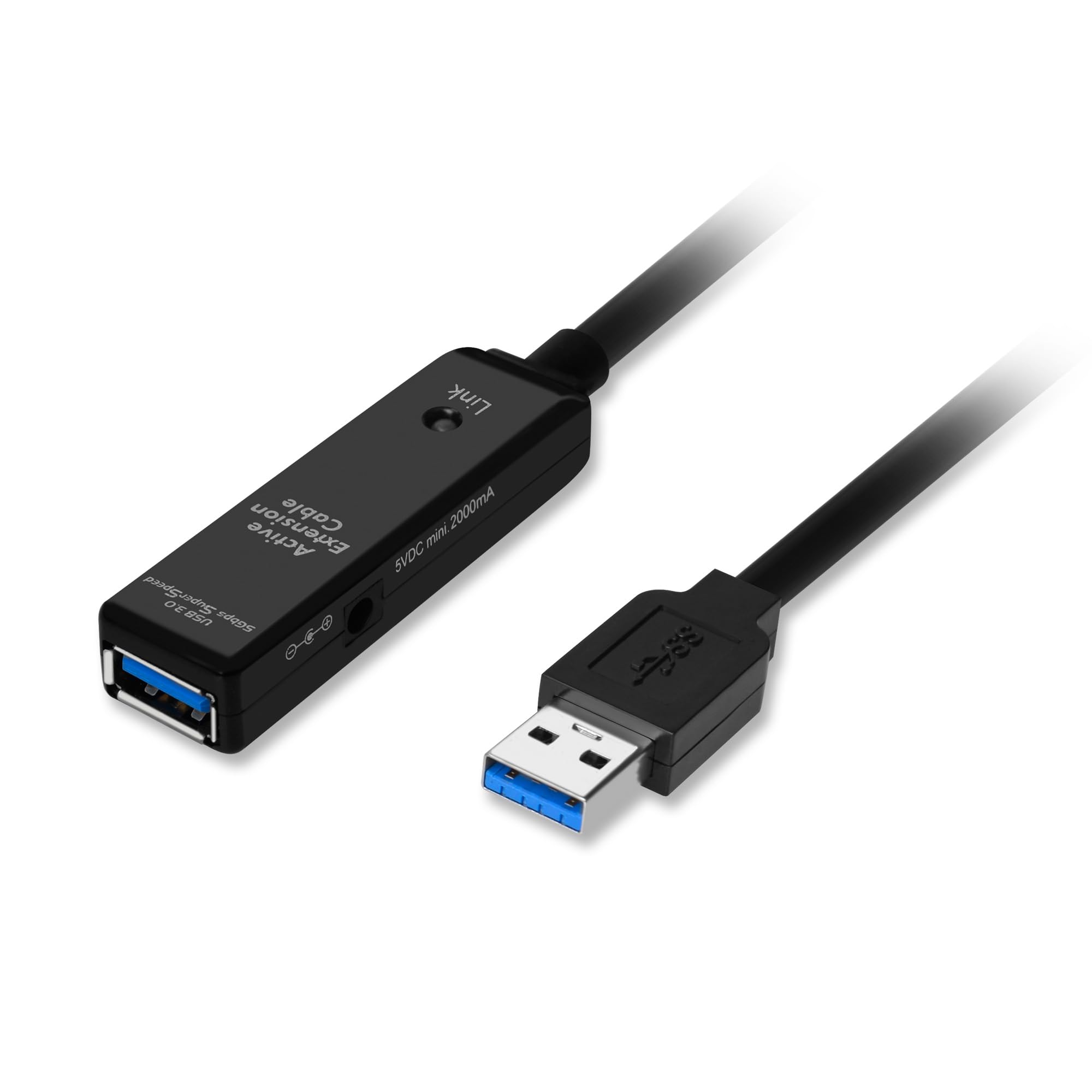
Figure 1: SIIG USB 3.0 Active Repeater Cable (JU-CB0811-S1).
Key Features:
- Supports data transfer rates up to 5Gb/s.
- Built-in power adapter jack for supporting power-hungry USB devices (optional 5V DC power adapter not included).
- Plug-n-play functionality, requiring no driver installation.
- Fully shielded construction for error-free data transmissions.
- Built-in over current protection.
- Meets FCC, CE, and RoHS certifications/standards.
- Length: 20 meters (65.6 ft).

Figure 2: Overview of key features including 5Gbps data transfer and plug-n-play design.
2. Setup Instructions
Follow these steps to set up your SIIG USB 3.0 Active Repeater Cable:
- Connect to Host Device: Plug the USB 3.0 Type-A male connector of the repeater cable into an available USB 3.0 port on your computer (laptop or desktop PC).
- Connect USB Device: Connect your desired USB device (e.g., printer, camera, VR headset, external hard drive) to the USB 3.0 Type-A female port located on the repeater unit at the other end of the cable.
- Optional Power Connection: If your connected USB device requires additional power, or if you experience unstable connections, connect an optional 5V DC power adapter (not included) to the power adapter jack on the repeater unit. This provides supplementary power to ensure optimal performance for high-power devices.
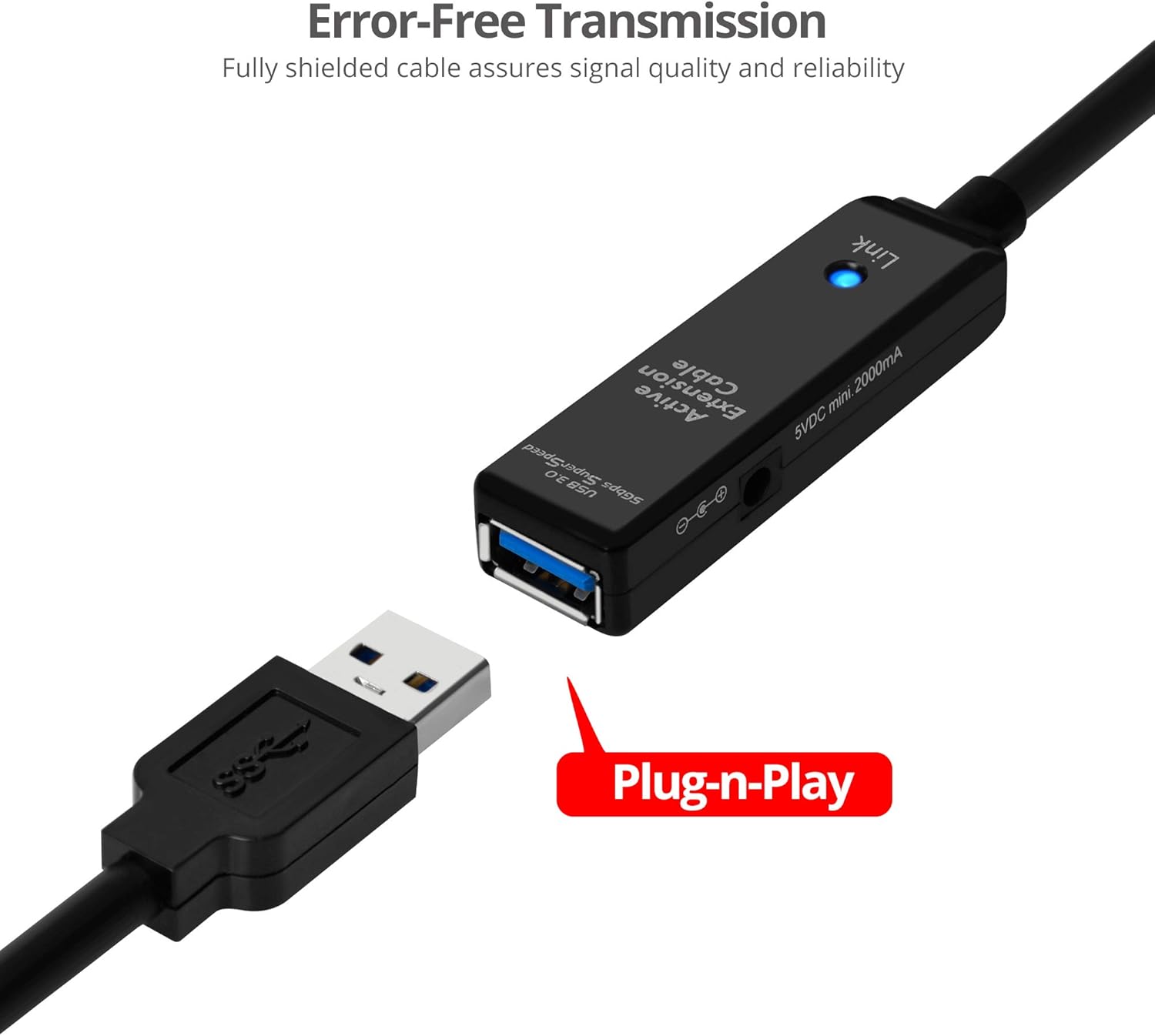
Figure 3: Connecting a USB device to the repeater cable, demonstrating plug-n-play setup.
The cable is designed for plug-n-play operation, meaning no special drivers are required for most operating systems. Your computer should automatically detect the cable and any connected devices.
3. Operating Instructions
Once connected, the SIIG USB 3.0 Active Repeater Cable extends your USB 3.0 signal up to 20 meters. The active chipset within the cable regenerates the USB signal to maintain full USB 3.0 data transfer speeds of up to 5Gbps, ensuring reliable performance for your extended devices.

Figure 4: High-speed data transfer between a laptop and an external drive using the repeater cable.
Usage Scenarios:
- Office Environments: Extend USB connections to printers, scanners, or other peripherals located further away from your workstation.
- VR Gaming: Connect VR headsets to your PC from a greater distance, allowing for more freedom of movement.
- Conference Rooms: Facilitate connections for webcams, microphones, or presentation devices across a large meeting space.

Figure 5: Enhancing VR gaming experience with extended cable reach.

Figure 6: Connecting a printer to a computer over a longer distance in an office.
Video 1: An overview of the SIIG USB Repeater Cable's features and applications.
4. Maintenance
Proper care and maintenance will ensure the longevity and optimal performance of your SIIG USB 3.0 Active Repeater Cable:
- Cleaning: Use a soft, dry cloth to gently wipe the cable and connectors. Avoid using liquid cleaners or solvents, as they may damage the product.
- Storage: When not in use, coil the cable loosely and store it in a cool, dry place away from direct sunlight and extreme temperatures. Avoid tight coiling or kinking.
- Handling: Do not pull the cable by the cord when disconnecting. Always grasp the connector firmly. Avoid placing heavy objects on the cable or subjecting it to sharp bends.
5. Troubleshooting
If you encounter issues with your SIIG USB 3.0 Active Repeater Cable, refer to the following troubleshooting tips:
Issue: Device not detected or intermittent connection.
- Check Connections: Ensure both the male USB-A connector of the repeater cable and your USB device are securely plugged into their respective ports.
- Verify Device Functionality: Test your USB device by connecting it directly to your computer's USB port (without the repeater cable) to confirm it is working correctly.
- Power Supply: If the connected USB device is power-hungry (e.g., external hard drive, high-power webcam), ensure an optional 5V DC power adapter is connected to the repeater unit's power jack. Insufficient power is a common cause of detection issues over long cables.
- Try Different Ports: Connect the repeater cable to a different USB 3.0 port on your computer.
- Restart System: Sometimes, a simple computer restart can resolve detection issues.
Issue: Slow data transfer speeds.
- USB 3.0 Compatibility: Confirm that both your computer's USB port and the connected USB device are USB 3.0 compatible. If either is USB 2.0, the connection will operate at USB 2.0 speeds.
- Power Supply: As mentioned above, ensure adequate power is supplied to the repeater cable, especially for devices that require more power.
- Cable Integrity: Inspect the cable for any visible damage or kinks that might affect signal quality.
6. Specifications
| Brand | SIIG |
| Model | JU-CB0811-S1 |
| Cable Type | USB 3.0 Active Repeater Cable |
| Length | 20 Meters (65.6 ft) |
| Data Transfer Rate | Up to 5Gbps |
| Connector Type | USB Type-A Male to USB Type-A Female |
| Connector Gender | Male-to-Female |
| Power | Built-in power adapter jack (5V DC mini 1000mA, adapter not included) |
| Features | Active chipset, fully shielded, over current protection, plug-n-play |
| Certifications | FCC, CE, RoHS |
| Compatible Devices | Laptop, desktop PC with USB-A port, various USB peripherals |
| Color | Black |
| Item Weight | 2.8 Pounds |

Figure 7: Wide compatibility with various USB devices.
7. Warranty Information
The SIIG USB 3.0 Active Repeater Cable (Model JU-CB0811-S1) comes with a 3-year warranty from the date of purchase. This warranty covers defects in materials and workmanship under normal use. For warranty claims or further details, please contact SIIG customer support.
8. Customer Support
For technical assistance, troubleshooting, or product inquiries regarding your SIIG USB 3.0 Active Repeater Cable, please visit the official SIIG website or contact their customer support team. You can find contact information and additional resources on the SIIG Brand Store.