
1. Safety Instructions
Always observe the following basic safety precautions when using the Skil 9425 ME Angle Grinder to reduce the risk of electric shock, fire, and serious injury.
1.1 General Power Tool Safety Warnings
- Work Area Safety: Keep the work area clean and well-lit. Cluttered or dark areas invite accidents. Do not operate power tools in explosive atmospheres, such as in the presence of flammable liquids, gases, or dust.
- Electrical Safety: Power tool plugs must match the outlet. Never modify the plug in any way. Do not use any adapter plugs with earthed (grounded) power tools. Avoid body contact with earthed or grounded surfaces.
- Personal Safety: Always wear eye protection. Use personal protective equipment such as dust masks, non-skid safety shoes, hard hats, or hearing protection when appropriate. Stay alert, watch what you are doing, and use common sense when operating a power tool.
- Power Tool Use and Care: Do not force the power tool. Use the correct power tool for your application. Disconnect the plug from the power source before making any adjustments, changing accessories, or storing power tools.
1.2 Angle Grinder Specific Safety Warnings
- This power tool is intended to function as a grinder, sander, wire brush, or cut-off tool. Read all safety warnings, instructions, illustrations, and specifications provided with this power tool.
- Always use the correct type of grinding disc for the material and application. Ensure the disc is securely mounted before operation.
- Always use the protective guard. The guard must be securely attached and positioned for maximum safety, covering the largest possible part of the wheel.
- Hold the tool firmly with both hands. A loss of control can result in personal injury.
- Never place the tool down until the accessory has come to a complete stop.
2. Product Overview
The Skil 9425 ME is a robust angle grinder designed for demanding grinding and cutting tasks. It features a powerful 750 Watt motor, ball bearings, and angle gear for increased service life, and a lightweight, slim design for comfortable handling.

Figure 1: Skil 9425 ME Angle Grinder. This image shows the complete angle grinder with the main body, side handle, and protective guard in place, ready for operation.
3. Setup
3.1 Attaching the Side Handle
The side handle can be screwed into either the left or right side of the gear housing, depending on your preference and the application. Always ensure the side handle is securely tightened before operating the tool.

Figure 2: Side Handle. This image displays the textured side handle, which provides additional grip and control during operation.
3.2 Adjusting the Protective Guard
The protective guard is essential for user safety. It can be easily adjusted without tools to suit the working angle and protect against sparks and debris.
- Loosen the clamping lever on the protective guard.
- Rotate the guard to the desired position, ensuring it provides maximum protection.
- Tighten the clamping lever firmly to secure the guard in place.
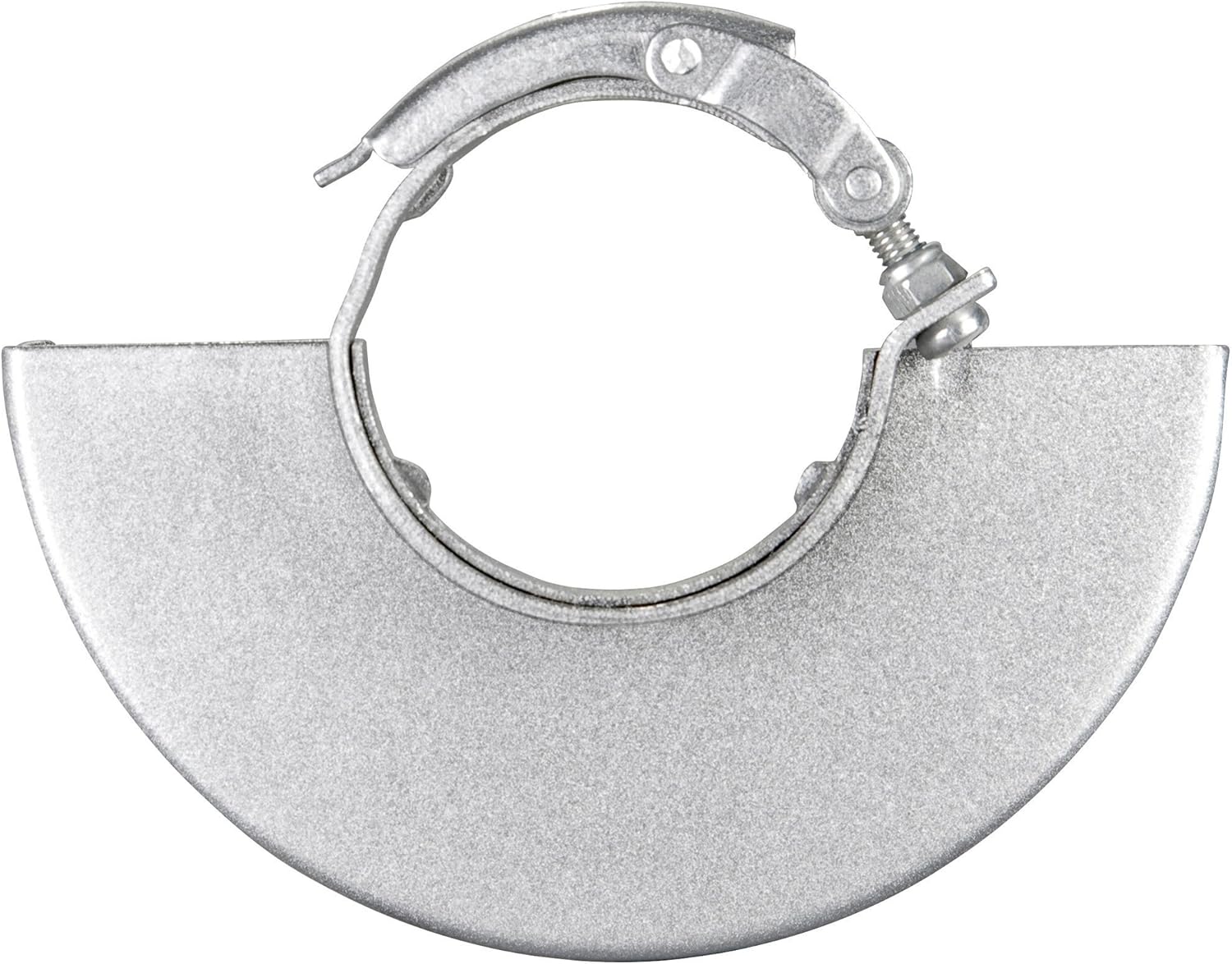
Figure 3: Protective Guard. This image shows the metal protective guard, designed to shield the user from sparks and debris during grinding or cutting operations.
3.3 Mounting/Changing the Grinding Disc
Always ensure the tool is unplugged from the power source before changing discs.
- Press the spindle lock button to prevent the spindle from rotating.
- Use the double-hole wrench to loosen the clamping nut by turning it counter-clockwise.
- Remove the old grinding disc and the clamping nut.
- Place the new grinding disc onto the mounting flange, ensuring it sits correctly.
- Screw the clamping nut back on and tighten it firmly with the double-hole wrench while holding the spindle lock button.

Figure 4: Disc and Guard Close-up. This image provides a detailed view of the grinding disc mounted on the tool, with the protective guard positioned above it.
4. Operating
4.1 Switching On/Off
- To Switch On: Press the ON/OFF switch. For continuous operation, press the switch and then slide it forward until it locks.
- To Switch Off: For continuous operation, press the rear part of the ON/OFF switch. For momentary operation, simply release the switch.
4.2 Grinding Techniques
- Always hold the angle grinder firmly with both hands.
- Apply moderate pressure. Excessive pressure can reduce disc life and motor efficiency.
- Maintain a consistent angle between the disc and the workpiece, typically 15-30 degrees for grinding.
- Move the tool smoothly across the workpiece to ensure even material removal.

Figure 5: Angle Grinder with Handle. This image shows the angle grinder from a front perspective, highlighting the main body and the attached side handle, illustrating how the tool is held during use.
5. Maintenance
Regular maintenance ensures the longevity and safe operation of your Skil 9425 ME Angle Grinder.
5.1 Cleaning
- Always unplug the tool before cleaning.
- Keep the ventilation slots clean to prevent motor overheating. Use a soft brush or compressed air to remove dust and debris.
- Wipe the tool housing with a damp cloth. Do not use harsh cleaning agents or solvents.
5.2 Carbon Brush Replacement
The carbon brushes wear down over time. If the motor performance decreases significantly or sparks become excessive, the carbon brushes may need replacement. This procedure should ideally be performed by a qualified service technician.
5.3 Storage
Store the angle grinder in a dry, secure place, out of reach of children. Ensure the power cord is neatly coiled and not kinked.
6. Troubleshooting
This section addresses common issues you might encounter with your angle grinder.
- Tool does not start:
- Check if the power cord is securely plugged into a working outlet.
- Inspect the power cord for damage.
- Ensure the ON/OFF switch is fully engaged.
- If the issue persists, carbon brushes might be worn (refer to Section 5.2).
- Excessive vibration:
- Check if the grinding disc is correctly mounted and tightened.
- Inspect the disc for damage or imbalance. Replace if necessary.
- Reduced performance/Overheating:
- Ensure ventilation slots are clear of dust and debris.
- Avoid applying excessive pressure during operation.
- Allow the tool to cool down if it feels excessively hot.
7. Specifications
| Specification | Value |
|---|---|
| Model Number | F0159425ME |
| Rated Power | 750 Watts |
| Voltage | 240 Volts |
| Max. Disc Diameter | 125 mm |
| No-load Speed | 11000 min-1 |
| Weight | 1.9 kg (1900 Grams) |
| Product Dimensions | 34.7 x 7.01 x 22 cm |
| Noise Level | 102 Decibels |
| UPC | 793518572113 |
8. Warranty and Support
This Skil power tool is manufactured to high-quality standards. For information regarding warranty terms and conditions, please refer to the warranty card included with your product or visit the official Skil website.
For technical support, spare parts, or service inquiries, please contact your local authorized Skil service center. Always provide the model number (F0159425ME) and serial number (if applicable) when seeking support.