
Introduction
This manual provides essential information for the installation, operation, and maintenance of your Moen CA8303 M-Power Hands Free Sensor-Operated Bathroom Faucet. Please read these instructions carefully before beginning installation or use to ensure proper function and longevity of your product.
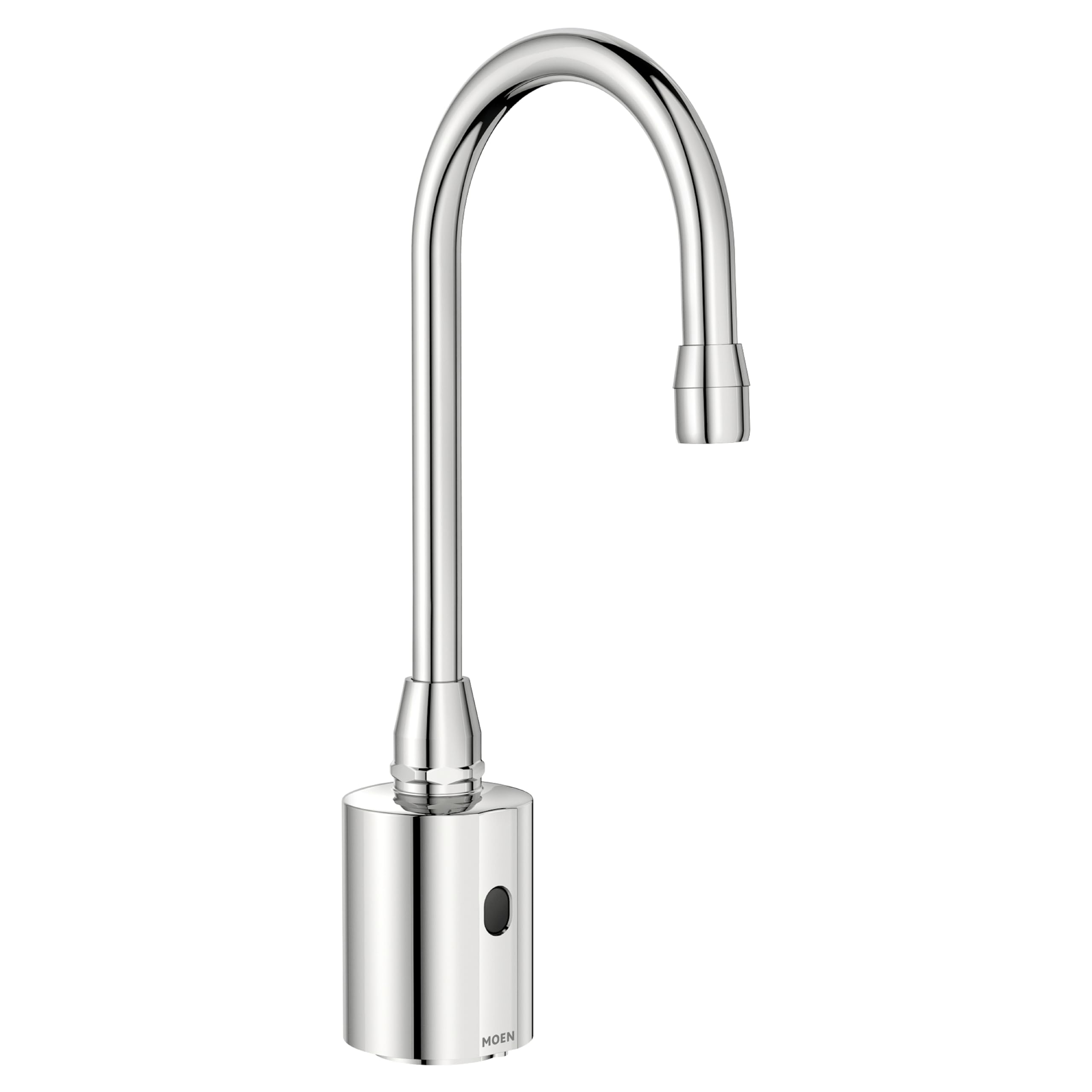
Figure 1: Moen CA8303 M-Power Hands Free Sensor-Operated Bathroom Faucet in Chrome finish.
Setup and Installation
The Moen CA8303 faucet is designed for deck-mounted, single-hole installations. It includes a vandal-resistant below-deck box with all necessary mounting hardware. For optimal performance and to ensure compliance with local plumbing codes, professional installation is highly recommended.
- Pre-Installation Check: Verify all components are present and undamaged before beginning installation.
- Water Supply: Ensure hot and cold water supply lines are accessible and can be shut off.
- Power Supply: This is an electric faucet. Ensure a suitable power source is available for the sensor operation.
- Mounting: Securely mount the faucet to the deck using the provided hardware.
- Connections: Connect water supply lines and the electrical connection according to the detailed installation guide (not included in this general manual, refer to product packaging for specific instructions).

Figure 2: Example of Moen M-Power faucets installed in a commercial bathroom setting, demonstrating typical deck-mount installation.
Operating Instructions
The Moen CA8303 faucet features hands-free, sensor-operated functionality for improved hygiene and convenience.
- Activating Water Flow: Position your hands within the sensor's detection range, typically directly below the spout. The sensor will detect your presence and initiate water flow.
- Stopping Water Flow: Remove your hands from the sensor's detection range. The water flow will automatically stop after a brief delay.
- Water Temperature: This faucet is designed to deliver water at a pre-set temperature. There are no external handles for temperature adjustment.
- Flow Rate: The faucet delivers water at a controlled flow rate of 0.5 gallons per minute (GPM).

Figure 3: Visual representation of the hands-free operation feature.
Maintenance
Regular maintenance ensures the longevity and optimal performance of your Moen CA8303 faucet.
- Cleaning the Finish: Clean the chrome finish with a soft, damp cloth. Avoid abrasive cleaners, harsh chemicals, or scouring pads, as these can damage the finish.
- Sensor Cleaning: Periodically wipe the sensor window (usually located near the spout base) with a soft, dry cloth to remove any dirt, soap residue, or water spots that might interfere with its operation.
- Aerator Maintenance: If water flow becomes restricted, the aerator may be clogged. Unscrew the aerator from the spout, clean any debris, and reattach it.
- Battery/Power Check: If the faucet is battery-powered (check specific model details), replace batteries as needed. If hardwired, ensure the power connection is secure.

Figure 4: Regular maintenance helps ensure the faucet's reliable operation and protects its finish.
Troubleshooting
Refer to the following common issues and solutions before contacting customer support.
| Problem | Possible Cause | Solution |
|---|---|---|
| No water flow when hands are detected. |
|
|
| Water flows continuously. |
|
|
| Weak or inconsistent water flow. |
|
|
Specifications
| Feature | Detail |
|---|---|
| Brand | Moen |
| Model Number | CA8303 |
| Mounting Type | Deck Mount |
| Finish Type | Chrome |
| Material | Metal |
| Color | Chrome |
| Number of Handles | 1 (Sensor Operated) |
| Hole Count | 1 |
| Special Feature | Hands Free |
| Flow Rate | 0.5 Gallons Per Minute |
| Handle Type | Sensor |
| Is Electric | Yes |
| Spout Reach | 5 Inches |
| Item Weight | 5.9 Pounds |
| UPC | 026508211090 |
Warranty Information
The Moen CA8303 M-Power Hands Free Sensor-Operated Bathroom Faucet is backed by Moen's 5 Year Limited Warranty. This warranty covers defects in material and manufacturing under normal use. For specific terms, conditions, and limitations of the warranty, please refer to the official warranty documentation included with your product or visit the Moen official website.
To make a warranty claim, retain your proof of purchase and contact Moen customer support directly.
Customer Support
For further assistance, technical support, or to inquire about replacement parts, please contact Moen customer service or visit their official website.
- Moen Official Website: www.moen.com
- Contact Information: Refer to the product packaging or Moen's website for current customer service phone numbers and email contacts.

Figure 5: Contact customer support for assistance.
Official Moen Brand Video
Video 1: An official brand video from Moen, showcasing their commitment to quality and design across various products. This video provides a general overview of the brand's values and product range.


