
Introduction
This manual provides essential information for the safe and effective operation of your Simran AR-5000 Voltage Converter Transformer Regulator. This device is designed to convert voltage between 110/120V and 220/240V, and also functions as a voltage stabilizer to regulate fluctuating input voltage.
Key Features
- CE certified 5000-Watt stabilizer/transformer.
- Converts 110/120V to 220/240V or 220/240V to 110/120V.
- Compatible with 50Hz/60Hz frequencies.
- Regulates input voltage from AC 75V-130V or 180V-260V to stable output.
- Output voltage: AC 110V±4% or AC220V±4%.
- Analog meter on front displays exact output voltage.
- Equipped with two universal outlets for 220V and three 110V outlets for US plugs.
- On/off switch with indicator lamp.
- Insulated power cord with European Shucko plug.
- Heavy-duty metal casing and durable design.
- Fuse protected with built-in circuit breaker.
Safety Information
Please read all safety instructions carefully before operating the Simran AR-5000. Failure to follow these instructions may result in electric shock, fire, or serious injury.
- Power Capacity: Do not exceed the maximum capacity of 5000 Watts. For heating appliances, laser printers, and power tools, it is recommended to use a transformer with 3-4 times the item's capacity due to power surges.
- Ventilation: Ensure adequate ventilation around the unit. Do not block ventilation openings.
- Environment: Use the unit in a dry environment. Avoid exposure to water, moisture, or extreme temperatures.
- Grounding: Ensure the unit is properly grounded.
- Input Voltage Selection: Always verify the correct input voltage setting (110V or 220V) on the back of the unit before connecting to a power source. Incorrect selection can damage the unit and connected appliances.
- Unplug When Not In Use: Disconnect the unit from the power outlet when not in use for extended periods.
- Children and Pets: Keep the unit out of reach of children and pets.
Setup
- Unpacking: Carefully remove the Simran AR-5000 from its packaging. Inspect the unit for any signs of damage during transit.
- Placement: Place the unit on a stable, flat, and dry surface with sufficient space for ventilation.
- Input Voltage Selection: Locate the input voltage selector switch on the back of the unit.

Image: Rear view of the Simran AR-5000 showing the input voltage selector switch. This switch allows selection between 110V and 220V input.
- If your wall outlet provides 110V/120V (e.g., USA, Canada, Mexico), set the switch to 110V to use it as a Step Up Transformer (for 220V/240V appliances).
- If your wall outlet provides 220V/240V (e.g., Europe, Asia), set the switch to 220V to use it as a Step Down Transformer (for 110V/120V appliances).
CRITICAL: Ensure this switch is set correctly for your local power supply before plugging in the unit. Incorrect setting can cause severe damage.
- Connect to Power: Plug the insulated power cord of the Simran AR-5000 into a suitable wall outlet. The unit comes with a European Shucko plug and includes round and flat pin plugs for use in USA, Canada, and Mexico.
- Power On: Flip the "POWER ON" switch on the front of the unit to the ON position. The indicator lamp will illuminate.
- Verify Output: Observe the analog meter on the front panel to confirm the output voltage. It should display approximately 110V or 220V depending on your selected output.

Image: Front panel of the Simran AR-5000 showing the output meter, power switch, and various outlets.
Operation
The Simran AR-5000 can function as both a step-up and step-down voltage transformer, and also stabilizes fluctuating voltage.
Connecting Appliances:
- For 110V/120V Appliances: Use the three 110V outlets on the front of the unit. These accept 3 or 2 prong US plugs and 2 prong Euro/Asian plugs.
- For 220V/240V Appliances: Use the two universal outlets on the front of the unit. These accept plugs from most countries, excluding large S. Africa plugs.

Image: Diagram illustrating the concept of Step Up (110V to 220V) and Step Down (220V to 110V) voltage conversion.
Voltage Stabilization:
The built-in voltage stabilizer automatically regulates a wide range of fluctuating input voltages (AC 75V-130V or 180V-260V) to provide a stable output of AC 110V±4% or AC220V±4%. This feature is particularly beneficial in regions with unstable power grids, protecting your sensitive electronics from voltage spikes and drops.
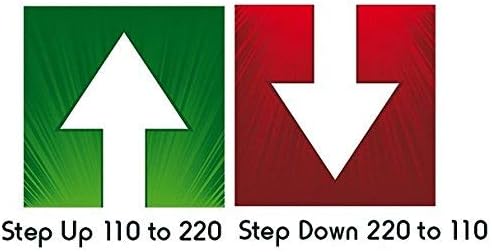
Image: Simple graphic depicting "Step Up 110 to 220" with an upward arrow and "Step Down 220 to 110" with a downward arrow.
Important Considerations:
- Always ensure the total wattage of connected appliances does not exceed the unit's 5000-Watt capacity.
- For motor-driven appliances (e.g., refrigerators, pumps) or heating elements, allow a significant wattage buffer (3-4 times the appliance's rated wattage) to account for startup surges.
Maintenance
- Cleaning: Disconnect the unit from power before cleaning. Use a soft, dry cloth to wipe the exterior. Do not use liquid cleaners or aerosols.
- Fuse Replacement: The unit is fuse protected. If the unit stops functioning, check the fuse. Two extra fuses are included. Refer to the fuse compartment for replacement instructions.
- Ventilation: Periodically check that the ventilation openings are clear of dust and debris to prevent overheating.
- Storage: If storing the unit for an extended period, ensure it is disconnected from power and stored in a cool, dry place.
Troubleshooting
| Problem | Possible Cause | Solution |
|---|---|---|
| Unit does not power on. | No power from wall outlet; Power switch off; Blown fuse; Internal circuit breaker tripped. | Check wall outlet with another device. Ensure power switch is ON. Check and replace fuse if necessary. Reset internal circuit breaker if tripped. |
| Output voltage is incorrect or unstable. | Incorrect input voltage selection; Overload; Faulty appliance. | Verify the input voltage selector switch on the back is set correctly. Reduce the load by unplugging some appliances. Test with a different appliance. |
| Unit makes unusual noise or smells. | Overload; Internal damage; Poor ventilation. | Immediately disconnect from power. Reduce load. Ensure proper ventilation. If issues persist, discontinue use and contact customer support. |
| Connected appliance not working. | Appliance fault; Incorrect voltage output; Overload. | Test the appliance directly in a suitable wall outlet if possible. Check the output voltage on the unit's meter. Ensure total wattage is within limits. |
Specifications
- Model: AR-5000
- Capacity: 5000 Watts (including power surge)
- Input Voltage: AC 75V-130V or 180V-260V
- Output Voltage: AC 110V±4% or AC220V±4%
- Frequency: 50Hz/60Hz compatible
- Outlets: 2 Universal 220V, 3 US 110V
- Dimensions: 15.4 x 15 x 10.4 inches
- Item Weight: 34.7 pounds
- Color: Ivory / Grey
- Certification: CE Certified
- UPC: 810128010092
Warranty and Support
The Simran AR-5000 comes with a 30-day warranty from the date of purchase. This warranty covers manufacturing defects. Please retain your proof of purchase for warranty claims.
For technical support, troubleshooting assistance, or warranty inquiries, please contact Simran customer service. Refer to the product packaging or the manufacturer's official website for the most current contact information.
Manufacturer: Simran