
Introduction
This manual provides detailed instructions for the operation and maintenance of your QFX J-114U AM-FM-SW1-SW9 Radio USB-SD Player. Please read this manual thoroughly before using the device to ensure proper function and to maximize your listening experience. This portable radio features AM/FM/SW 1-9 bands and an integrated USB/SD card slot for MP3 playback.
Product Features
- AM/FM/SW 1-9 World Receiver for broad radio frequency coverage.
- Integrated USB/SD Card Slot for MP3 audio file playback.
- High Sensitivity Receiver for improved signal acquisition.
- Stereo Earphone Jack for private listening.
- Dual power options: AC 120-220V 50-60Hz or DC 6V (4x D Batteries).
- Built-in antenna for radio reception.
Controls and Components
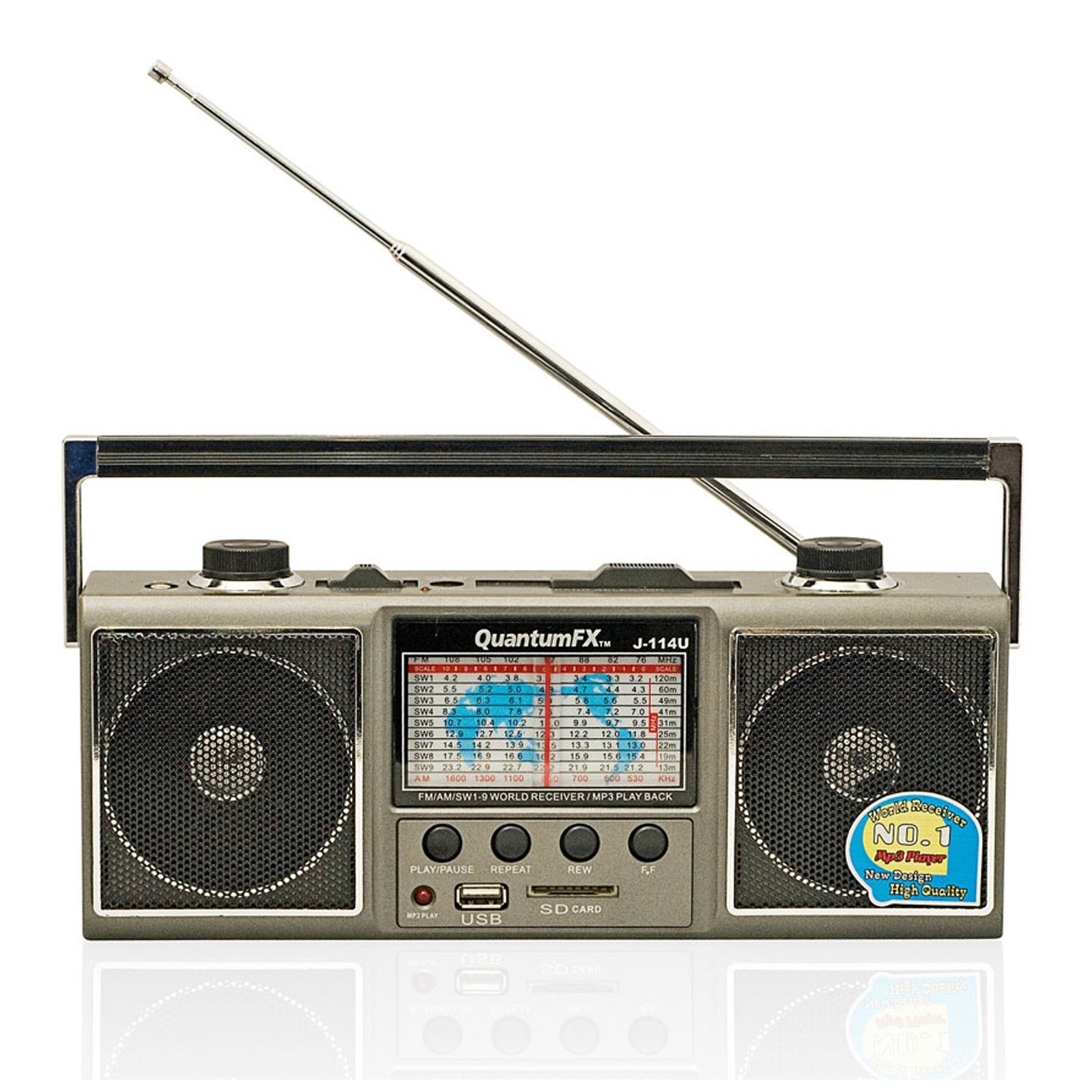
Figure 1: Front view of the QFX J-114U radio, showing the speaker grille, tuning dial, volume knob, band selector, and USB/SD card slots.
- Tuning Dial: Used to select radio frequencies.
- Volume Knob: Adjusts the audio output level.
- Band Selector Switch: Toggles between AM, FM, and SW1-SW9 bands.
- USB Port: For connecting USB flash drives for MP3 playback.
- SD Card Slot: For inserting SD memory cards for MP3 playback.
- Power Switch: Turns the unit ON or OFF.
- Antenna: Telescopic antenna for FM and SW reception.
- Stereo Earphone Jack: 3.5mm jack for connecting headphones.
- AC Power Input: For connecting the AC power cord.
- Battery Compartment: Located on the back, holds 4x D batteries.
Setup
Powering the Unit
The QFX J-114U can be powered by either AC electricity or DC batteries.
AC Power Operation
- Ensure the power switch is in the OFF position.
- Connect the AC power cord (not included) to the AC power input jack on the unit.
- Plug the other end of the AC power cord into a standard 120-220V 50-60Hz wall outlet.
- The unit will now operate on AC power.
Battery Operation
- Ensure the power switch is in the OFF position.
- Open the battery compartment cover located on the back of the unit.
- Insert four (4) 'D' size batteries (not included) into the compartment, observing the correct polarity (+/-) as indicated inside the compartment.
- Close the battery compartment cover securely.
- The unit is now ready for portable use. Remove batteries if the unit will not be used for an extended period.
Operating Instructions
Radio Operation (AM/FM/SW)
- Turn the Power Switch to the ON position.
- Select the desired band (AM, FM, SW1-SW9) using the Band Selector Switch.
- For FM and Shortwave reception, extend the telescopic antenna fully and adjust its angle for optimal signal. For AM reception, the unit has a built-in ferrite bar antenna, so rotate the entire unit for best reception.
- Rotate the Tuning Dial slowly to search for radio stations.
- Adjust the Volume Knob to your preferred listening level.
USB/SD Card MP3 Playback
- Ensure the power switch is ON.
- Insert a USB flash drive or an SD card (containing MP3 audio files) into the respective slot. The unit will automatically detect the media and begin playback.
- Use the playback control buttons (e.g., Play/Pause, Next Track, Previous Track) if available on the unit. Note: The J-114U features basic playback functionality. There is no display for track information.
- Adjust the Volume Knob to your desired level.
- To stop playback, remove the USB drive or SD card, or turn off the unit.
Using Headphones
- Plug standard 3.5mm stereo headphones into the Stereo Earphone Jack.
- The internal speaker will automatically mute when headphones are connected.
- Adjust the volume to a comfortable level before placing headphones on your ears to prevent hearing damage.
Maintenance
- Cleaning: Wipe the unit with a soft, dry cloth. Do not use abrasive cleaners or solvents.
- Storage: If the unit will not be used for a long period, remove the batteries to prevent leakage. Store in a cool, dry place.
- Antenna Care: Handle the telescopic antenna gently to avoid bending or breaking.
Troubleshooting
| Problem | Possible Cause | Solution |
|---|---|---|
| No power |
|
|
| Poor radio reception |
|
|
| USB/SD playback not working |
|
|
Specifications
- Model: J-114U
- Radio Bands: AM, FM, SW1-SW9 (11-Band total)
- Media Playback: USB, SD Card (MP3 format)
- Power Source: AC 120-220V 50-60Hz, DC 6V (4 x 'D' Batteries)
- Connectivity: USB, 3.5mm Earphone Jack
- Dimensions: Approximately 12.1 x 5.2 x 3.8 inches
- Weight: Approximately 2.2 pounds (without batteries)
Warranty and Support
For warranty information or technical support, please refer to the documentation provided at the time of purchase or contact QFX customer service. Keep your purchase receipt as proof of purchase for any warranty claims.
For further assistance, visit the official QFX website or contact their support channels. Specific contact details may vary by region.


